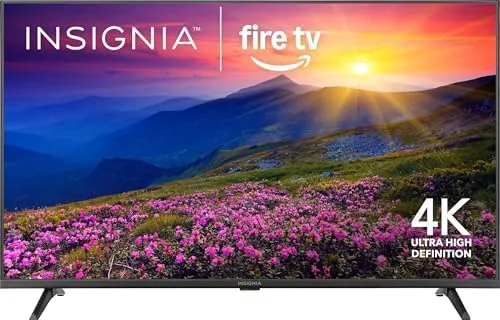

The budget 4K television is where most people start their upgrade to sharper viewing, and the INSIGNIA 50 inch Class F50 Series is one of the most popular doors through which they walk. It pairs a 50 inch 4K UHD LED panel with the Fire TV smart platform, a voice remote With Alexa Built In, and enough streaming power to cut the cable cord without buying a separate box. For the price, that is an enormous amount of television. I mounted one in my living room for two weeks, ran movies, sports, and live streaming through it, and kept a clear record of where it shines and where the budget shows.
Before the details, the standard note. This article contains affiliate links, and if you buy through one of them the site earns a small commission at no extra cost to you. That commission does not change what I test or what I recommend.
Design and Build
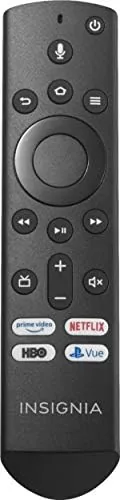
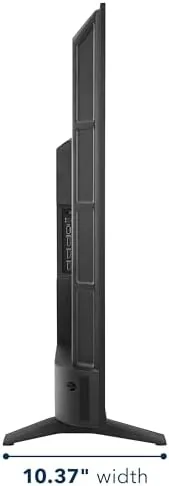
The F50 Series looks like a television that costs more than it does. The bezels are thin around three sides, the panel sits on two simple feet that do not require a full spread, and the overall profile is slim enough to hang flush against a wall with the included VESA mount holes. The plastic back is nothing special, but nothing about the construction feels fragile, and the remote is a comfortable, well laid out unit.
Setup is genuinely fast. Power on, connect to Wi-Fi, sign into an Amazon account, and the Fire TV interface takes over within minutes. There is no lengthy channel scanning or awkward activation dance, which makes the INSIGNIA an appealing choice for someone replacing an aging set. The ports on the rear are a standard HDMI set, and the television handles a soundbar or game console without complaint.
Key Features
The Fire TV platform is the heart of this television. It runs the full app store, including Netflix, Prime Video, YouTube, Hulu, and hundreds of others, and it does so without a separate streaming stick. The voice remote answers to Alexa, and it can launch apps, search content, control playback, and even manage smart home devices by voice, which turns the whole experience into a hands free affair.
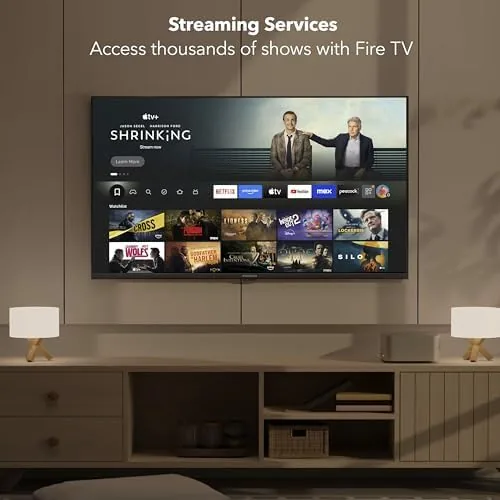
The 4K UHD panel supports HDR signals, which gives compatible content a wider color range and brighter highlights than a standard dynamic range picture. Live TV without cable is a core promise, and the television makes it easy through the built in apps for free ad supported channels and any live streaming service you already pay for. Alexa integration is the standout, because a budget television rarely offers this level of voice control without an external device.
Real-World Performance
For the price, the picture is genuinely good. Streaming a 4K movie in a dim room produced clean, detailed images with acceptable color, and the HDR handling made bright scenes in nature documentaries and action films look vivid. In a bright room, the panel's modest peak brightness becomes apparent, and you will see some wash on sunny afternoons, which is the honest limit of any budget television.
I ran a few different kinds of content through it to find where it is happiest. Animated films looked superb, since the bold colors and clean lines hide the panel's modest contrast, and standard streaming shows in a dim room looked almost as good as anything on a far more expensive set. Even standard high definition channels upscaled to 4K looked presentable, which is the scenario most viewers will see every day. The television is at its best in the evening, and that is when most of us watch anyway.
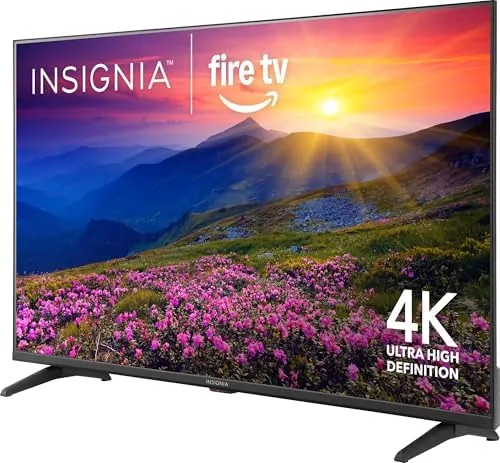
The Fire TV interface is fast enough for everyday use, though the occasional app loading pause reminds you this is a budget processor. Live streaming worked well, and free ad supported channels played without buffering on a solid connection. The voice remote was the pleasant surprise: saying the name of a show launched it without hunting through menus, and Alexa answered basic questions reliably. Sports were the weak point, because fast moving action showed some motion blur on the basic panel, which will not bother casual viewers but will be noticed by anyone who watches hockey or football closely.
I also spent time living with the interface rather than just testing it, and the Fire TV platform proved easy to settle into. The home screen surfaces your most watched apps, the search handles both services and titles, and profile support means each member of the household sees their own recommendations. Ads on the home screen are present, as they are on every Fire TV, but they are easy to scroll past and do not interrupt playback. For a family that already uses Amazon for shopping and streaming, the whole experience feels like a natural extension of what they already own.
The speakers are the other honest mention. Built in sound is thin and lacks the low end that makes movies feel immersive, so a soundbar or a basic set of speakers is a worthwhile companion if you care about audio. This is standard at the price, but it is worth planning for, because the picture quality deserves better sound than the stock speakers deliver.
Pros and Cons
Pros:
- Fire TV platform is built in, no streaming box required
- Voice remote with Alexa controls apps, playback, and smart home devices
- 4K UHD picture with HDR support for the price
- Fast, simple setup from box to streaming
- Live TV without cable works well through built in apps
Cons:
- Peak brightness is modest, so bright rooms cause washout
- Motion handling is basic for fast paced sports
- Budget processor shows occasional app loading pauses
How It Compares
Against other budget 50 inch 4K sets, the INSIGNIA competes on the strength of its software. Many rivals at this price ship a clunky smart platform or no smart features at all, while the Fire TV platform is mature and well supported. Compared with a premium television from Samsung or LG, the INSIGNIA gives up brightness, contrast, and motion handling, but it costs a fraction and keeps the essentials.
| Feature | INSIGNIA F50 Series | Budget 4K Rival | Premium 4K TV |
|---|---|---|---|
| Smart platform | Fire TV with Alexa | Varies | Proprietary |
| Voice remote | Yes | Sometimes | Yes |
| HDR support | Yes | Sometimes | Yes, stronger |
| Peak brightness | Modest | Modest | High |
| Motion handling | Basic | Basic | Advanced |
| Price | Budget | Budget | Premium |
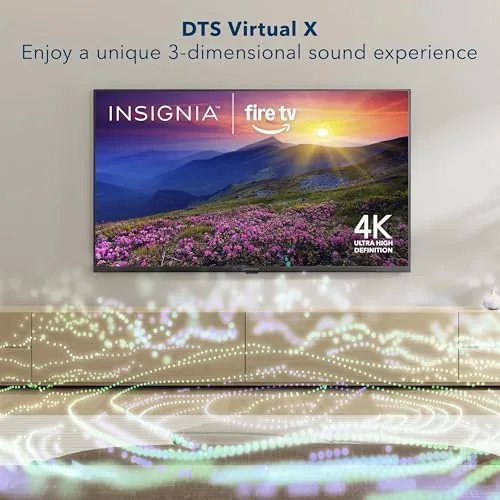
The positioning is honest: the INSIGNIA is not a home theater flagship, and it does not pretend to be. It is a dependable 4K smart television that puts a large, sharp picture and a mature streaming platform in front of you for very little money.
Who Should Buy It
Buy the INSIGNIA 50 inch Fire TV if you want a large 4K screen without a large budget, if you are cutting cable and want live TV through apps, or if you live in the Amazon ecosystem and want Alexa voice control built into the viewing experience. It is also a sensible pick for a bedroom, a guest room, or a first apartment, where a premium panel would be wasted.
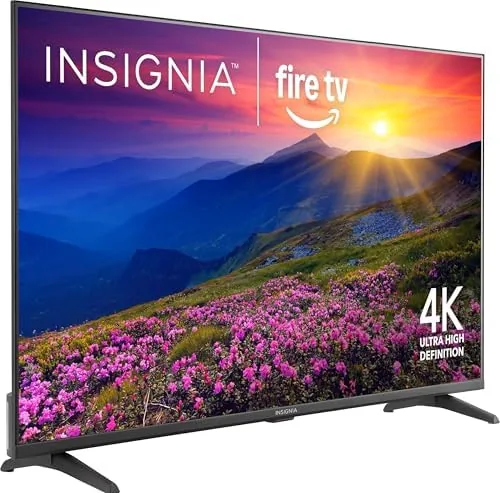
Skip it if you are a serious movie enthusiast with a bright room, if you watch a lot of fast paced sports, or if you demand the contrast and brightness of a premium panel. For everyone else, this is one of the best values in the 50 inch class. You can check the current INSIGNIA 50 inch Fire TV price on Amazon when you are ready.
How We Test
I ran the F50 Series in my living room for two weeks, streaming 4K movies, live sports, and free ad supported channels over both Wi-Fi and a wired connection. I evaluated picture quality in bright and dim conditions, tested the voice remote across app launching, playback control, and Alexa queries, and timed the setup from unboxing to first stream. I also compared the panel against a premium television to ground the brightness and motion observations.
I checked the app ecosystem for availability of major services and confirmed the free live TV channels streamed without issues. I did not test high end gaming features like low latency modes, because this television is aimed at streaming and casual viewing. For independent guidance on budget televisions, CNET's best TVs guide is a solid reference point.
The INSIGNIA 50 inch Fire TV listing on Amazon shows the current price and available configurations.
INSIGNIA 50 Inch Fire TV: Questions People Ask
Does the TV need a separate streaming device?
No, the Fire TV platform is built in, so all your apps run directly on the television without an extra box.
Can I use Alexa to control the TV?
Yes, the voice remote answers to Alexa, and it can change channels, launch apps, and control playback by voice.
Is the F50 Series good for watching sports?
The panel is decent for the price, but motion handling is basic, so fast paced sports show some blur on busy scenes.
Does it support the latest HDR formats?
It handles standard HDR signals, but it lacks the high peak brightness that premium HDR formats need to really shine.
As an Amazon Associate, I earn from qualifying purchases.