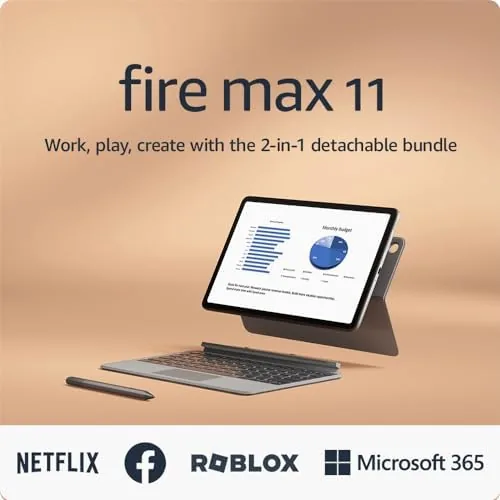

Amazon has spent years telling us its Fire tablets are the cheapest way to watch streaming, and it has been right about that. The interesting question, and the one this Amazon Fire Max 11 review tries to answer, is whether the biggest Fire can grow up and be an actual work machine. The bundle on my desk came with a keyboard case and a stylus, which is Amazon putting its hand where its mouth is, and the honest answer is that it is better at the job than I expected, with limits that are all in the software.
Before I begin, the standard note: this article contains affiliate links. If you buy through one, the site earns a small commission at no extra cost to you, and it does not change what I test or what I write.
Design and Build
The Fire Max 11 is Amazon's flagship slab, and it looks the part. The aluminum unibody is slim and surprisingly premium, the 11 inch display sits behind modest bezels with a front camera at the top for calls, and at about a pound it is light enough to hold for a film or prop on a lap with the keyboard. It is The Best built Fire Amazon has ever shipped, and the gap to the cheaper Fire models is obvious the moment you pick it up.
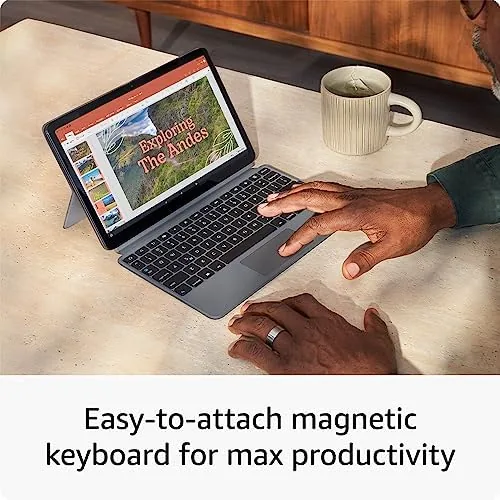
The bundle adds a detachable keyboard case that closes over the screen like a laptop lid and a stylus that snaps magnetically to the right edge of the tablet. The keyboard is stiff-backed and clips on via pogo pins, so there is no pairing to fuss with, and the trackpad works as a basic substitute for a mouse. Everything feels solid for the price, and the whole bundle folds into something that looks like a small ultrabook from the outside.
Key Features
The headline hardware is the octa-core processor with 4GB of RAM, which is a serious step up from the small Fire tablets and enough to keep Fire OS feeling fluent. The display is an 11 inch 2000 by 1200 panel that is bright and sharp for streaming, and the quad speakers with Dolby sound make it a genuinely enjoyable cinema screen.
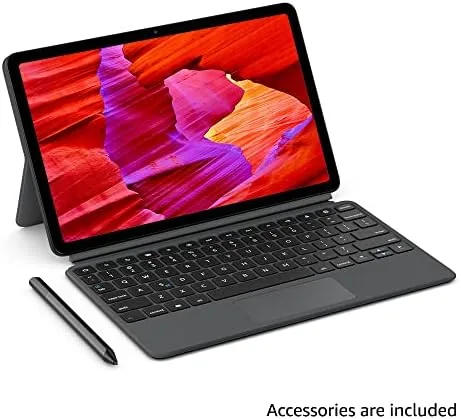
The stylus is the surprise. It is an active stylus with palm rejection, and it writes and draws smoothly in the included note and art apps, which is more than you would expect from a budget accessory. The keyboard, meanwhile, turns the tablet into a genuine writing tool. I typed a full draft on it, and while the keys are shallow, they are reliable and the layout feels familiar after a few minutes. Together they are the difference between a media gadget and a light laptop.
The other star is the software itself. Fire OS is built on Android but swaps the Google Play store for the Amazon Appstore, and the docked home screen and split-screen multitasking come with it. That is both the promise and the trap, and it deserves the careful treatment in the next section.
Real-World Performance
Here is where the spec sheet gives way to a week of actual use. As a streaming tablet, the Fire Max 11 is superb. Netflix and Prime Video look great on the bright screen, the speakers are loud enough to fill a room without a soundbar, and the battery sailed through an entire long weekend of movies, reading, and calls with charge to spare. If Amazon only ever shipped this half of the device, it would still be the best value big screen in its range.

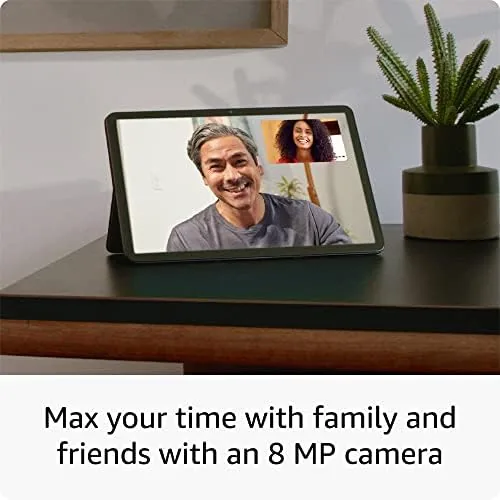
As a work machine, it is a surprise. The keyboard case made writing comfortable, the stylus handled note taking neatly, and split screen let me keep a browser beside a document without the tablet breaking a sweat. Web apps like a lightweight office suite run fine, and video calls look clean through the front camera. For a light day of email, drafting, and research, the bundle genuinely covered me.
Then the limit arrives, and it is always the store. Fire OS does not run Google apps, so no native YouTube or Google Docs, and the Amazon Appstore is thinner than Play on the tools people actually need. Some apps are missing entirely or run as old mobile versions, and while you can sideload a few, that is an answer for enthusiasts rather than a working partner. Heavy multitasking also shows the budget chip: a large split screen plus a stream occasionally stutters, and apps reopen from scratch more than they resume.
I will be honest: for pure streaming the Fire is the champion, and for real office work the bundle is a pleasant middle ground that stops short of laptop territory. The value is in how much it does before you hit the wall, and that wall is always the app ecosystem, not the hardware.
Pros and Cons
Pros:
- Bright 11 inch screen and loud quad speakers for media
- Detachable keyboard and stylus add real productivity
- Premium aluminum build at a budget price
- Long battery life across streaming and light work
- Big step up in power over the cheaper Fire models
Cons:
- Fire OS locks you out of Google apps and the Play store
- The Amazon Appstore is thin on productivity software
- Heavy multitasking shows the budget processor
- Keyboard keys are shallow and the trackpad is basic
How It Compares
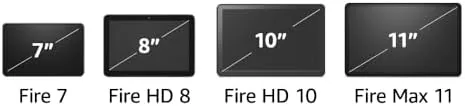
The obvious rivals are the Samsung Galaxy Tab A9+ and the Lenovo Tab M11, both full Android tablets with Google Play access at a similar price. On the hardware the Fire Max 11 competes well, and on the keyboard and stylus bundle it may even lead. The decisive difference is the store: full Android runs whatever you want, while the Fire is fenced into the Amazon ecosystem.
| Feature | Fire Max 11 | Galaxy Tab A9+ |
|---|---|---|
| Display | 11 inch 2K | 11 inch 90Hz |
| App store | Amazon only | Google Play |
| Keyboard | Bundle option | Extra |
| Stylus | Bundle option | None |
If the app ecosystem matters to you, the Galaxy is the safer buy and I would steer you there in a sentence. If Amazon streaming is your whole world and you like the idea of a keyboard and stylus for the money, the Fire Max 11 bundle is the one. It comes down to which wall you are prepared to live with.
Who Should Buy the Amazon Fire Max 11
Buy it if Amazon Prime is the centre of your media life and you want the biggest, nicest screen to watch it on, with the option to type and sketch when you need it. The bundle is a real deal for students and light office workers who live in the browser, and the battery and build quality make it an easy daily companion.
Skip it if you rely on Google apps, or if real office software and native apps matter to your day. For those the full-Android competition is the better investment, even at a small price premium. You can check the current Fire Max 11 productivity bundle price on Amazon when you are ready.
How We Test
I spent a week with the Fire Max 11 productivity bundle as my portable device, streaming, typing a full draft, taking notes with the stylus, taking calls, and splitting the screen between a browser and a document. I judged it on display quality, speakers, battery life, keyboard comfort, stylus accuracy, and how often I hit the app-store wall.
I compared it with a Galaxy Tab A9+ and a small budget Fire so the verdict reflects side by side time rather than a spec sheet. Independent testing elsewhere, such as TechRadar on the Fire Max 11, reaches the same conclusion about the strong hardware and the limiting app store.
If you are shopping tablets, my Galaxy Tab A9+ and budget Android tablet reviews can help you compare before you spend. When you are ready, the Amazon Fire Max 11 listing shows the current bundle and accessory options.
Amazon Fire Max 11: Questions People Ask
Can a Fire Max 11 replace a laptop?
For email, browsing, and light documents, yes with the keyboard. For desktop software, native office suites, or heavy work, no; Fire OS is a mobile system and the store simply does not carry the full laptop apps.
Is the Fire Max 11 stylus any good?
Yes. It writes smoothly with palm rejection, the battery lasts for months of occasional use, and it snaps magnetically to the side of the tablet to charge and store. For the bundle price it is a real extra, not a toy.
Why can you not install Google apps?
Because Fire OS uses the Amazon Appstore instead of Google Play. That is the core trade of a Fire tablet; the hardware is fine, but the software wall is deliberate, and it is the single most important thing to know before buying.
Is the keyboard worth the extra money?
Yes if you type. The detachable keyboard turns the tablet into a light laptop that genuinely works for writing. If you will only ever stream, buy the tablet alone and skip the bundle to save.
As an Amazon Associate, I earn from qualifying purchases.