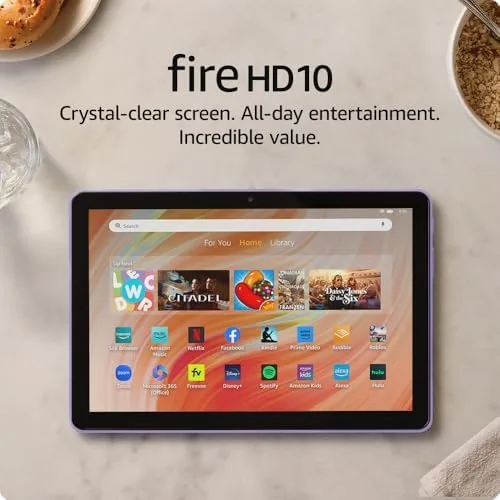

There are tablets you buy thinking about a desk, and there are tablets you buy to lie on the sofa with. This Amazon Fire HD 10 review comes from two weeks using the newest 10.1 inch model as my streaming and reading device, and the honest verdict is that it nails the first job completely while reminding me of the second job it refuses to take on. For Prime movies, Kindle books, and the odd web browse it is a genuine bargain; for anyone who wants a fully open tablet with the Google Play store out of the box, it will frustrate. Knowing which camp you are in before you buy is the whole review in one sentence.
Before the details, the standard note that covers every review on this site: this article contains affiliate links. If you buy through one of them, the site earns a small commission at no extra cost to you, and it does not change what I review. I have no arrangement with Amazon beyond the device itself, and everything below is my own two weeks of sofa and screen time.
Design and Build
The Fire HD 10 has a chunky, practical build with a wide bezel that gives your thumbs somewhere to rest in landscape. It is heavier than a modern iPad and clearly built to a price, but it does not pretend to be a slim pro tablet, and the plastic back refuses to flex or crack under the gentle rough-and-tumble of everyday use. On a stand, in a case, or on a child grip it does exactly what it is meant to do.
The 1080p Full HD screen is the star of the package, bright and crisp enough for comfortable off-axis viewing on the couch. The stereo speakers stay on the thin side, so most people will want headphones or a cheap Bluetooth speaker for movies, but the display is where the money went, and it shows in the way streaming titles look on this screen.
The wide bezel also makes the tablet easy for small hands to hold without touching the display, which is one of the quiet reasons the Fire line works so well as a first Tablet for a child. The screen is 10.1 inches diagonally and the panel calibration is tuned for video, so colors read a touch saturated; that suits the streaming content the tablet is for, and it never gets in the way of reading a book. It is not a panel you would hang a review on for color-critical work, but it is not sold for that either.
Key Features
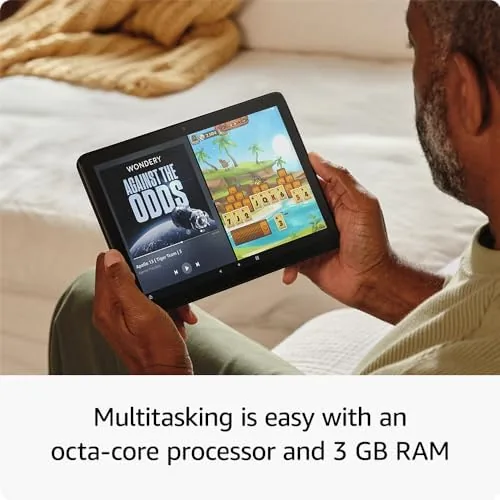
The core of this tablet is its octa-core processor paired with 4 GB of RAM. That is more memory than older Fire tablets carried, and in everyday use it shows: apps open quickly, streaming stays smooth, and the interface no longer stutters as you flip between apps. The 4 GB makes the difference between a tablet you tolerate and one you stop noticing, and it is the headline reason the newest Fire HD 10 feels faster than its predecessor.
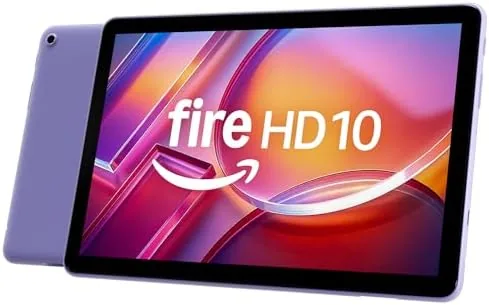
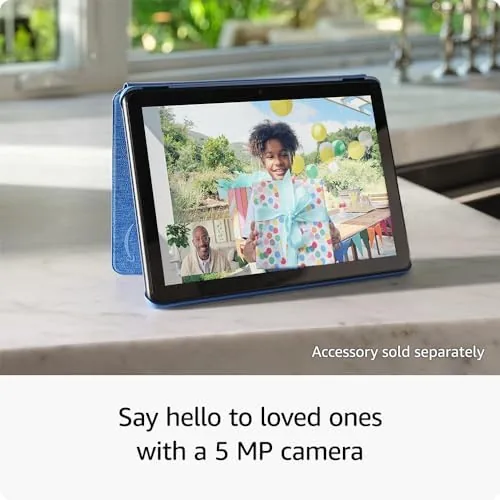
You also get a front camera and a matching back one, hands-free Alexa that works from across the room, and the option to run it as a wall-charged display like an Echo Show. The base 32 GB of storage holds a good stack of apps and a handful of movies, and the microSD slot lets you add far more for the price of a cheap card.
Real-World Performance
For entertainment, the Fire HD 10 performs well. Streaming video holds a steady framerate, Kindle pages turn quickly, and the bright screen reads comfortably in bed with a light on. The 4 GB of RAM makes a real, visible difference compared with the cheaper Fire tablets I have used, and switching between a movie and a web page no longer brings the whole device to a halt.
The honest friction is the software. Fire OS is Amazon-centric, so the default store does not carry the full Google Play catalog, and some familiar apps are simply missing or out of date. The setup pushes Amazon services at you, base and the base models carry a lock screen ad that you can pay to remove. For the right buyer that trade is exactly what makes the price so low, but it is worth knowing before you buy rather than after.
On the upside, the Alexa integration is genuinely useful: you can ask it for the weather, set a kitchen timer, or play a show out loud while the tablet sits in a stand, and it behaves much like an Echo Show without the extra dock. That multi-use personality is a large part of why the Fire line holds its value even against a full Android tablet. When the tablet is meant to live in a kitchen or living room rather than a briefcase, that single detail outweighs a lot of the complaints about the app store.
Pros and Cons
Pros:
- Bright 10.1 inch Full HD screen for a very low price
- Octa-core processor and 4 GB of RAM keep it smooth
- Durable, affordable body suited to a family tablet
- Hands-free Alexa and good support for Amazon video apps
- microSD slot for far more storage than the 32 GB base
Cons:
- Fire OS lacks the full Google Play catalog
- Base models carry lock screen ads by default
- Heavier and more plastic than a premium tablet
- Not built for productivity or heavy multitasking

The cons are all software and expectations rather than hardware failures, which is the fairest way to frame this device. If you go in knowing it is an Amazon content machine rather than a general-purpose tablet, the pros carry the day.
How It Compares
The Fire HD 10 compares most directly with budget Android tablets such as the Galaxy Tab A range, and one tier above with an iPad. Against those, the Fire costs by far the least and is purpose-built for Amazon content, while the others run the full Google Play store and the iPad is in a different price league entirely.
| Feature | Fire HD 10 | Galaxy Tab A 10 |
|---|---|---|
| Screen | 10.1 Full HD | 10.1 |
| Play Store | No | Yes |
| RAM | 4 GB | 4 GB |
| Price | Very low | Higher |
If you live inside Google apps, the extra money for a Play Store tablet is worth it. If your life already runs on Prime, streaming, and Kindle, the Fire HD 10 is the best-value screen for that content around, and the gap to a fuller tablet is a decision about your habits more than about the hardware.
Who Should Buy the Fire HD 10
Buy it as a second-screen tablet for streaming, reading, and games, for a child who will drop it, or as a wall display that shows family photos and the calendar. It is the tablet you buy when the job is fun rather than heavy work, and for those roles it is very good value indeed.
Skip it if you live inside Google apps every day, if you need a productivity workhorse tablet with heavy multitasking, or if a lock screen ad on your own device bothers you more than the savings. When you are ready, you can check the Amazon Fire HD 10 price and options on Amazon and decide between the base and the ad-free version.
How We Test
I used the Amazon Fire HD 10 for two weeks as my main streaming and reading tablet, testing video, apps, battery, and the speed of daily browsing, and judging how the newer specs held up under ordinary use rather than synthetic tests.
I did not run laboratory benchmarks, so the performance verdict is by use rather than by numbers. Independent assessments such as TechRadar on the Fire HD 10 give a useful second view on the tablet and are worth reading before you decide.
When you decide, the Amazon Fire HD 10 listing on Amazon shows the current bundles and whether a case or a memory card is included.
Amazon Fire HD 10: Questions People Ask
Does the Fire HD 10 run Google Play?
Not out of the box. It uses Fire OS, so the store is Amazon's, and while some Google apps can be sideloaded with effort, it is not the same as full Play support and some apps will not behave.
Can it make video calls?
Yes. The front camera works with Alexa and supported apps, so you can make video calls and use the tablet as a second Echo Show style device when it is left on the charger.
Is the Fire HD 10 good for a child?
Yes, with the Amazon Kids mode and a durable, affordable body made to take knocks. It is a strong choice for a rough-and-ready kids tablet, though you will still want a protective case for the first drop.
As an Amazon Associate, I earn from qualifying purchases.