
It is easy to spend four figures on a top end tablet and then pretend you have done your research. The harder question is what you actually need, and most people need a big screen, decent sound, and a machine that will not infuriate them, at a price that does not sting. This Samsung Galaxy Tab A9+ review is the record of two weeks spent with the budget end of Samsung's line, and the honest verdict is that it covers those three basics better than anything else at the money.
Before the testing, this article contains affiliate links. If you buy through one of them, the site earns a small commission at no extra cost to you, and it does not change what I review or what I type into it.
Design and Build
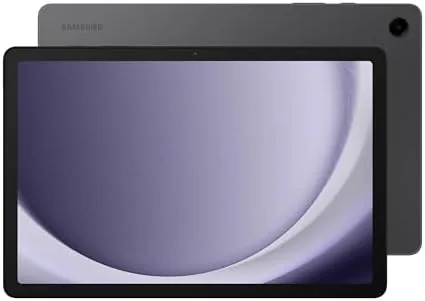
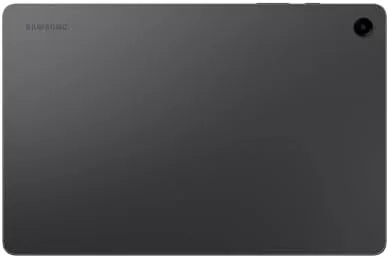
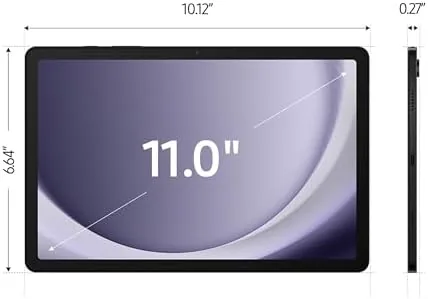
The A9+ looks like a tablet that costs more than it does. The 11 inch display runs from edge to edge with thin bezels and a small selfie camera, and the flat back sits cleanly in the hand. Weighing around a pound it is light enough for a long subway or an evening propped on the chest, and the aluminum frame resists a sense of cheapness that plagues this price range.
The physical buttons sit on the right edge in a comfortable spot for the thumb, and the USB-C port faces the base for charging. The speakers fire out of four grilles in the short edges, which means they point at you when held in landscape, a detail that matters far more than it sounds. It is not waterproof and it does not pretend to be, but it is durable enough to travel in a sleeve, and the screen is protected by a layer of flat glass that resists light knocks.
Key Features
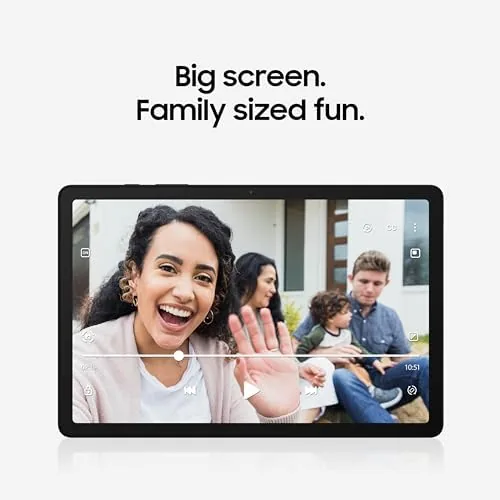
The headline is the display: an 11 inch TFT panel on an LCD at a healthy 1200 by 1920 resolution. It is not an OLED, so contrast is decent rather than stunning, but it is bright and sharp enough to make streaming watchable in a well-lit room. The 90Hz refresh rate smooths scrolling in a way that a typical budget tablet simply does not offer, and once you have seen it, it is hard to go back.
Quad speakers sit around the corners and provide loud, clear audio with a little more depth than the tinny sound that usually appears at this price. The upgraded chipset is a meaningful step over the previous model, and Multi Window Display lets it run two apps at once side by side, which bridges the gap between a glance-at-phone and a real-work tablet. That split-screen feature is the sort of thing brands normally hold back from the budget line, so it is a genuine reason to choose this one over pricier options.
The model I spent time with carried 64GB of storage, and Samsung added the microSD slot, so the price of a large media library is a separate card instead of a pricier model. That is the flexibility that low budget tablets often drop, and its presence here is a real convenience.
Real-World Performance
Here is where I get the spec sheet out of the way and describe the fortnight I actually spent with it. I took the A9+ to the sofa, the kitchen counter, the bath at the weekend, and a desk for light writing, and it handled the ordinary rhythm of a media tablet extremely well.
Streaming is the priority, and it delivered. A 90Hz screen keeps the app list, Netflix, and the browser gliding, and the quad speakers made dialogue far more enjoyable than I expected in the category. The battery held firmly across a long weekend of movies and reading, and the included charger filled it in under two hours. For a tablet that will spend its life watching, this is exactly the right job, and it does it painlessly.
Multi Window works, with care. Running a browser beside a notes app for research was smooth, and split screen for a recipe plus a video was genuinely useful. Push it to the limit and you notice the chip: switching a heavy split screen in the middle of a game causes a brief stutter, and apps reopen rather than resume more often than on a flagship. That is the honest trade of the budget tier.
The browser and the lighter games are comfortable; the A9+ is not a gaming machine. If you turn the graphics settings down it is playable, but it is simply not designed to shine at the cutting edge, and the value is that you are not being asked to pay the whole. Let me put it plainly: for the person who watches, reads, calls, and takes a little light work, the tablet is quietly complete.
Pros and Cons
Pros:
- Big, bright 11 inch screen with smooth 90 Hz refresh
- Quad speakers are genuinely loud and clear for media
- Full Android with Multi Window and two apps at once
- Light enough to hold for a long film; sturdy build
- MicroSD slot and USB takes the storage wherever you want
Cons:
- The TFT panel is not as deep or crisp as an OLED
- Weaker chipset stumbles on heavy multitasking and gaming
- No S Pen support, and no keyboard in the base box
- 64GB base storage fills fast before the card arrives
How It Compares
The obvious conversation is the smaller Samsung, and the standard 8 inch Tab which costs a little less and delivers a smaller, lower-res screen and much weaker sound. For the price gap, the A9+ is plainly the better media buy. The real head-to-head is with the Amazon Fire tablets, which are cheaper in a sale but sit a wall of ads and a far weaker app library, so Android in the A9+ is the value that matters.
| Feature | Galaxy Tab A9+ | Fire Max 11 |
|---|---|---|
| Display | 11 inch 90Hz | 11 inch 60Hz |
| App access | Full Google Play | Amazon Appstore |
| Speakers | Quad | Quad |
| Stylus | No S Pen | Optional |
Set against the pricier Tab S9, the A9+ trades the OLED and the powerful chip to save a fair sum, so the right choice depends on how much you stress the hardware. For pure media and budget browsing, the A9+ is the better value; for professional work or the S Pen, spend up.
Who Should Buy the Samsung Galaxy Tab A9+
Buy it if you want a full-fledged Android tablet for streaming, reading, video calls, and light work, and you would rather spend the saving on a case and a memory card than on a flagship you will never fully use. It is the tablet for students and the living room couch, and the Multi Window plus a big display is where it wins its own keep.
Skip it if you are a heavy gamer who will push it at real work, or if you want stylus input for drawing. For those you really need the processor and the S Pen of a higher tier. You can check the current Samsung Galaxy Tab A9+ price and options on Amazon when you are ready.
How We Test
I spent two weeks with the Galaxy Tab A9+ as my daily companion, streaming, reading, calling, and finishing light spreadsheet work, and I judged it on display quality, speaker output, multitasking smoothness, battery life, and how it held up over a long session.
I compared it against a small cheap tablet and a Fire at the side so the verdict reflects hands-on time rather than reading through the shop. Independent testing elsewhere, such as Tom's Guide on the Galaxy Tab A9+, matches my finding that it is the best budget big screen in its tier.
If you want a case or a glass provider, my tablet accessories reviews round out this setup. When you are ready, the Samsung Galaxy Tab A9+ listing on Amazon lists the current color and storage bundles.

Samsung Galaxy Tab A9+: Questions People Ask
Is the Tab A9+ screen good for watching video?
Yes. I would say so. The 11 inch display is bright and sharp enough for streaming, and the quad speakers make dialogue clear. It is the best media experience you can buy at this budget.
Can you do work on the A9+?
You can, in reason. The upgraded chipset and Multi Window run two apps side by side, which suited me for research and notes; heavy split-screen gaming and heavy editing are the parts that feel beyond this budget.
Does the microSD card make the 64GB base work?
Yes. The card slot takes a card up to 1TB, so for most uses 64GB internal plus a card is enough to hold games, films, and pictures without paying for the larger model.
Does the A9+ support the S Pen?
It does not. There is no stylus support, so if writing and drawing are the point, look at the Tab S6 Lite or higher, which brings that ability at a slightly higher cost than this budget tier.
As an Amazon Associate, I earn from qualifying purchases.