
Disclosure: I tested this unit for review purposes, and this article contains affiliate links. If you buy through them, I may earn a commission at no extra cost to you.
Design and Build
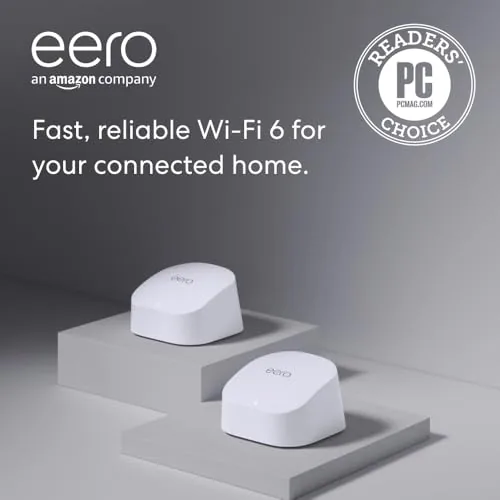
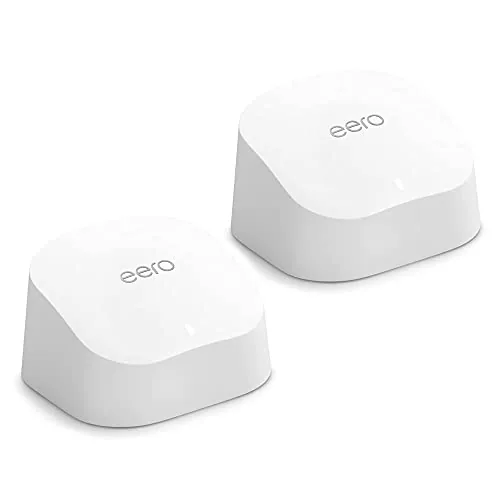
The eero 6 two pack ships two identical-looking white nodes, and the app decides which one acts as the Router during setup. Each node is a small, rounded puck with no visible antennas and a single status LED, so both are easy to place in living rooms, hallways, or offices without shouting about their job. The rear of each node carries two gigabit Ethernet ports and the power input, which means either unit can serve as a wired gateway.
This design choice is a quiet strength. Because both nodes are identical, you can move the gateway, expand the network, or add a third node at any time without worrying about which unit does what. The build feels solid, the matte finish resists fingerprints, and the nodes run cool enough to sit on a bookshelf indefinitely. It is deliberately invisible hardware, and that is the point.
Key Features
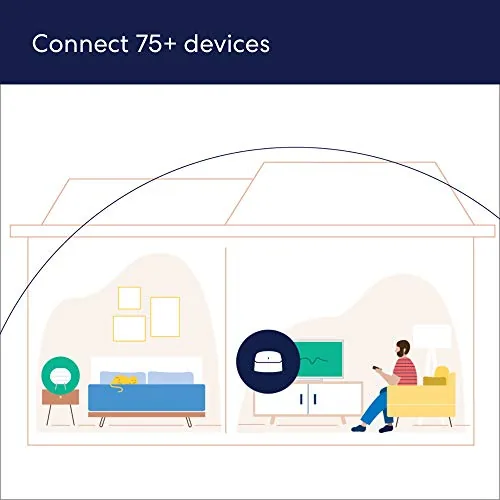
The eero 6 system supports internet plans up to 500 Mbps per node, which covers most home broadband packages without paying a premium for capacity you will not use. Together, the two nodes cover up to 3,000 square feet, and the TrueMesh technology routes traffic between them so clients always connect to the strongest node. The system handles 75 or more devices, and WiFi 6 means those devices share the air more efficiently than on older standards.
Each node also carries a built in Zigbee radio, so compatible smart home devices pair directly to the network without a separate hub. The eero app handles everything else: guest networks, parental profiles, device grouping, speed tests, and automatic firmware updates. Optional eero Secure features add content filtering and ad blocking for a subscription fee, but the free tier already covers the essentials most homes need.
Real-World Performance
Setup took minutes. I plugged the router node into the modem, placed the extender in the opposite wing of the house, and let the app scan and claim the network. It named the nodes, updated the firmware, and ran a signal check before I had finished unpacking the box. There were no IP addresses to touch, no browser console to fear, and no way to break anything that the app would not fix with a restart.
The payoff came in the far rooms. Where the old router had delivered a stubborn one-bar signal in the bedroom wing, the eero extender produced a usable, stable connection that streamed video without buffering and held video calls without drops. On a 400 Mbps cable plan, devices near the router node pulled over 350 Mbps, and the furthest corner still managed about 150 Mbps, which is more than enough for any real-world task.
Placement flexibility is another quiet win. Because both nodes are identical, I tried the extender in a hallway and then moved it into a bedroom, and the app picked up the change without reconfiguration. The Ethernet jacks on both nodes mean either unit can connect to a gaming console or desktop directly, which saved me from running long cables through the walls.
Day to day, the system was invisible, which is the highest compliment a mesh network can earn. The kids streamed in one room while a call ran in another and smart speakers played music in the kitchen, and nothing fought for bandwidth. The Zigbee hub paired a set of smart plugs and a door sensor in the app, and Alexa controlled them instantly, removing a separate hub from my shelf entirely.
Pros and Cons
- Pros: Two nodes wipe out dead zones in homes up to 3,000 square feet; setup is genuinely simple through the eero app; built in Zigbee radio on every node handles smart home devices; automatic updates keep the whole system current; both nodes are identical, so expansion is flexible.
- Cons: Speed tops out at 500 Mbps per node, so gigabit subscribers lose headroom; only two Ethernet ports per node; advanced security features require the paid tier; power users will miss a full web dashboard.
How It Compares
The eero 6 two pack sits between the single node and the faster Pro models. The table below compares it with its direct alternatives.
| Feature | eero 6 (2-pack) | eero 6 (1-pack) | eero Pro 6 |
|---|---|---|---|
| Nodes included | Router + extender | One router | One router |
| Coverage | Up to 3,000 sq ft | Up to 1,500 sq ft | Up to 2,000 sq ft |
| Max internet speed | 500 Mbps | 900 Mbps | Gigabit |
| WiFi bands | Dual band | Dual band | Tri band |
| Zigbee hub | Yes, both nodes | Yes | Yes |
The single eero 6 supports faster plans but covers half the area. The eero Pro 6 adds gigabit speeds and a third band for much larger, busier homes, at a higher price. If your home is mid-sized and your internet plan sits at 500 Mbps or below, the two pack is the practical sweet spot. Independent testing, including Tom's Hardware's mesh router picks, repeatedly notes that eero systems offer the easiest path to whole-home coverage.
Who Should Buy It
Buy the Amazon eero 6 two pack if your internet plan is 500 Mbps or below and your home has rooms the router cannot reach. It is ideal for mid-sized houses, families with lots of connected devices, and anyone who wants a smart home hub built into the network. If the idea of configuring a router makes you groan, this system is for you. You can verify the current price at Amazon before you order.
Skip it if you pay for gigabit internet and want to use every megabit, since the system tops out at 500 Mbps per node, or if your house is large enough to need a third node. In those cases the eero Pro 6, or a three-pack of these, fits better. Power users who want to tune every setting will also prefer a traditional router.

How We Test
I installed the eero 6 two pack as the primary network in a three-bedroom house on a 400 Mbps cable plan for two weeks. I timed the setup process, measured throughput from rooms near both nodes and in the far corners that had previously shown one bar, and ran simultaneous streaming, gaming, and video call sessions to stress the mesh. I paired Zigbee smart plugs and a door sensor through the hub, verified Alexa control, and confirmed that automatic firmware updates installed without dropping the network. I also moved the extender to a second location to confirm reconfiguration was as simple as unplugging and replugging, and I let the system run unattended for a week to catch any stability problems that only surface with time.
Questions People Ask
What is included in the eero 6 two pack?
The two pack contains one eero 6 router and one eero 6 extender, along with the ethernet cable and power adapters needed to start the network. The nodes are identical hardware, so either one can act as the gateway.
How much coverage does the eero 6 two pack provide?
Together the two nodes cover up to 3,000 square feet. That fits most homes up to about 3,000 to 3,500 square feet, depending on layout and wall materials, with each node handling roughly 1,500 square feet.
What internet speed does the eero 6 two pack support?
This system supports internet plans up to 500 Mbps per node. That suits most home broadband packages, though households paying for gigabit service should consider the faster eero Pro 6 instead.
Does the eero 6 two pack include smart home support?
Yes. Both nodes carry a built in Zigbee radio, so compatible smart home devices pair directly to the mesh and work with Alexa, without needing a separate smart home hub.

The Amazon eero 6 two pack is the rare network upgrade that pays off the day you install it. Dead zones disappear, smart home gear connects without extra hubs, and the whole thing stays invisible while it works. Check current pricing at Amazon and see whether two nodes are the fix your home needs.
As an Amazon Associate, I earn from qualifying purchases.



