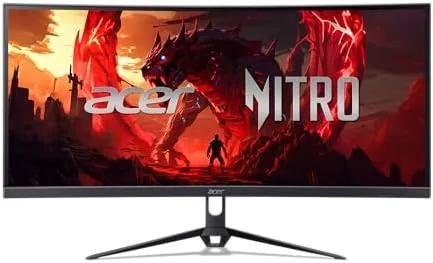

There is a sweet spot in gaming monitors where price, speed, and immersion meet, and ultrawide panels have been crowding toward it for a few years. The Acer Nitro ED300C X1 sits squarely in that space: a 29.5 inch curved panel with a 2560x1080 resolution, a 200Hz refresh rate, a 1ms response time, AMD FreeSync Premium, and 100 percent sRGB coverage, all in a package that does not demand a premium. I used this monitor as my daily display for two weeks, running competitive shooters, open world games, and everyday work, to see whether the fast specs translate into a genuinely good screen.
Before the details, the standard disclosure. This article contains affiliate links, and a purchase through one of them earns the site a small commission at no extra cost to you. That commission never affects what I test or what I recommend.
Design and Build
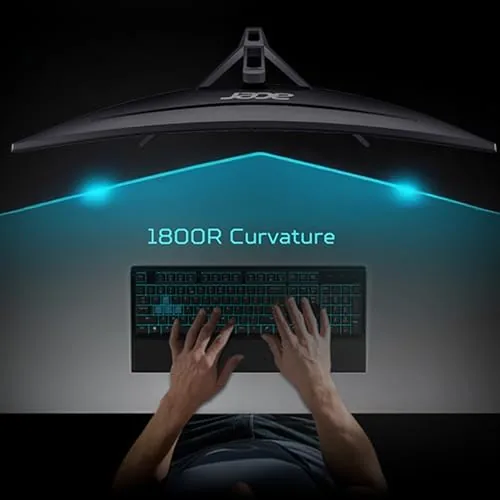
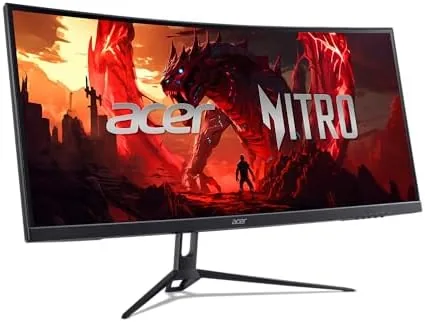
The ED300C X1 follows the Acer Nitro design language: a dark, angular bezel with a gaming inspired stand and subtle red accents. The panel uses an 1800R curve, which is the gentlest common radius, and it wraps the image around your field of view without the distracting bend that sharper curves can cause at this size. The stand is sturdy and the monitor does not wobble during intense mouse movements.
The build is honest rather than flashy. The plastic panels are solid with no creaking, the OSD buttons sit on the bottom edge where they are easy to reach, and the stand has a cable management cutout that keeps the desk tidy. The panel accepts a standard 100x100mm VESA mount, so you can swap the included stand for an arm if your desk setup calls for it.
Ergonomics are adequate. The stand offers tilt adjustment but no height or swivel control, which is normal at this price point, and the low height means most users will add a monitor arm or a riser for an eye level view. The built in speakers are present for convenience, though serious gamers will connect a headset or dedicated speakers.
Key Features
The headline feature is the 200Hz refresh rate. At this speed, motion in fast paced games stays fluid and clear, and the difference from a standard 60Hz or even 144Hz panel is immediately visible in a twitch shooter. Combined with the 1ms response time, the panel keeps ghosting to a minimum during quick flicks and fast scene changes.
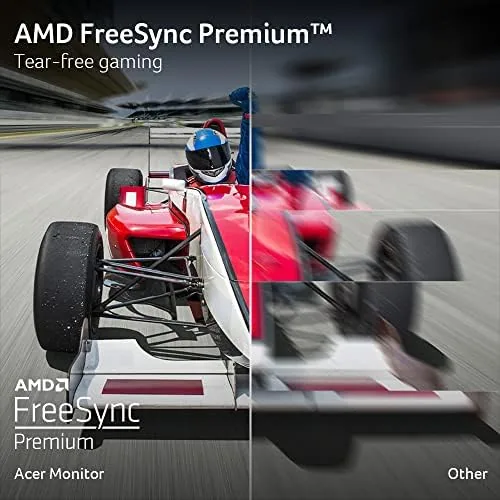 A Fast paced game scene with motion, showing the smooth 200Hz refresh in action" width="1200" height="800" loading="lazy" style="height:auto">
AMD FreeSync Premium handles the other half of smooth motion. The feature matches the monitor's refresh rate to the output of compatible AMD graphics cards, eliminating screen tearing and stutter without the added latency of a fixed sync solution. It is a meaningful upgrade for anyone with an AMD GPU, and the Premium tier adds low latency and flicker free operation.
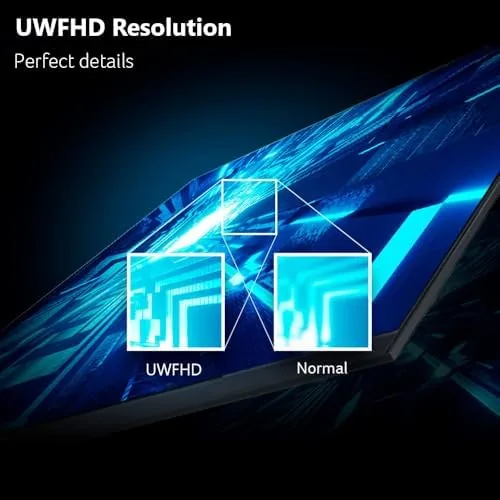
The ultrawide 2560x1080 resolution delivers a wider field of view than a standard 16:9 monitor at the same pixel budget. Racing games show more track, shooters reveal more of the scene, and strategy games display more of the map. The 100 percent sRGB coverage keeps colors vivid for the games that use them well. For a current look at the price and the exact specs, the Amazon listing for the Acer Nitro ED300C X1 is a useful reference.
Real-World Performance
I started with a competitive shooter to test the motion handling. At 200Hz with FreeSync active, the gameplay felt genuinely quick and responsive, with no tearing during fast strafes and no perceptible ghosting on the moving crosshairs and doorways. The difference from my usual 144Hz panel was subtle but real, and it was most obvious in the smoothness of distant moving targets.

The ultrawide view shone in a racing game, where the extra horizontal space showed the apex of corners well before a standard monitor would, and in a real time strategy title where the expanded map view reduced scrolling. In a cinematic open world game, the curve helped the edges of the screen feel closer to the action, which made the wider format feel immersive rather than gimmicky.
Color performance was solid out of the box. The 100 percent sRGB coverage produced punchy, well saturated colors in games and media, with the caveat that the factory calibration is tuned for gaming vibrancy rather than professional accuracy. Blacks were decent for an IPS class panel, and there was some backlight glow in the corners of dark scenes, which is typical at this price.
Everyday work was a pleasant surprise. The ultrawide resolution splits neatly into two browser windows, the 200Hz refresh makes scrolling feel instant, and the low blue light filter reduced eye strain during a long evening session. The speakers are thin and best ignored, but for everything else the monitor is a strong all rounder. The OSD is straightforward too, with the gaming presets, FreeSync toggle, and color modes all one level deep, which means adjusting the screen takes seconds rather than a session of menu hunting.
Pros and Cons
Pros:
- 200Hz refresh makes fast games feel smooth and responsive
- FreeSync Premium prevents tearing on AMD systems
- Ultrawide field of view suits racing, shooters, and strategy
- 100 percent sRGB coverage for vivid game colors
- Two HDMI and two DisplayPort inputs for multiple sources
- VESA mountable with a clean cable management design
Cons:
- Stand offers tilt only, with no height or swivel adjustment
- Built in speakers are weak and best replaced
- Factory calibration favors vibrancy over accuracy
- Backlight glow in dark corners at this price point
How It Compares
Gaming monitors at this size split into standard 16:9 27 inch panels, 29 inch ultrawide panels like this one, and pricier 34 Inch ultrawides. I compared the ED300C X1 against a 27 inch 1440p fast panel and a 34 inch ultrawide to place it in the market.
| Feature | ED300C X1 29.5in | 27in 1440p Fast Panel | 34in Ultrawide |
|---|---|---|---|
| Resolution | 2560x1080 | 2560x1440 | 3440x1440 |
| Refresh rate | 200Hz | 144Hz to 180Hz | 144Hz to 175Hz |
| Field of view | Wide | Standard | Widest |
| Sharpness | Good | Excellent | Excellent |
| GPU demand | Low | Moderate | High |
| Price | Value | Mid | Premium |

Against a 27 inch 1440p panel, the ED300C X1 wins on refresh rate and field of view, while the 1440p panel wins on pixel density and sharpness for text and desktop work. Against a 34 inch ultrawide, the Acer wins decisively on price and on the lower GPU demand, while the larger panel wins on immersion and sharpness. For a gamer who wants fast motion and a wide view without spending a premium, the ED300C X1 is the sweet spot, provided you do not mind the moderate pixel density.
Who Should Buy It
Buy the Acer Nitro ED300C X1 if you play competitive shooters and racing games where refresh rate matters, if you want an ultrawide view without paying the 34 inch premium, or if you run an AMD system that can use FreeSync Premium to its full effect.
Skip it if you do heavy photo or video editing and need 1440p sharpness and accurate color, if your GPU is barely strong enough for 1080p and the wider field will drag frame rates down, or if you want height adjustable ergonomics out of the box. For most gamers, this is a fast, immersive display at a fair price. You can check the current price for the Acer Nitro ED300C X1 on Amazon when you are ready to upgrade.
How We Test
I tested the ED300C X1 over two weeks as my primary display. I played a competitive shooter, a racing game, a strategy title, and an open world game, and I used the monitor for daily web and document work. I checked motion handling, ghosting, tearing, and color performance in each setting.
I verified the 200Hz mode over DisplayPort, tested FreeSync Premium with an AMD graphics card, and measured color coverage with a calibration tool against the sRGB target. I did not test the monitor with an NVIDIA system beyond standard compatibility, and I did not evaluate the speakers critically since they are a convenience feature. For display testing methodology and context, the monitor reviews from Tom's Hardware are a solid reference. The Acer Nitro ED300C X1 listing on Amazon shows the current price and available options.
Acer Nitro ED300C X1: Questions People Ask
Is a 2560x1080 ultrawide monitor good for gaming?
Yes. The wider field of view suits racing, shooters, and strategy games well, and the 200Hz refresh keeps motion smooth and responsive in fast paced titles.
Does the monitor support AMD FreeSync?
Yes. The FreeSync Premium support matches the display refresh to compatible graphics cards, reducing tearing and stutter during gameplay with low latency operation.
Can I mount this monitor on a VESA arm?
Yes. The monitor uses the standard 100x100mm VESA pattern, so you can attach it to a compatible arm or stand and position it at your preferred height.
What ports does the Acer Nitro ED300C X1 have?
The monitor includes two HDMI inputs and two DisplayPort connections, giving you room for multiple PCs, consoles, and other sources without swapping cables.
As an Amazon Associate, I earn from qualifying purchases.



