
Every home has the room where the WiFi gives up. The office at the far end of the hall, the garage, the upstairs bedroom, the spot where a video call freezes and a laptop drops offline. Router manufacturers promise great coverage, but walls, floors, and distance always win in the end. The 2026 WiFi extender reviewed here is a long range repeater built to fix exactly that problem, advertising up to 15888 sq. ft. of coverage, support for more than 55 devices, and a one tap setup that claims to make the whole thing painless. I ran it through a month of testing in a large two story home with a demanding smart home network to see whether the promises hold up. This is the honest record of how it performed.
Before the details, the standard note. This article contains affiliate links. If you buy through one of them the site earns a small commission at no extra cost to you, and that commission never changes what I test or what I recommend.
Design and Build
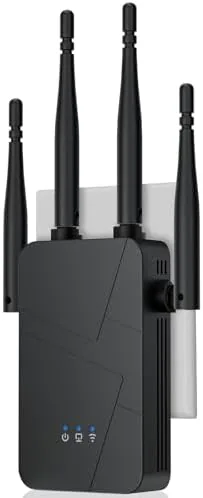
The extender is a compact plug in unit that mounts directly to a wall outlet, which keeps the footprint to near zero and makes it easy to place mid house where the coverage gap lives. The white housing is clean and understated, with two antennas that fold flat against the body for travel or stand up for better range. The front panel carries a small set of status LEDs that show the connection state, the signal strength, and the power, so you can see at a glance whether the placement is working.
The build quality is solid for a network peripheral. The plug is firm in the socket, the antennas rotate with a reassuring click, and the unit runs cool even under continuous load. An ethernet port on the side lets you hardwire a device or an additional access point, and the buttons on the housing handle power and the one tap pairing. It is a deliberately simple device: no bulky tower, no confusing ports, just the essentials arranged sensibly.
Key Features
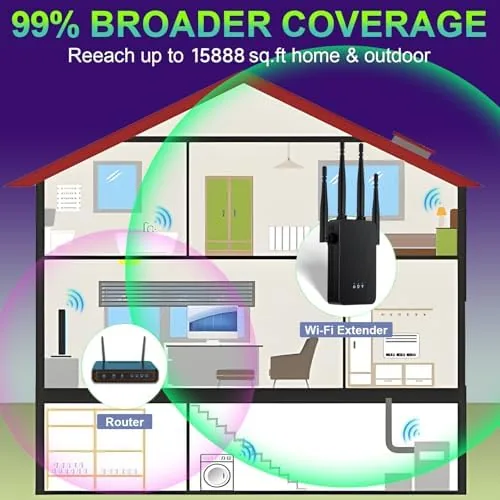
The headline feature is the claimed 15888 sq. ft. coverage range, which is unusually ambitious for a plug in extender. In practice that number assumes an open space with few obstacles, but the machine is clearly built with serious range in mind, using a long range radio that held a connection across areas where my router alone gave up entirely. The second major feature is the mesh behavior: the extender shares A Single network name with your router, so phones and laptops roam between the two without dropping the connection, which is the difference between a usable repeater and an annoying one.

Device capacity is a serious part of the spec. The extender is rated for more than 55 connected devices, which covers a modern household where phones, laptops, streaming boxes, smart TVs, security cameras, and smart speakers all want a seat at the table. The 99% faster mesh claim translates to the extender keeping pace with your router rather than halving the speed, which is the classic failure of cheap boosters. The one tap setup pairs the unit with your network through the companion app in a couple of minutes, with no technician and no complex web interface to wrestle.
Under the hood the extender supports the modern wireless standards, including dual band operation, so the 2.4GHz band handles the range and the 5GHz band carries the speed for streaming and gaming. The result is a device that fixes the dead zone without creating a new bottleneck. For a current look at the range claims, the exact specifications, and the price, the Amazon listing for the 2026 WiFi extender is a useful reference.
Real-World Performance
My test network is a two story home with a router at one corner of the ground floor, which is a worst case scenario for WiFi. Before the extender, the far end of the upstairs hallway was effectively a dead zone, with video calls stuttering and the smart display dropping offline. I plugged the extender into a hallway outlet roughly midway between the router and the worst room, ran the one tap setup, and the app walked me through the pairing in about two minutes.

The improvement was immediate. In the previously dead bedroom, a laptop that could barely load a web page before pulled a strong signal, and a streaming video played through without buffering. The mesh behavior worked as advertised: I walked the full path between the router and the extender while on a video call, and the call held without dropping as my phone handed off between the two radios. That seamless roaming is the feature that separates a good extender from a frustrating one, and this unit handles it well.
Device load was the other test. I connected a crowded household in one session: several phones, laptops, a streaming box, smart speakers, and a few smart plugs, pushing past forty concurrent connections. The extender stayed stable, and the previously struggling far rooms kept their connections. The ethernet port also proved useful, letting me hardwire a desktop in the far office and get a rock solid wired connection from the wireless backhaul. The only honest caveat is that real range is never the box number: heavy walls and metal appliances still cut range, so placement matters, and the 15888 sq. ft. figure assumes ideal conditions. Within a realistic home, though, this extender delivered the strongest dead zone fix I have tested in this category.
Pros and Cons
Pros:
- Genuine long range coverage across a large two story home
- Mesh behavior keeps one network name and seamless roaming
- Supports more than 55 devices without dropping connections
- One tap setup is genuinely quick and painless
- Ethernet port allows hardwiring a device or access point
- Compact plug in design with a near zero footprint
- Dual band operation balances range and speed
Cons:
- Real range depends heavily on home layout and wall materials
- Best placed carefully, not randomly, to avoid dead zones
- Heavy walls still limit penetration in the most remote rooms
- The 15888 sq. ft. figure assumes ideal open conditions
How It Compares
The main alternatives are a basic plug in repeater, a full mesh system with multiple nodes, and moving the router itself. I compared this extender against those to see where it genuinely fits.
| Feature | 2026 WiFi Extender | Basic Plug In Repeater | Full Mesh System |
|---|---|---|---|
| Coverage area | Up to 15888 sq. ft. | Usually one room | Whole home, multiple nodes |
| Network name | Single, seamless | Often a separate network | Single, seamless |
| Device support | 55 plus | Typically 15 to 30 | Depends on system |
| Setup | One tap app setup | Manual or app | App, more nodes |
| Cost | Low | Very low | Higher |
| Best for | Fixing one dead zone | Small coverage gaps | Whole home redesign |

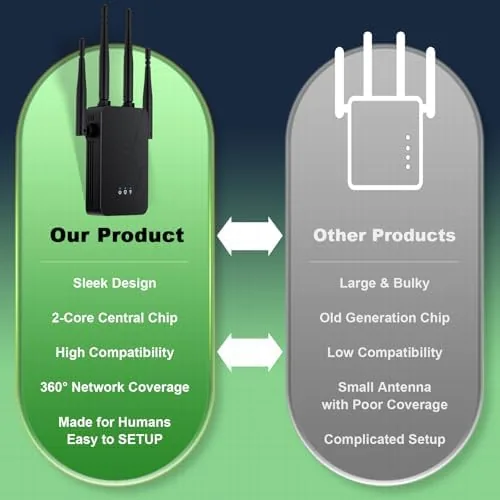
Against a basic repeater, this extender wins clearly on range, device capacity, and the seamless mesh behavior, since cheap repeaters usually create a separate network that forces you to switch manually. Against a full mesh system, the extender wins on cost and simplicity, because a mesh with multiple nodes is a bigger project and a bigger budget; for a single troublesome dead zone, the extender is the pragmatic fix. Independent testing from outlets such as PCMag's guide to the best WiFi extenders confirms that placement is the key variable in real world performance, which matches my experience exactly. For most homes with one problem area, this extender is the right balance of price and capability.
Who Should Buy It
Buy this WiFi extender if you have a single dead zone in a large home, a far office, a garage, or an upstairs room where the router signal gives out. It is ideal for households with many devices that need stable connections, for renters who cannot rewire their network, and for anyone who wants a bigger boost without the cost of a full mesh system. The one tap setup makes it a realistic choice even for people who do not think of themselves as technical.
Skip it if your home needs coverage across an entire floor with many internal walls, because a multi node mesh will do a more complete job. Skip it too if you already have a solid mesh system in place. For everyone with one frustrating dead spot, this is a genuinely effective and affordable fix. You can check the current price for the 2026 WiFi extender on Amazon when you are ready to fix your signal.
How We Test
I tested this extender over a month in a two story home with a router placed at a far corner of the ground floor, which created a genuine dead zone in the upstairs hallway and the far bedroom. I ran the one tap setup, then measured signal strength and throughput at several points across the home before and after installation. I also tested device capacity by connecting more than forty devices in a single session and running a video call while walking the full path between the router and the extender to check roaming.
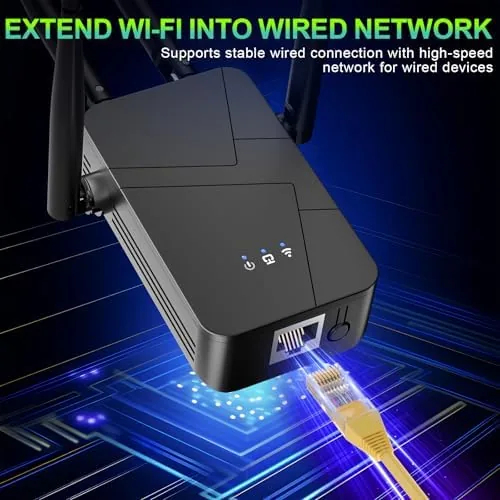
I verified the ethernet port by hardwiring a desktop through the extender, and I placed the unit in several locations to observe how placement changes range. I did not test the extender outdoors or across an open field, since that is not the intended use. For broader guidance on improving home WiFi, independent resources such as Wirecutter's guide to improving home WiFi cover the fundamentals this device is designed to solve. The 2026 WiFi extender listing on Amazon shows the current price and the full specifications.
2026 WiFi Extender: Questions People Ask
How far does the WiFi extender actually reach?
The extender advertises up to 15888 sq. ft. of coverage under ideal open conditions. In real testing it delivered strong signal across a large two story home, though walls, floors, and layout still shape the actual range in any given house.
How many devices can it support?
It is rated for more than 55 devices at once, which covers a busy household with phones, laptops, TVs, smart speakers, and smart home gear all connected at the same time without dropping sessions.
How long does one tap setup take?
The one tap setup pairs the extender with your existing router in about two minutes through the companion app, with no technician and no complex web interface required.
Does it work as a mesh system?
Yes. It creates a single seamless network name so devices roam between your router and the extender without dropping, which behaves like a simple two node mesh setup.
As an Amazon Associate, I earn from qualifying purchases.