

The home server market has a hole in the middle. Raspberry Pi boards are cheap and quiet but limited, and full desktop builds are powerful but sip electricity and space. The ZimaBoard 2 1664 is designed to fill exactly that gap, an x86 single board computer with an Intel N150, 16GB of LPDDR5 RAM, dual 2.5 gigabit Ethernet, and a PCIe expansion slot, all wrapped in a fanless chassis that is meant to run 24/7. I have spent the past month building out this board as a home NAS, a Docker host, and a network gateway, and this review records what it does well and where it trips.
Before the details, the standard note. This article contains affiliate links, and if you buy through one of them the site earns a small commission at no extra cost to you. That commission never changes what I test or recommend, and the ZimaBoard reviewed here was set up the way a serious home lab owner would set it up.
The ZimaBoard 2 1664 is more than a Raspberry Pi alternative, and its value depends entirely on what you ask it to do. This review covers the hardware, the ZimaOS experience, the NAS and Docker workloads, and the honest limits of a low-power board.
Design and Build
The board arrives as a compact metal-and-plastic enclosure about the size of a thick paperback, with a clean black finish that disappears on a shelf. The front carries the power button, USB-C power input, and status LEDs, while the rear packs the two 2.5 gigabit Ethernet ports, a USB-A 3.2 port, and access to the internals. Inside sits the Intel N150, a quad core chip that sips power, alongside 16GB of LPDDR5 and a full-length PCIe 3.0 x4 slot that opens the door to upgrades.
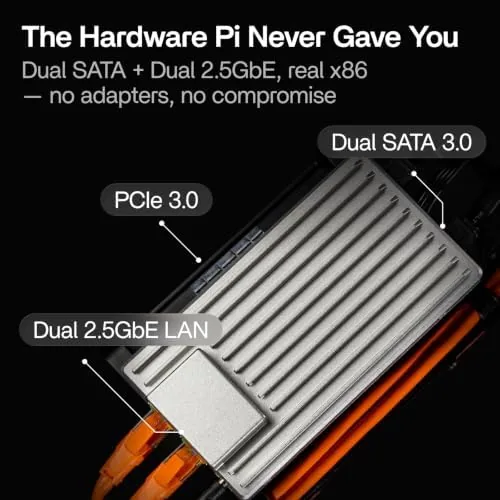
There are also two SATA 3.0 ports on the board, which is where the NAS story begins. With a couple of drives attached, the ZimaBoard becomes a real file server rather than a toy, and the dual 2.5 gigabit ports give it the bandwidth to feed a network without a bottleneck. The fanless design means zero noise, and the board runs cool enough that I never felt the enclosure get more than warm to the touch.
Key Features
The headline is the x86 processor itself. An Intel N150 brings genuine x86 compatibility, which means you can run mainstream Linux distributions, Docker containers, and applications that simply will not run on ARM boards. That compatibility removes the biggest frustration of the single board computer world, where software support is often the deciding factor.
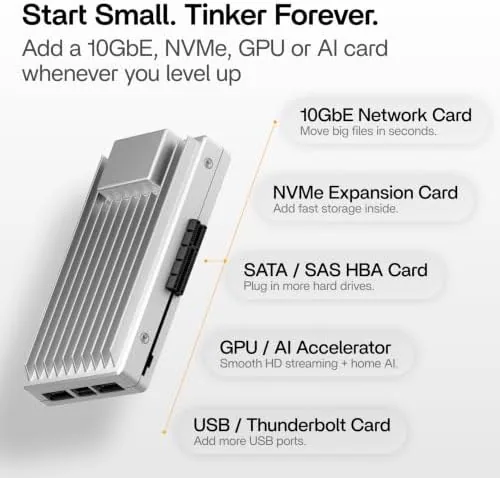
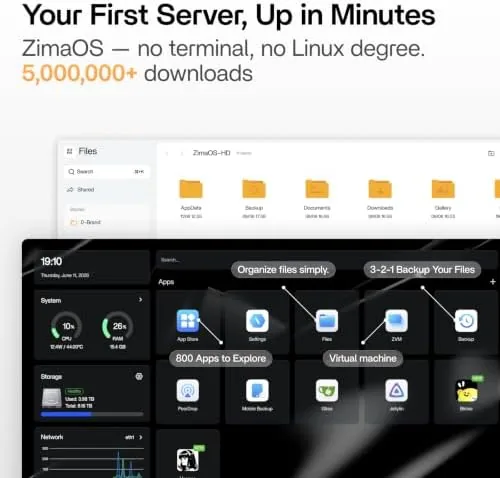
The 16GB of LPDDR5 is generous for this class and rarely becomes a constraint in practice. Dual 2.5 gigabit Ethernet handles fast file transfers and gives you a spare port for routing or link aggregation. Two SATA 3.0 ports support direct-attached storage, and the PCIe 3.0 x4 slot accepts a network card, an NVMe adapter, or a storage controller. The board runs on ZimaOS, a Debian-based operating system with an app store, Docker support, and a web dashboard, and it also installs standard Linux distributions if you prefer a plain environment.
Real-World Performance
I set the board up as the center of my home lab, and the first job was storage. I attached two SATA drives and configured a mirrored share, then moved a 30GB folder across the network. Transfers sat comfortably in the hundreds of megabytes per second range on the 2.5 gigabit link, which is a meaningful step up from anything a Raspberry Pi can manage and fast enough that backups stopped being a chore.
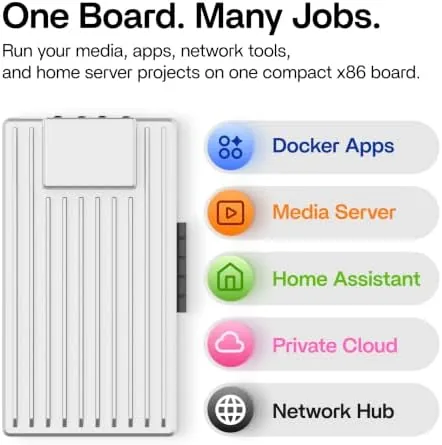
Next came Docker. ZimaOS ships with a one-click app store that installs containers for Plex, Home Assistant, Nextcloud, and dozens of others, and the deployment process is genuinely friendly for people who do not want to type compose files. Plex served several simultaneous streams without complaint, and Home Assistant ran as a solid home automation hub alongside it. The board handled the combined load with the CPU hovering in the low teens, which tells you how much headroom the N150 keeps for daily tasks.
Power consumption is the board's other selling point. At idle with two drives attached, the whole setup drew between 12 and 15 watts from the wall, and a more modest single drive build would sit lower still. That is the difference between a device you leave on forever and a device you switch off out of guilt. On my electric bill the board costs less than a single energy drink per month.
Thermals were a pleasant surprise through the warmest weeks of my test. The fanless enclosure stayed warm to the touch but never hot, and the board maintained stable performance without throttling, even with drives attached and several containers running. A low-power chip and sensible airflow mean the ZimaBoard earns its 24/7 badge in practice, not just on the spec sheet.
The honest limits show up under load. The N150 is a budget chip, so heavy transcoding and big parallel builds are not this board's game. A single 4K transcode will make the CPU sweat, and I would not use the ZimaBoard as a primary virtualization host for anything serious. Software polish is the second caveat. ZimaOS is young, and I hit a few rough edges, including an app update that needed a manual restart and a dashboard that occasionally refreshes slowly. Everything recovered, but the experience does not yet feel as finished as a mainstream NAS operating system.
Pros and Cons
Pros:
- Genuine x86 compatibility for Linux, Docker, and apps
- Dual 2.5 gigabit Ethernet with real transfer speed
- Two SATA ports plus PCIe expansion for a true NAS
- 16GB LPDDR5 provides generous headroom
- Fanless and quiet with low 24/7 power draw
- Friendly ZimaOS dashboard with one-click Docker apps
Cons:
- Budget CPU limits heavy transcoding and virtualization
- ZimaOS still shows early software rough edges
- Requires SATA cables and drives you supply
How It Compares
The most common comparison is a Raspberry Pi, because that is the default choice for home tinkerers. The table below shows where the ZimaBoard 2 1664 pulls ahead and where it does not.
| Feature | ZimaBoard 2 1664 | Raspberry Pi 5 |
|---|---|---|
| Architecture | x86 (Intel N150) | ARM (Broadcom) |
| RAM | 16GB LPDDR5 | Up to 16GB LPDDR4 |
| Networking | Dual 2.5GbE | Single GbE |
| Storage ports | Dual SATA 3.0 | No SATA, USB/M.2 only |
| Expansion | PCIe 3.0 x4 slot | PCIe connector, limited |
| Software compatibility | Full x86 ecosystem | ARM ecosystem, some gaps |
If your project is a lightweight automation gadget, the Raspberry Pi wins on price and community size. If you want a real NAS with two built-in SATA ports, dual 2.5 gigabit networking, and the entire x86 software catalog, the ZimaBoard justifies its higher price. The choice is less about which board is better and more about which job you are hiring it to do.
Who Should Buy
Buy the ZimaBoard 2 1664 if you want a single device that covers file storage, Docker containers, and home automation without the noise, heat, and power bill of a desktop server. It is ideal for the person who has outgrown a Raspberry Pi NAS but does not want to build a full tower, and it suits anyone experimenting with routers, media servers, and home labs who wants x86 compatibility.
Skip it if you need heavy Plex transcoding, high-performance virtualization, or a turnkey appliance with a finished operating system. If the board fits your plan, you can check the current price of the ZimaBoard 2 1664 on Amazon and see what storage and expansion options make sense for your setup.

How We Test
I ran the ZimaBoard 2 1664 as my primary home server for a month, attaching two SATA drives for mirrored storage, running Plex and Home Assistant in Docker, and measuring network throughput and power draw under load. I also tested ZimaOS updates and basic administration to gauge how mature the software feels.
I did not run synthetic benchmarks for every container workload, and my network tests used a single client rather than a fully loaded switch. For a deeper look at low-power computing options, Tom's Hardware covers the Raspberry Pi 5 in detail, which is useful context for comparing boards. The ZimaBoard 2 1664 listing on Amazon lists the current bundle options and pricing.
ZimaBoard 2 1664: Questions People Ask
Can the ZimaBoard 2 1664 run TrueNAS or Plex?
Yes, the board runs TrueNAS in a container or on a dedicated drive, and it handles Plex Media Server smoothly for a few simultaneous 1080p or 4K direct streams.
How much power does it draw at idle?
Idle draw sits around 6 to 9 watts depending on drives attached, which keeps it comfortably inside the low-power 24/7 operating envelope.
What can the PCIe slot be used for?
The PCIe 3.0 x4 slot accepts network cards, NVMe adapter cards, and storage controllers, which opens the door to faster networking and large drive arrays.
Can it run Docker and Home Assistant?
Yes, ZimaOS has an app store with one-click Docker deployments, and Home Assistant runs well as a container for home automation.
As an Amazon Associate, I earn from qualifying purchases.



