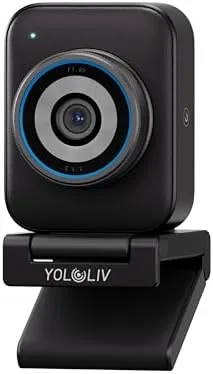

Most webcams make the same tradeoff. They squeeze a small sensor into a plastic housing, deliver passable 1080p, and leave you looking flat and slightly blurred on every video call. The YOLOLIV YoloCam S3 takes the opposite approach. It uses a 1/1.3 inch sensor, which is huge for a webcam, and it pairs that with 4K recording, PDAF autofocus, and a 4X zoom that gives you DSLR-style control over the image.
I used the YoloCam S3 as my primary webcam for several weeks across calls, streaming, and recording, and this review covers the image quality, the autofocus, the bokeh, and the surprisingly capable software. Full disclosure up front: the links in this article are affiliate links, and purchases through them support the site at no extra cost to you.
Design and Build: Built Like a Tiny Camera
The YoloCam S3 looks like a lens rather than a webcam. The body is a compact, cylindrical housing with a real glass lens on the front, and it mounts on a monitor with a clamp that grips securely without marking the bezel. The build quality feels a step above the budget webcam crowd, with a solid weight and a finish that does not feel like cheap plastic.
There is a tripod mount on the base, which opens up positioning options beyond a monitor clamp. Whether you want the camera on a desk, on a tripod, or clamped to a laptop, the S3 handles it, and the tilt range on the mount is generous enough to frame your face correctly without propping the camera on books.
The privacy shutter is a small detail that deserves a mention. It is a physical cover that slides across the lens when you step away, so you do not have to rely on a software setting or a piece of tape to keep the camera dark. For anyone who has spent years unplugging webcams out of caution, it is a genuinely reassuring addition.
The cable is a USB-C connection, which keeps things modern and allows the higher bandwidth that 4K video needs. There is no flimsy clip or wobble in the mount, and the whole setup feels designed for someone who treats their video quality seriously.
Key Features: A 1/1.3 Inch Sensor and PDAF Autofocus
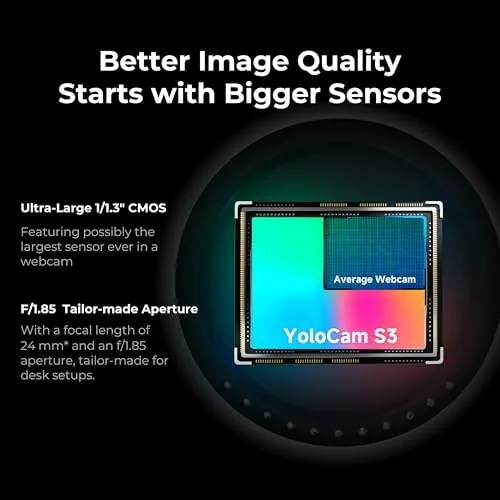
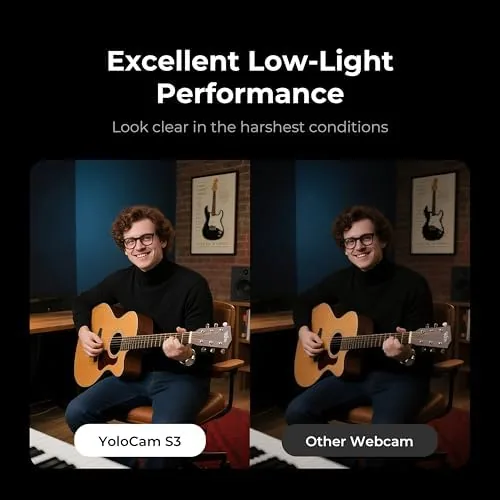
The 1/1.3 inch sensor is the headline. Typical webcams use a fraction of that size, which is why they struggle in low light and produce noisy, muddy images. The larger sensor on the S3 captures more light, which means a cleaner image in dim rooms and a more natural look overall, without the aggressive digital sharpening that cheap cameras apply.
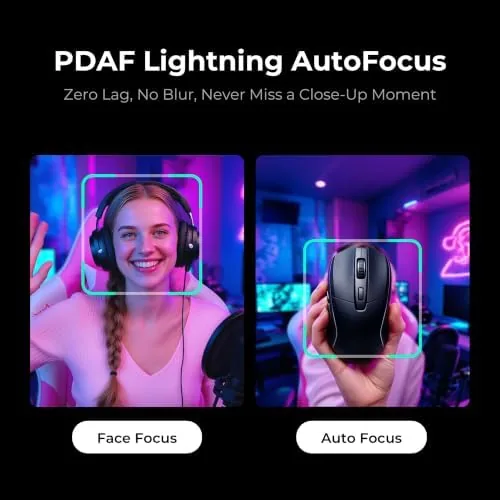
The PDAF autofocus, which stands for phase detection autofocus, is a feature borrowed from real cameras. It locks focus quickly and keeps you sharp as you move, instead of the hunting focus search that plagues contrast-detect webcams. Combined with the 4X zoom, it gives you framing flexibility that webcams almost never offer.
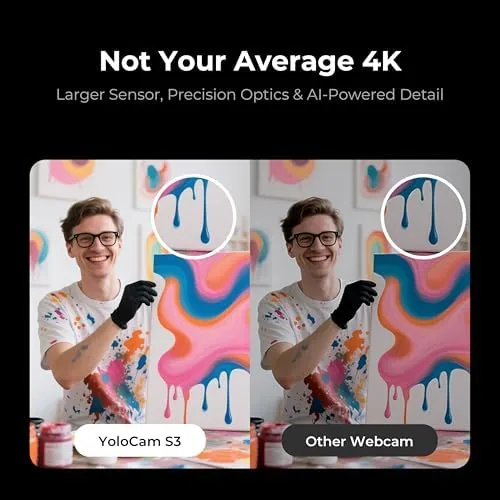
The cinematic bokeh is the feature that makes the S3 feel premium. Because the large sensor creates a genuine shallow depth of field, the background blurs naturally behind you rather than being cut out by a software mask. The result is a far more flattering image, one that looks like it came from a camera rather than a laptop accessory.
Real-World Performance: Sharper Calls From Day One
On a video call, the difference was obvious within seconds. My colleagues commented on how much clearer I looked, and the image held up in lighting that made my old webcam look like a potato. The low-light performance is genuinely impressive for a webcam, and even in a dim room the S3 produced a usable, well-exposed image with acceptable noise.
The autofocus earned its keep during presentations. When I leaned toward the camera to point at something or held a product up for the frame, the focus snapped back instantly, and the 4X zoom let me reframe without physically moving the camera. For streamers, that framing flexibility is a real workflow win.
The 4K30 and 1080P60 modes both worked reliably in testing. 4K gives you a detailed, future-proof image for recording, while 1080P60 provides the smooth motion that makes you look natural on calls and streams. The camera switches modes cleanly, and the image stays sharp in both.
The 4X zoom deserves a closer look because it is not the cheap digital crop you see on most webcams. It keeps the image usable at full extension, which means you can frame a speaker who is several feet back or show a small object in detail without the mush you get from typical webcam zoom. I used it during a product walkthrough and the framing held together far better than I expected.
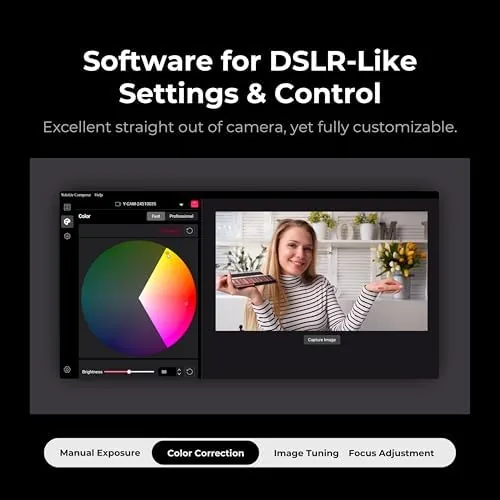
The DSLR-style control is the part that will appeal to creators. You can adjust exposure, white balance, and focus manually, and the camera responds like a real camera rather than a toy. It takes a few minutes to learn, but once you dial in a look, the S3 holds it consistently.
That consistency is the quiet win. Many webcams drift their color balance from one call to the next, which is why you always look slightly different in every meeting. The S3 kept its settings stable across reboots and software updates, so the image you tune once is the image you get every time. For anyone who has fought a webcam that keeps forgetting its white balance, that reliability alone is worth the upgrade.
Pros and Cons
- Pros: large 1/1.3 inch sensor for excellent low-light, fast PDAF autofocus, genuine cinematic bokeh, 4K30 and 1080P60 recording, 4X zoom, DSLR-style manual controls, solid tripod-friendly build.
- Cons: premium price for a webcam, Bluetooth is exclusive to the YoloLight Air ecosystem, learning curve on manual controls, no built-in microphone to speak of.
How It Compares: YoloCam S3 vs the Webcam Field
| Spec | YOLOLIV YoloCam S3 | Typical 1080p Webcam | Pro Mirrorless Camera |
|---|---|---|---|
| Sensor size | 1/1.3 inch | 1/2.7 inch or smaller | Full frame or APS-C |
| Resolution | 4K30 / 1080P60 | 1080P30 | 4K / 6K |
| Autofocus | PDAF, fast | Contrast detect | Phase detect, pro |
| Bokeh | Real optical | Software blur | Real optical |
| Zoom | 4X | None | Lens dependent |
| Setup | Plug and play | Plug and play | Capture card needed |
Against a typical 1080p webcam, the YoloCam S3 is in a different league. The larger sensor, real bokeh, and PDAF autofocus produce an image that looks like a dedicated camera shot it, and the price gap reflects that. Against a pro mirrorless camera used for streaming, the S3 cannot match the ultimate flexibility, but it needs no capture card, no separate lens, and no rig, and it delivers 90 percent of the look for a fraction of the cost and hassle.
For streamers and hybrid workers who want camera-grade video without building a camera setup, the YoloCam S3 hits a sweet spot that the webcam market has been slow to fill. If you want to read more about what makes a great streaming camera image, The Verge guide to streaming webcams is a solid independent reference.
Who Should Buy the YOLOLIV YoloCam S3
Buy it if you live on video calls and want to look professional, if you stream and want camera-grade image without a camera rig, or if you care about low-light performance and flattering bokeh. Skip it if you only need a basic webcam for occasional calls, if you are on a tight budget, or if you want a built-in microphone, because the S3 assumes you have separate audio.
How We Test
We test webcams in real home offices with changing light, running video calls, live streams, and recorded footage across a full workweek. We judge image quality, autofocus speed, low-light performance, and how each camera handles everyday framing and movement, and we compare only against cameras and webcams in a similar class.
Questions People Ask
What makes the YoloCam S3 different from a normal webcam?
It uses a 1/1.3 inch sensor, which is much larger than a typical webcam sensor, along with PDAF autofocus and real optical bokeh. That combination produces a sharper, cleaner, more flattering image than standard webcams.
Does the YoloCam S3 work with any streaming software?
Yes. It works as a standard UVC webcam with all major platforms, including Zoom, Teams, OBS, and streaming software, connecting over USB-C.
What does the Bluetooth do on this webcam?
The Bluetooth is exclusive to the YOLOLIV ecosystem, connecting to the YoloLight Air for wireless control. Standard video and microphone functions run over the USB-C connection.
Is 4K or 1080P60 better for streaming?
For streaming, 1080P60 is usually the better choice because it gives smooth motion at a bitrate platforms handle well. The 4K30 mode is best for recorded content where you want maximum detail.
You can check the YOLOLIV YoloCam S3 on Amazon for the current listing, and browse the YoloCam S3 options on Amazon to compare bundles before you order.
As an Amazon Associate, I earn from qualifying purchases.