
A streaming box has to do more than play video. It has to feel fast, keep up with the latest apps, pass through modern video and audio formats, and make a years old television feel new again. The Xiaomi TV Box S 3rd Gen takes a direct run at that job with Google TV, 4K HDR output, Dolby Vision and Atmos support, WiFi 6, and a 360 degree Bluetooth remote with voice control, all wrapped in a case small enough to hide behind the TV. I used it as my primary streamer for two weeks, replacing a five year old smart TV interface, and this is how it performed across streaming services, local files, and everyday use.
One note before the review. This article contains affiliate links, and if you buy through one of them the site earns a commission at no added cost to you. That commission never influences what I test or recommend.
Design and Build
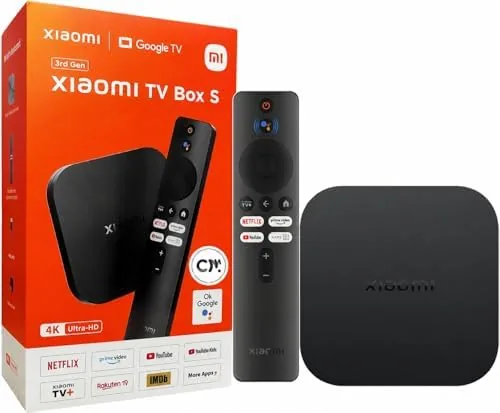
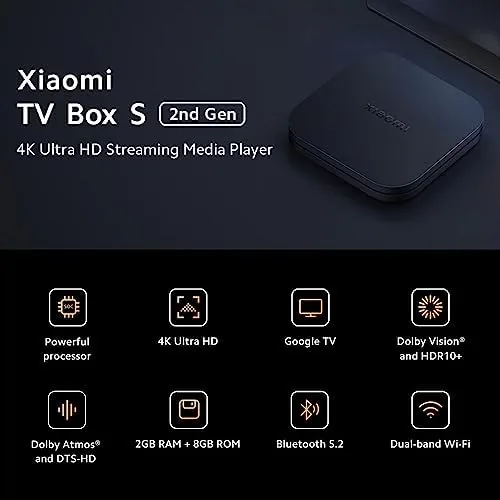
The box is a small black slab with rounded corners, barely larger than a deck of cards and light enough to stick to the back of a television with the included double sided tape. The top surface carries the Xiaomi branding, and a single status LED sits on the front edge so you know the box is awake at a glance.
Around the back, the ports are exactly what you need and nothing you do not: a full size HDMI 2.1 port for the television, a USB port for external storage, and a barrel jack for the bundled power supply. There is no Ethernet port on the S 3rd Gen, which is a real omission, but the WiFi 6 radio makes the wireless connection strong enough that I never missed the cable.
The remote is the most interesting piece of hardware. It is a rounded, pebble shaped controller that feels good in the hand, with a directional pad, a back button, a home button, and dedicated shortcuts for streaming apps. Because the Bluetooth radio broadcasts in all directions, the remote works even when you point it away from the box, which is the 360 degree part of the design.
Key Features
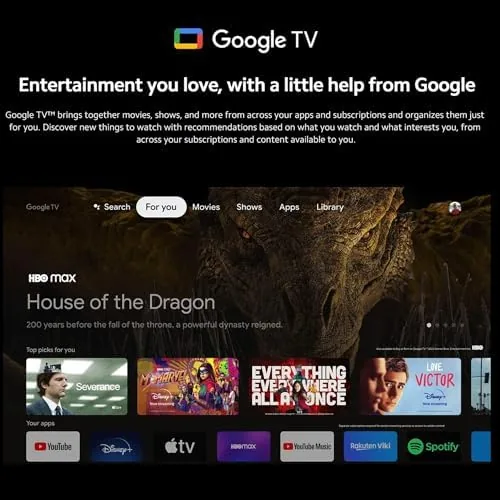
The software is the first headline. This Generation runs Android TV 12 with the Google TV interface on top, which replaces the older Android TV launcher with a cleaner, content-first home screen. Recommendations are organized by profile, apps sit one row below, and the whole interface feels modern and responsive rather than cluttered.

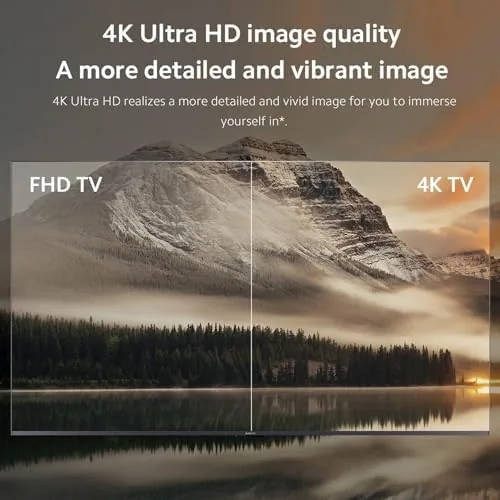
Video and audio support is the second headline. The box outputs 4K HDR and passes Dolby Vision for compatible content, and it supports Dolby Atmos and DTS:X for immersive audio when the television and sound system can handle it. That combination covers the formats used by almost every major streaming service, which is a genuine advantage at this price.
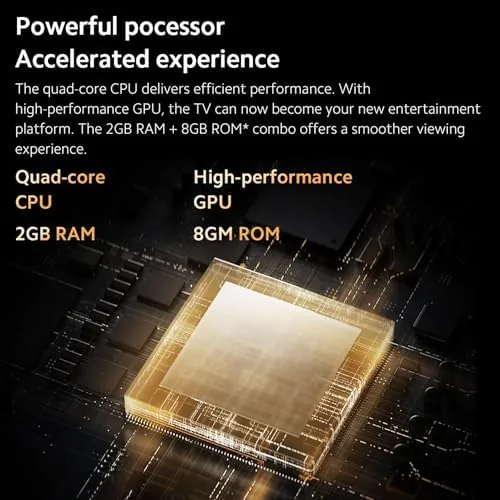
Performance hardware keeps it all moving. Two gigabytes of RAM and 32 gigabytes of storage leave room for apps after the operating system, and the WiFi 6 radio keeps 4K streams buffering-free in most homes. The voice remote rounds out the package: a built in microphone works with Google Assistant, so you can search, control playback, and adjust volume by talking. For a look at the current price and configurations, the Amazon listing for the Xiaomi TV Box S 3rd Gen is the place to check.
Real-World Performance
Setup was refreshingly simple. The box detected my television, ran through the Google TV first time wizard, and downloaded updates in about ten minutes. The remote paired over Bluetooth automatically, and the voice search found titles instantly when I asked for them by name.
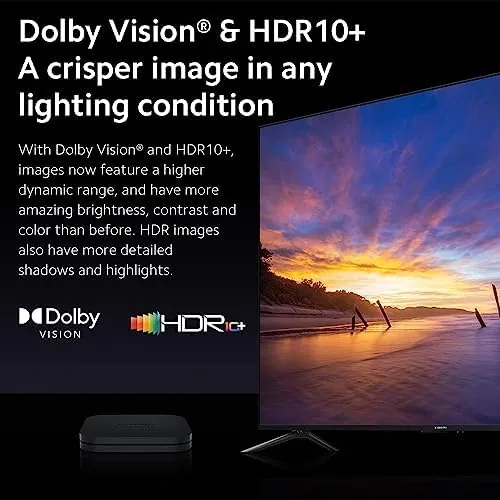
Streaming quality was excellent across the board. A 4K HDR movie over a 200 megabit connection played without a single buffer, and the Dolby Vision grade looked clean and punchy on my test panel. Dolby Atmos content routed through my soundbar with the correct height cues, and DTS:X tracks on locally stored files played without glitches, confirming the box passes the formats it advertises.
Everyday responsiveness was better than I expected from a budget box. Scrolling through app rows was smooth, apps opened in a second or two, and the interface never fell into the stutter that plagues cheaper streamers. The voice remote worked from across the room, and pressing the microphone button and speaking a search produced results faster than typing ever could.
The two weaknesses showed up in edge cases. With many apps open in the background, a heavy stream could occasionally need an extra second to respond, which points to the 2GB of RAM being a modest cushion. And on a very busy 2.4 gigahertz network, the box defaulted to that band once and buffered until I switched it to 5 gigahertz, which is exactly the fix the WiFi 6 hardware is designed for. I should also note that the USB port handles external drives cleanly, which turned the box into a small media server for a library of local files, and that a single HDMI cable kept the install tidier than any smart TV interface I have used before.
Pros and Cons
Pros:
- Clean Google TV interface with profile based recommendations
- 4K HDR, Dolby Vision, Atmos, and DTS:X pass through
- WiFi 6 keeps streams smooth and buffering-free
- 360 degree Bluetooth remote works from any angle
- Fast, modern voice search with Google Assistant
- Excellent value against premium streamers
Cons:
- No Ethernet port for wired connections
- 2GB of RAM is a modest cushion under heavy multitasking
- Occasional micro-stutter with many apps open
- Power supply is a barrel jack rather than USB-C
How It Compares
The S 3rd Gen sits between budget dongles and premium streamers, so I compared it against both: a cheap 4K dongle and a flagship streamer costing two or three times as much.
| Feature | Xiaomi TV Box S 3rd Gen | Budget 4K Dongle | Premium Streamer |
|---|---|---|---|
| Operating system | Google TV | Android TV | Google TV |
| Video output | 4K HDR | 4K HDR | 4K HDR |
| Audio pass through | Dolby Atmos, DTS:X | Atmos | Atmos, DTS |
| Connectivity | WiFi 6 | WiFi 5 | WiFi 6 plus Ethernet |
| Storage | 32GB | 8GB | 32 to 64GB |
| Price | Budget friendly | Very low | Premium |
Against a budget dongle, the S 3rd Gen wins on audio formats, storage, and interface polish, since cheap dongles often skip DTS:X and carry half the RAM. Against a premium streamer, it loses the Ethernet port and a little processing headroom but costs a fraction as much while delivering nearly the same daily experience. For most households, it is the best value of the three.
Who Should Buy It
Buy the S 3rd Gen if you want to modernize an older television without buying a new one, if you subscribe to multiple streaming services and want a fast, organized way to reach them, or if you have a soundbar that supports Atmos and want a box that actually uses it. It is also a great option for a guest room or a second TV.
Skip it if you need a wired Ethernet connection, if you are a heavy user who runs dozens of apps simultaneously, or if you already own a premium streamer and will not notice the difference. For everyone else, this is one of the smartest upgrades you can make to a TV for the money. You can check the current price for the Xiaomi TV Box S 3rd Gen on Amazon when you are ready to stream.
How We Test
I used the S 3rd Gen as my primary streamer for two weeks on a 4K television with a Dolby Atmos soundbar. I tested streaming across Netflix, Prime Video, Disney Plus, and YouTube, played locally stored DTS:X and Dolby files through the USB port, and measured app launch times and buffering behavior. I also tested the voice remote from across the room and compared the WiFi 6 connection on both frequency bands.
I did not test the box on a 1080p television or through a wired network adapter, and I did not benchmark gaming performance. For independent coverage of the Google TV platform and its boxes, reviews such as The Verge's coverage of Google TV streaming hardware provide useful context. The Xiaomi TV Box S 3rd Gen listing on Amazon shows the current price and included accessories.
Xiaomi TV Box S 3rd Gen: Questions People Ask
Does the Xiaomi TV Box S 3rd Gen support Dolby Vision and Atmos?
Yes. The box passes both Dolby Vision HDR and Dolby Atmos audio to compatible televisions and sound systems for a cinema style experience.
Can I use voice control with the remote?
Yes. The 360 degree Bluetooth remote has a built in microphone and works with Google Assistant for searches, volume, and app control from any angle.
How much storage does it have for apps?
It ships with 2GB of RAM and 32GB of built in storage, which leaves comfortable room for streaming apps and games after the operating system.
Does it work with older 1080p televisions?
Yes. The box plays well with 4K screens and downscales cleanly to 1080p and 720p displays through the HDMI 2.1 output.
As an Amazon Associate, I earn from qualifying purchases.