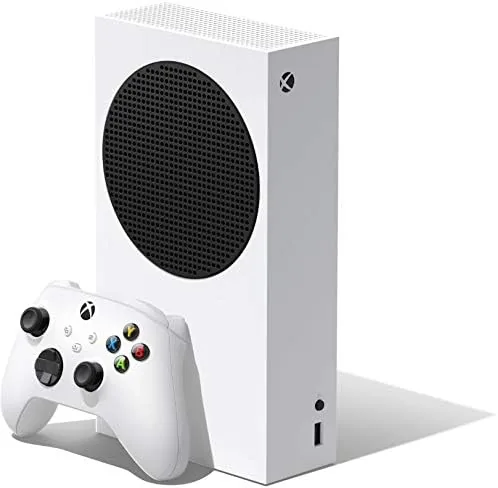

There are two ways to think about the Xbox Series S. The first is as the budget way into the current generation, a white box half the size of its big brother that sells for a fraction of the price of a Series X. The second is as a statement of intent, because Microsoft built the Series S around the idea that game libraries are moving online, that discs are fading, and that a fast SSD matters more than a physical drive ever did. Both readings are accurate, and the truth of the console sits somewhere between them. I used the Xbox Series S as my primary gaming machine for a month, through a mix of shooters, indies, and open world titles, and this review covers the design, the SSD, the storage crunch, and exactly who this console serves.
Before the details, the standard note. This article contains affiliate links, and if you buy through one of them the site earns a small commission at no extra cost to you. That does not change what I test or recommend, and every hour I logged was on a console I set up myself.
Design and Build
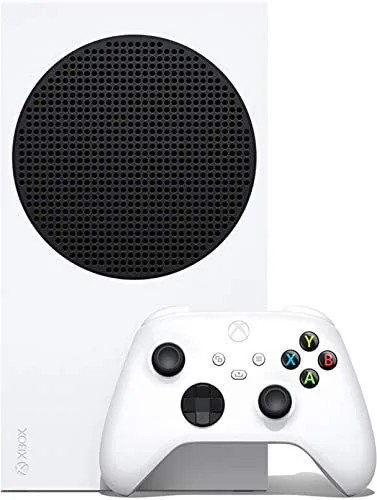
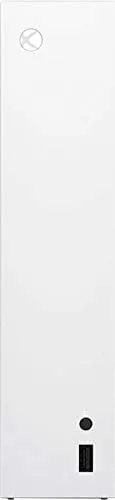
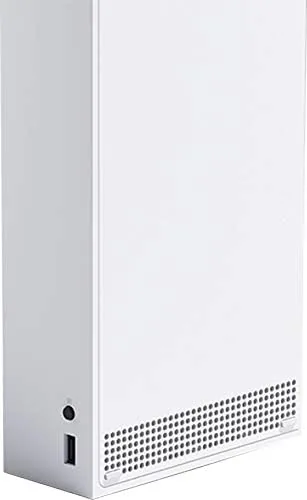
The Series S is strikingly small. It is roughly the size of a thick paperback stacked on a shoebox, and the matte white shell with the black circular vent is one of the most distinctive pieces of console design in years. The console is designed to sit flat or stand upright, and either way it disappears into an entertainment center better than any current generation machine on the market. The power button and the USB port sit up front, and the rest of the connections hide around the back.
The build quality matches the price in a smart way. The shell feels solid rather than flimsy, the vents allow the console to breathe without becoming a dust magnet, and the fan stayed nearly silent during hours of play. In my month of use the console ran cool to the touch on top, and I never once heard the fan spin up to the jet engine levels that defined the last generation of machines.
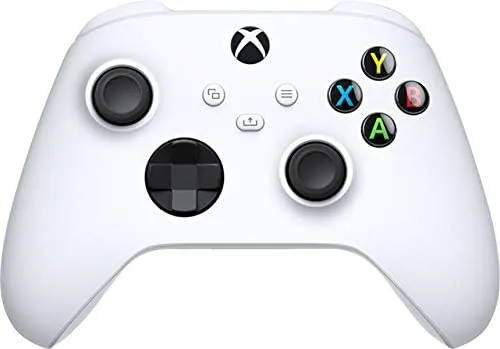
The included controller is the standard Xbox wireless pad, and it is the same controller that ships with the more expensive Series X. The controller has a textured grip, a share button, and the familiar asymmetrical stick layout, and it pairs with the console over a wireless connection that felt instant. The package also includes the HDMI cable and a USB C charging lead for the controller, which uses a rechargeable battery pack in this bundle.
Key Features
The SSD is the heart of the machine. The 512GB custom NVMe drive is fast enough to make loading screens a memory, and the console's signature feature, Quick Resume, lets you switch between several games in seconds and return to each one exactly where you left it. In practice that means you can pause a session in one game, jump into another for a round, and come back without sitting through a single load screen. It is the kind of feature that sounds like marketing until you use it, and then it becomes impossible to give up.
The hardware underneath is the same architecture as the Series X, scaled down. The eight core custom Zen 2 CPU runs at the same 3.6 gigahertz as the larger console, and the 10GB of GDDR6 memory feeds a GPU built for 1440p target resolution. The Series S does not chase native 4K, which is the entire point of the product. Instead it is tuned for a smoother, faster experience at the resolution most monitors and smaller TVs actually use.
Being all-digital is a feature and a limitation at the same time. There is no disc drive, which means every game is purchased, downloaded, and stored on the SSD. The upside is that the machine is smaller, quieter, and cheaper than any disc based console. The downside is that the 512GB drive fills up quickly, and the resolution of that trade off is the single most important fact about owning this console.
Real-World Performance
I spent most of my test month playing a mix of large open world games and fast paced shooters, and the Series S handled both categories well. Large games loaded in a fraction of the time they took on the previous generation, with many dropping from a minute of waiting to a few seconds of screen. The 1440p output on my monitor was sharp, and games that supported a higher frame rate mode ran noticeably smoother than they did on older hardware.
Quick Resume became my default workflow within days. I kept a long session in an open world title suspended while I jumped into a shooter for a few rounds, and the switch took seconds each way. The feature handled three suspended games without issue, and it only dropped the older session when I pushed a fourth game into rotation. That is exactly how the console is meant to be used, and it makes the machine feel faster than its price suggests.
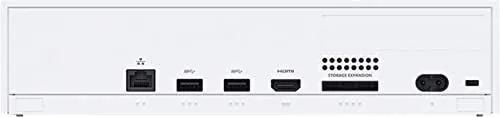
The storage question arrived quickly. After installing a handful of current generation games, the usable space on the 512GB drive began to run thin, and I found myself deleting games to make room for new ones. The console supports an expansion card that matches the internal SSD speed, and it also plays Xbox One and backward compatible titles from a slower USB drive, which softens the crunch. The pattern of the month was clear: download, play, delete, repeat, and that rhythm is the real cost of the all-digital bargain.
Game Pass is the natural partner for this console. Microsoft's subscription service gives you access to a large rotating library for a monthly fee, which fits the Series S perfectly, because the console is about playing a wide variety of games at a low entry price. In my testing the service integrated seamlessly, with downloads starting remotely and installs completing quickly. The combination of Series S and Game Pass is the most compelling value argument in gaming, and it is the setup most new buyers should consider.
Pros and Cons
Pros:
- Compact, quiet design that fits almost anywhere
- Fast SSD makes loading and Quick Resume genuinely transformative
- Lower price than any other current generation console
- 1440p gaming output is sharp and smooth on a monitor
- Game Pass pairs perfectly with the all-digital approach
- Fan stays nearly silent even during long sessions
Cons:
- 512GB drive fills quickly with current generation games
- No disc drive limits the used game market and movie playback
- Most games render below native 4K resolution
- Storage Expansion requires a pricey proprietary card
How It Compares
The Series S is best understood next to the other current generation consoles, because the choice between them comes down to budget, resolution, and disc preferences. The table below lines up the main differences.
| Feature | Xbox Series S | Xbox Series X | PlayStation 5 |
|---|---|---|---|
| Disc drive | None | Yes | Yes |
| Storage | 512GB SSD | 1TB SSD | 825GB SSD |
| Target resolution | 1440p | Native 4K | Native 4K |
| Memory | 10GB GDDR6 | 16GB GDDR6 | 16GB GDDR6 |
| Quick Resume | Yes | Yes | No |
| Entry price | Lowest | High | High |
The Series X and PlayStation 5 both deliver native 4K and larger drives at a higher price, and they are the right choice for people with 4K televisions and physical libraries. The Series S gives up both of those things in exchange for the lowest entry price in the generation and the same CPU and SSD fundamentals. For a secondary TV, a first console for a younger gamer, or a Game Pass machine on a monitor, the Series S is the smart buy.
Who Should Buy It
Buy the Xbox Series S if you want into the current generation at the lowest possible price, if you play on a 1080p or 1440p monitor, or if you plan to pair the console with Game Pass for a broad library. It is also a great choice for a bedroom or office TV where a full size console feels like overkill. You can check the current Xbox Series S price on Amazon when you are ready to compare bundles.
Skip it if you have a large collection of discs, if you own a 4K television and want every game to use it, or if you know the 512GB drive will frustrate you. For the right buyer, the Series S is the best value in gaming, and the compromises it asks for are easier to live with than the price of the alternatives.
How We Test
I used the Xbox Series S as my primary console for a month, installing and playing a rotation of open world games, shooters, and indie titles. I measured load times against the previous generation, tested Quick Resume across multiple suspended sessions, checked output quality at 1080p and 1440p, and ran the storage down to the limit to test the install and delete cycle. I also tested the console with a Game Pass library to confirm the service integration.
For an independent take on the console and its limits, the Digital Foundry analysis of the Series S is the most thorough source available, because it measures resolution and frame rates directly across many games. You can read the Digital Foundry Xbox Series S analysis for the technical detail behind the performance.
The Xbox Series S listing on Amazon shows the current price and available bundles.
Xbox Series S: Questions People Ask
Can the Xbox Series S play physical game discs?
No. The Series S is an all-digital console with no disc drive, so games and media must be bought and downloaded from the Microsoft Store, and there is no way to add a drive later.
How much storage is actually usable on the 512GB drive?
The system reserves space for the operating system, leaving roughly 364GB usable for games. That holds several modern titles, but large games fill it faster than most people expect.
Does the Series S support 4K gaming?
The Series S targets 1440p gameplay and upscales the image to 4K for compatible displays, but it does not render most games natively at 4K. On a 1080p or 1440p screen it looks excellent.
Can I add more storage to the Series S?
Yes. The console accepts a proprietary expansion card that matches the internal SSD speed, and it also supports slower USB external drives for Xbox One and backward compatible games, though not for Xbox Series optimized titles.
As an Amazon Associate, I earn from qualifying purchases.