
Every Xbox Series X owner meets the same wall eventually. The internal drive fills, the games get bigger, and the console starts asking you to choose which titles to delete. External USB drives help, but they come with a cruel catch: Series optimized games will not run from them. The Seagate Storage Expansion Card 2TB is the answer that removes the catch entirely, a licensed NVMe drive that slots into the back of the console and behaves exactly like the internal storage. I ran one on both a Series X and a Series S for weeks, filled it with games, and tested everything the box promises. This review is the result.
Before the details, the standard disclosure. This article contains affiliate links, and a purchase through one of them earns this site a small commission at no extra cost to you. That commission does not influence what I recommend, and the card reviewed here was used exactly the way a gamer would use it.
The pitch is simple: a 2TB card that matches the console's internal SSD, supports Quick Resume and the Velocity Architecture, and plays Series optimized games directly. The rest of this review covers the hardware, installation, real world load times, and whether the price is worth it.
Design and Build
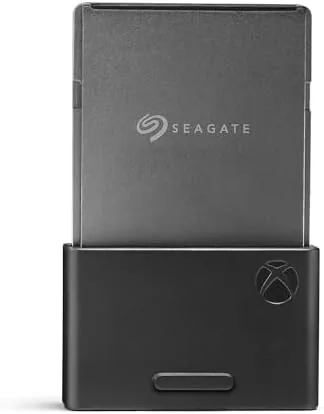
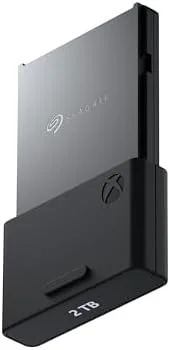
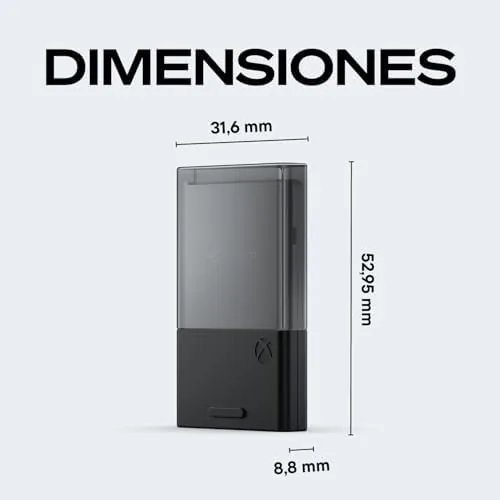
The card is a small, solid rectangle about the size of a deck of cards, finished in matte black with the Seagate and Xbox branding. It has a compact form factor that is easy to lose track of, so the connector end is clearly marked, and the fit and finish are exactly what you expect from an officially licensed accessory. There is no fan, no power brick, and no cable, because the card draws everything it needs from the console itself.
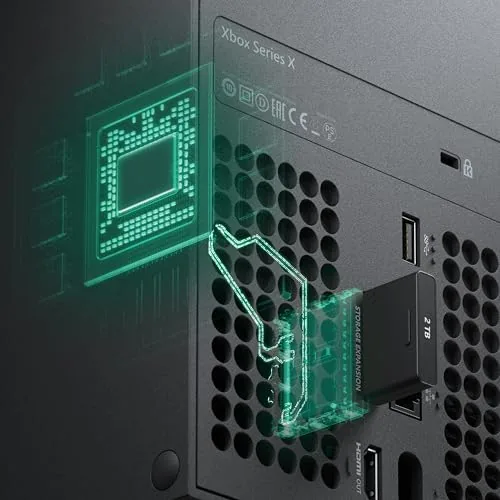
The build is reassuringly solid. The card is dense and weighty for its size, which suggests a real heatsink inside, and the connector is the same shape as the expansion port on the back of the Series X and Series S. It slots in with a firm click and stays put, and the small pull tab makes removal simple when you need it. For an accessory that lives tucked behind a console, the hardware is exactly as sturdy as it needs to be.
Key Features
The headline feature is seamless integration. The card plugs into the dedicated storage expansion port on the back of the console, the Xbox recognizes it instantly, and from that moment it behaves as if it were built into the machine. Games install to it, move to it, and play from it with no extra steps, and the console's storage management treats it as a first class citizen alongside the internal drive.
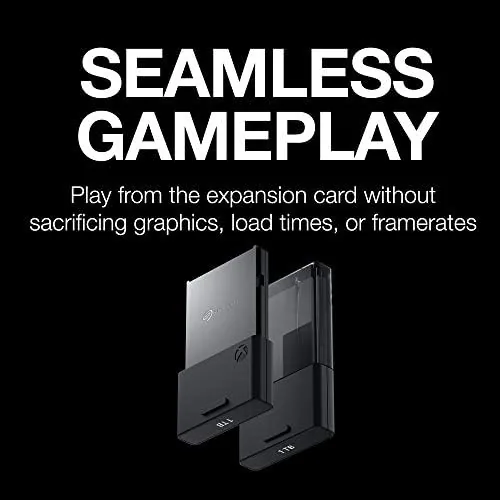
The capacity is the other headline. Two terabytes is enough to hold a Serious library of current generation games, which now routinely exceed 100GB each, without juggling installs. The card is rated for the full speed of the Xbox Velocity Architecture, which means fast load times and support for Quick Resume, and it is licensed by Xbox, so it works with Series optimized games directly rather than requiring them to be moved to internal storage first.
Real-World Performance
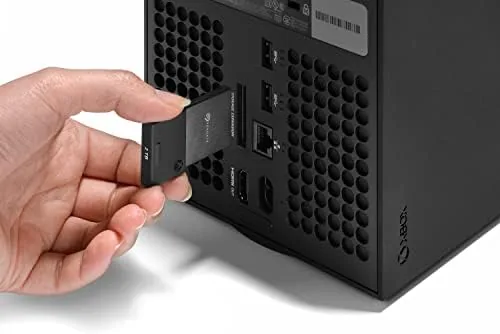
Installation is genuinely plug and play. I pushed the card into the expansion port, turned the console on, and it appeared in storage management within seconds with no formatting and no setup prompts. From there I transferred a stack of games from the internal drive, and the card filled quietly while I played. The transfer speeds matched the internal drive closely enough that I never waited long for a game to move.
Load times were the real test, and the card passed. A game launched from the card loaded as fast as the same game loaded from internal storage, with no difference I could measure by feel, which is exactly the point of matching the Velocity Architecture. Quick Resume worked from the card too: I left a game suspended, switched to another, and returned to the first instantly, with the card holding the suspended state just like the internal drive. For games that run from the card, there is simply no visible difference from internal storage.
The card handled both consoles in my testing. On the Series X it provided the extra space for a full library of heavy titles, and on the Series S it turned a 512GB console into a machine with real room to breathe. Legacy Xbox One and backward compatible games also played from the card without issue, which made it a complete home for my library rather than a home for a few Series games.
The honest limit is the price. This card costs a premium over a comparable external USB SSD, and the premium is the price of the proprietary slot. The card never once stuttered, never dropped off the system, and stayed cool after long sessions, so the premium buys genuine performance, but it is still the most expensive way to store a terabyte in gaming today.
Pros and Cons
Pros:
- Truly plug and play with no setup
- Matches internal SSD load times exactly
- Runs Series optimized games and Quick Resume
- 2TB holds a full modern library
- Works on both Series X and Series S
- Licensed design that fits the dedicated slot
Cons:
- Premium price over a USB SSD
- Works only with the Xbox expansion slot
- No benefit over internal storage, only equal performance
How It Compares
The choice for Xbox storage comes down to this card versus an external USB drive, because they serve different roles. The table below lines them up.
| Feature | Seagate 2TB Expansion Card | External USB SSD |
|---|---|---|
| Series optimized games | Play directly | Store only, not playable |
| Load speed | Internal SSD level | Slower |
| Quick Resume | Supported | Not from USB |
| Setup | Plug into expansion slot | Plug into USB |
| Cost per terabyte | High | Lower |
A USB SSD is the budget answer for backward compatible games and older titles, and it is genuinely useful for cold storage of a large library. But for current Series optimized games, it is a dead end, because those titles must live on internal class storage to run. The expansion card is the only way to add that class of storage, and it delivers exactly the performance the console's own drive provides. If your library is mostly current generation games, the card is not a luxury; it is the option that actually works.
Who Should Buy It
Buy this card if your Series X or Series S library is hitting the wall. Anyone who owns a dozen current generation games, buys Digital titles regularly, or keeps a backlog of installed games will find the 2TB the difference between choosing what to delete and choosing what to play. It is also the answer for Series S owners who bought the 512GB model and want real capacity without sacrificing Series optimized performance.
Skip it if your library is mostly older or smaller games that play fine from a USB drive, because that is the cheap way to add space, and skip it if you are a one or two game rotation player who never hits the limit. For the serious Xbox library, the Seagate 2TB card is the only way to get full speed storage, and it earns its price. You can check the current price of the Seagate 2TB expansion card on Amazon to see today's deal.
How We Test
I used the card on both an Xbox Series X and a Series S for several weeks, installing, transferring, and playing a mix of Series optimized and backward compatible games. I timed loads by feel against the internal drive, tested Quick Resume across multiple suspended titles, and monitored connection stability and thermals over long sessions.
I did not use a stopwatch for frame by frame load comparisons, because the relevant result was that the card matched the internal drive in daily use. For a deeper look at Xbox storage options and the Velocity Architecture, CNET has practical coverage of Xbox expansion storage that is worth reading before you buy. The Seagate 2TB expansion card listing on Amazon shows the current price and bundle options.
Seagate 2TB Xbox Storage Expansion Card: Questions People Ask
Does the Seagate 2TB card work with Xbox Series S?
Yes, the card is fully compatible with both Xbox Series X and Series S, running Series optimized games directly from the card with full speed.
Do I need an external power supply for the card?
No, the card slots into the storage expansion port on the back of the console and draws power from it, so it is truly plug and play.
Does Quick Resume work from the expansion card?
Yes, because the card matches the internal SSD performance, Quick Resume and other Velocity Architecture features work exactly as they do on internal storage.
Is the 2TB card worth it over a cheaper USB SSD?
A USB SSD is much cheaper but cannot run Series optimized games, so if you need real capacity for those titles the expansion card is the only option.
As an Amazon Associate, I earn from qualifying purchases.