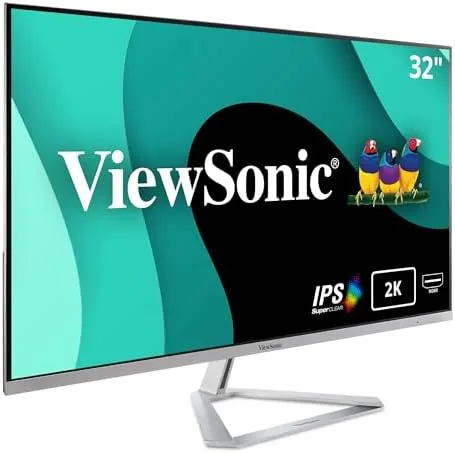

There is a particular frustration in sitting in front of a large monitor that cannot render text crisply, because a big screen amplifies every imperfection in its resolution. The ViewSonic VX3276-2K-MHD is the answer to that specific problem: it takes the generous 32 inch panel and pairs it with 1440p QHD resolution, which is about 1.8 times the pixels of 1080p. That combination delivers the spaciousness of a big display with the sharpness that makes text comfortable to read. I spent a month using this monitor as a daily driver for office work, media, and gaming, and it earns a serious place among the best value large screens available.
The standard disclosure comes first. This article contains affiliate links, and if you buy through one of them the site earns a small commission at no extra cost to you. That commission does not influence my testing or my opinion. You can browse the VX3276-2K-MHD listing on Amazon to see current pricing.
Design and Build
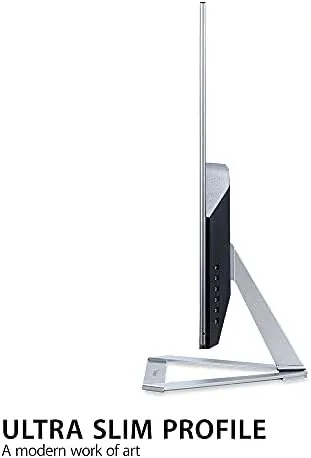
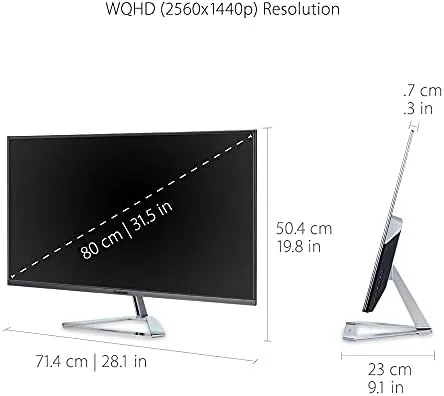
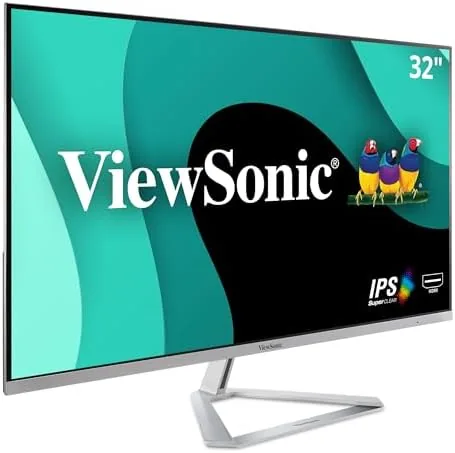
The VX3276-2K-MHD shares the design language of its 1080p sibling, and that is a compliment. Ultra-thin bezels frame the panel on three sides, giving the monitor a refined, modern appearance that looks more expensive than the price tag. The rear is clean and the profile is slim, so the display sits on a desk without dominating the room despite its 32 inch size. The build feels solid, with no flex in the panel or the outer frame.
The stand offers tilt only, with no height adjustment and no rotation, which is a limitation on a panel this tall. Users who value ergonomics will want a monitor arm, and the rear panel includes standard 100 by 100 millimeter VESA holes to support one. Input selection is a strong point: the monitor provides two HDMI ports, a DisplayPort, and a Mini DisplayPort, which covers desktops, laptops, Macs, and modern consoles with room to spare.
Key Features
The headline specification is the 32 inch IPS panel running at 2560 by 1440 pixels. QHD resolution on this size strikes the balance that 1080p cannot: the pixel density is high enough for crisp text and fine detail while the refresh stays easy for typical hardware to drive. The panel refreshes at 75Hz, a step above the standard 60Hz, which makes scrolling and window movement feel noticeably smoother during daily use.
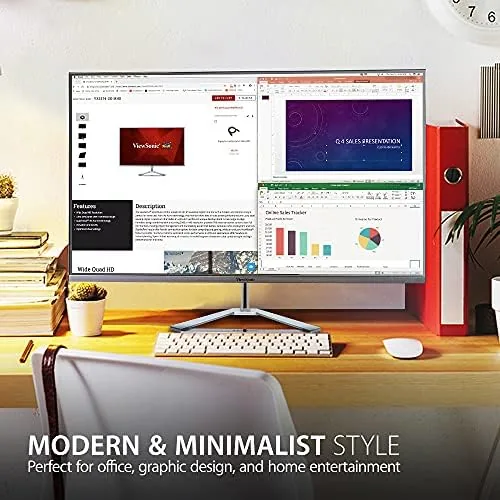
Color performance is a highlight. The IPS panel supports up to 1.07 billion colors, which translates to smooth gradients and natural tones, and the wide viewing angles keep the image accurate from nearly any position. ViewSonic includes its ViewMode presets for different content types and an eye care suite with low blue light and flicker free technology, both of which matter for long days at the screen.
Dual built-in speakers round out the package. They are not a substitute for dedicated audio, but they handle video calls, system sounds, and casual viewing well enough that a separate speaker purchase is optional rather than required. The monitor also works cleanly across platforms, which is why ViewSonic markets it as a Mac and PC display.
Real-World Performance
For office and productivity work, the 1440p resolution transforms the 32 inch experience compared with a 1080p panel of the same size. Text renders with a fine, crisp edge that is comfortable to read for hours, and the extra pixels let me pack a spreadsheet, a document, and a browser into the same screen without anything looking pixelated. This is the monitor's strongest category, and it is excellent at it.
The 75Hz refresh and fast response make the display pleasant for web browsing and general desktop use. Scrolling is fluid, mouse movement feels responsive, and the monitor has no noticeable input lag for everyday tasks. For gaming, the 1440p resolution with a 75Hz refresh is a sweet spot for mid range graphics cards, which can drive QHD at high settings and enjoy the extra smoothness. I played a racing title and a cooperative shooter, and both looked clean with good detail, though the monitor is not built for competitive high refresh esports.
Media consumption is where the big IPS panel shines. Streaming video in 1440p or higher fills the screen with sharp detail, colors look rich without being oversaturated, and the wide viewing angles mean the picture stays accurate whether you are at the desk or across the room. The eye care features are a real benefit here too, since a 32 inch screen invites long sessions.
Pairing the monitor with a Mac worked exactly as expected. The Mini DisplayPort and HDMI inputs connect modern MacBooks and desktops without adapters, and the QHD resolution scales well in macOS. One honest caveat: this is a 75Hz panel, so Mac users who want the ProMotion 120Hz experience will not find it here, but for daily work the difference is minor.
There is also a practical detail that makes the monitor easier to live with than many rivals. The on screen menu is clear and responsive, so changing picture modes, adjusting color temperature, or toggling the eye care settings takes a few seconds rather than a hunt through confusing submenus. For a display that will be used every day, that simple reliability adds up, because a monitor that is annoying to adjust tends to stay stuck on default settings that do not suit the room's lighting.
Pros and Cons
Pros:
- 1440p QHD resolution keeps text sharp on a large 32 inch panel
- 75Hz refresh smooths scrolling and general desktop use
- IPS color supports 1.07 billion colors with wide viewing angles
- Ultra-thin bezels for a modern, premium look
- Four inputs cover HDMI, DisplayPort, and Mini DP devices
- Eye care features reduce strain over long sessions
Cons:
- Stand lacks height adjustment and rotation
- Speakers are adequate but not impressive for music
- 75Hz is modest for competitive gaming
- Some graphics cards need attention to drive QHD gaming
How It Compares
The most useful comparison for the VX3276-2K-MHD is against its 1080p sibling and a premium 4K monitor, since those are the other common choices at 32 inches. The table below shows where each lands.
| Feature | VX3276-2K-MHD | 32 Inch 1080p IPS | 32 Inch 4K IPS |
|---|---|---|---|
| Resolution | 2560 x 1440 | 1920 x 1080 | 3840 x 2160 |
| Text sharpness | Sharp | Soft up close | Very sharp |
| Refresh rate | 75Hz | 60Hz | 60Hz |
| Hardware demand | Moderate | Low | High |
| Price | Mid | Low | High |
| Inputs | 2x HDMI, DP, Mini DP | 2x HDMI, DP | Varies |
The 2K model is the value midpoint. It fixes the sharpness complaint of 1080p without the hardware demands and price of 4K, and it adds a smoother 75Hz refresh that neither the 1080p panel nor many budget 4K displays offer. For most people, this is the sweet spot of the three.
Who Should Buy It
Buy the ViewSonic VX3276-2K-MHD if you want a large monitor for daily work and entertainment and have noticed how soft 1080p looks at 32 inches. It suits office workers, students, home users, and anyone running a laptop or Mac at a desk who wants crisp text and plenty of space. The 75Hz refresh and QHD resolution also make it a good match for mid range gaming rigs.
Skip it if you edit video in 4K and want native 4K preview, or if competitive high refresh gaming is your priority. For the broad middle of buyers, this is one of the most balanced large displays available. You can check the current ViewSonic VX3276-2K-MHD price on Amazon to see how it fits your budget.
How We Test
I used the VX3276-2K-MHD as a daily display for a month, covering office work, media playback, and gaming. I connected it to a Windows desktop through DisplayPort, to a laptop through HDMI, and to a Mac through both HDMI and Mini DP to verify input flexibility. I assessed text sharpness, color accuracy against reference images, and the smoothness of the 75Hz refresh in daily tasks.
I also ran a set of casual gaming sessions to judge motion clarity and checked the eye care settings over extended use. For independent perspective on large QHD monitors, reviews at TechRadar monitor reviews are a useful second opinion when comparing options.
Questions People Ask
Is 1440p much sharper than 1080p on a 32 inch screen?
Yes, noticeably so. QHD packs roughly 1.8 times the pixels of 1080p, which means text has a crisper edge and fine details are clearer across the large panel, fixing the softness that 1080p shows at 32 inches.
What does the 75Hz refresh rate improve?
Scrolling, window movement, and general desktop interaction feel smoother than on a standard 60Hz panel, and it also helps casual and mid range gaming feel more fluid. It is not a competitive high refresh display, but the upgrade is real.
Does the VX3276-2K-MHD work with a Mac?
Yes, it connects through HDMI, DisplayPort, or Mini DisplayPort, so modern MacBooks and desktops work without adapters, and the QHD resolution scales well in macOS for crisp text and layout.
What eye care features does this ViewSonic include?
The monitor includes low blue light and flicker free technology, which reduce eye strain during long sessions. These settings are simple to activate through the on screen menu.
As an Amazon Associate, I earn from qualifying purchases.



