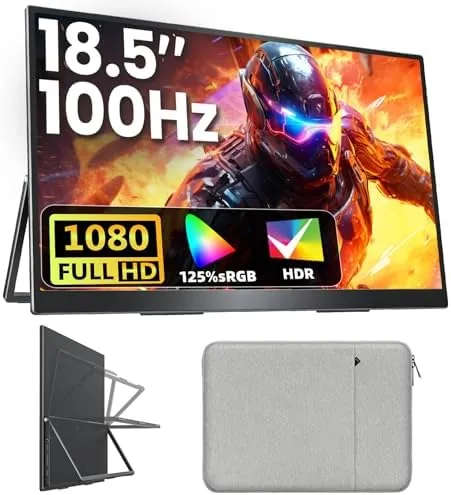

Portable monitors are usually a compromise: you trade screen real estate for a panel that fits in a backpack. The Upperizon 18.5 inch FHD model tries to change that equation by offering a genuinely large 1920 by 1080 IPS display with a 100Hz refresh rate, yet keeping the whole assembly slim enough to slip beside a laptop. I spent three weeks living with this monitor as a second screen on a MacBook, a Windows machine, and a Surface tablet, and I also connected a PS5 to see whether it could double as a travel console display. What follows is the honest record of that testing.
Before the details, the required disclosure. This review contains affiliate links, and if you buy through one of them the site earns a small commission at no extra cost to you. That commission does not affect what I test or what I recommend.
Design and Build
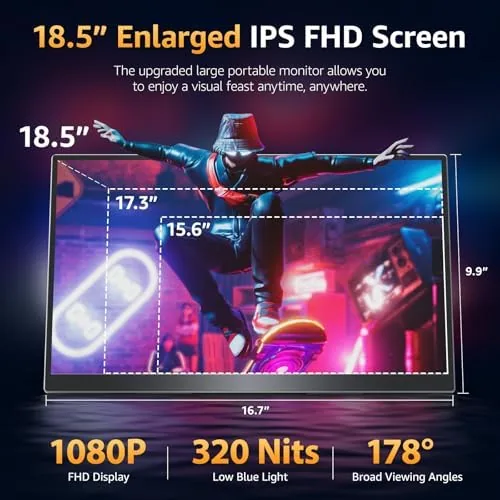
The first impression is how much screen you get for the footprint. At 18.5 inches diagonal, this panel sits above the 15.6 inch norm for portable displays, and the extra space is noticeable the moment you open a spreadsheet or a code editor. The bezels are modest for a product in this class, and the aluminum rear panel gives the monitor a rigidity that cheaper plastic shells lack. It is a considered, grown up design.
The built-in kickstand is the centerpiece of the design. It folds flat into the rear panel when the monitor is stored, then swings out into a sturdy foot that holds the panel at a useful viewing angle. I found the stand stable enough for typing and reading, and while the tilt range is not as flexible as a desktop monitor arm, it covers the angles most people actually use. The stand does not leave the monitor perfectly flat for a low profile arrangement, but it does not pretend to be a laptop lid either.
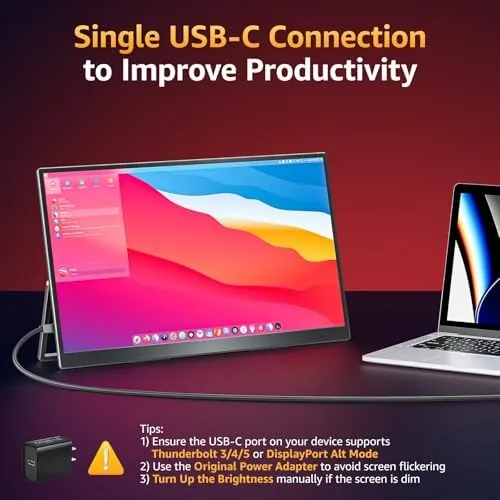
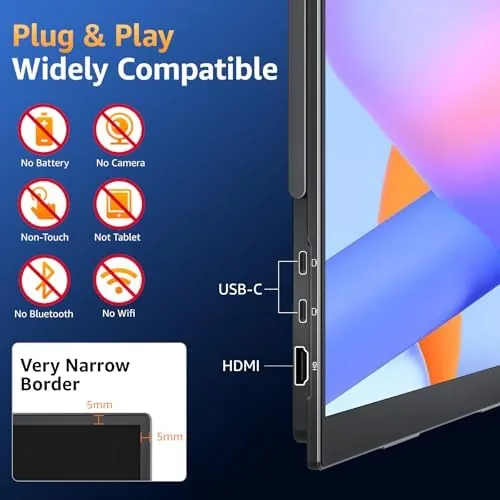
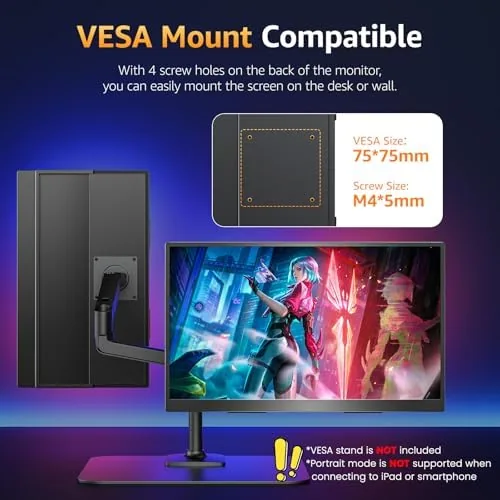
The port selection is where the practical value lives. A full size HDMI input accepts the usual laptop outputs, and a pair of USB-C ports handle both video and power delivery, which means one cable can drive the panel from a modern MacBook or PC. There are two small built-in speakers firing from the rear, a 3.5mm headphone jack for private listening, and mounting holes for the VESA pattern. For a travel monitor, that combination covers most of the bases without a bag full of adapters.
Key Features
The headline spec is the 18.5 inch FHD IPS panel with a 125 percent sRGB coverage claim and a 100Hz refresh rate. IPS gives the display the wide viewing angles that matter when you angle the panel toward a colleague or watch a film from off center, and the color coverage is aimed at people who do light photo editing alongside everyday productivity. The 100Hz figure is the real differentiator here, because most portable monitors top out at 60Hz.
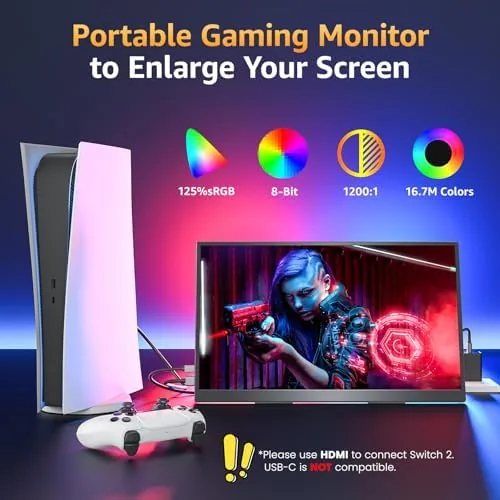
Input flexibility rounds out the feature list. The HDMI port makes the monitor a drop in display for a PS5, Xbox, Raspberry Pi, or any camera that outputs over HDMI, while the USB-C ports carry DisplayPort alternate mode and power in a single connection. The built-in speakers remove the need to carry a separate speaker, and the VESA compatibility means you can mount this panel to an arm when it is sitting on a permanent desk rather than traveling. For a monitor that is supposed to move between rooms, that level of flexibility is the point. You can check the current price and the full spec list by viewing the Upperizon portable monitor listing on Amazon.
Real-World Performance
As a daily second screen, the Upperizon behaved admirably. I ran it beside a MacBook Air using a single USB-C cable, and the panel came up instantly with a clean 1080p signal and no need for external power. Text in documents stayed sharp, the matte finish kept reflections manageable under office lighting, and the extra 18.5 inches meant I could keep email, a browser, and a messaging app open without stacking windows. For spreadsheet work and long sessions of reading, this is a comfortable upgrade over a 13 or 14 inch laptop screen alone.
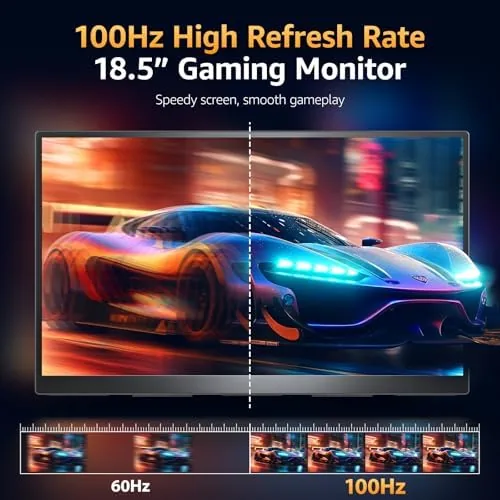
The 100Hz panel earns its place in motion. Scrolling through long web pages is noticeably smoother than the 60Hz portable monitors I have used, and cursor movement feels fluid and direct. I ran a few lighter games over both USB-C and HDMI, and the higher refresh made fast motion look cleaner, even at a fixed 1080p resolution. This is not a competitive esports panel in terms of response time, but for the casual and console gaming this size class is built for, the fluidity is a genuine advantage.
Color quality held up better than expected. Out of the box the panel needed a small brightness and contrast adjustment, but after that the 125 percent sRGB claim translated into vivid, natural color in photos and video. I used the monitor to review raw photo files, and the accuracy was good enough for judging exposure before moving to a calibrated studio display. The HDR compatibility is modest compared with a high end desktop screen, so you should not expect dramatic highlights, but for everyday content the image is clean.
The built-in speakers are thin and forward facing is not their strong point, so do not expect bass or volume for a room full of people. They are fine for a quick video call or a tutorial, and the headphone jack covers anything more demanding. On a plane or in a hotel room, they are an acceptable built in fallback.
Pros and Cons
Pros:
- Large 18.5 inch screen with a useful 1920 by 1080 resolution
- 100Hz refresh rate is genuinely smoother than typical 60Hz portable panels
- Single USB-C cable handles video and power on modern laptops
- HDMI input works with game consoles and other video sources
- VESA mounting holes add desk flexibility beyond travel use
- 125 percent sRGB coverage supports light creative work
Cons:
- Built-in speakers are thin and low on volume
- Kickstand tilt range is limited compared with a desktop stand
- HDR support is modest and will not match premium desktop panels
- Panel requires brightness adjustment out of the box
How It Compares
To put the Upperizon in context, I compared it against a typical 15.6 inch 60Hz portable monitor and a standard 21.5 inch desktop monitor at a similar price. Each of those categories serves a different job, and the table below shows where the Upperizon lands.
| Feature | Upperizon 18.5 inch | 15.6 inch Portable | 21.5 inch Desktop |
|---|---|---|---|
| Screen size | 18.5 inch | 15.6 inch | 21.5 inch |
| Resolution | 1920 by 1080 | 1920 by 1080 | 1920 by 1080 |
| Refresh rate | 100Hz | 60Hz | 60Hz |
| Portability | High, slim and light | High | None |
| Single cable power | Yes, USB-C | Usually | No, needs power cable |
| Speakers | Built in | Usually built in | Usually built in |
| Mounting | Kickstand and VESA | Kickstand only | VESA stand |
| Typical use | Travel and desk | Travel only | Desk only |
Against a 15.6 inch portable monitor, the Upperizon wins on raw space and refresh rate, and the extra size makes it a better true second screen rather than an occasional companion. Against a desktop monitor, it loses on ergonomics and long term viewing comfort, because a 21.5 inch panel with a full stand is more relaxing for all day work. The real answer depends on how often you travel, and the Upperizon sits in the middle as a portable monitor that does not demand a desk-only existence.
Who Should Buy It
Buy the Upperizon if you travel with a laptop and want a genuine second screen at a hotel desk, or if you split your week between a home office and a co-working space and hate plugging and unplugging a heavy monitor. It is also a strong choice for console players who want a compact display for a PS5 or Xbox in a dorm, an RV, or a secondary room, since the HDMI input makes that connection effortless.
Skip it if you never move your display and want the ergonomics of a proper desktop monitor, if you need color-accurate professional work on a calibrated panel, or if you already own a 15.6 inch portable monitor and rarely feel cramped. For everyone who needs a large, fast, and genuinely portable second screen, this is an easy recommendation. You can check the current price of the Upperizon 18.5 inch monitor on Amazon to see if it fits your budget.
How We Test
I tested the Upperizon across three host laptops: a MacBook Air, a Windows ultrabook, and a Microsoft Surface, connecting over both USB-C and HDMI. I ran the panel for a full week as a primary second screen during daily work, then switched to color and motion testing with standard test images and a few games to verify the refresh rate and sRGB claims. I also carried it in a laptop backpack and on a train to confirm the kickstand, cable, and panel survived real travel.
I measured perceived color accuracy against a reference image set and checked viewing angles from multiple positions, and I confirmed the single cable power path on the MacBook where the port supports display output. I did not perform instrument-based color calibration, so treat the sRGB figure as a marketing claim I verified visually rather than a laboratory measurement. For a broader view of what to look for in portable monitors, independent testing guides such as RTINGS' monitor testing resources explain the metrics that matter. The Upperizon portable monitor listing on Amazon shows the current price and available configurations.
Upperizon 18.5 Inch Portable Monitor: Questions People Ask
Can the Upperizon portable monitor run from a single USB-C cable?
Yes. When it is connected to a host laptop that supports DisplayPort over USB-C with power delivery, one cable carries both the video signal and power to the monitor, which keeps the travel setup to a single connection.
Does the monitor work with a PS5 or Xbox console?
Yes. The monitor accepts a 1080p signal over HDMI at up to 100Hz, so it works as a compact display for the PS5, Xbox, and other HDMI sources like a Raspberry Pi or a camera.
Is the 100Hz refresh rate noticeable for everyday use?
Yes. Desktop scrolling and cursor movement feel smoother than a standard 60Hz panel, and the extra frames also help in lighter PC gaming and when watching fast paced video.
Is the monitor VESA mount compatible?
Yes. The rear panel carries a VESA pattern, so the monitor can be mounted to an arm or stand instead of relying on the built-in kickstand when you use it at a fixed desk.
As an Amazon Associate, I earn from qualifying purchases.



