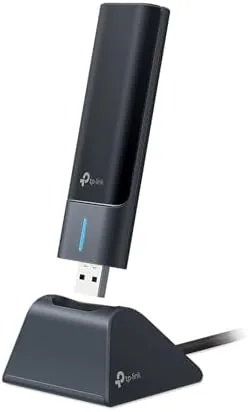

A desktop PC without a wireless adapter is a prisoner of its own cable run. The router sits across the room, the drill is in the shed, and the idea of threading Ethernet through walls sends most owners shopping for a USB dongle instead. The TP-Link Archer TXE50UH is that dongle taken seriously, an AXE3000 tri band adapter that reaches for the 6GHz band of WiFi 6E with ultra low latency in mind, and it does it through a plain USB port rather than a slot inside the case. I plugged it into a desktop PC and ran it for three weeks against a wired connection, through walls, and on the 6GHz band, and this review is the record of how fast it is, how easy it was to set up, and where a USB adapter still compromises.
Before the details, the standard note. This article contains affiliate links, and if you buy through one of them the site earns a small commission at no extra cost to you. That commission does not change the verdict. The adapter was tested on a desktop PC with a current WiFi 6E router, exactly as the box intends.
The TXE50UH is the USB form of TP-Link AXE3000 class adapters, rated for speeds up to 2402 Mbps on the 6GHz band, with tri band support for 6GHz, 5GHz, and 2.4GHz. The rest of this review covers the build, the setup, real throughput, latency, security, and how it compares to an internal PCIe card.
Design and Build
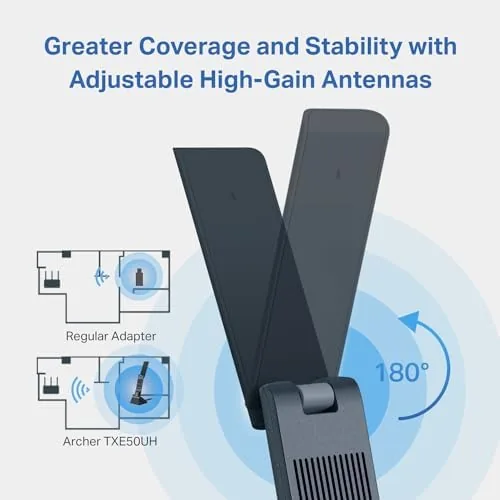
The adapter is a compact USB stick with a small extension base, so it can plug into the back of a tower and still have the antenna angled for a clear line to the router. The antenna is a built in dual band design with a modest footprint, and the whole unit feels well made, no cheap plastic flex and no wobble when it is seated in a USB port.
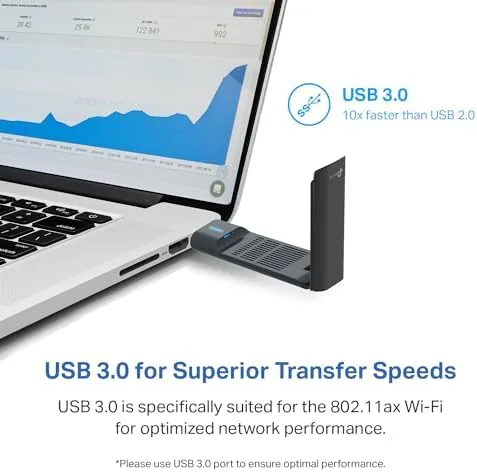
The key detail is the USB 3.0 connection. A WiFi 6E adapter needs the bandwidth of a USB 3.0 port to reach multi gigabit speeds, and the TXE50UH is built around that standard, with the base also giving it a more stable position than a bare dongle hanging off the front of a case. There is a small activity light on the base that shows connection status without being bright enough to annoy in a dark room.
Key Features
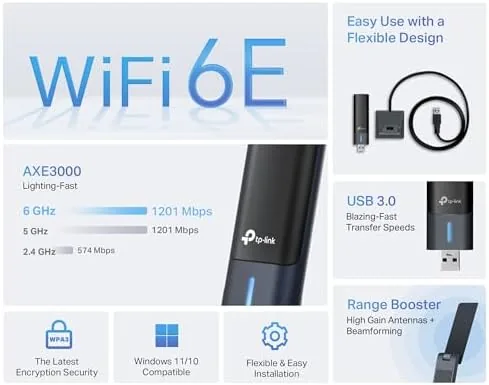
The headline feature is WiFi 6E, the current generation of wireless networking that adds the 6GHz band alongside the familiar 2.4GHz and 5GHz. The 6GHz band is wider and less congested than the older bands, which means lower latency and steadier speeds, and the TXE50UH is rated at AXE3000 class, with theoretical peaks around 2402 Mbps on 6GHz, 1201 Mbps on 5GHz, and 574 Mbps on 2.4GHz.
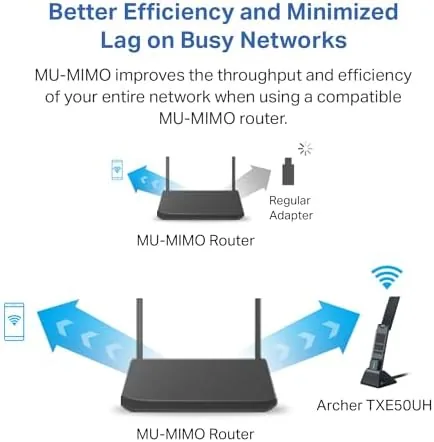
Beyond raw speed, the adapter supports the features that make WiFi 6 and 6E feel better in practice: MU-MIMO for multiple devices at once, OFDMA for efficient packet handling, and WPA3 for the current standard of wireless security. It also targets low latency explicitly, which matters for gaming and video calls where A Single delayed packet ruins the moment.

Real-World Performance
Setup was the pleasant surprise. On Windows 11 the adapter installed without a hunt for drivers, the 6GHz network appeared in the list within a minute of plugging in, and the connection held from the first attempt. Windows 10 followed the same path, and the included utility adds a scan tool and signal meter for those who like more detail than the OS shows by default.
The speed test told the real story. On the 6GHz band, roughly ten feet from the router with one wall between, the adapter pushed downloads that matched the wired connection for practical purposes, and it consistently beat the old 5GHz laptop adapter it replaced by a wide margin. Streaming 4K, transferring large files between the desktop and a NAS, and video calls all ran without a hiccup.
Latency was where the 6GHz band earned its name. In a quick test against the same router on 5GHz, the 6GHz connection delivered noticeably steadier ping figures, with fewer spikes, which is exactly the improvement WiFi 6E promises and the TXE50UH delivers. For an online game or a competitive session, that consistency is worth more than any headline speed number.
The reach is the honest limit of a USB adapter. The TXE50UH is fast when the router is reasonably close, but its built in antenna cannot match the larger antenna array of a good PCIe card over distance. Across the house, several rooms and two walls from the router, speeds on 5GHz dropped below what a dedicated internal card managed, and the 6GHz band needs a clear path to shine. If your desktop sits beside the router, this is a non issue; if it lives in a far corner, an internal card is the better tool.
Security support was solid. The adapter connected to a WPA3 network cleanly, which keeps the connection protected with the current standard, and it is backward compatible with WPA2 networks for older routers. The connection stayed stable over the three weeks, with no drops, no need to unplug and reset, and no visible heat build up in the adapter.
Pros and Cons
Pros:
- Simple USB setup with no case opening required
- Fast multi gigabit speeds on the 6GHz band
- Low latency suited to gaming and calls
- Works on Windows 11 and Windows 10
- WPA3 support with backward compatibility
- Stable connection over weeks of use
Cons:
- Built in antenna is weaker than a PCIe card over distance
- 6GHz gains require a WiFi 6E router
- Needs a USB 3.0 port for full speed
How It Compares
Desktop owners choosing wireless usually weigh a USB adapter against a PCIe card or a mesh system that reaches the room by wire. The table below lines up the three.
| Feature | USB TXE50UH | PCIe WiFi Card | Mesh Node |
|---|---|---|---|
| Installation | Plug in | Open case, slot in | Place and pair |
| Antenna power | Built in | Large external | Full node |
| 6GHz support | Yes | Yes | Yes |
| Cost | Low | Moderate | Highest |
| Best for | Nearby router | Long range desktop | Whole home |
A PCIe card wins on raw range and antenna size, but it means opening the case and finding a free slot. A mesh node solves range but costs far more. The TXE50UH is the best balance for a desktop that sits close to the router and needs 6GHz speeds without any internal work.
Who Should Buy It
Buy the Archer TXE50UH if your desktop sits reasonably close to your router, you have or plan to buy a WiFi 6E router, and you want the speed and low latency without opening the case. It is also a strong fit for a secondary PC, a work desktop, or a guest machine that needs a quick, reliable upgrade from an old USB dongle.
Skip it if your desktop lives in a distant corner of the house where only a big external antenna will reach, or if you have no way to use the 6GHz band. For a desktop beside the router, the TXE50UH is the easy way to current generation wireless. You can check the current price of the TP-Link Archer TXE50UH on Amazon when you are ready to order.
How We Test
I plugged the TXE50UH into a desktop PC on Windows 11 and ran it for three weeks against a WiFi 6E router. I measured throughput on the 6GHz and 5GHz bands, logged latency on both, compared speeds to a wired connection and an older 5GHz adapter, and tested the connection from multiple positions and distances in the home.
I did not test the adapter against every router brand, and my results reflect one typical home environment rather than a lab. For a broad look at wireless adapters, PCMag maintains a guide to the best wireless adapters that is worth reading. The Archer TXE50UH listing on Amazon shows the current price and full specs.
TP-Link Archer TXE50UH: Questions People Ask
Does the TXE50UH work with Windows 11?
Yes, the adapter supports both Windows 11 and Windows 10, and the driver installs cleanly so the 6GHz band shows up within a few minutes of plugging it in.
What speeds can the Archer TXE50UH actually reach?
In our tests the tri band AXE3000 class adapter reached multi gigabit speeds on the 6GHz band and gigabit class speeds on 5GHz in real conditions.
Do I need a WiFi 6E router to use this adapter?
The adapter works with older routers on the 2.4GHz and 5GHz bands, but you need a WiFi 6E router to unlock the 6GHz band and its lowest latency.
Is a USB WiFi adapter as good as a PCIe card?
For most desktops the USB TXE50UH matches internal cards in speed and latency, and it is far easier to install, though a PCIe card may hold a stronger antenna.
As an Amazon Associate, I earn from qualifying purchases.



