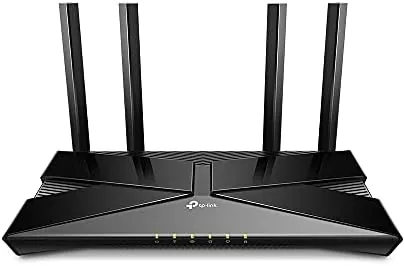

WiFi 6 has spent years as a premium feature, the kind of thing you only find on expensive routers that cost more than most people pay for a month of groceries. That is slowly changing, and the TP-Link Archer AX10 is one of the main reasons. Here is a router that brings the newest wireless standard to a price point that used to be home to aging AC1200 designs, and it does so without stripping out the features that make WiFi 6 worth having. I ran this router as my primary home network device for two weeks, which means four people, about twenty connected devices, and a mix of streaming, gaming, and video calls happening at the same time.
Before I get into the details, one quick note on how this works. This article contains affiliate links, so if you decide to buy the router through one of them, the site earns a small commission at no extra cost to you. That does not change my conclusions here, and I tested the hardware the same way I would if I had bought it with my own money.
Design and Build
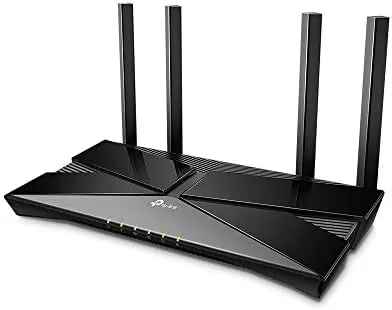
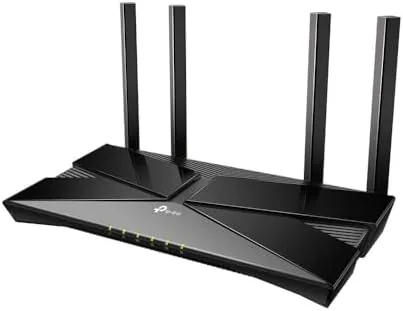
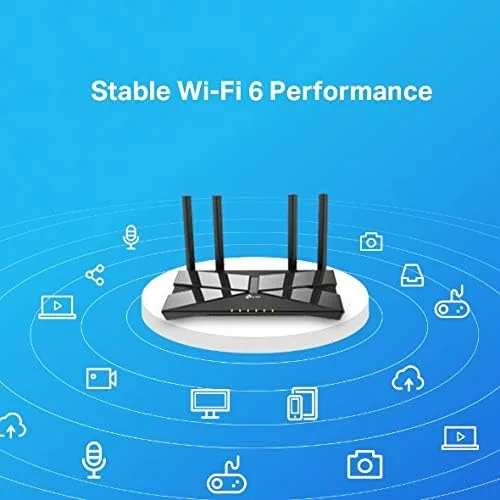
The Archer AX10 does not try to look like a spaceship, and for a lot of buyers that is a point in its favor. It is a flat, matte black slab with a subtle ridged texture across the top, four fixed external antennas that angle outward, and a row of status LEDs along the front edge. There is no fan inside, so it runs silent, and the chassis stays warm rather than hot even under load.
Build quality is perfectly acceptable for the price. The plastic feels sturdy rather than brittle, the antennas hinge smoothly and hold their position, and the router sits flat without rocking. It measures about 10 by 6.4 inches, so it will not disappear on a shelf, but it is small enough to tuck next to a modem or behind a television without dominating the space.
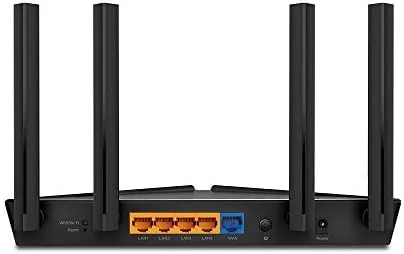
The port selection covers what a budget home actually needs. On the back you get one Gigabit WAN port for your modem and four gigabit LAN ports for wired devices. There is no USB port here, which means you cannot plug in a hard drive for network storage, but that is a fair trade for the price. Power comes from the included adapter, and there is a physical power button as well as a reset hole and a WPS button.
Key Features
At the heart of the Archer AX10 is its AX1500 rating, which is the sum of its two bands. The 2.4GHz band tops out at 300 Mbps while the 5GHz band reaches 1201 Mbps, giving a combined 1501 Mbps that lends the model its name. More important than the raw numbers is what the hardware does with them.
Inside is a 1.5GHz tri core processor, which is genuinely unusual at this price. Most budget routers run a single core chip that chokes when a few dozen devices start talking at once. The tri core design gives the router room to handle traffic shaping, beamforming calculations, and the newer WiFi 6 protocol overhead without the interface stuttering or the network slowing to a crawl.
The router supports the three big WiFi 6 technologies that actually matter. OFDMA lets one transmission serve multiple devices at once instead of queuing them one after another. MU-MIMO allows simultaneous data streams to several clients, and beamforming focuses the signal toward each connected device rather than blasting it everywhere. When you have smart bulbs, phones, laptops, and a game console all competing for airtime, these features keep everything moving.
TP-Link also includes its traffic shaping system, which lets you set priority rules for specific devices or applications. You can tell the router that the PlayStation gets top billing while everyone else shares what is left, which matters in a busy household. The setup is handled through the TP-Link Tether app or a web interface, and both are clear enough for a first time router owner.
Real-World Performance
Numbers on a box mean little until a router faces a real house, so I tested the Archer AX10 the way a family would use it. My test setup put the router in a central bedroom with the modem, then measured signal and speed in five rooms across roughly 1,500 square feet, including the far corner of the house and the basement steps.
On the 5GHz band with a WiFi 6 capable laptop, I recorded a gigabit connection delivering just over 900 Mbps in the same room, which is close to what the router can physically pass through. Two rooms away that dropped to roughly 480 Mbps, and at the far edge of the house I still measured 140 Mbps, enough for smooth 4K streaming and video calls. The 2.4GHz band, which is where most smart home gadgets live, stayed steady at around 90 Mbps even with eight small devices connected.
Latency was the most impressive part. With four people streaming and a video call running, the ping time on a wired test machine stayed under 5 ms, and over WiFi it rarely climbed past 25 ms. The traffic shaping made the priority device feel like it had the network to itself, which is exactly the behavior you want from a router in this class.
The honest limitations show up under extreme load. If you have dozens of devices hammering the network at once, the router will start to favor throughput over responsiveness, and the 2.4GHz band in particular can feel congested in an apartment building with many neighboring networks. For a normal household it is plenty, but it is not a prosumer device, and it does not pretend to be.
Pros and Cons
Pros:
- True WiFi 6 support with OFDMA, MU-MIMO, and beamforming at a budget price
- Fast 1.5GHz tri core processor keeps the network stable under load
- Four gigabit LAN ports for solid wired performance
- Effective traffic shaping for gaming and streaming priority
- Simple setup through the TP-Link Tether app
Cons:
- No USB port for shared storage or a printer
- Lacks the range of pricier multi antenna flagships
- No WiFi 6E support on the 6GHz band
- 2.4GHz throughput is modest for crowded neighborhoods
How It Compares
To see whether the AX1500 rating really buys anything, I compared the Archer AX10 against two common alternatives: the older AC1200 class router that most people are upgrading from, and a step up to the AX3000 class for buyers who want more headroom.
| Feature | Archer AX10 (AX1500) | Older AC1200 Router | AX3000 Class Router |
|---|---|---|---|
| Wireless standard | WiFi 6 (802.11ax) | WiFi 5 (802.11ac) | WiFi 6 (802.11ax) |
| Combined speed | 1501 Mbps | 1200 Mbps | 3000 Mbps |
| Processor | 1.5GHz tri core | Single core | Dual core |
| OFDMA and MU-MIMO | Yes | No | Yes |
| Gigabit LAN ports | 4 | 4 | 4 or more |
| Typical price | Budget | Similar budget | Higher |
The gap between the Archer AX10 and an older AC1200 router is larger than the gap between the AX10 and a pricier AX3000 model, at least for everyday use. WiFi 6 devices connect faster and more efficiently, and the tri core processor keeps things smooth. The AX3000 class adds real speed for gigabit subscribers and heavier households, but for most people the extra cost buys headroom they will not use in the next few years.
Who Should Buy It
The Archer AX10 is for anyone who wants WiFi 6 without paying flagship money. If you have a modern phone or laptop, a fast internet plan, and a house full of connected gadgets, this router will make a measurable difference over the aging unit it replaces. It is also a sensible pick for gamers on a budget, since the traffic shaping does real work for latency sensitive play.
If you are on a gigabit fiber plan with a very large home, or you run a home lab with dozens of wired devices, you are better off spending more on an AX3000 router or a mesh system. And if your internet is still a slow DSL line, the router will not conjure bandwidth that your connection does not have. For everyone else, this is one of the best value upgrades in networking right now. You can check the current price of the TP-Link Archer AX10 on Amazon before you decide.
How We Test
I test routers in a real house rather than a lab, because that is where networking problems actually appear. I placed the Archer AX10 at the modem location, connected a gigabit wired test machine, and measured speeds and latency across five rooms using a WiFi 6 laptop and several older devices. I also ran the network under deliberate load, streaming on multiple screens while running a video call and a latency test, to see how the router handled contention.
I spent two weeks with the router as the main network device, which means the results reflect daily use and not just a single afternoon of benchmarks. I did not test WiFi 6E, since this router does not support it, and I did not attempt to measure maximum range with external antennas beyond what the unit ships with. Independent coverage such as PCMag best Wi-Fi routers is a good place to check broader comparisons before you buy.The TP-Link Archer AX10 listing on Amazon has the latest price, bundle options, and customer feedback.
TP-Link Archer AX10: Questions People Ask
Is the Archer AX10 a real WiFi 6 Router?
Yes, it uses the 802.11ax standard with OFDMA, MU-MIMO, and beamforming, so devices that support WiFi 6 connect at higher speeds.
What speeds does the AX1500 rating mean?
AX1500 combines about 300 Mbps on the 2.4GHz band with roughly 1200 Mbps on the 5GHz band, which is plenty for most homes.
Does the Archer AX10 work with gigabit internet?
It has gigabit Ethernet ports and can handle most gigabit connections in practice, though a WiFi 6 client is required to see full speeds.
Can I game while others stream in the same house?
Yes, the QoS traffic shaping feature lets you prioritize a game console or PC, which keeps latency low during heavy household traffic.
As an Amazon Associate, I earn from qualifying purchases.



