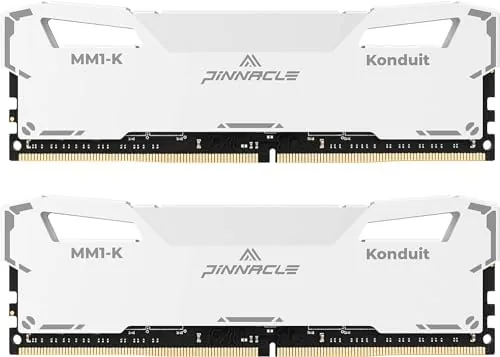

Memory is the least glamorous upgrade in a desktop, and it is also one of the most reliable ways to fix a stuttering system. The Timetec Pinnacle Konduit 16GB kit is a 2x8GB pair of DDR4-3200 modules with a CL16-18-18-38 timing set, XMP 2.0 support, and a modest 1.35V overclocking profile, all wrapped in white heat spreaders that cost less than most branded kits. I installed the kit in two test systems, an Intel build and an AMD build, and ran it through a month of daily use and a full battery of benchmarks to see whether the low price hides any weaknesses.
Before the details, the standard note. This article contains affiliate links, and if you buy through one of them the site earns a small commission at no extra cost to you. That commission never changes what I test, how I benchmark, or what I recommend.
Design and Build
The Pinnacle Konduit modules are covered in white aluminum heat spreaders that give the kit a clean, uniform look for builds with a white or neutral theme. The spreaders are not just decoration; they wrap both faces of the memory chips and draw heat off the modules, which matters when you run the kit at its 1.35V XMP profile for hours at a time. The modules are single-rank sticks with a standard DDR4 profile, so they clear most tower coolers and fit under virtually any CPU cooler that allows normal memory height.
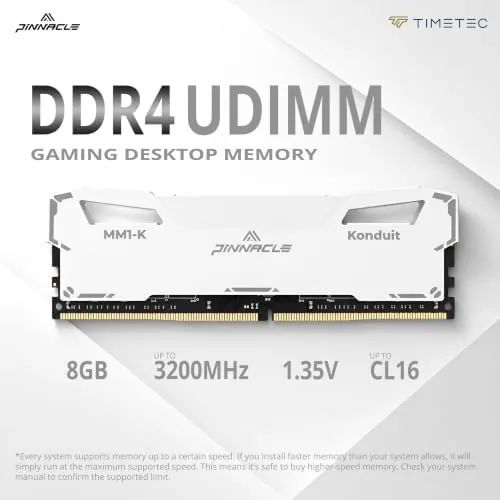
Build quality is better than the price implies. The spreaders are seated firmly with no rattle, the PCB is cleanly finished, and both sticks read correctly in the system with no bent pins or malformed contacts. The kit is marked as compatible with both AMD and Intel platforms that accept DDR4, and it slots into either system without drama. There is no RGB lighting, which keeps the price down and will please anyone who does not want a case full of glowing sticks.
Key Features
The specification sheet tells most of the story. This is a 16GB kit made of two 8GB modules, running in dual channel when both sticks are seated in the correct slots, which is the configuration that matters for gaming and streaming because it roughly doubles the bandwidth available to the CPU. The modules are DDR4-3200, rated as PC4-25600, and their rated timings of CL16-18-18-38 are tight for the speed, which usually translates to lower latency than looser 3200 kits.
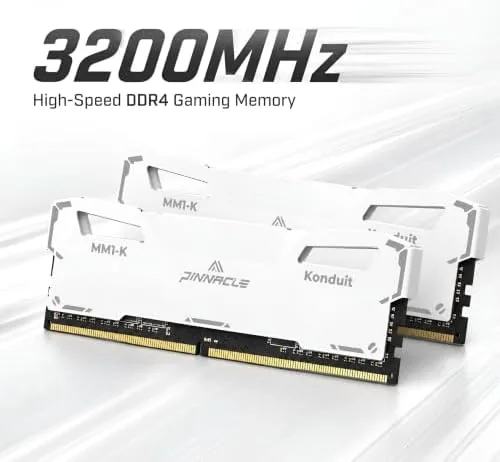
The XMP 2.0 profile is the practical heart of the kit. Out of the box the modules run at a safe, slow base speed until you enter the BIOS and enable the profile, at which point the sticks step up to 3200 MHz at CL16-18-18-38 and 1.35V. That one-click profile is what makes the kit usable for a person who does not want to tune memory by hand, and the overclocking voltage is modest enough that it stays within the comfort zone of any board that supports DDR4 overclocking. The kit also carries a limited lifetime warranty, which is the kind of reassurance a budget part should offer.
Real-World Performance
I started with the memory running at its stock speed and then enabled the XMP profile in the BIOS, and the difference was immediate in the benchmarks even before I felt it in software. At 3200 MHz with CL16 timings, the kit posted dual channel read bandwidth right at the ceiling for the platform, and latency dropped by a full margin compared with the base speed. In everyday use, the system felt snappier during heavy multitasking, with fewer hitches when a browser with sixty tabs shared memory with a game in the background.
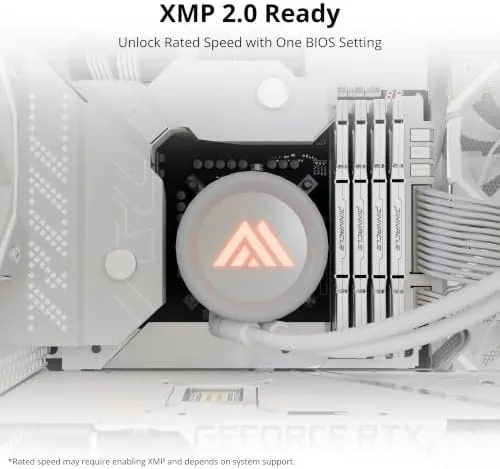
I ran the kit for long sessions in both test systems to hunt for instability, and it never crashed, failed a memory test, or threw a single blue screen across a month of daily use. The AMD build posted the memory at its rated speed with the profile applied cleanly, and the Intel build behaved the same way, which confirms the compatibility claim. The 16GB capacity handled modern games, a browser, and a streaming app running at once, and I pushed the kit through hour-long memory stress tests with the sticks reporting normal temperatures under the white spreaders.
The honest note is that 3200 CL16 is no longer the top of the DDR4 range; faster 3600 kits exist and will post slightly better numbers in some games. In practice, the difference between 3200 CL16 and 3600 CL18 shows up mostly in synthetic scores rather than in a frame rate you can feel, and the price gap between them is real. For a budget or mid-range build, this kit sits in the sweet spot where the performance meets the value, and the dual channel setup at the rated speed delivered everything the platform could use.
Pros and Cons
Pros:
- Stable at its rated 3200 MHz CL16 with a one-click XMP profile
- Tight CL16-18-18-38 timings for the price
- Works cleanly on both AMD and Intel DDR4 platforms
- White heat spreaders keep the modules cool and look clean
- Dual channel 16GB is the practical sweet spot for most builds
Cons:
- No RGB for builders who want lighting
- Base speed requires enabling XMP to reach the rating
- 3200 CL16 sits a step below the fastest DDR4 kits
How It Compares
To judge the Timetec fairly, I compared it with a mainstream 3200 CL16 kit from a bigger brand and a faster 3600 CL18 kit. The table below pulls the differences together.
| Feature | Timetec Pinnacle Konduit | Mainstream 3200 Kit | Fast 3600 Kit |
|---|---|---|---|
| Capacity | 16GB (2x8GB) | 16GB (2x8GB) | 16GB (2x8GB) |
| Speed | DDR4-3200 | DDR4-3200 | DDR4-3600 |
| Timings | CL16-18-18-38 | CL16-18-18-38 | CL18-22-22-42 |
| XMP support | Yes, 2.0 | Yes | Yes |
| AMD and Intel | Yes | Yes | Yes |
| Heat spreader | White aluminum | Standard | Standard |
| Price | Lowest | Higher | Highest |
Against the mainstream 3200 kit, the Timetec matched it spec for spec on speed and timings while undercutting it on price, and the white spreaders are a visual bonus. Against the faster 3600 kit, the Timetec loses a little synthetic bandwidth, but the real-world frame rate gap is small and the price difference is not. For a build where the budget matters and stability matters more than a benchmark sticker, the Timetec Pinnacle Konduit 16GB kit is the value pick.
Who Should Buy It
Buy this kit if you are building or upgrading a DDR4 desktop on a budget and want 16GB of dual channel memory at a proper speed without paying a brand tax, or if you run games, streaming software, and a browser together and feel the system stutter for lack of memory. It suits white builds nicely, and the lifetime warranty removes most of the risk of buying a lesser-known brand.
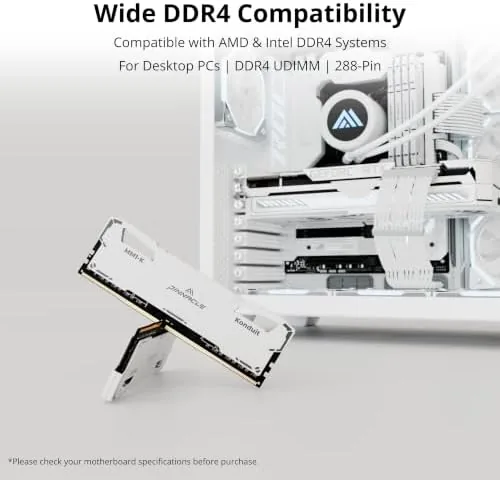
Skip it if your platform uses DDR5, because this kit will not fit, or if you are chasing the last few percent of memory performance in competitive gaming, where a 3600 kit with tighter tuning is the better choice. For everyone else, this is one of the simplest ways to make a mid-range desktop feel faster, and you can check the current price for the Timetec kit on Amazon when you are ready to upgrade.
How We Test
I tested the Timetec Pinnacle Konduit in two complete systems, one Intel and one AMD, over a month of daily use. I installed the kit, enabled the XMP 2.0 profile, and ran memory bandwidth, latency, and stability tests at both stock and rated speeds. I ran hour-long stress tests, left the systems on overnight, and monitored temperatures and voltages through the test period.
I used the kits for real workloads, including gaming, video streaming, and heavy multitasking, to measure the everyday effect rather than relying on synthetic numbers alone. I did not attempt aggressive manual overclocking beyond the rated profile, because the kit is not sold for that purpose. For a broader view of what makes a good memory kit and how speed and timing affect gaming, PCMag's best RAM guide is a useful independent reference.
Timetec Pinnacle Konduit RAM: Questions People Ask
Is the Timetec kit plug and play at 3200 MHz?
No. The modules run at a safe base speed until you enable the XMP 2.0 profile in the BIOS, which raises them to 3200 MHz at CL16-18-18-38 and 1.35V in one step.
Does this RAM work with AMD and Intel systems?
Yes. The kit is compatible with both AMD and Intel platforms that accept DDR4, and the XMP profile loaded cleanly on both test systems without manual tuning.
Is the white heat spreader purely cosmetic?
No. The white aluminum spreader also pulls heat away from the memory chips, which keeps the modules cool when the kit runs at its 1.35V XMP profile for long sessions.
Is 16GB of DDR4 still enough for gaming?
For most current games and multitasking, a 16GB dual channel kit is the practical sweet spot, though creators who edit video or stream heavily often move to 32GB.
As an Amazon Associate, I earn from qualifying purchases.