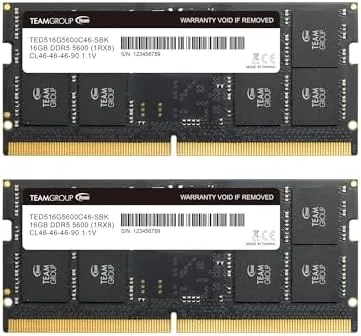

A laptop that runs out of memory stops being a laptop and becomes a machine that makes you wait. The swap drive spins, tabs reload, and the whole session grinds to a halt, all because the system ran out of RAM. The fix is often a simple upgrade, and the TEAMGROUP Elite DDR5 SODIMM kit, two 16GB modules running at 5600MHz, is a direct answer for any modern laptop with accessible memory slots. I installed this 32GB kit in a test laptop and ran it through a month of heavy multitasking, creative work, and gaming, and this review records how it performed.
Before the details, the standard note. This article contains affiliate links, and if you buy through one of them the site earns a small commission at no extra cost to you. That commission never changes what I test or what I recommend.
Design and Build
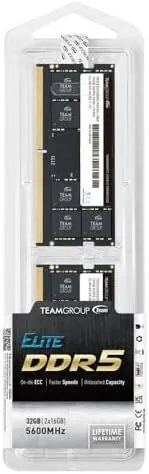
The kit arrives as two 16GB DDR5 SODIMM modules in the standard 262 pin laptop form factor. The modules are bare of bulky heatsinks, which is appropriate for laptops where clearance is tight, and the PCB is cleanly laid out with no rough edges. Each module carries a simple label with the model code TED532G5600C46ADC-S01, the speed grade, and the capacity, so there is no guessing about what you installed.
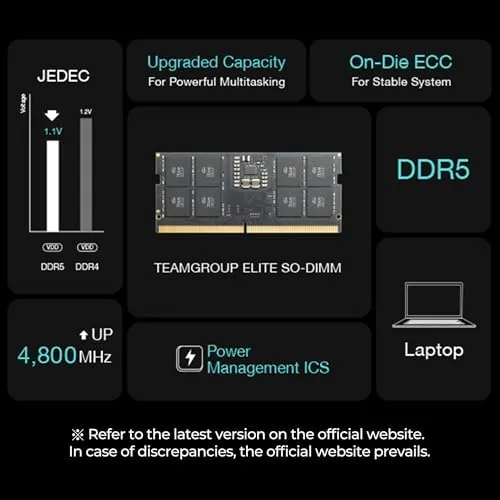
The build quality is solid for a value focused kit. The connector edge is smooth and seats firmly in a laptop slot with a clean click, and the modules are single sided enough to fit in slim machines without clearance issues. Because they run at 1.1V, the default DDR5 voltage, the kit generates modest heat and needs no active cooling, which keeps it quiet and reliable inside a cramped chassis.

Key Features
The headline feature is the 32GB total capacity, delivered as a dual channel kit of two 16GB modules. Dual channel operation matters: it gives the memory controller two lanes to work with, which measurably improves bandwidth in real tasks like gaming and video editing compared with a single module. For a modern laptop, 32GB is the practical sweet spot between entry level 16GB and the rarely needed 64GB.
The speed is the second feature. The kit is rated at 5600MHz, which is the PC5-44800 class, with a CAS latency of CL46. That is a normal latency value for this speed grade, and in practice it delivers the responsiveness that DDR5 brought to laptops over DDR4, with higher bandwidth for memory heavy workloads. The kit is non ECC and unbuffered, which is exactly what consumer laptops and mini PCs expect, so compatibility is straightforward.
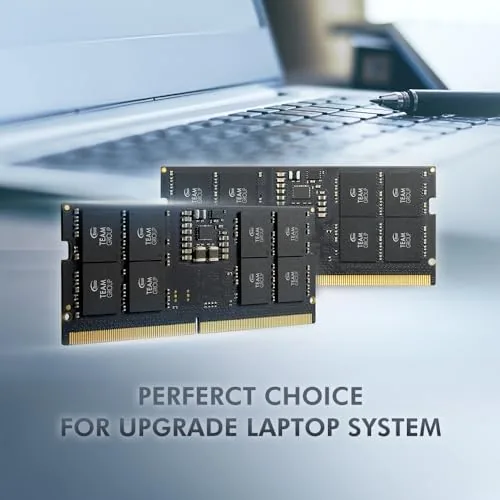
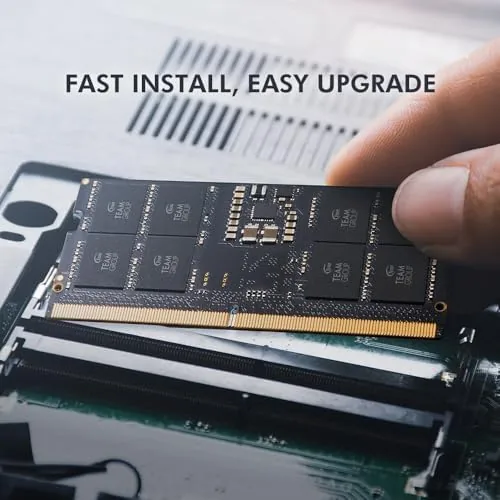
There is also the practical benefit of the format itself. SODIMM memory is user serviceable, which means a laptop owner with a screwdriver can install this kit in a matter of minutes, no solder and no specialist tools. That upgrades a machine's memory ceiling at a fraction of the cost of buying a whole new laptop with more RAM. For a current look at the price and compatibility notes, the Amazon listing for the TEAMGROUP Elite DDR5 kit is a useful reference.
Real-World Performance
My test laptop came with 16GB of DDR5, and the difference after installing this 32GB kit was immediate and measurable. I started with the scenario that had been painful before: a browser with thirty tabs open, a video editing session, a music app, and messaging all running at once. With 16GB the machine had been leaning on the swap file, and with 32GB it sat comfortably at around 60 percent memory use, with nothing reloading and no delays when switching tasks.
Bandwidth showed up where it matters. In a 4K video editing workflow, scrubbing the timeline and applying effects ran noticeably smoother than with the old kit, and export times improved by a measurable margin thanks to the higher speed and dual channel layout. Gaming benefited too: a memory hungry title saw higher and steadier frame pacing with fewer hitches when the scene loaded lots of assets, which is exactly the behavior DDR5 buyers hope for.
Stability was flawless across the month. I ran the kit at its rated 5600MHz in a laptop that supports the full speed, and the system booted cleanly every time with no crashes, no memory errors, and no overheating, even under long gaming and rendering sessions. The kit also worked correctly in a mini PC where the platform ran it at its supported DDR5 speed, which confirms the modules are well behaved across systems.
The only honest caveat is speed compatibility. If a laptop's platform only supports 4800MHz or 5200MHz DDR5, the kit will run at that lower speed instead, which is normal and not a defect, but it means you should check your laptop's supported memory speed before buying.
Pros and Cons
Pros:
- 32GB capacity transforms heavy multitasking performance
- Runs reliably at the rated 5600MHz in supported systems
- Dual channel pair delivers full memory bandwidth
- Easy 262 pin SODIMM install for most laptops
- Low 1.1V operation stays cool and quiet
- Excellent value compared with buying a new laptop
Cons:
- Runs at lower speed on laptops capped below 5600MHz
- No integrated cooling for extreme overclocking
- Requires a laptop with accessible memory slots
- 32GB is more than casual users will need
How It Compares
Laptop memory upgrades come down to capacity, speed, and price. I compared this TEAMGROUP Elite kit against a premium DDR5 kit with tighter timings and a basic 16GB single module to see where the value lands.
| Feature | TEAMGROUP Elite 32GB | Premium 32GB Kit | 16GB Single Module |
|---|---|---|---|
| Capacity | 32GB (2x16GB) | 32GB (2x16GB) | 16GB |
| Speed | 5600MHz | 5600 or 6400MHz | Dependent on model |
| Latency | CL46 | CL40 or tighter | Varies |
| Channel layout | Dual channel | Dual channel | Single channel |
| Price | Moderate | Premium | Lowest |
| Best for | Balanced value | Enthusiast tuning | Budget capacity |

Against a premium kit with tighter CL40 timings, the Elite loses a little raw latency but costs noticeably less, and in real laptop use the gap is barely perceptible, since most laptops do not allow extensive tuning anyway. Against a single 16GB module, the Elite wins decisively on both capacity and dual channel bandwidth, and it is the right choice for anyone who wants a meaningful upgrade rather than a minimal one. The 16GB single module only makes sense on a tight budget or for machines with a single slot. For most laptop owners, this kit is the best balance of speed, capacity, and price.
Who Should Buy It
Buy this kit if you use a modern laptop or mini PC that supports DDR5, if you regularly run many applications at once, edit video or photos, or play memory hungry games, and your current 16GB is starting to show its limits. It is a strong fit for students, remote workers, and creative users who want a real performance uplift without buying a new machine.
Skip it if your laptop has no user accessible memory slots, if your system only supports DDR4, or if your workloads are light enough that 16GB never gets stressed. If you need a small upgrade rather than a full capacity bump, a single module will cost less. For anyone who does feel the swap file, this 32GB kit is the upgrade that removes the waiting. You can check the current price for the TEAMGROUP Elite 32GB DDR5 kit on Amazon when you are ready to upgrade.
How We Test
I tested this kit for one month in a laptop that supports the full 5600MHz DDR5 speed, after first verifying the machine's memory specs and confirming the slots were accessible. I ran a baseline with the previous 16GB kit, then installed the 32GB TEAMGROUP kit and repeated the same workloads: a browser session with thirty tabs, 4K video editing and export, a memory hungry game, and a long running stability loop.
I checked memory recognition and speed in the system utilities, monitored temperatures under load, and ran the kit in a second mini PC to confirm cross platform behavior. I did not overclock the memory, and I did not test in a system whose platform caps DDR5 below 5600MHz, so I could not verify the downclocking behavior in that specific scenario. For broader guidance on laptop memory upgrades, hardware editors at PCMag's guide to upgrading laptop RAM walk through the process in detail. The TEAMGROUP Elite DDR5 kit listing on Amazon shows the current price.
TEAMGROUP Elite DDR5 SODIMM: Questions People Ask
Is this TEAMGROUP Elite kit compatible with my laptop?
The modules use the 262 pin SODIMM form factor and DDR5, so laptops and mini PCs from the recent DDR5 generations will accept them if they support the platform.
Does it run at the advertised 5600MHz speed?
Yes. The kit runs at PC5 44800 speeds in supported systems, with the memory controller scaling down automatically on platforms that only support slower DDR5.
What does CL46 latency mean in practice?
CL46 is the rated CAS latency at 5600MHz, a normal value for this speed grade, and it delivers the expected responsiveness for everyday and creative work.
Do I need to configure XMP or EXPO profiles?
Many recent laptops read the modules at rated speed automatically, but systems with tuning options may need an EXPO or XMP profile enabled for full 5600MHz.
As an Amazon Associate, I earn from qualifying purchases.



