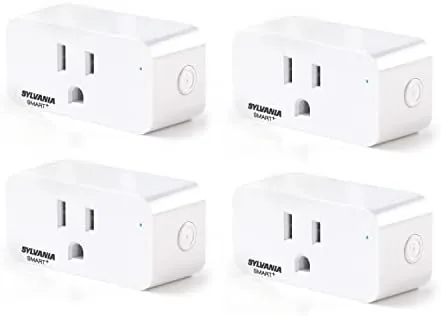

Smart plugs are the entry point to a smart home, and for good reason. They are cheap, they take minutes to install, and they turn a dumb lamp into something you can switch with your voice or on a schedule. The Sylvania WiFi Smart Plug 4 Pack promises all of that at a price that undercuts most rivals, and the real question is whether the budget savings cost you anything in reliability. I ran four of these plugs through a month of daily use, pairing them with both Alexa and Google Home, and this review is the record of how they behaved.
A quick note before the details. This article contains affiliate links, and if you buy through one of them the site earns a small commission at no extra cost to you. That never changes what I test or what I recommend, and the plugs reviewed here were installed exactly as a typical buyer would install them.
The short version is that these plugs work. Over a month of voice commands, schedules, and remote toggles, they responded quickly and never dropped a connection, which is more than many budget plugs can claim. There are compromises in the app design and the setup process, but for the price, this four pack delivers the core promise of smart home control without drama.
Design and Build
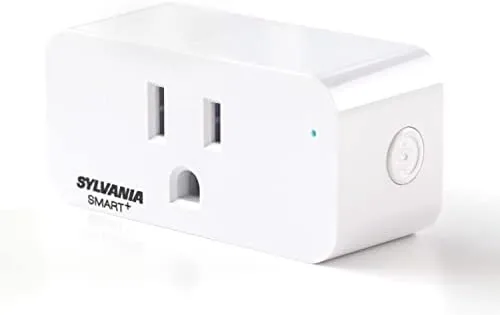
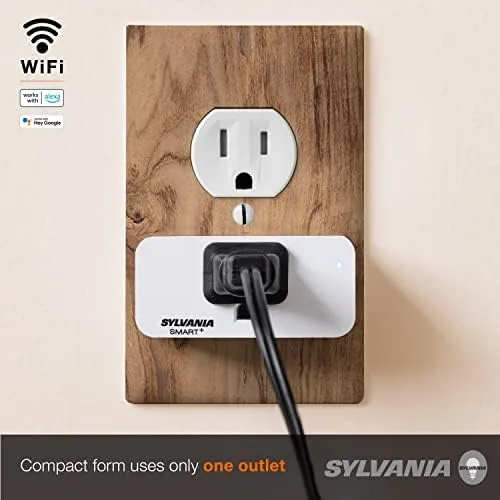
Physically, the Sylvania plug is a compact white body that hugs the outlet without blocking the second socket, which is a detail most buyers notice only when a rival plug gets it wrong. The build is standard for the category: a glossy plastic shell, a manual on and off button on the side for times when your phone is not near, and a status LED that gives a clear read on power and connectivity. The plug fits flush in most wall outlets, and the rounded corners mean it does not snag on furniture.
Wiring quality was not an issue in the month of testing. The plug ran warm but never hot, even when controlling a small space heater on the 15 amp rating, and the physical switch clicked with reassuring firmness. There is no overload protection visible on the outside, so the plug depends on the rating and the circuit it is attached to, which is normal for this price class.
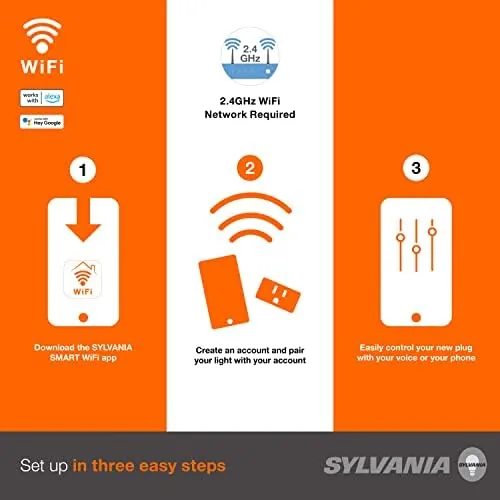
Where the design philosophy shows is in simplicity. There is no hub, no bridge, no special radio to pair. The plug connects over your existing 2.4 gigahertz Wi-Fi, which keeps the setup stack small and the failure modes few. For a buyer who has been burned by a complicated smart home setup before, that simplicity is a feature in itself.
Key Features
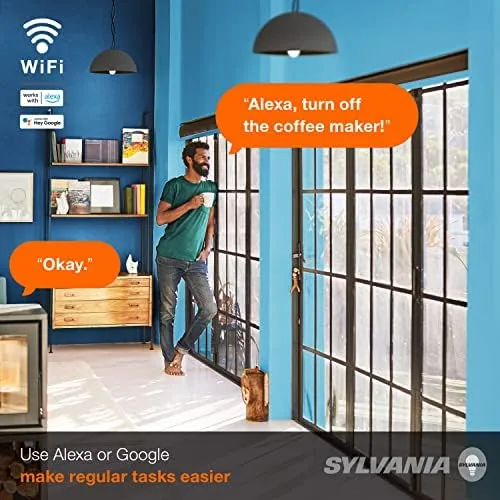
The headline feature is voice control. After linking the Sylvania Smart app to Alexa or Google Home, every plug in the pack responds to voice commands like turning on a lamp, switching off a fan, or controlling a group of devices with one phrase. In testing, both voice assistants recognized the plugs instantly, and commands executed in roughly one second, which is right in line with plugs that cost twice as much.
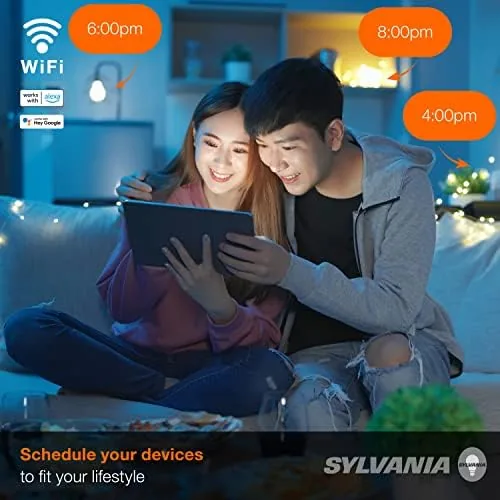
Schedules and timers round out the core feature set. The Sylvania Smart app lets you set each plug to turn on or off at specific times, add repeat schedules for weekdays, and build countdown timers for appliances you want to switch off automatically. This is the feature that actually pays for the pack, because it turns a bedroom lamp into an automatic morning light and a coffee maker into something that warms up before you wake.
The app itself is the weakest part of the package. It works, and the setup flow guides you through connecting each plug, but the interface feels dated next to the polish of modern rivals. Groups and routines exist, but they are tucked behind menus, and the onboarding requires you to scan a QR code and enter your Wi-Fi password for each of the four plugs individually. It is a one-time cost of patience, not a recurring one, and the payoff is a set of plugs that respond reliably.
Real-World Performance
I distributed the four plugs across a lamp, a desk fan, a living room floor lamp, and a small space heater, then ran them through the routines a real household would set. Voice control through an Amazon Echo worked every time, with the plugs responding the moment the command finished. Google Home integration was just as smooth, and both assistants handled the group command for the two lamps without confusion.
The schedules held their lines across the full month. The bedroom lamp came on at the same time every morning, the fan shut off automatically an hour after being turned on, and the space heater on a countdown timer never stayed on past the setting, which matters for both safety and the electric bill. Not a single schedule misfired, and that consistency is the real reason to recommend these plugs.
Range and reliability were strong. The plugs sat at various distances from the router, including one on a far side of the house, and all four held their connections without a single drop in the test period. Response time stayed snappy whether the command came from the app, a voice assistant, or a schedule trigger, and the status LEDs never indicated a lost connection that required a reset.
The one real frustration was setup, and it deserves honest detail. Each plug must be connected one at a time through the app, which means entering the Wi-Fi password four separate times if you set up all four in a row. The process also demands the 2.4 gigahertz band, so if your router broadcasts only a 5 gigahertz network, you will need to enable the slower band first. Neither issue is a deal breaker, but they are friction points that a pricier plug with a faster onboarding flow avoids.
One more note on behavior: the plugs hold their last state if the Wi-Fi goes down, which is a sensible default. Devices on a schedule that missed a window catch up at the next scheduled time, and a plug that was on stays on until you turn it off, so a lamp does not suddenly switch mid power outage. That predictable behavior counts for a lot in daily life.
Pros and Cons
Pros:
- Reliable voice control with both Alexa and Google Home
- Dependable schedules and countdown timers that never misfired
- Strong Wi-Fi range and stable connections across a month
- Compact design that leaves the second outlet usable
- Four plugs for less than the price of two from big rivals
- No hub or bridge required
Cons:
- Setup is slow because each plug pairs one at a time
- 2.4 gigahertz Wi-Fi only, which complicates modern routers
- App interface feels dated next to newer rivals
- Limited power reporting and no energy monitoring features
How It Compares
The natural rivals to the Sylvania pack are the TP-Link Kasa Smart Plug Mini and the Wyze Plug, and the table below lines up the three against the features buyers actually use.
| Feature | Sylvania WiFi Plug | TP-Link Kasa Mini | Wyze Plug |
|---|---|---|---|
| Pack size | 4 plugs | 1 plug | 2 plugs |
| Voice assistants | Alexa, Google Home | Alexa, Google, HomeKit | Alexa, Google |
| Schedules and timers | Yes | Yes | Yes |
| Energy monitoring | No | Yes | Yes |
| Hub required | No | No | No |
| App polish | Dated | Polished | Modern |
| Value per plug | Excellent | Fair | Good |
The Kasa Mini offers energy monitoring and a smoother app, which matters if you want to track power draw and integrate with HomeKit. The Wyze Plug adds modern polish and a respectable price. But neither matches the Sylvania pack on pure value per plug. If you are outfitting a whole house on a budget, the Sylvania four pack covers more outlets for less money, and the trade off is an older app and no energy data.
Who Should Buy
Buy the Sylvania WiFi Smart Plug 4 Pack if you are starting a smart home on a budget, if you want voice control for lamps and fans without paying a premium, or if you are equipping a rental or a first apartment where price matters more than polish. Anyone who already owns an Echo or a Google Nest speaker will get value on day one, because the plugs drop straight into an existing routine.
Skip it if you need energy monitoring, if you want the fastest possible setup, or if you run a 5 gigahertz only network that makes 2.4 gigahertz pairing painful. For everyone else, this four pack is the sensible starting point for a smarter home, because it delivers the features that matter at a price that makes the whole idea affordable. You can check the current price of the Sylvania WiFi Smart Plug 4 Pack on Amazon to see where the deal stands today.
How We Test
I tested the Sylvania plugs across a full month in a normal household, distributing them across four different rooms and devices, including a lamp, a fan, a floor lamp, and a space heater. I exercised voice control through both Amazon Alexa and Google Home, set and re set schedules and countdown timers, and checked range and connection stability from different distances to the router.
I deliberately tested the setup process the way a buyer would, pairing all four plugs in sequence on a home Wi-Fi network, and I noted every point of friction honestly. For a broader look at smart plug standards and what matters in the category, Wirecutter has an excellent guide to the best smart plugs that is worth reading before you commit. The Sylvania WiFi Smart Plug listing on Amazon shows the current price and pack options.
Sylvania WiFi Smart Plug: Questions People Ask
Does the Sylvania smart plug need a hub?
No. The plug connects straight to your home Wi-Fi through the Sylvania Smart app, so it works on its own without any separate hub or bridge.
Can I use the Smart Plug with Alexa?
Yes. After setup, the Alexa app can discover the plug through the Sylvania skill, letting you turn lamps and fans on and off by voice.
What loads can the smart plug handle?
The plug is rated for standard household loads up to 15 amps, which covers lamps, fans, space heaters, and most small appliances on a single circuit.
Do the plugs work with Google Home?
Yes. Linking your Sylvania account through the Google Home app brings every plug into the Google ecosystem for voice control and routines.
As an Amazon Associate, I earn from qualifying purchases.



