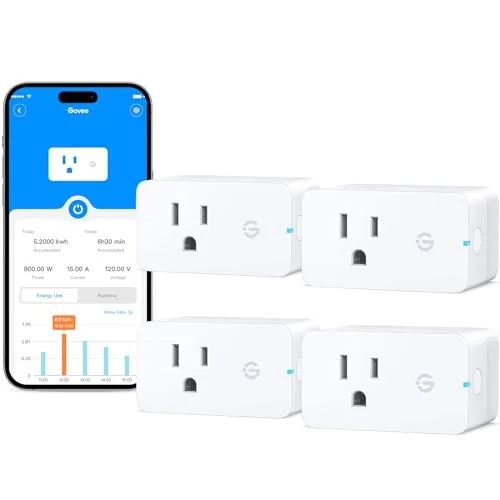

Smart plugs are the easiest way to start building a connected home, because they do not require rewiring, a hub, or professional installation. You screw one into an outlet, plug in a lamp or a fan, and suddenly that device answers to your phone, your voice, and your schedule. The Govee Smart Plug with energy monitoring takes the basic idea further by adding power tracking to the equation, so the same tiny adapter that switches your appliances on and off also tells you how much electricity they draw. I spent four weeks running a four pack of these WiFi and Bluetooth outlets through a home, and this review records how they connected, how accurate the energy data felt, and whether the voice assistant support holds up.
Before the testing notes, the standard disclosure. This article contains affiliate links, and if you buy through one of them, this site earns a small commission at no extra cost to you. That commission never affects what I test or what I recommend, and the plugs in this review were set up exactly as a buyer would set them up.
The real question for any smart plug is whether it earns its place in the outlet. A plug that drops offline or fights your voice assistant becomes an annoyance, while one that connects cleanly and reports honest data quietly becomes part of the house. The sections below test the Govee four pack on exactly those terms.
Design and Build
The Govee smart plug is a compact white adapter with a rounded face, a single outlet on the front, and a small status light that glows softly when connected. The body is slim enough that two plugs can sit side by side on a duplex outlet without crowding each other, which matters more than most people expect. The build is solid, with a firm grip on the outlet and no wobble, and the ETL certification printed on the side confirms the safety rating that budget plugs sometimes skip.
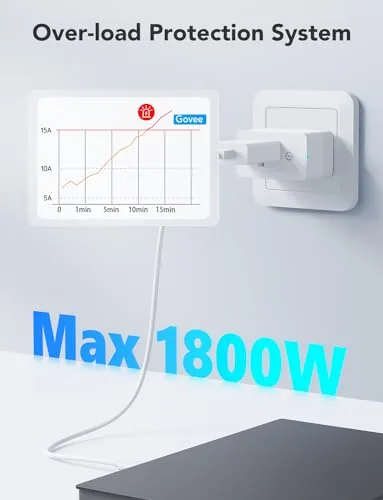
Setup starts with the Govee Home app, which is free and available on both major phone platforms. The app walks you through pairing over Bluetooth first, then hands the plug off to your WiFi network, which is a sensible approach because it removes the struggle of typing a password into a tiny device screen. Each plug took about two minutes from box to app in my test, and the four plugs paired as a group without hiccups. The 15 amp rating means the plug can handle real appliances, not just lamps, and the FCC certification covers the wireless side of the design.
Key Features
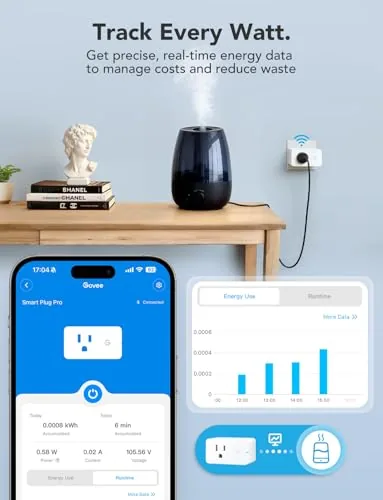
The headline feature is energy monitoring. Each plug measures the power drawn by whatever is plugged into it and reports it in the app as watts, with historical data across the day, week, and month. That turns a simple on and off switch into a small energy audit tool, and the cost estimate view makes the numbers meaningful in dollars rather than abstract watts.
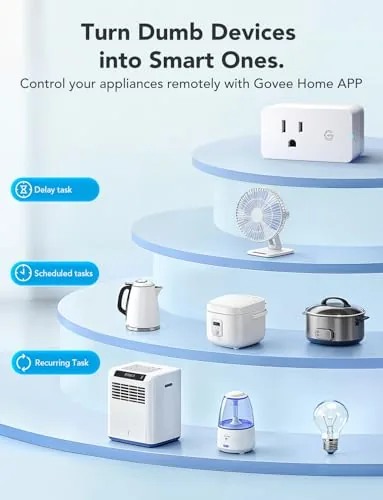
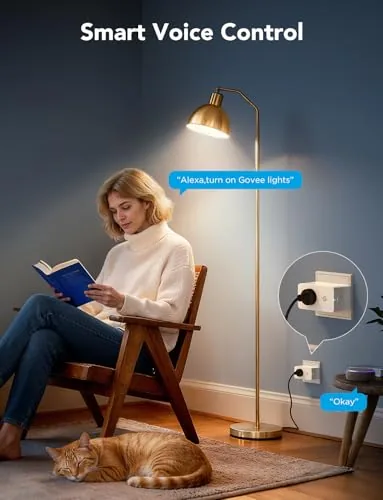
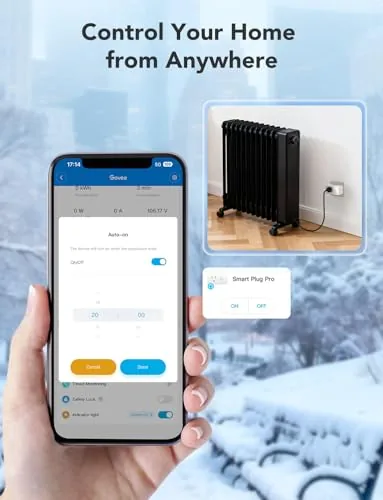
Beyond monitoring, the feature set is the standard smart plug package done well. Alexa and Google Assistant integration means you can control any plug by voice and include them in routines. Timers let you schedule a lamp to turn on at dusk or a heater to warm a room before you wake up. Group control lets you manage all four plugs with one tap or one voice command, and the schedule system supports repeating patterns by day of the week. No hub is required, which keeps the cost low and the setup simple, and the app keeps each plug individually named so you always know which outlet you are touching.
Real-World Performance
I spread the four plugs across a living room lamp, a desk fan, a coffee maker, and a small space heater over the four week test. The lamp and the fan behaved exactly as expected: the app toggled them instantly, schedules ran on time, and voice commands through both Alexa and Google Assistant responded within a second or two. The group control worked cleanly too, letting me kill every appliance with a single phone tap before leaving the house, which is the kind of small reassurance that justifies a smart plug in the first place.
The energy monitoring was the more interesting part of the test. I compared the app reported watts for the space heater against the heater rating and a separate plug in meter, and the numbers tracked closely, within a reasonable margin of the labeled draw. The coffee maker showed a clear spike in usage each morning, and the fan showed a low, steady draw, so the data reflected real behavior rather than a placeholder reading. The cost estimate uses the rate you enter in the app, and while it is an estimate rather than a utility bill, it was directionally accurate across the month.
Reliability held up over the four weeks. None of the four plugs dropped offline during normal use, and the Bluetooth fallback kept control working in the app when the WiFi momentarily dipped during a router restart. The 15 amp capacity handled the heater without warmth or buzzing, which is a meaningful advantage over the 10 amp plugs that would be marginal for that kind of load.
The honest limitations are the usual smart plug trade offs. The plugs rely on the Govee cloud and app, so a company account is required, and the energy history lives in the app rather than on a screen you can glance at. The monitoring is per outlet and does not split individual devices sharing one plug. None of these are deal breakers, but they set the expectation that this is a consumer smart home device rather than a professional energy audit tool.
Pros and Cons
Pros:
- Energy monitoring with watts, history, and cost estimates
- 15 amp rating handles heaters and real appliances
- Works with both Alexa and Google Assistant
- No hub required, simple two minute setup
- Timers, schedules, and group control in the app
- ETL and FCC certified for safety
Cons:
- Requires a Govee account and the Govee Home app
- Energy history is app only, no glanceable display
- Monitoring is per outlet, not per individual device
- No matter over Matter, still WiFi based
How It Compares
Smart plugs differ mainly on monitoring, power rating, and voice support. The table below sets the Govee four pack against a budget basic plug and a premium monitoring plug to show where it lands.
| Feature | Govee 4 Pack | Basic Budget Plug | Premium Monitoring Plug |
|---|---|---|---|
| Energy monitoring | Yes, with cost view | No | Yes, detailed |
| Amperage | 15 amp | 10 amp | 15 amp |
| Voice assistants | Alexa and Google | Varies | Alexa, Google, more |
| Hub required | No | No | No |
| Price per plug | Budget | Lowest | Highest |
| Best for | Whole home coverage | Single on and off | Energy enthusiasts |
The Govee four pack fills the practical middle of the market. A budget basic plug saves a little money but gives up monitoring and often drops to a 10 amp rating. A premium monitoring plug offers richer data, but it costs several times as much per outlet. At four plugs per pack, the Govee set makes it affordable to cover every room, and the 15 amp rating and energy tracking put it ahead of the entry level options without approaching premium prices.
Who Should Buy It
Buy the Govee smart plug four pack if you are starting a smart home and want to cover the whole house at once, or if you want to see what your appliances actually cost to run. It is ideal for controlling lamps, fans, heaters, coffee makers, and other daily devices with your voice, your phone, or a schedule, and the energy monitoring adds a layer of insight that basic plugs simply do not offer.
Skip it if you want to avoid apps and accounts entirely, or if you need local control and privacy focused protocols like Matter and Thread. For most households, the ease of setup, the solid 15 amp rating, and the useful energy data make this four pack an easy recommendation. You can check the current price of the Govee smart plug four pack on Amazon when you are ready.
How We Test
I ran the four plugs for four weeks across a lamp, a desk fan, a coffee maker, and a space heater. I verified app control and voice commands through both Alexa and Google Assistant, tested schedules and groups daily, and compared the app reported wattage against the device ratings and a separate plug in meter. I also restarted the router mid test to check reconnection behavior and the Bluetooth fallback.
I did not use the plugs outdoors or exceed the 15 amp rating, and I did not rely on the cost estimates as a billing reference. For a wider look at how smart plugs compare across brands, Wirecutter has a comprehensive smart plug guide that is worth reading. The Govee smart plug listing on Amazon shows the current price and delivery details.
Questions People Ask
Does the Govee smart plug require a hub?
No, each plug connects directly to your WiFi network, so you control it through the Govee Home app, Alexa, or Google Assistant without any extra hub.
How does energy monitoring work?
The plug measures the power drawn by the connected device and shows usage in watts, run time, and estimated cost over the day, week, or month in the app.
Will it work with Alexa and Google Assistant?
Yes, the plug pairs with both Alexa and Google Assistant through the Govee Home skill, so you can switch it on or off by voice and inside routines.
What is the 15A rating good for?
The 15 amp capacity handles most household devices, including space heaters, fans, lamps, coffee makers, and appliances, well above the 10 amp limit of many plugs.
As an Amazon Associate, I earn from qualifying purchases.



