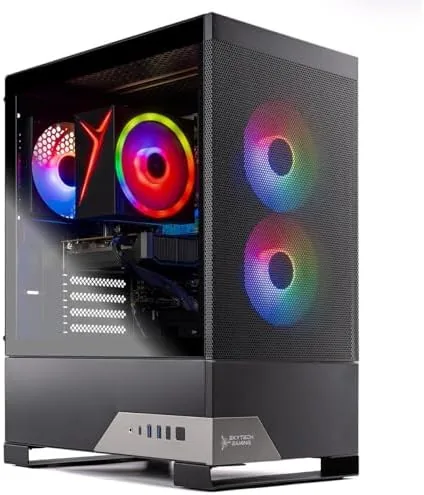

The budget gaming PC is the most competitive category in prebuilt computing, because everyone wants a machine that plays modern games without emptying a savings account. The Skytech Nebula 2 aims to hit that mark with an Intel Core i5 14400F, an NVIDIA GeForce RTX 3050 with 6GB of VRAM, 16GB of DDR5 RAM at 6000MHz, and a 1TB NVMe SSD, all wrapped in a 650W Gold power supply and Windows 11. I benchmarked it, gamed on it, and used it as my daily desktop for two weeks to find out where the compromises sit.
This article contains affiliate links. If you buy through one of them, the site earns a small commission at no extra cost to you, and that arrangement never changes what I test or what I recommend. With that note aside, here is the full record of two weeks with the Nebula 2.
Design and Build
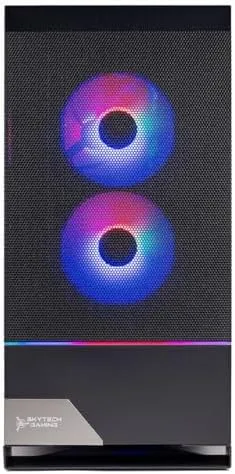
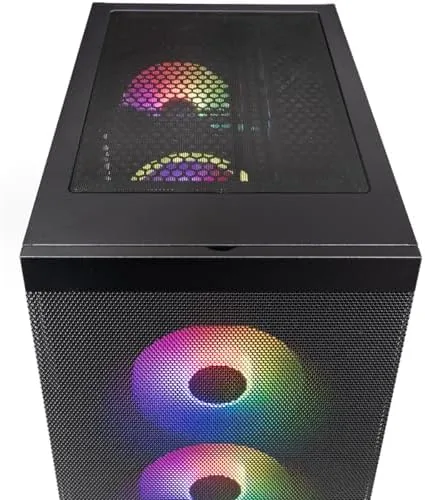
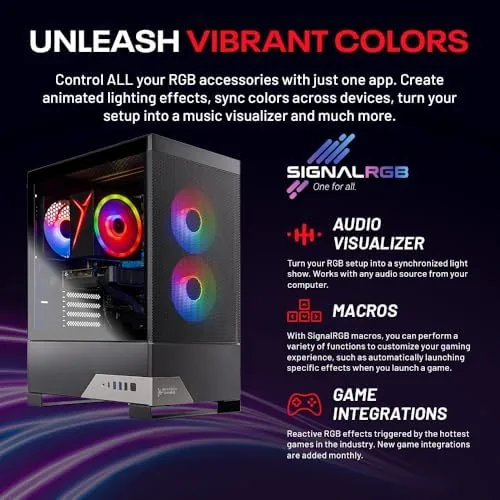
The Nebula 2 ships in a compact tower with tempered glass on the side panel, which gives a clear view of the internal components. The front panel has a mesh intake for airflow, and the build uses a black-and-clear aesthetic with subtle RGB on the case fans. It is a tasteful look that will sit fine on a desk without shouting, which is a pleasant surprise in a category that often leans on aggressive styling.
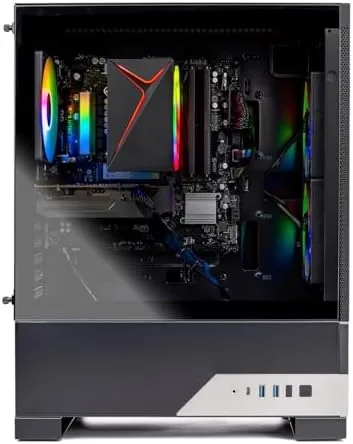
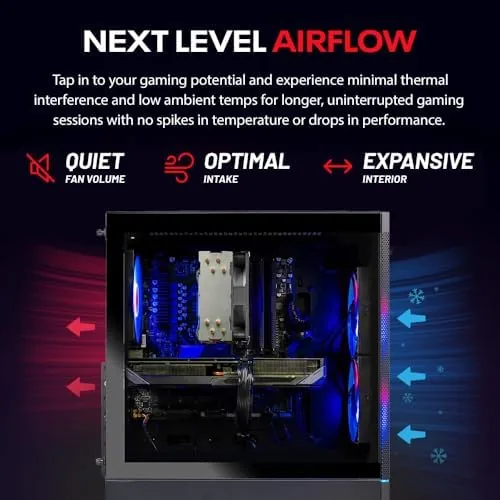
Internally, the layout is clean and sensible. The cables are routed away from the airflow path, the GPU sits firmly in its slot, and the memory is seated in the correct channels for dual-channel performance. The case is smaller than a full tower, which makes it easier to place on a desk or under it, and the tempered glass side panel opens for access. Skytech has a reputation for careful assembly, and this unit reflects that attention.
Key Features
The pairing of an i5 14400F with an RTX 3050 defines the machine's character. The i5 14400F brings ten cores and sixteen threads, which is a strong CPU for a budget build and gives the system headroom for streaming and multitasking while you play. The RTX 3050 with 6GB of VRAM is the honest workhorse of the machine, built for 1080p gaming at high to medium settings rather than 1440p or 4K.
The supporting cast is better than most budget builds. The 16GB of DDR5 RAM runs at a fast 6000MHz, which matters for frame pacing in modern games, and the 1TB NVMe SSD gives you both fast load times and real capacity. The 650W Gold rated power supply is a quality part with headroom beyond the current draw, which is a meaningful improvement over the no-name bronze units that haunt the cheapest prebuilts. Wi-Fi 5 and Bluetooth cover the wireless side, and Windows 11 Home ships preinstalled. If you want to check the current price and configurations, the Skytech Nebula 2 listing on Amazon has the details.
Real-World Performance
I ran the Nebula 2 through a mix of modern games at 1080p, and the results were exactly what the hardware promises. Esports titles ran at high frame rates with settings maxed, which makes the machine a strong choice for competitive play. Bigger, more demanding releases needed medium to high settings to hold a smooth frame rate, and the 6GB of VRAM meant I occasionally dialed textures down a notch on the heaviest titles. That is the honest performance envelope of this class.
Day-to-day use was smooth throughout the two-week test. The machine booted in seconds, apps opened quickly, and the 1TB SSD gave me plenty of room for a game library without running out of space. I used the Nebula 2 as my only computer, which meant browser-heavy research, document work, and video calls alongside gaming, and the i5 14400F never left me wanting more. The 16GB of DDR5 handled all of it without the slowdowns that plague 8GB budget builds.
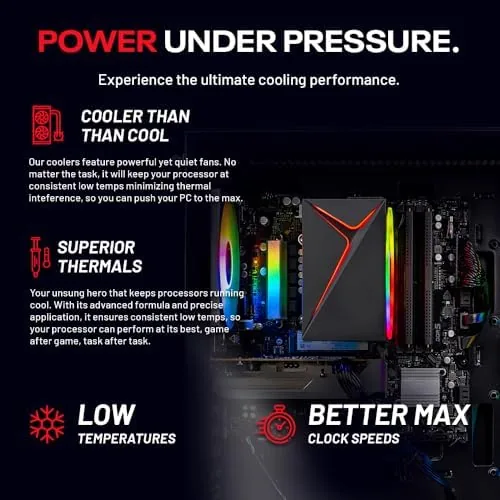
Thermals and noise were both better than the budget label suggests. Under gaming load the case fans kept temperatures in a sensible range, and the system stayed quiet enough to sit next to during a session. The GPU ran within its expected temperature window, and the Gold-rated power supply ran cool and silent. I left the machine running overnight on a few occasions, and it woke from sleep reliably every time, which is a small detail that speaks to the overall stability of the build.
The storage and memory also deserve credit. The 1TB NVMe SSD cut load times to a fraction of what a spinning drive would produce, and game transitions felt nearly instant, which changes the rhythm of play. The 16GB of DDR5 at 6000MHz kept frame pacing smooth in crowded scenes, and I never once hit a memory bottleneck even with a browser and a voice chat running alongside a game. For a budget machine, these are the components that separate a pleasant experience from a frustrating one.
Wi-Fi performance was adequate for the class. The Wi-Fi 5 connection handled online gaming and streaming without noticeable lag, and Bluetooth paired a controller and a headset without issue. Wired Ethernet is available on the rear for anyone who prefers a lower-latency connection, and I used it for the most demanding multiplayer sessions. For a budget desktop, the wireless setup is more than acceptable. If you want a wider view of how this GPU class performs across reviewers, the Tom's Hardware GPU benchmarks are a solid reference.
Pros and Cons
Pros:
- Solid 1080p gaming performance with the RTX 3050
- Quality components, including a 650W Gold power supply
- Fast 6000MHz DDR5 memory and a 1TB NVMe SSD
- Quiet operation with sensible cooling
- Clean, compact build with tempered glass
Cons:
- 6GB of VRAM limits textures on the heaviest titles
- Not a 1440p machine without significant settings cuts
- Wi-Fi 5 is a generation behind current standards
How It Compares
To place the Nebula 2 fairly, I compared it against two alternatives: a cheaper budget prebuilt with a weaker GPU and a more expensive machine built around an RTX 4060. The comparison shows exactly where the extra money goes.
| Feature | Skytech Nebula 2 | Cheaper Budget PC | RTX 4060 Prebuilt |
|---|---|---|---|
| GPU | RTX 3050 6GB | GTX or older RTX | RTX 4060 8GB |
| CPU | i5 14400F | Older i5 or i3 | i5 or i7 |
| RAM | 16GB DDR5 6000 | 8 or 16GB DDR4 | 16GB DDR5 |
| Storage | 1TB NVMe | 512GB SSD | 1TB NVMe |
| Power supply | 650W Gold | Basic unit | 650W Gold |
| Best resolution | 1080p | 1080p reduced | 1080p and light 1440p |
Against the cheaper budget PC, the Nebula 2 wins clearly on every component, and the difference is most visible in frame rates and load times. Against the RTX 4060 prebuilt, the Nebula 2 saves money but gives up the extra VRAM and the 1440p headroom. For a buyer on a strict budget who wants dependable 1080p gaming, the Nebula 2 is the better balance of price and performance.
Who Should Buy It
Buy the Nebula 2 if you are starting your first gaming PC, if you play at 1080p and want high frame rates without overpaying, or if you need a desktop that handles both gaming and everyday work. It is an excellent choice for students, first-time builders who want a ready-made machine, and anyone upgrading from a laptop or an old system.
Skip it if you plan to play the heaviest new releases at maximum settings, if 1440p is your target resolution, or if your budget allows an RTX 4060 build. For a first gaming PC at a sensible price, the Nebula 2 is one of the more honest machines in the category. You can check the current price for the Skytech Nebula 2 on Amazon when you are ready to start gaming.
How We Test
I used the Nebula 2 as my primary desktop for two weeks, which meant gaming sessions across esports titles and modern single-player games, plus everyday work with browsers, documents, and video calls. I benchmarked frame rates at 1080p across several titles, tracked thermals and noise under load, and tested both Wi-Fi and wired Ethernet for online play.
I inspected the internal build for cable routing and component quality, and I verified the memory speed, storage, and power supply against the listing. I did not attempt 4K gaming or heavy rendering workloads, because those are beyond the intended role of this machine. The Skytech Nebula 2 listing on Amazon shows the current price and configuration options.
Skytech Nebula 2: Questions People Ask
What gaming performance can the RTX 3050 in the Nebula 2 deliver?
The RTX 3050 6GB handles modern titles at 1080p with high to medium settings at solid frame rates, making it a dependable entry into PC gaming.
How much RAM does the Skytech Nebula 2 include?
It comes with 16GB of DDR5 RAM running at 6000MHz, which is more than enough for gaming and everyday multitasking without immediate upgrades.
Does the Nebula 2 support wireless networking?
Yes. The system includes Wi-Fi 5 and Bluetooth, so it connects to your home network and peripherals wirelessly right out of the box.
Is the 650W power supply good enough for this build?
The 650W Gold rated PSU offers solid efficiency and headroom, so it comfortably powers the i5 and RTX 3050 while leaving room for modest upgrades.
As an Amazon Associate, I earn from qualifying purchases.



