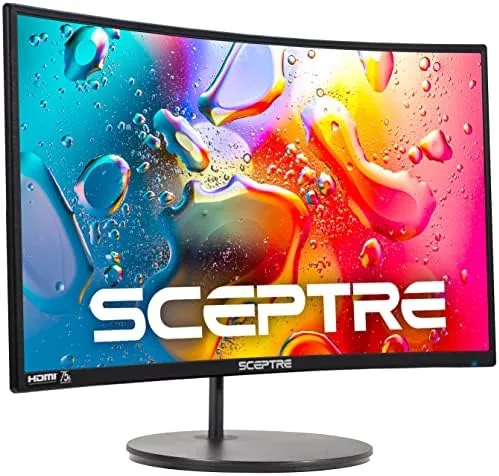

Curved monitors have a reputation problem. For years they were the exclusive province of wide ultra wide panels with matching prices, leaving the 24 inch budget segment flat and uninspired. The Sceptre C248W flips that expectation by bringing a 1500R curve to a compact 1080p panel at a price that fits an entry level desk. It is a monitor built to make budget gaming and daily work feel more immersive without demanding a premium budget, and after weeks of use I understand why it keeps appearing in budget build lists.
Before the details, the standard note. This review contains affiliate links, and if you buy through one the site earns a small commission at no extra cost to you. That commission does not influence my testing or my verdict, and I review displays on the same standards across the board.
The question at the heart of this review is whether a 1500R curve on a 24 inch panel is a meaningful feature or a marketing flourish. To find out, I ran the monitor through gaming, office work, video, and everyday desk use, and I paid close attention to where the curve helped, where it did nothing, and where the panel itself held up against the budget competition.
Design and Build
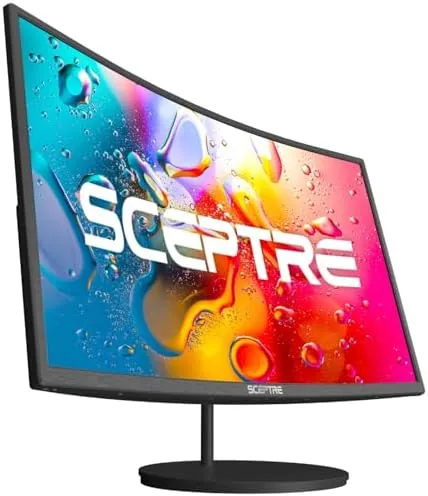
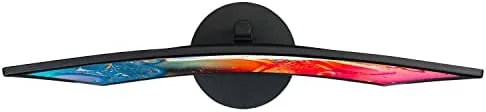
The Sceptre C248W presents a clean, modern front with slim bezels on three sides and a modest chin holding the brand mark. The 1500R curve is subtle on a 24 inch panel, wrapping the display gently around your view rather than forcing itself into the room. It is the kind of curve that feels natural at a normal desk distance instead of theatrical.
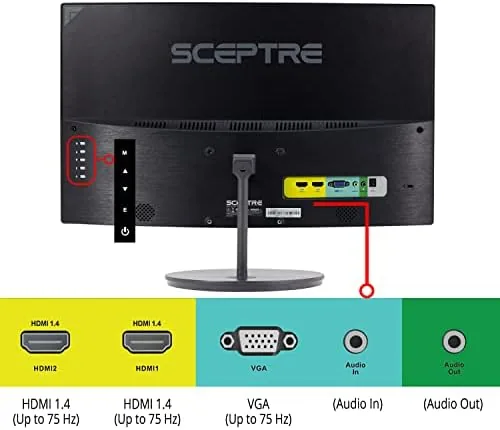
The build is solid for the price. The matte black shell resists fingerprints, the panel has minimal wobble in the supplied stand, and the bezels keep the screen looking clean. The stand supports basic tilt adjustment, and the rear panel carries both HDMI and VGA ports plus the mounting holes for VESA wall mounting, which adds flexibility beyond what the stand offers.
Rear access to the ports is straightforward, and the built in speakers sit behind the panel, keeping the desk free of extra boxes. For a budget monitor the overall presentation is tidy, with nothing that feels flimsy or cheap in daily handling.
Key Features
The headline feature is the 1500R curvature combined with a 1080p panel. At 24 inches, the radius brings the edges of the screen closer to your eyes than a flat panel, which reduces the eye travel needed to scan from corner to corner. In games that fill the screen with action, that subtle immersion is exactly what the curve is meant to deliver.
The panel supports a smooth 75Hz refresh rate, a step above the standard 60Hz office display. Combined with 1080p resolution and a fast response, this makes the monitor genuinely playable for casual and mid range gaming without the cost of a high refresh rate panel.
The color and connectivity story rounds out the feature set. The panel covers 98% sRGB, which produces vibrant, accurate colors for both games and everyday photo viewing. Two HDMI ports plus a VGA input give it flexibility across desktops, laptops, and older systems, and the built in speakers provide audio without requiring a separate sound setup.
Real-World Performance
Gaming is where the Sceptre earns its name. I ran a mix of fast paced and slower titles at 1080p, and the 75Hz refresh kept motion smooth and responsive. The 1500R curve wrapped the action around my view, and at a normal desk distance the wrap felt comfortable rather than distracting. In longer sessions the curve reduced the need to move my head to track the edges of the screen.
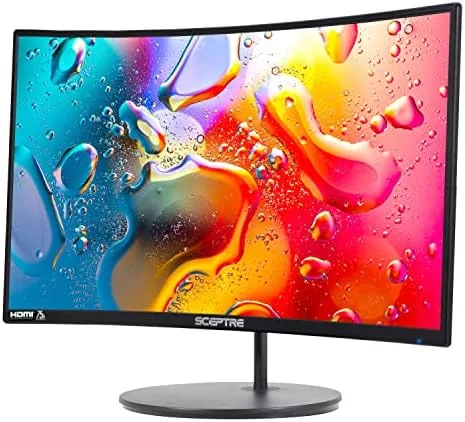
For everyday work the panel proved equally capable. Spreadsheets, documents, and browser windows looked sharp at 1080p, and the 98% sRGB coverage made photos and design work look closer to their true colors than most budget panels manage. The slight curve took a day to become invisible, and after that I stopped noticing it and simply appreciated the uniform viewing angle.
Video playback looked good, with punchy colors and acceptable contrast for a budget panel. The built in speakers are the honest weak point. They are fine for system sounds and casual viewing, but they lack the low end and clarity for serious media or gaming audio, so most buyers will still want headphones or desktop speakers.
Brightness is another area where the panel performs better than its price suggests. In a normally lit room the display holds up comfortably, and I never felt the urge to turn on a desk lamp to read the corners of the screen. The panel also handles long sessions without causing eye strain, which is a small but real consideration for anyone who spends the day in front of the monitor. The anti glare coating cuts reflections well enough that a window behind the desk did not wash out the image during afternoon use, an outcome that many budget panels fail to manage.
The panel limitations are worth stating plainly. This is not a professional color grading monitor, and the viewing angles show their budget nature when you shift far off center. For its intended role, casual gaming and everyday computing, those limits rarely matter, and the monitor does everything its price promises.
Pros and Cons
Pros:
- 1500R curve adds immersion at a budget price
- Smooth 75Hz refresh for casual and mid range gaming
- Vibrant 98% sRGB color coverage
- Flexible dual HDMI and VGA inputs
- VESA mount support for wall and arm setups
Cons:
- Built in speakers are weak for serious audio
- Viewing angles narrow off center
- Only tilt adjustment on the stand
How It Compares
The budget curved segment is crowded, and the Sceptre competes against flat 24 inch panels and pricier curved options. The table below shows where it lands.
| Feature | Sceptre C248W | Flat Budget 24 inch | Premium Curved 27 inch |
|---|---|---|---|
| Panel curve | 1500R | Flat | Curved |
| Resolution | 1080p | 1080p | QHD or higher |
| Refresh rate | 75Hz | 60Hz | 144Hz or higher |
| Color coverage | 98% sRGB | Varies | Wide gamut |
| Price | Budget | Budget | Premium |
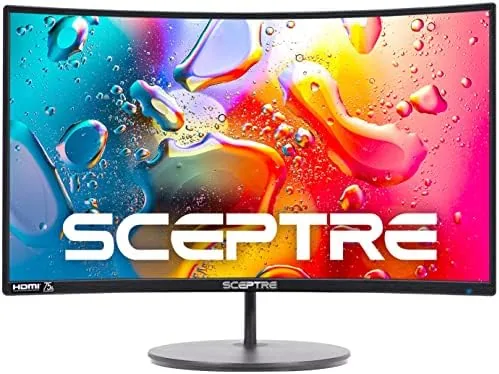
A flat budget panel saves a little money but gives up the immersion and the smoother refresh, while a premium curved monitor delivers far more but costs several times as much. The Sceptre splits the difference by putting the curved experience and a 75Hz panel in reach of a budget build. Budget display guides like PCMag have covered this exact balance of curve, price, and performance.
Who Should Buy It
Buy the Sceptre C248W if you are building a budget gaming setup, if you want a curved display without paying premium prices, or if you need a versatile 1080p monitor for both play and work. It is an easy recommendation for students, first time builders, and anyone upgrading from an aging flat office monitor.
Skip it if you need a professional color accurate display, if you demand a high refresh rate for competitive esports, or if you want a larger screen for productivity. For the budget gamer and everyday user, the Sceptre is a compelling value. You can check the current Sceptre monitor price on Amazon.
How We Test
I tested the monitor over several weeks on a desktop and a laptop. I ran a mix of games at 1080p to judge the refresh and responsiveness, used the panel for spreadsheet and browser work, and watched video content to assess color and contrast.
I checked the ports with multiple devices, evaluated the built in speakers against music and dialogue, and inspected the curve comfort over long sessions. I also compared the panel behavior at different viewing angles to map its limits, and I tested the display in a bright room with a window behind the desk to see how reflections affected the image during the day. Those afternoon sessions revealed a panel that stays readable in normal light without washing out, which is a genuine strength for a budget monitor. Display evaluation guidance from outlets like PCMag curved monitor guides framed my testing, and my verdict reflects what this panel delivered in daily use.
Questions People Ask
Is the Sceptre curved monitor good for gaming?
Yes, the 1500R curve and 75Hz refresh make it a strong budget gaming display. It delivers smooth, immersive play at 1080p for casual and mid range titles.
What refresh rate does the Sceptre C248W support?
The panel runs at up to 75Hz, a clear step above standard 60Hz office monitors, which improves motion smoothness in games and everyday scrolling.
Does the monitor have built-in speakers?
Yes, it includes built in speakers for convenience. They handle system sounds and casual viewing well, though headphones or desktop speakers will sound better for serious media.
Can I mount the Sceptre curved monitor on a wall?
Yes, the monitor supports VESA wall mounting, so you can hang it on a wall or attach it to an adjustable arm.
The Sceptre curved 24 inch monitor on Amazon is a great way to bring curved immersion to a budget desk.
As an Amazon Associate, I earn from qualifying purchases.



