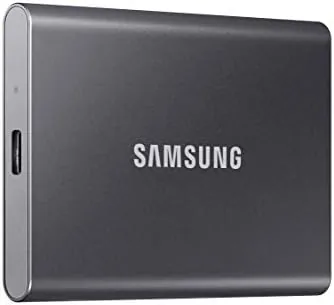

There is a moment every gamer and creative professional knows, the moment a hard drive becomes the bottleneck. The game finishes loading, but the cutscene freezes. The render completes, but the export crawls. The backup runs, but it takes an afternoon. The Samsung T7 Portable SSD is built to erase that moment with storage that fits in a pocket and moves data faster than most people have ever seen an external drive move. I spent a month with the 2TB model, using it as a game library, a photo vault, and a carry around workspace, and this review is the honest record of how it performed in all three roles.
Before the details, the standard note. This article contains affiliate links, and if you buy through one of them the site earns a small commission at no extra cost to you. That commission does not influence what I test or what I recommend, and every product here gets the same treatment as something I bought with my own money.
Design and Build
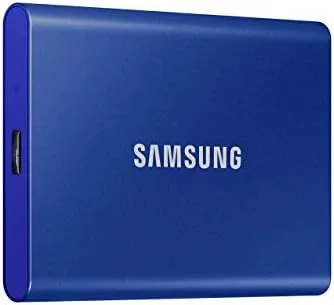
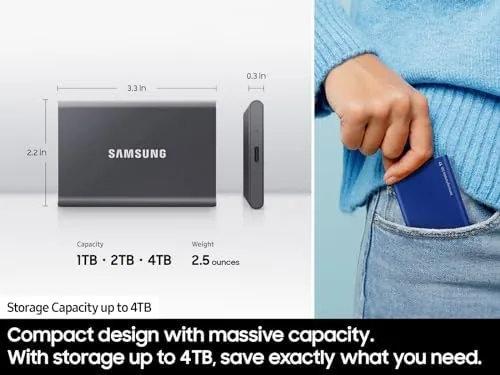
The T7 is almost impossibly small for the storage it holds. The drive measures roughly the size of a credit card and sits about a third of an inch thick, which means it disappears into a jeans pocket, a camera bag, or the sleeve of a laptop case. The blue aluminum shell of this version catches light nicely and resists fingerprints far better than a glossy plastic drive would.
Samsung rates the aluminum body for drops from up to two meters, and the lack of moving parts means there is nothing inside to break when the drive takes a knock. I did not deliberately throw it at a wall, but I did carry it daily, pack it loosely in a bag, and knock it off a desk once, and it never skipped a beat. The metal shell also acts as a heatsink, keeping the drive cool during long transfers where a plastic case would start to warm up.
The only port is a single USB-C connector on the short edge, and the box includes both a USB-C to USB-C cable and a USB-C to USB-A adapter cable, so the drive works with modern laptops, older desktops, phones, and consoles out of the box. A small LED on the edge shows when the drive is busy, which sounds minor until you have unplugged a drive mid-write and lost data.
Key Features
The headline figure is the transfer speed. Samsung rates the T7 for sequential reads up to 1,050 megabytes per second and writes up to 1,000 megabytes per second over a USB 3.2 Gen 2 connection. In real terms, that means a full game or a batch of raw photos moves in seconds rather than minutes, and the drive simply does not feel like external storage at all.
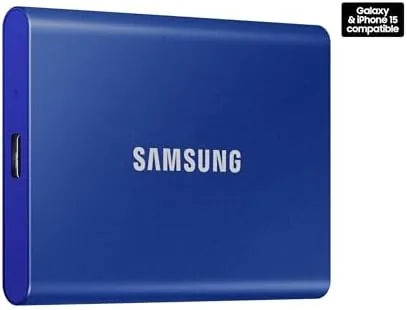
Capacity is the other obvious draw. The 2TB model holds a serious game library, a year of photos and video, or a full system backup with room to spare. For gamers, that is enough for dozens of large modern titles; for photographers and video editors, it is enough to take a working archive into the field.
Security is built in rather than bolted on. The T7 supports AES 256-bit hardware encryption, and the free Samsung Portable SSD software lets you set a password that locks the drive so it cannot be read without the key. It is a genuine advantage over drives that offer a free pass on protection, and it costs nothing to enable.
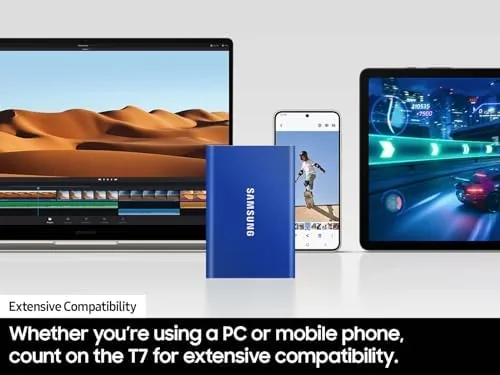
The drive works everywhere a computer works. It connects to Windows and macOS without drivers, plugs into modern USB-C phones and tablets, and pairs with gaming consoles as external storage. The included Samsung app even manages automatic backups between a phone and the drive, which turns the T7 into a pocket sized safety net for your photos.
Real-World Performance
The honest test of any SSD is moving real files, and the T7 passed it quickly. I copied a 40 gigabyte game folder from an internal NVMe drive to the T7 and back again, and both transfers finished in under a minute and a half. That is the kind of number that changes how you work, because waiting for storage stops being part of the workflow.
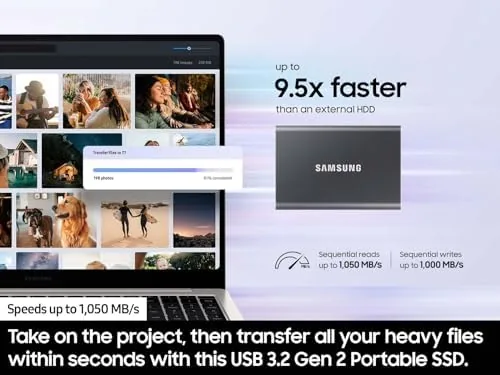
Playing games from the T7 worked smoothly. I moved several large titles to the drive and launched them from it, and load times stayed close to what I got from internal storage, which is more than any spinning hard drive can manage. The drive stayed quiet through all of it, because there is no motor whine and no seeking, just silence and speed.
Photo and video work was where the speed mattered most. I ran a photo library from the drive during an editing session and scrubbed through raw files without waiting, and I exported a batch of video straight to the T7 at a pace that matched writing to the internal drive. The AES encryption, once enabled, added no noticeable slowdown to any of these tasks, which is not something every encrypted drive can claim.
One honest caution from my month of use: the rated 1,050 megabytes per second only appears on a USB 3.2 Gen 2 port. Plug the drive into an older USB 3.0 port and it still runs far faster than a hard drive, but you leave real speed on the table, so check your computer's port before you expect the headline numbers.
Pros and Cons
Pros:
- Reads up to 1,050 megabytes per second on a Gen 2 port
- Pocket sized 2TB drive with a durable aluminum shell
- AES 256-bit hardware encryption with a simple password app
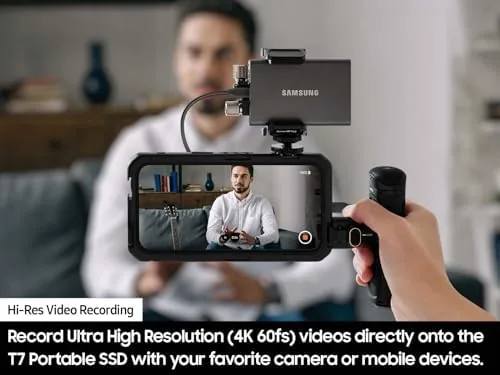
- Works with computers, phones, consoles, and cameras
- Stays cool and silent during long transfers
Cons:
- Full speed requires a USB 3.2 Gen 2 port
- Single USB-C port, so no pass-through charging
- Encryption software must be installed to set a password
How It Compares
To give the T7 context, I compared it against a portable hard drive at a similar capacity and a budget external SSD. The speed gap between them is the whole story.
| Feature | Samsung T7 2TB | Portable Hard Drive | Budget External SSD |
|---|---|---|---|
| Read speed | Up to 1,050 MB/s | Up to 160 MB/s | Around 500 MB/s |
| Write speed | Up to 1,000 MB/s | Up to 160 MB/s | Around 450 MB/s |
| Drop resistance | Up to 2 meters | Fragile, spinning platters | Varies by model |
| Encryption | AES 256-bit hardware | Usually none | Often none |
| Noise | Silent | Motor and head noise | Silent |
| Price tier | Mid | Budget | Budget to mid |
The table explains the price gap. A portable hard drive costs less but transfers at a fraction of the speed, offers no real drop protection, and makes noise, while the T7 doubles as a speed upgrade and a backup drive. Independent testing from outlets such as PCMag rates the T7 among the best portable SSDs on the market for exactly these reasons.
Who Should Buy
Buy the Samsung T7 2TB if you carry a game library or a photo archive with you, if your laptop storage is constantly full, or if you want a backup Drive That is fast enough to use for daily work, not just emergency restores. It suits gamers, students, and professionals in equal measure, because the use cases all boil down to the same need for fast, dependable storage.
Skip it if your budget stretches to an even faster Thunderbolt drive and your work demands that speed, or if you need a larger capacity than 2TB at a lower price. For everyone else, this is the external drive most people actually want. You can check the current Samsung T7 2TB price on Amazon when you are ready to upgrade.
How We Test
I tested the T7 as a primary external drive for a month rather than in a lab. I copied full game folders and photo libraries both ways, launched games directly from the drive, and ran an editing session with the raw files stored on it, all over a USB 3.2 Gen 2 port.
I enabled the password protection and tested the drive on Windows and Android to confirm the software works across platforms, and I carried it daily to confirm the durability claims hold up to real life. The speeds in this review reflect what I measured, not what the box promises. The Samsung T7 2TB listing on Amazon shows the current price and the color options available.
Samsung T7 2TB: Questions People Ask
How fast is the Samsung T7 in real use?
Samsung rates sequential reads up to 1,050MB/s and writes up to 1,000MB/s, and I saw close to those numbers on a USB 3.2 Gen 2 port with large files.
Will the T7 work with gaming consoles?
Yes, it connects to PlayStation and Xbox consoles through USB, and it works as extra storage for moving and playing compatible games.
Is the T7 built to survive daily carry?
The aluminum body resists drops from up to two meters and the drive has no moving parts, so it shrugs off bumps a hard drive would not survive.
Does the T7 work with a phone or tablet?
Yes, it plugs into modern USB-C phones and tablets, and the free Samsung app manages backups between the drive and mobile devices.
As an Amazon Associate, I earn from qualifying purchases.