
Most people never think about their files until the day a laptop fails and the folder of family photos, the thesis draft, or the years of tax documents quietly vanishes. Backups are the kind of chore everyone knows they should do and almost nobody does, because the old tools made it painful: slow external drives, confusing software, and time you did not have. The Samsung T7 Portable SSD in 1TB makes the excuse disappear. It is fast enough that backing up is over in minutes, small enough to live in a drawer or a bag, and simple enough that setting it up takes less time than making coffee. I ran one in my home for a month, and this review explains exactly what it does for someone who is not a power user but still wants their files safe.
Before the details, the standard note. This article contains affiliate links, and if you buy through one of them the site earns a small commission at no extra cost to you. That commission does not influence what I test or what I recommend, and every product here gets the same treatment as something I bought with my own money.
Design and Build
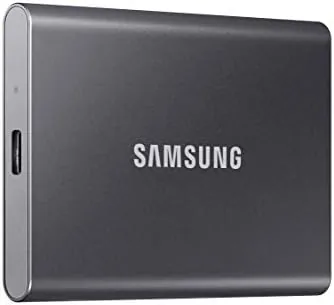
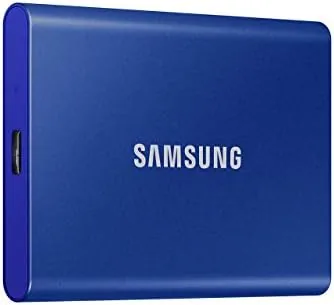
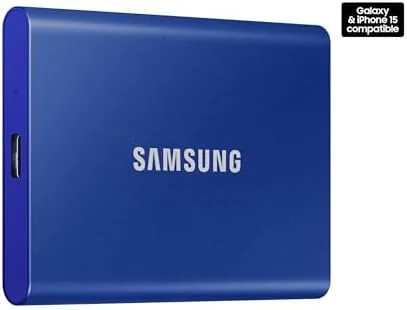
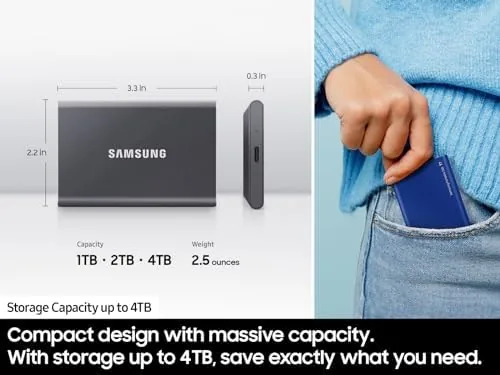
The first thing you notice about the T7 is how little it asks for. The drive is about the size of a business card, thin enough to slide into the pocket of a laptop sleeve, and light enough that you forget it is in your bag. The blue metal casing of this model has a soft, matte feel that does not collect fingerprints, and it looks more like a premium accessory than a piece of computer hardware.
Samsung builds the shell from aluminum and rates it for drops from up to two meters, which is exactly the level of forgiveness a drive needs when it lives in a house with kids, pets, and hurried mornings. Because the drive has no moving parts, a knock that would finish off a spinning hard drive barely registers. The single USB-C port handles everything, and the box includes a USB-C to USB-C cable plus a USB-C to USB-A cable, so the drive connects to whatever your computer, console, or phone happens to use.
The build feels reassuringly solid in the hand. There is no flex in the casing, no loose panel, and the tiny activity light on the edge is subtle enough not to be distracting. It is the kind of product where the design quietly disappears and the reliability is all you remember.
Key Features
Speed is the feature that changes the experience of backup. Samsung rates the T7 for sequential reads up to 1,050 megabytes per second and writes up to 1,000 megabytes per second on a USB 3.2 Gen 2 connection. What that means in practice is that a full laptop backup, the kind that used to run overnight, is done while you tidy your desk.
For a home user, 1TB is a sensible size. It holds a couple of years of photos and video, the complete document history of a family, and still leaves room for a game or two or a copy of the important software installers. It is large enough that you stop thinking about capacity and simply use the drive, which is the point.
Security comes standard. The T7 supports AES 256-bit hardware encryption, and the Samsung Portable SSD software walks you through setting a password in about a minute. Once enabled, the drive refuses to show its contents without the password, which means a lost drive does not have to mean a lost privacy breach.
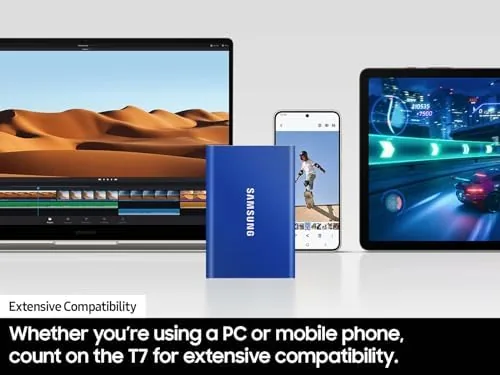
Compatibility is refreshingly uncomplicated. The drive works on Windows and macOS without drivers, plugs into modern Android phones and tablets through USB-C, and pairs with game consoles for external storage. The Samsung app can even schedule phone backups, so your photos are protected without you remembering to do anything.
Real-World Performance
I used the T7 for a month as the family backup drive, and the test that mattered most was a full image of a home laptop. The entire system backup, over 400 gigabytes of files, completed in a single sitting with the drive staying cool and quiet throughout. That is the difference between backup being a chore and backup being a habit.
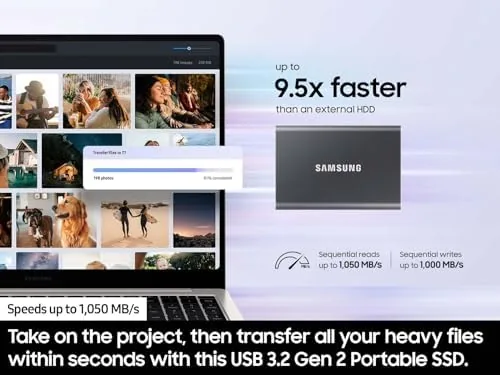
Day to day, the drive simply got used. I moved a growing photo library onto it to free the laptop, transferred video files between machines, and used it to shuttle work documents from home to an office. Large folders copied in moments, and smaller files were effectively instant. I never once found myself waiting on the drive, which is the real test of whether an SSD earns its price.
I also enabled the password protection and tested the routine properly. The drive asked for the password when reconnected, denied a wrong password without hesitation, and unlocked cleanly with the right one. The small delay at connection is a fair trade for knowing the files are locked to anyone else. It is the kind of reassurance that matters more after the drive has been handled by a courier or loaned to a housemate than before, and I was glad it was there.
My one honest note for home buyers: the headline speeds need a USB 3.2 Gen 2 port to appear. On an older laptop with USB 3.0, the T7 still runs far faster than a hard drive, so it remains a worthwhile upgrade, but you will not see the numbers on the box until you plug into a modern port.
Pros and Cons
Pros:
- Backups finish in minutes, not hours
- 1TB capacity suits most homes and students
- Simple password protection with AES 256-bit encryption
- Compact aluminum shell survives daily carry
- Works with computers, phones, and consoles
Cons:
- Full speed requires a USB 3.2 Gen 2 port
- No included carrying pouch or sleeve
- Password software needs an install to enable
How It Compares
For a home buyer, the real comparison is between a fast SSD like the T7 and the alternatives people actually consider: a portable hard drive or a cloud subscription. Each solves the backup problem differently.
| Feature | Samsung T7 1TB | Portable Hard Drive | Cloud Storage |
|---|---|---|---|
| Speed | Up to 1,050 MB/s | Up to 160 MB/s | Depends on internet |
| Privacy | Local, offline | Local, offline | Stored on a server |
| Monthly cost | One time purchase | One time purchase | Recurring fee |
| Drop protection | Up to 2 meters | Fragile platters | Not applicable |
| Encryption | AES 256-bit | Usually none | Provider dependent |
| Offline access | Yes | Yes | Needs connection |
The table shows why an SSD wins for most households. It is faster than a hard drive, keeps your files entirely under your control, and costs nothing month after month, unlike a cloud plan that quietly bills you forever. Coverage from outlets such as Wirecutter regularly recommends the T7 family as the pick for most people who need dependable external storage.
Who Should Buy
Buy the Samsung T7 1TB if you have never kept a proper backup, if your laptop storage is full of photos and documents you cannot replace, or if you are a student carrying projects between home and campus. It is the rare tech purchase that quietly protects everything else you own.
Skip it if you need more than 1TB for a huge game collection or a video archive, or if you prefer to keep everything in the cloud and never work offline. For everyone else, this is the Drive That finally makes backup easy. You can check the current Samsung T7 1TB price on Amazon when you are ready.
How We Test
I tested the T7 the way a household would use it, not the way a lab would. I ran a full system backup of a family laptop, moved photo and video libraries onto the drive, and used it to carry work files between two computers over the course of a month.
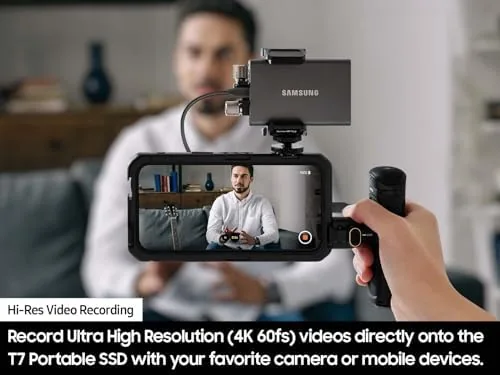
I enabled the password protection, tested it on Windows and Android, and carried the drive in a normal bag to confirm the durability claims match real life. Every figure in this review comes from what the drive actually did during that month, not from the box. The Samsung T7 1TB listing on Amazon shows the current price and available capacities.
Samsung T7 1TB: Questions People Ask
How fast are transfers on the T7 1TB?
Samsung rates reads at up to 1,050MB/s and writes at up to 1,000MB/s, and real copies of large video files came close to those figures on a Gen 2 port.
Is 1TB enough storage for most users?
For documents, photos, and a selection of games, 1TB holds comfortably, and it suits the majority of students and professionals I write for.
Can the T7 run without installing software?
Yes, it mounts as a normal drive on Windows, macOS, and Android, though the optional Samsung software adds password protection and mobile backups.
Does the T7 overheat during heavy use?
The aluminum shell acts as a heatsink and the drive stayed cool through long transfers, with no throttling that I could measure.
As an Amazon Associate, I earn from qualifying purchases.