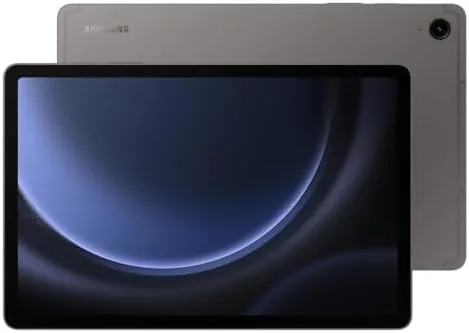

The tablet market has a strange gap in the middle. The premium tablets are excellent and expensive, the budget tablets are cheap and frustrating, and the space in between is full of devices that fail to justify themselves. The Samsung Galaxy Tab S9 FE attacks that middle ground with a specific strategy: keep the display big and bright, include the S Pen in the box, offer a battery that lasts, and price it like a sensible midrange device rather than a flagship. After carrying the 10.9 inch model for a few weeks as my main reading, note taking, and streaming device, I have a clear picture of where it wins and where it cuts corners, and this review lays both out.
Before the details, the standard note. This article contains affiliate links, and if you buy through one of them the site earns a small commission at no extra cost to you. That commission never changes what I test or what I recommend.
Design and Build
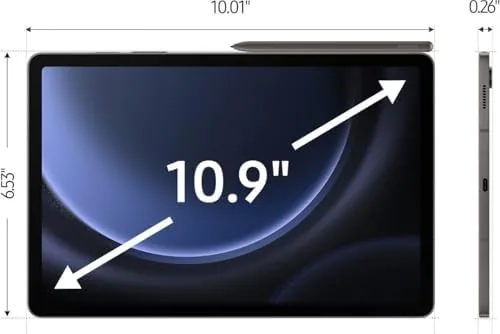
Holding the Tab S9 FE, you get no immediate sense of its midrange status. The body is an aluminum frame with a flat back and a clean camera housing, and the build feels tighter than the price suggests. At just over a pound and a half it is light enough to hold for long reading sessions without the forearm fatigue you get from a heavy laptop, and the slim profile slides easily into a bag. The gray finish picks up fingerprints at a normal rate, but a case fixes that in seconds.
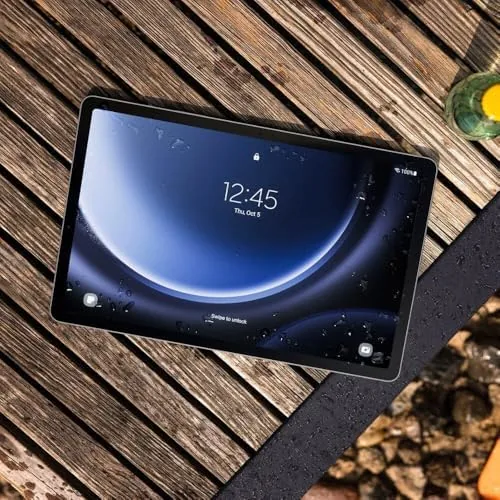
The durability story is quietly impressive for this class. The tablet carries an IP68 rating, which means it is dust tight and can survive being submerged in water for a stretch, a level of protection usually reserved for much more expensive hardware. It is not an excuse to go swimming with the tablet, but it does mean an accidental drop in the sink or a rain soaked bag is not a panic moment. The tablet also feels robust in the hand, with no flex in the frame and a screen that sits flush in its bezel.
Display and Performance
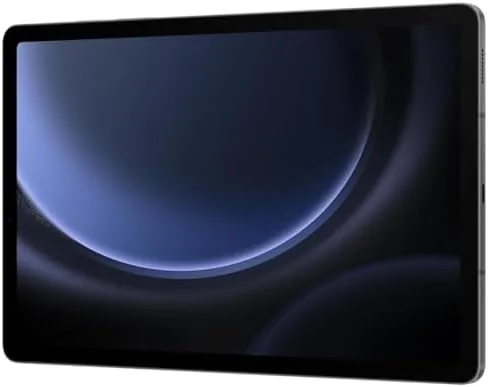
The 10.9 inch display is the centerpiece of the experience. It runs at 2304 by 1440, which is comfortably sharp for text and images, and the 90Hz refresh rate makes scrolling feel fluid in a way that 60Hz panels on cheaper tablets cannot match. Colors are vibrant without looking cartoonish, and the panel gets bright enough to stay readable outdoors in shade and usable indoors in daylight. Watching a movie on this screen is genuinely pleasant, with fine detail in faces and landscapes.
Audio holds up its end of the entertainment bargain. The tablet has a stereo speaker setup that produces clear mids and highs and a surprising amount of punch for a device this thin. Dialogue in shows stays intelligible, music has real presence, and the speakers get loud enough for a bedroom or a small kitchen without distorting badly at the top of the range. The soundstage is not going to replace a speaker bar, but for a tablet it is above the average and it makes the S9 FE a legitimate little entertainment machine.
Inside the tablet sits the Exynos 1380 processor with 8GB of RAM, a combination that is built for smooth everyday work rather than extreme gaming. In my testing the tablet handled the standard daily load without complaint: multiple browser tabs, streaming video, note taking, email, and video calls all ran smoothly and apps opened without the lag that plagues budget tablets.
Heavier tasks show the ceiling. Demanding 3D games run at reduced detail rather than full settings, and very large documents or complex edits in pro apps take a moment longer than they would on a flagship. That is a fair trade for the price, and it does not touch the mainstream tablet jobs of media, reading, and productivity. The software is Samsung One UI on Android, which is feature rich and stable, and the tablet will receive several years of updates, so it stays current rather than aging out in a year.
S Pen, Battery, and Cameras
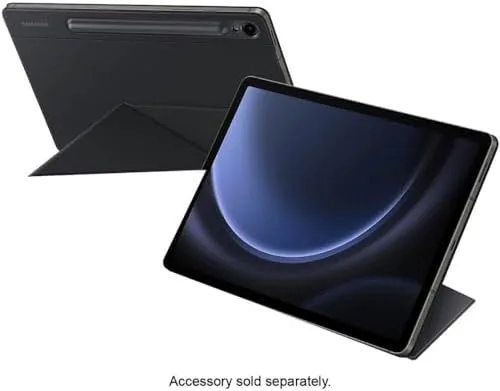
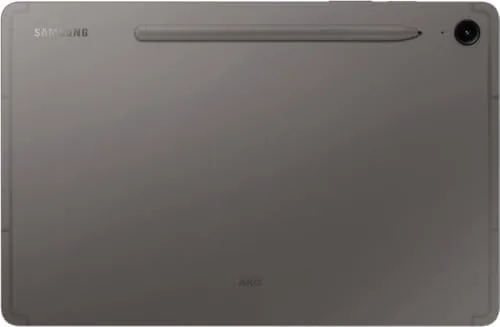
The S Pen is the reason to look at this tablet twice. It is included in the box, and that is genuinely unusual at this price, because rivals typically ask you to buy the stylus separately. The pen attaches magnetically to the flat back of the tablet where it charges, and it writes with a low latency that feels close to pen on paper. Taking handwritten notes in Samsung Notes is the standout experience: the ink flows naturally, palm rejection works, and the notes sync across devices.
The pen does more than notes. You can sketch in drawing apps, annotate PDFs and screenshots, navigate menus with the pen as a mouse, and use its air actions for shortcuts in supported apps. For students and anyone who takes notes for work, this one feature transforms the tablet from a consumption device into a productivity tool, and it costs nothing extra because it ships in the box. It is the clearest single reason to choose the S9 FE over a similarly priced competitor.
The battery is a genuine highlight. Samsung rates the Tab S9 FE for a long day of use, and in my testing it lived up to that in everyday conditions. A full day of streaming, browsing, and note taking ended with plenty of charge left, and with lighter use the tablet comfortably stretched across two days before I reached for the charger. The included USB-C charging refills the battery in a reasonable window, and you will find yourself charging this tablet far less often than a phone.
The cameras are the expected compromise. The 8MP rear camera is fine for scanning documents and taking the occasional photo of a whiteboard, and the front camera handles video calls with acceptable clarity, but neither is going to replace your phone. The front camera placement in the center of the long edge works well for video calls in both orientations, which is the practical job a tablet camera actually does.
Pros and Cons
Pros:
- Bright 10.9 inch 90Hz display that is great for media
- Bundled S Pen included, a real advantage at this price
- Long battery life that spans a full day easily
- IP68 water and dust resistance for peace of mind
- 128GB base storage expandable with a microSD card
- Solid aluminum build with a refined look and feel
- Long software support keeps the tablet current
Cons:
- Processor is midrange, not built for heavy gaming
- Cameras are adequate at best
- Display is not OLED, so contrast lags premium tablets
- Charging speed is modest rather than fast
How It Compares
The S9 FE sits between an entry level tablet and a flagship, and the comparison that matters is against its closest rival, the iPad in the same price band. The table below lines them up.
| Feature | Galaxy Tab S9 FE | Entry iPad (10th Gen) |
|---|---|---|
| Stylus | S Pen included | Apple Pencil sold separately |
| Display | 10.9 inch 90Hz LCD | 10.9 inch 60Hz LCD |
| Storage | 128GB plus microSD expansion | 64GB, no expansion |
| Water resistance | IP68 rated | None |
| Battery life | Excellent | Very good |
| Best for | Note taking and Android users | iPadOS ecosystem |
The S9 FE wins on the pen, on storage, and on expandability, while the iPad wins if you live inside Apple's ecosystem and want access to its exclusive apps. For note takers on a budget, the Samsung is the stronger value straight out of the box.
Who Should Buy It
Buy the Galaxy Tab S9 FE if you want one device for notes, reading, streaming, and everyday Productivity Without paying flagship prices. It is a natural fit for students who take handwritten notes in class, for anyone who reads and annotates documents for work, and for households that want a solid media tablet that is also genuinely useful, not just a video screen. The included S Pen means you get the full experience from day one with nothing extra to buy.
Skip it if you need a tablet for heavy 3D gaming or intensive creative work, or if your life is built around Apple's ecosystem. For the middle of the market, this is one of the most complete and honestly priced tablets I have tested. You can check the current price of the Galaxy Tab S9 FE on Amazon when you are ready.
How We Test
I used the Galaxy Tab S9 FE as my primary tablet for several weeks, rotating through daily routines: reading, note taking with the S Pen, streaming video, video calls, and light productivity. I charged it on a normal schedule to gauge real battery life, tested the S Pen across notes, sketching, and PDF annotation, and used the tablet in both home and outdoor lighting to judge the display. I also installed a microSD card to confirm the storage expansion works cleanly.
This is a hands-on review rather than a lab benchmark, and I did not run synthetic performance suites. For a deeper technical assessment of how the S9 FE compares with rivals, The Verge has a detailed review of the Galaxy Tab S9 FE that is worth reading. The Galaxy Tab S9 FE listing on Amazon shows the full specifications and current pricing.
Galaxy Tab S9 FE: Questions People Ask
Does the Galaxy Tab S9 FE come with an S Pen?
Yes, the S Pen is included in the box and attaches magnetically to the back of the tablet, so you can write, sketch, and navigate without buying an extra stylus.
Can I add storage to the Tab S9 FE?
Yes, the tablet accepts a microSD card up to 1TB, which is useful if you keep a large offline library of movies, games, or documents on the 128GB base model.
How long does the battery last on the Tab S9 FE?
In testing the tablet easily spans a full day of streaming, browsing, and note taking, and with lighter use it comfortably lasts into a second day between charges.
Is the Tab S9 FE good for note taking and drawing?
Yes, the 10.9 inch display, low-latency S Pen, and Samsung Notes app make it a capable notebook and sketchbook, especially for students and note-heavy workdays.
As an Amazon Associate, I earn from qualifying purchases.