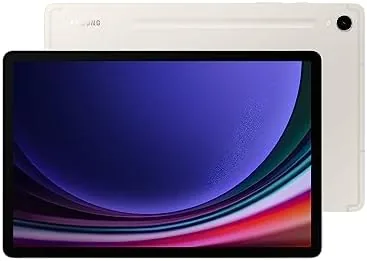

The big tablets get the headlines, but most people do not need a 14 inch screen to read the news and answer email. The Samsung Galaxy Tab S9 is the 11 inch member of the 2023 S9 family, and it keeps almost everything that makes its larger siblings great, the AMOLED display, the Snapdragon 8 Gen 2 chip, the included S Pen, all in a body that slips into a shoulder bag. I lived with the Beige model for a month to find out whether the smaller screen is a compromise or the right size all along.
This article contains affiliate links, and if you buy through one of them the site earns a small commission at no extra cost to you. That commission does not change what I test or what I recommend, and the tablet reviewed here was used exactly the way a buyer would use it.
The Tab S9 occupies the sweet spot between phone and laptop. It is light enough to carry everywhere, large enough to actually get work done, and its screen is the same quality you would expect from a much more expensive device. The rest of this review covers the design, the display, the S Pen, and how the 11 inch size holds up as a daily driver.
Design and Build
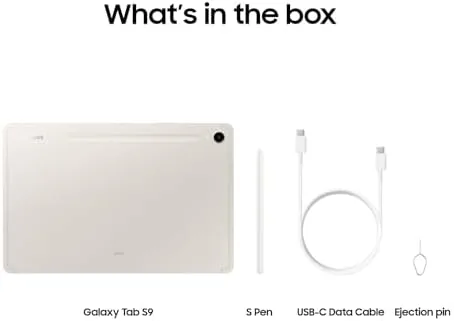
The Tab S9 shares the design language of its siblings, and the Beige finish gives it a warm, modern look that is a step away from the usual black slabs. The front is a near edge to edge AMOLED panel with slim bezels, and the rear is a smooth aluminum surface with a magnetic strip for the S Pen. It is noticeably lighter than the S9+ at about 1.1 pounds, and that difference is felt every time you pick it up.
Build quality is a real highlight. The Armor Aluminum frame feels sturdy in the hand, and the IP68 rating means it shrugs off dust and the occasional splash. For a tablet that is meant to travel, that durability is more than a marketing bullet point, it is the difference between worrying and not worrying when the bag gets tossed in the car.
Key Features
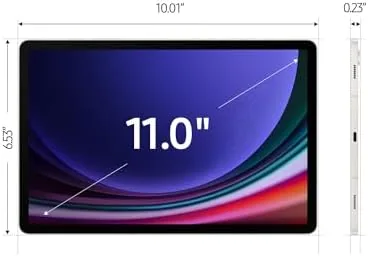
The display is the reason to buy this tablet. The 11 inch Dynamic AMOLED 2X panel runs at 120Hz, which keeps scrolling smooth and text razor sharp at 2560 by 1600. Colors are vivid without being gimmicky, blacks are true black, and the panel gets bright enough to use comfortably near a sunny window, which is more than many laptops can claim.
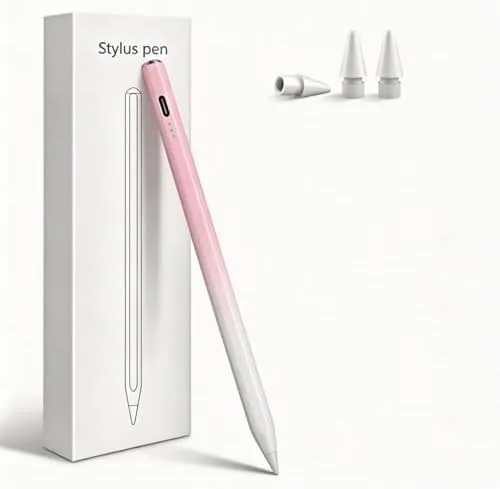
The S Pen is included, attaches to the magnetic dock, and charges while it is parked there. Samsung tuned the latency low enough that handwriting and sketching feel immediate, and the stylus stays charged through a full day of notes and doodles without ever asking for batteries. It is a feature that the iPad charges extra for, and its inclusion here is a big part of the value story.
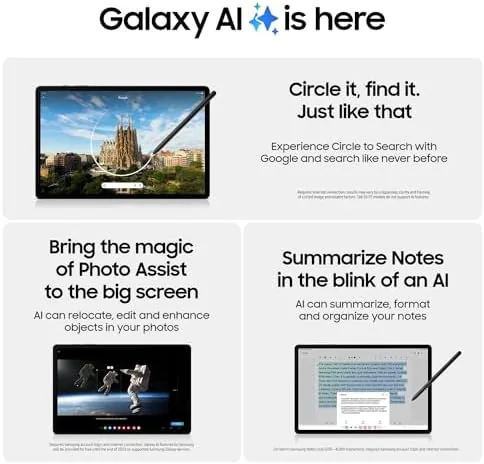
Inside is the Snapdragon 8 Gen 2 for Galaxy with 12GB of RAM and 256GB of storage in this configuration. WiFi 7 is on board for fast networking, the quad speakers with Dolby Atmos are impressively loud, and the fingerprint reader on the side wakes the tablet instantly. It is a flagship spec sheet in a compact package.
Real-World Performance
For the daily stuff, the Tab S9 is excellent. Reading, browsing, email, video calls, and streaming all feel fast and fluid, and the 11 inch screen is large enough for split screen multitasking without everything feeling cramped. The smaller size makes it the tablet I actually carried to the couch, the kitchen counter, and the coffee shop, which is the highest compliment a tablet can earn.
Note taking with the S Pen became my default workflow. Samsung Notes launches straight from the stylus, handwriting converts to text reliably, and the low latency makes the experience feel closer to paper than to a touch screen. For students and anyone who takes meeting notes, the Tab S9 is one of the best note taking devices money can buy at this size.
Battery life is genuinely strong. I routinely got a full day of mixed use with 30 to 40 percent left over, and a weekend away with light use meant I never reached for the charger. Gaming and streaming drain it faster, but the tablet still covers a long flight for movies without anxiety. Charging tops out at 45 watts, which fills the cell in about an hour and a half.
The honest weaknesses are the same ones across the Android tablet world. A few apps still render as oversized phone layouts, and DeX desktop mode, while useful, does not match a real laptop for heavy multitasking. The 11 inch screen is also a trade off if you do serious photo editing, where the S9+ gives more room to work.
Pros and Cons
Pros:
- Excellent 11 inch AMOLED display at 120Hz
- Included S Pen with low latency writing
- Light and portable at just over a pound
- Flagship Snapdragon 8 Gen 2 performance
- Long battery life across a full day
- IP68 durability for real life drops and splashes
Cons:
- Smaller canvas for serious creative work
- Android tablet apps remain inconsistent
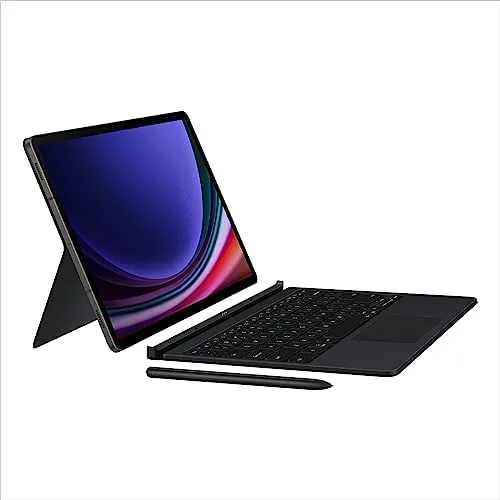
- Keyboard cover sells separately
- No cellular option on some configurations
How It Compares
The Tab S9 competes directly with the larger S9+ and the iPad Air 11. The table below compares the three.
| Feature | Galaxy Tab S9 | Galaxy Tab S9+ | iPad Air 11 |
|---|---|---|---|
| Screen | 11 inch AMOLED 120Hz | 12.4 inch AMOLED 120Hz | 11 inch LCD 60Hz |
| Weight | About 1.1 pounds | About 1.6 pounds | About 1 pound |
| Stylus | S Pen included | S Pen included | Apple Pencil sold separately |
| Portability | Excellent | Good | Excellent |
| Best for | Notes and daily use | Creative work | Apple ecosystem |
Choose the Tab S9 if portability and daily note taking matter most, and choose the S9+ if you need a larger canvas for editing or drawing. Against the iPad Air, the Tab S9 wins on the AMOLED screen and the included S Pen, while the iPad wins on app quality and ecosystem polish.
Who Should Buy It
Buy the Galaxy Tab S9 if you want a tablet that disappears into a bag and covers your daily reading, note taking, streaming, and light work. It is ideal for students who write with a stylus, commuters who want something bigger than a phone, and anyone who wants a flagship quality screen without hauling around a 14 inch monster.
If you do serious photo or video editing and want a large canvas, step up to the S9+. If you live in the Apple world and your app library is iOS only, an iPad Air makes more sense. But for the widest audience, the Tab S9 is the right size and the right value. You can check the current price of the Galaxy Tab S9 on Amazon when you are ready.
How We Test
I used the Tab S9 as my daily tablet for a month, carrying it to work, taking handwritten notes in meetings, streaming at night, and using it for light photo edits. I tracked battery life across typical days, tested the S Pen for accuracy in note taking apps, and used the tablet on the go to judge portability.
I did not stress test the tablet with a heavy game library, and I did not test every Android app for tablet layout. For a deeper look, CNET reviewed the Galaxy Tab S9 family in detail. The Galaxy Tab S9 256GB listing on Amazon shows the current price and bundles.
Samsung Galaxy Tab S9 11 Inch: Questions People Ask
How portable is the Galaxy Tab S9 11 inch model?
The 11 inch chassis is noticeably lighter than the S9+, so it moves easily from sofa to desk and slips into smaller bags without fuss.
Is the Tab S9 screen good for reading and browsing?
The 11 inch AMOLED panel is sharp and comfortable for reading, and it keeps up with the bright, changing light of a living room well.
Does the S Pen come with the Tab S9?
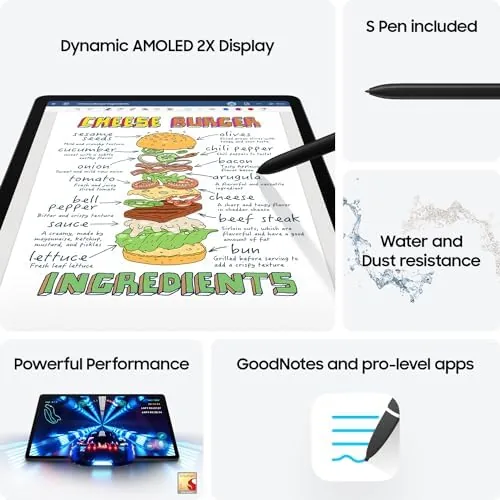
Yes, the S Pen is included and docks magnetically to the back, ready for notes, sketching, and photo edits whenever you need it.
Can the Tab S9 replace a laptop for light work?
For email, notes, and web work it comes close, and adding the Book Cover Keyboard closes most of the remaining gap for typing.
As an Amazon Associate, I earn from qualifying purchases.