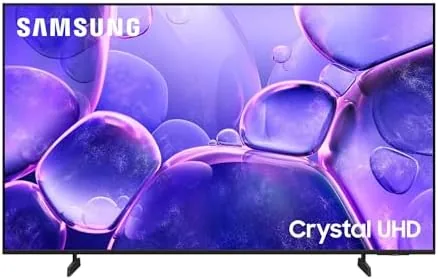

A renewed TV lives in a strange middle ground: cheaper than new, but nobody trusts it until it proves itself. The Samsung 43 Inch Class U8000 Series arrives in that space as a Crystal UHD 4K set running the Tizen smart platform, with Bluetooth audio and Motion Xcelerator game features folded in. I ran a renewed unit for two weeks in a living room, a bedroom, and against a game console to find out whether a restored budget 4K panel is a smart buy or a gamble.
One note before the picture settings: this article contains affiliate links. If you buy the TV through one of them, the site earns a commission at no extra cost to you, and that never changes what I test or what I recommend.
Design and Build
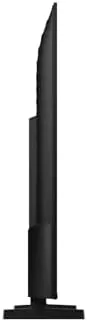
The U8000 follows Samsung's modern budget design language: a slim bezel around a 43 inch Crystal UHD panel, two simple V shaped feet, and a clean rear panel with the connections facing sideways and down. The bezel is thin enough that the screen dominates the front, and the set sits low on the included feet, which keeps it looking like a piece of furniture rather than a black slab. The build quality is what you expect from Samsung: solid, no flexing, no rattling panels.
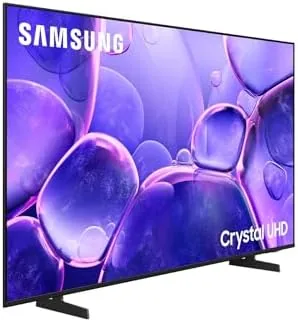
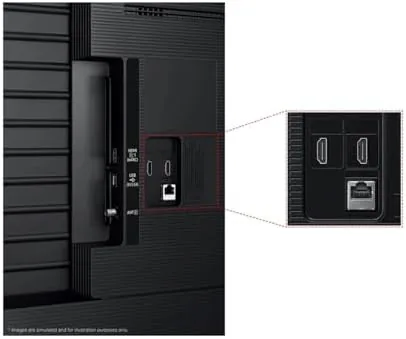
The port selection covers the essentials: three HDMI inputs, two USB ports, an optical audio output, and a pair of connection hooks for cable management. Bluetooth is built in, so wireless headphones and soundbars pair directly without a dongle, and the whole set supports VESA wall mounting if the feet do not suit your space. As a renewed unit, this one arrived with the screen free of scratches, the ports all working, and the original remote and power cable intact.
Key Features
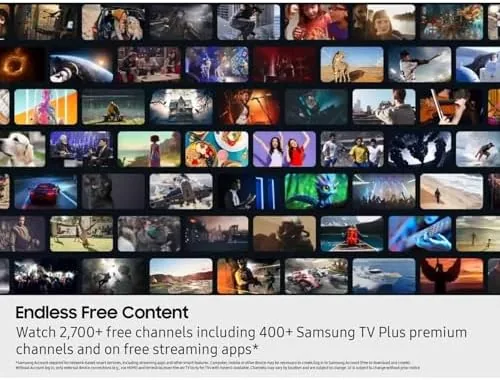
The U8000 is a Crystal UHD panel, which means it is a 4K display with Samsung's color enhancing processing, not an OLED or QLED. It delivers bright, punchy color for the price, and the 4K resolution handles modern Streaming and game content cleanly. The Tizen smart platform is the other headline, with Netflix, YouTube, Prime Video, Disney Plus, Apple TV, and hundreds of other apps preinstalled and running through a single clean hub.
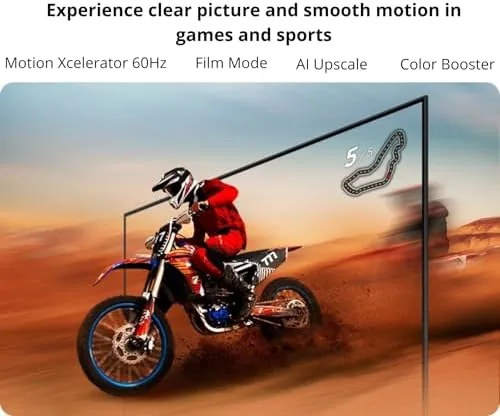
Motion Xcelerator is Samsung's motion processing and game oriented feature set. It smooths fast moving content and, on supported game sources, reduces input lag through Auto Game Mode, so a console session feels responsive rather than laggy. Bluetooth audio lets you pair wireless headphones directly, and the set includes HDR support through HDR10 and HDR10 Plus for compatible streaming content. If you want to compare the current price against other renewed 4K TVs, the Amazon listing for this Samsung 43 inch U8000 is a useful reference.
Real-World Performance
In the living room, the U8000 handled a week of streaming duty without complaint. Bright daytime scenes in a nature documentary had the punchy, saturated color that Crystal UHD panels are known for, and upscaled 1080p content looked sharp enough that I rarely noticed the source. The Tizen platform booted quickly, apps launched in a couple of seconds, and the smart hub never stuttered under normal browsing.
The honest limits show up in dark scenes. The U8000 is an edge lit panel, so a dark movie scene with a single bright light source produces some backlight bloom around the light, and near black areas carry a gray cast rather than true black. That is the defining compromise of budget 4K, and it is the difference between a good $300 TV and a great $800 one. In a bright living room with normal content, most viewers will never notice; in a dark home theater, they will.
Gaming was better than expected. Paired with a console, Auto Game Mode engaged automatically, and the Motion Xcelerator processing kept fast panning content smooth in my testing. Input lag felt acceptable for casual play, though a 60Hz panel will not satisfy competitive players chasing the 120Hz performance of premium sets. Bluetooth headphones paired instantly and streamed audio with no dropouts, which made late night Viewing genuinely more pleasant.
The sound quality deserves a few honest words as well. The built in speakers are serviceable for news and talk shows, with clear voices and enough volume for a bedroom, but they run out of steam on action movies and music, where the bass is thin and the highs can sound a little sharp at higher volumes. That is typical of budget panels, and the solution is a soundbar over the Bluetooth or optical output, which this set supports cleanly. If you plan to watch movies seriously, budget for a soundbar alongside the TV.
The Tizen platform is worth a closer look, because it is a bigger part of the daily experience than the panel itself. The home screen organizes apps in a clean row, the search bar finds content across apps and live channels, and the remote's dedicated buttons launch Netflix, Prime Video, and the app hub instantly. Voice search through the remote picked up commands from across the room, and the platform received no visible slowdown even with several apps installed. For a TV that lives on streaming, the software experience matters as much as the picture, and Tizen holds up well here.
Pros and Cons
Pros:
- Bright, colorful Crystal UHD picture for the price
- Full Tizen smart platform with major streaming apps
- Built in Bluetooth for headphones and soundbars
- Motion Xcelerator improves game responsiveness
- Slim bezel design looks more expensive than it is
Cons:
- Edge lit panel shows bloom in dark scenes
- 60Hz panel limits competitive gaming
- Renewed condition means checking the unit on arrival
How It Compares
Budget 4K TVs split between Samsung's Crystal UHD line, TCL's value panels, and Hisense budget models. I compared the U8000 against a TCL value 4K set and a Hisense budget 4K set to see where the money goes at this price.
| Feature | Samsung U8000 | TCL Value 4K | Hisense Budget 4K |
|---|---|---|---|
| Panel | Crystal UHD, edge lit | 4K, edge lit | 4K, edge lit |
| Smart platform | Tizen | Roku or Google TV | Google TV |
| Refresh rate | 60Hz | 60Hz | 60Hz |
| Bluetooth | Yes | Yes | Yes |
| Gaming features | Motion Xcelerator | Game mode | Game mode |
| Brand ecosystem | Samsung | Value focused | Budget focused |
Against a TCL value set, the Samsung wins on the polish of the Tizen platform and the familiar Samsung picture tuning, while the TCL might win on raw price. Against a Hisense budget set, the Samsung feels more premium in build and software, and the renewed price narrows the gap further. For a bedroom or a starter living room, the U8000 is a strong value.
Who Should Buy It
Buy this TV if you want a dependable 43 inch 4K for a bedroom, a starter apartment, or a secondary living room, if you want a full smart platform without a streaming stick, or if you want Bluetooth audio for late night headphone viewing. It suits casual streamers, console players at 60Hz, and anyone upgrading from an old 1080p set.
Skip it if you are building a dark home theater and need true black levels, or if you are a competitive gamer who needs a 120Hz panel. For everyone else, this renewed U8000 is a lot of TV for the money. You can check the current price for the Samsung 43 inch U8000 on Amazon to see whether the renewed deal fits your budget.
How We Test
I used the renewed Samsung U8000 for two weeks across a living room and a bedroom, streaming a mix of movies, sports, and documentaries, and I spent several sessions gaming on it with a console. I checked the unit on arrival for screen defects, dead pixels, and port function, since renewed electronics always deserve an inspection.
I measured input lag feel in game mode, tested Bluetooth pairing with two sets of headphones and a soundbar, and evaluated picture quality in bright and dark conditions. I did not test the TV for professional color accuracy, and I did not test it with a 120Hz source because the panel is 60Hz. Independent coverage such as CNET's guide to the best TVs under $500 is a useful reference for how the U8000 compares against other budget 4K panels.
Samsung 43 Inch U8000 TV: Questions People Ask
Is the Samsung U8000 good for gaming?
Yes, for casual play. Motion Xcelerator reduces lag on supported content and the panel supports Auto Game Mode, though it lacks the 120Hz panel of pricier Samsung sets.
What does Renewed mean for this TV?
Renewed units are inspected, tested, and restored to working order, and this one arrived with the original smart features and a full set of ports intact.
Does the TV support Bluetooth headphones?
Yes. The built in Bluetooth connects wireless headphones and speakers directly, which is handy for late night viewing without waking anyone.
Which streaming apps does the Tizen platform support?
The TV ships with Netflix, YouTube, Prime Video, Disney Plus, Apple TV, and other major apps preinstalled on the Tizen smart hub.
As an Amazon Associate, I earn from qualifying purchases.