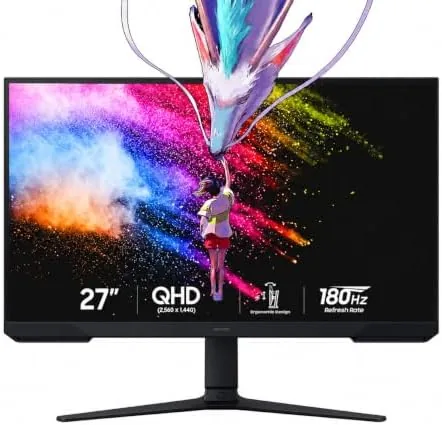

There is a moment in every gaming monitor review where the refresh rate stops being a number and becomes a feeling. The first time you strafe through a firefight at 180 frames per second on a screen that keeps up, the game slows down in a way that has nothing to do with time. The Samsung 27 inch Odyssey G5 is built around that moment: a QHD VA panel, a 180Hz refresh rate, a 1ms response, and AMD FreeSync, all wrapped in the aggressive curved style that the Odyssey line is known for. I played on it for a week across shooters, racing, and story games, and this review is the record of whether the hardware backs up the promise.
Before the frag counter, the standard note. This article contains affiliate links, and if you buy through one of them the site earns a small commission at no extra cost to you. That commission does not change what I test or what I recommend, and the monitor reviewed here was run the way a gamer would run it.
The rest of the review covers the design, the panel and its 3000 to 1 contrast, the refresh rate and FreeSync experience, the stand, and who this monitor is built for.
Design and Build
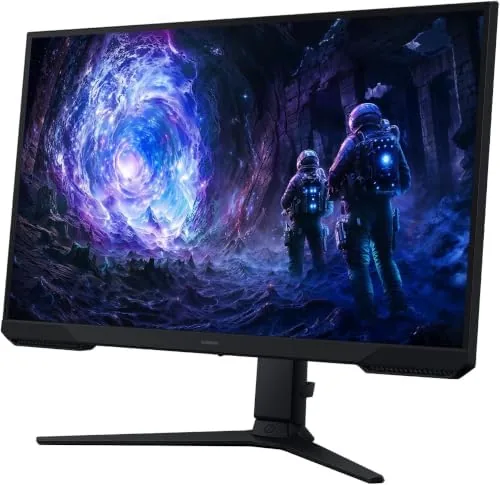
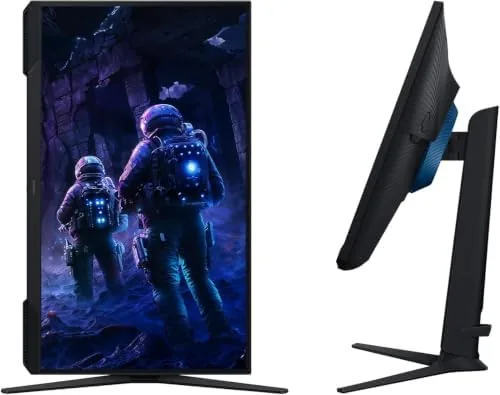
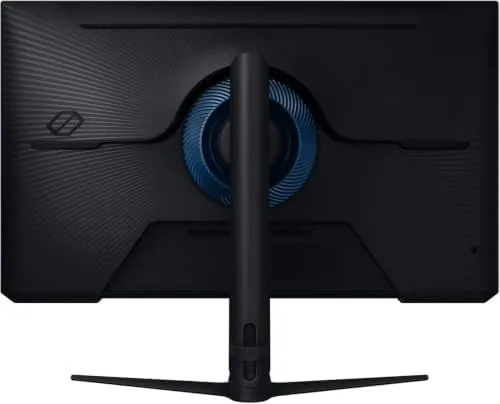
The Odyssey G5 looks like a gaming monitor, and it does not apologize for it. The rear shell carries the angled, aggressive lines and the core lighting ring that make the Odyssey line instantly recognizable, and the front is a thin bezel screen with almost nothing to distract from the panel. The curve is present but gentle, and it pulls the edges of the screen toward you without the exaggerated bend of deeper curved models.
The build quality is solid. The panel is firm in the frame with no flex, the base is a compact V shaped foot that does not swallow the whole desk, and the height adjustable stand is the practical upgrade that budget gaming monitors skip. The stand rises, tilts, and swivels smoothly, and the whole assembly stays planted during aggressive mouse movement, which is more than some pricier monitors manage.
The ports cover a modern gaming setup: HDMI inputs handle consoles and the DisplayPort handles the full 180Hz over a desktop. The on screen menu is a gaming oriented overlay that gives quick access to refresh rate, FreeSync, and game mode settings, and it is fast enough to adjust between games without diving through submenus.
Key Features
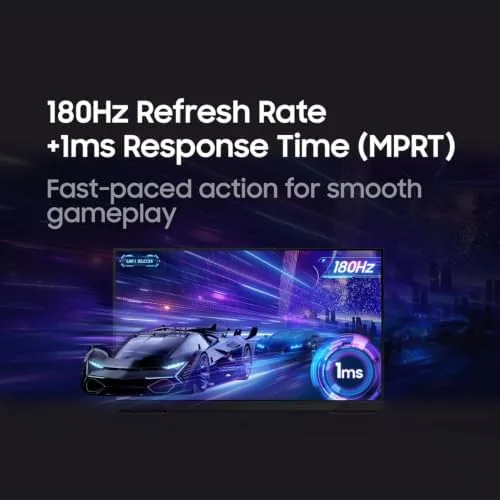
The headline is the 180Hz refresh rate. At this speed the monitor redraws the picture nearly three times faster than a standard 60Hz screen, and in practice that means motion stays clean, ghosting disappears, and the game world feels immediate. The 1ms response time backs it up, keeping fast pans and quick turns from smearing, which is the difference between seeing the enemy and eating their bullets.
The VA panel is the second pillar. The 3000 to 1 contrast ratio is the reason dark scenes look the way the developer intended, with blacks that stay black instead of washing out to grey, and the QHD resolution adds the sharpness that puts detail on the screen at 27 inches without the tiny text of 4K. For a gaming panel, that combination of deep blacks and clear detail is exactly what makes a game world feel solid.
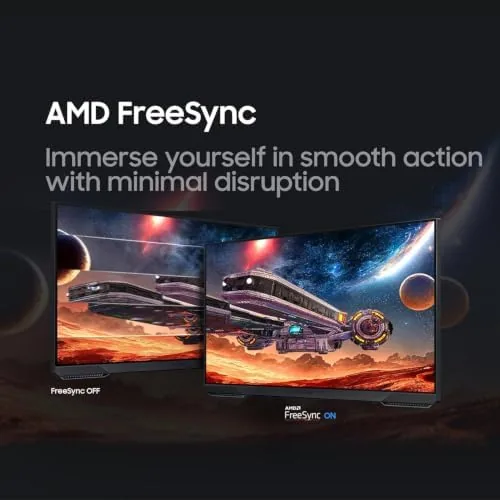
AMD FreeSync rounds out the set. When a supported graphics card is paired with the monitor, FreeSync matches the panel refresh to the frame output, which eliminates the tearing and stutter that come from a fixed refresh rate. In supported games the image stays locked and smooth even when the frame rate fluctuates, and HDR10 adds a wider range of brightness for games that support it.
Real-World Performance
In a fast shooter, the monitor did exactly what the spec sheet promised. Strafing past corners, snapping between targets, and tracking a player across the screen all stayed clean and ghost free, and the 180Hz headroom made the game feel lighter than it did on a 144Hz panel. The 1ms response kept moving edges sharp, and the difference in how quickly my eyes could read the action was noticeable by the end of the first session.
The VA contrast made its mark in darker games. In a night time mission with long shadows, the blacks stayed deep and the flashlight beams actually looked like light cutting through darkness, which is the kind of scene that turns to grey mush on an IPS panel. The curve helped at the edges of the screen during long sessions, keeping the corners closer to your eyes and reducing the reach across the image.
FreeSync earned its keep in a racing game where the frame rate dipped in tight packs. Without the feature the dips would tear, but with it the motion stayed smooth and the picture never split, even as the frame rate wandered. The height adjustable stand kept the panel at eye level through every session, and the flicker free backlight meant marathon weekends did not leave the usual eye fatigue.
Over the week the monitor gave nothing to criticize in play. The menu was fast, the stand stayed steady, and the panel produced no dead pixels or backlight bleed at the edges. The only notes are the usual VA ones: viewing angles are not as wide as IPS, and the HDR is a bonus rather than a specialist feature, but neither matters when you are sitting where a gamer sits.
Pros and Cons
Pros:
- 180Hz refresh rate with a clean 1ms response
- Deep 3000 to 1 VA contrast for dark game scenes
- Smooth AMD FreeSync eliminates tearing in supported games
- Height adjustable stand with a compact footprint
- QHD resolution balances sharpness and performance
- Flicker free panel eases long session fatigue
Cons:
- VA viewing angles are narrower than IPS
- HDR is a modest bonus, not a specialist feature
- Only one DisplayPort for the full refresh rate
How It Compares
The G5 sits in a crowded field of 27 inch QHD gaming monitors, and the table shows how its blend of VA contrast and high refresh stacks up against the alternatives.
| Feature | Samsung Odyssey G5 | Fast IPS Gaming Monitor | Entry 1080p Monitor |
|---|---|---|---|
| Resolution | 2560x1440 QHD | 2560x1440 QHD | 1920x1080 |
| Refresh rate | 180Hz | Up to 240Hz | 144Hz typical |
| Contrast | 3000 to 1, deep blacks | 1000 to 1 | 1000 to 1 |
| FreeSync | Yes | Often yes | Often yes |
| Price | Mid | Similar | Lower |
Against a fast IPS monitor, the G5 trades raw refresh headroom for far deeper contrast, and for dark games that trade is a win. Against an entry 1080p monitor, the QHD resolution adds real sharpness on a 27 inch screen for a modest price increase. If you play a mix of shooters and atmospheric games, the G5 is the balance that rarely needs a second monitor.
Who Should Buy It
Buy the Odyssey G5 if you want a QHD monitor that keeps up with fast shooters at 180Hz, if you play games with dark environments and want the contrast to do them justice, or if you want a single monitor that handles both competitive and story driven play without compromise. It is also a strong choice for anyone upgrading from a 60Hz screen, because the jump in motion clarity is the single biggest gaming upgrade available.
Skip it if you need maximum refresh for esports at a competitive level, if wide viewing angles matter because other people watch over your shoulder, or if you want a monitor that blends into an office desk, because the styling announces itself. For the gamer who wants speed and atmosphere in one panel, the G5 is hard to beat. You can check the current price of the Samsung Odyssey G5 on Amazon when you are ready.
How We Test
I ran the Odyssey G5 for a week across competitive shooters, a racing game with variable frame rates, and a dark story driven title, pairing it with an AMD graphics card to test FreeSync at its best. I played with the refresh rate at 180Hz and with the eye strain features enabled, adjusted the stand through its full range, and checked the response with fast camera sweeps to look for ghosting. I also inspected the panel for bleed, dead pixels, and build flex.
I did not use test instruments or measurement software, and the verdict is based on sustained play rather than lab data. For a technical rundown of the best gaming monitors on the market, Tom's Hardware has a gaming monitor guide that puts the Odyssey G5 in context. The Samsung Odyssey G5 listing on Amazon has the full specification sheet and current pricing.
Samsung Odyssey G5: Questions People Ask
Is 180Hz a big difference from 144Hz?
The jump from 144Hz to 180Hz is smaller than the jump from 60Hz to 144Hz, but in fast shooters the extra headroom smooths motion further and reduces input delay.
How does the VA panel handle dark game scenes?
The 3000 to 1 contrast ratio means blacks stay deep and dark scenes keep their detail, which is a real advantage over IPS for horror and night time games.
What is AMD FreeSync on the G5?
FreeSync matches the monitor refresh rate to the graphics card output, which eliminates screen tearing and stutter in supported games without adding lag.
Does the monitor help reduce eye strain?
The panel includes flicker free and low blue light features, and the adjustable stand lets you set a comfortable height, which together make long sessions easier on the eyes.
As an Amazon Associate, I earn from qualifying purchases.



