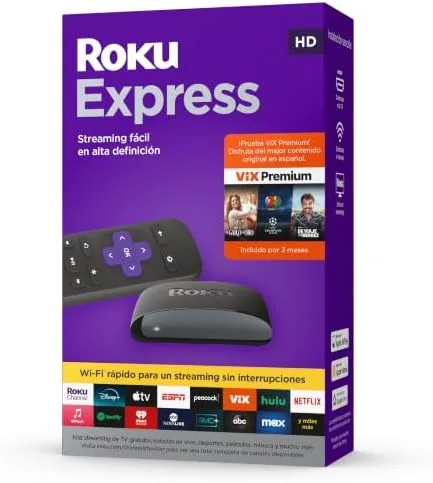

There is a small army of streaming devices on the market, and most of them are more complicated than the people using them need. A Smart TV from a few years ago starts to feel slow, the apps stop updating, and the alternative of a brand new television is an expensive answer to a simple problem. The Roku Express takes the opposite approach: a small, inexpensive stick that plugs into any TV with an HDMI port and turns it into a modern streaming machine. This particular unit is the Spanish edition, which bundles access to VIX Premium and a remote with quick access buttons. I set it up on an older HDTV in my home and used it daily for two weeks. This review covers whether it earns its place next to the bigger, pricier options.
Before the details, the standard note. This article contains affiliate links, and if you buy through one of them the site earns a small commission at no extra cost to you. That commission does not change what I test or what I recommend, and the device reviewed here was tested the way a typical viewer would use it.
This review covers the hardware and design, setup, the Spanish edition and VIX Premium, the remote, performance in daily use, and how it compares with larger streaming players.
Design and Build
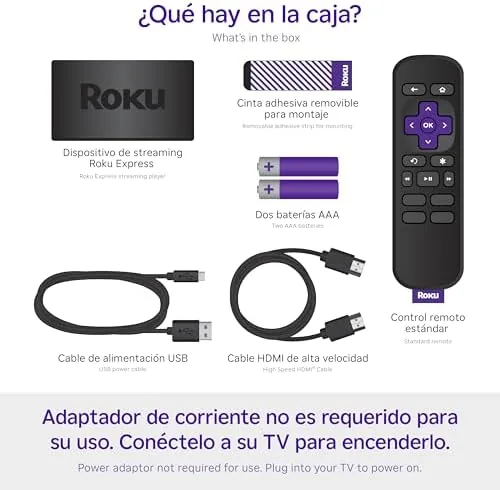
The Roku Express is a small black slab, roughly the size of a deck of cards, designed to sit on a shelf or hang behind the TV with the included adhesive strip. It is noticeably less flashy than the big 4K boxes, and that is the point. There is a single HDMI output on one edge, a micro USB power input on the other, and nothing else to fuss over. The power comes from a wall adapter, which is important because it means the device draws reliable power rather than relying on the TV's USB port.
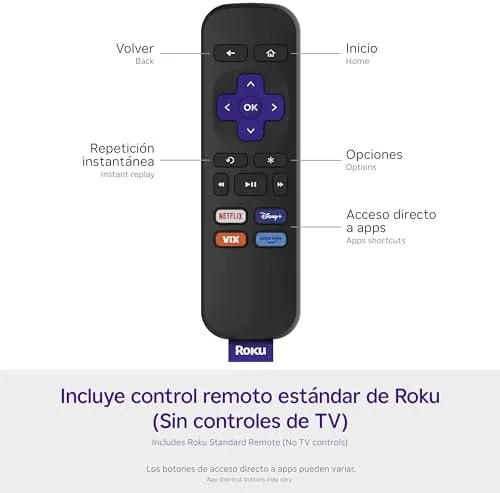
The remote is where Roku earns its reputation. It is a simple, well laid out wand with a directional pad, a back button, a home button, and the dedicated streaming service buttons. In this Spanish edition, those quick access buttons are set up for popular Spanish language services, alongside the standard lineup. The remote connects wirelessly to the device, so it works without pointing it at the TV, which is a small convenience that becomes obvious the first time you use it.

Setup and Interface
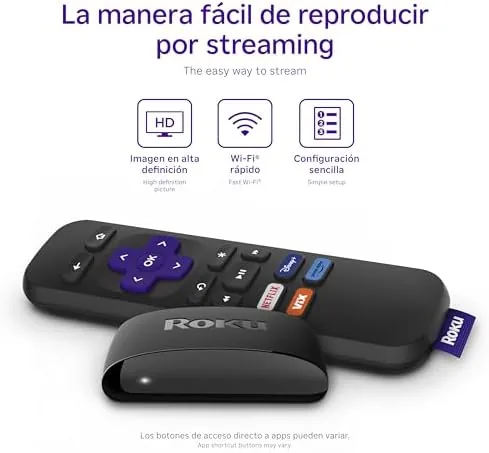
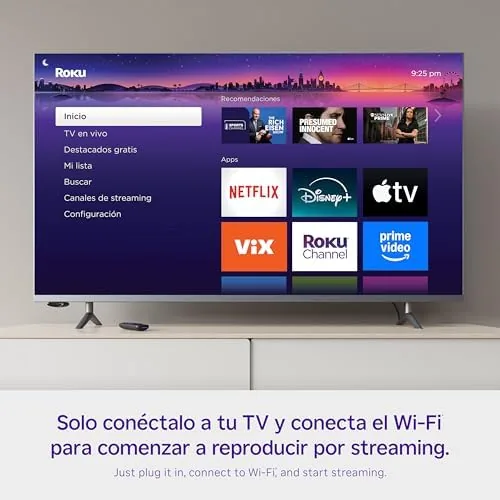
Setup took minutes. The device powered on, connected to the Wi-Fi, and guided me through linking my streaming accounts. Roku does not charge for its platform, so there is no subscription tied to the hardware, and the account link is a one time step that lets the device pull in your services. The interface is the familiar Roku home screen, a simple grid of tiles that is easy to navigate with the directional pad, and it stays responsive even on a modest network.
The channel store offers thousands of free and paid channels, from the major streamers to niche Spanish language options. For this review I focused on the VIX Premium access that comes with the Spanish edition. Activation was straightforward, and the service loaded quickly with a strong catalog of Spanish language movies, series, and live channels. For a household that watches Spanish content, that bundle is a meaningful reason to pick this edition over the standard Express.
Key Features
The headline feature of the Roku Express is simplicity, but the specs matter for what they leave out. This is an HD device, outputting up to 1080p, so it is not the pick for a 4K television. For the older HDTV in a bedroom, guest room, or second living space, that is exactly the right resolution, and the picture quality on an HDTV is crisp and clean. The device supports dual band Wi-Fi, which keeps streaming stable, and it handles the major streaming services without issue.
The VIX Premium bundle is the feature that sets this edition apart. Rather than a subscription you add yourself, the included access means the app is ready to go with its premium content unlocked. That is a real value for Spanish language households, and it pairs naturally with the quick access buttons on the remote, which drop a viewer straight into the service with one press.
The quick access buttons extend beyond the bundled service. They are dedicated to a handful of the most popular streaming platforms, and each button launches the service with a single press, no menu digging. The remote also works as a universal controller for the TV's power and volume in many setups, which means a single remote replaces two on the coffee table.
Real-World Performance
In daily use the Roku Express performed exactly as a budget streamer should. Streaming a movie from a major service ran smoothly at 1080p, with no buffering on my home network. The interface stayed snappy when switching between apps, which is often where cheap streaming sticks fall apart. On the older HDTV, the picture looked as good as the set could produce, and the device handled subtitles and audio settings without fuss.
The VIX Premium access was the star of my Spanish language testing. The catalog loaded fast, and the movie and series selection was genuinely broad, covering drama, comedy, and live sports channels in Spanish. The quick access button for the service worked every time, dropping me straight into the VIX home screen with one press. For the household this device serves, that is a dramatically easier experience than typing search queries into a smart TV remote.
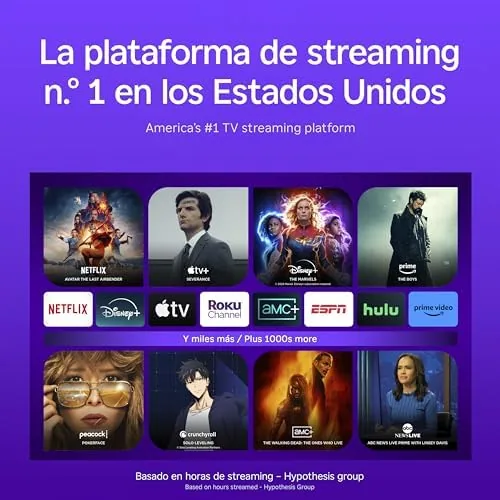
The honest limits are resolution and processing headroom. At 1080p, the device will not take advantage of a 4K screen, so it is the wrong tool for the main living room set in a modern home. And while the interface is smooth, it is not as fast as the premium Roku 4K models when loading heavy apps, so a viewer used to a top tier player will notice a beat of extra loading time. Neither issue matters for the target use case of upgrading an older HDTV.
Pros and Cons
Pros:
- Very affordable entry point into modern streaming
- Simple setup with no subscription required for the platform
- Spanish edition includes VIX Premium access
- Remote with quick access buttons for one press launching
- Wireless remote does not need line of sight
- Compact enough to hide behind the TV
- Roku interface is one of the easiest to navigate
Cons:
- HD only, no 4K output for modern televisions
- Loading heavy apps is slower than premium models
- Requires the wall adapter for power
- Small print and hard buttons take getting used to
How It Compares
The Roku Express sits at the bottom of Roku's lineup, and the main choice is between this HD device and the 4K models. The table below lines up the trade offs.
| Feature | Roku Express HD | Roku 4K Device | Smart TV Built In |
|---|---|---|---|
| Resolution | Up to 1080p | Up to 4K | Depends on TV |
| Price | Lowest | Higher | Built into TV |
| Interface speed | Good | Faster | Varies, often slow |
| VIX Premium bundle | Yes, this edition | Varies | No |
| Best for | Older HDTVs | Modern 4K TVs | New TV buyers |
If the TV is a modern 4K screen, a 4K Roku model is the right investment because it resolves the extra detail. If the target is an older HDTV, the Express is the sensible choice, and it costs less than half as much. A smart TV's built in apps may eventually stop updating, which is the exact problem the Express solves for very little money.
Who Should Buy It
Buy the Roku Express Spanish edition if you have an older HDTV that feels slow, or a second room that needs streaming without a new television. It is also an excellent pick for a Spanish language household, because the VIX Premium access and quick access buttons make finding Spanish content a one press task instead of a search.
Skip it if your television is a large 4K model and you want the sharpest possible picture, because you will want a 4K streaming device instead. For anyone upgrading a bedroom or guest room TV, this is one of the best values in streaming. You can check the current price of the Roku Express on Amazon when you are ready.
How We Test
I used the Roku Express Spanish edition for two weeks as the streaming player on an older 1080p HDTV. I streamed movies and series across multiple services, tested the VIX Premium bundle with live and on demand Spanish content, used the quick access buttons throughout the day, and watched how the interface held up during switching between apps.
I did not measure network throughput or compare picture quality against reference displays, and the device was tested on a typical home network. For an independent look at the Roku platform and its device lineup, PCMag covers the best Roku streaming devices and how they compare. The Roku Express listing on Amazon shows the current price and included services.
Roku Express HD Streaming Device: Questions People Ask
Does the Roku Express support 4K?
No, the Roku Express is an HD streaming device that outputs up to 1080p, so it is best paired with an HDTV rather than a 4K screen.
What is included with the Spanish edition?
The Spanish edition includes access to VIX Premium, a streaming service with Spanish language movies and shows, plus quick access buttons on the remote.
How is the Roku Express powered?
The device runs on power from a wall adapter via a micro USB cable, and it is small enough to be hidden behind the TV.
Does the Roku Express work with an older TV?
Yes, the Roku Express connects through HDMI and is designed for any HDTV with an HDMI port, making it a great upgrade for older sets.
As an Amazon Associate, I earn from qualifying purchases.



