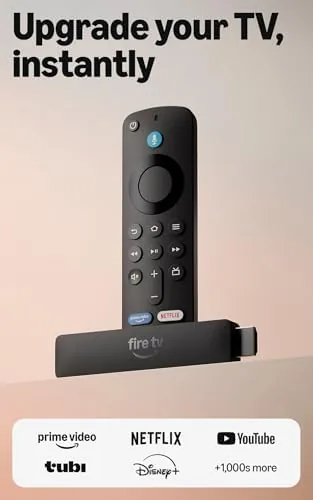

Some televisions are smart and some are not, and the gap between the two has never been wider than it is today. A newer smart TV streams everything out of the box, while an older HDTV, or a budget set without streaming built in, needs a little help. The Amazon Fire TV Stick HD is the most affordable version of that help, A Small dongle that turns any television with an HDMI port into a streaming machine. I plugged the newest model into a bedroom TV for a month, living with its interface, its remote, and its voice control the way a real household would. This review covers what the stick does well, where the budget shows, and who should buy it.
Before the details, one note about how this site works. This article contains affiliate links, and if you buy through one of them the site earns a small commission at no extra cost to you. That commission never changes the verdict, and the stick reviewed here was set up exactly the way a buyer would set it up.
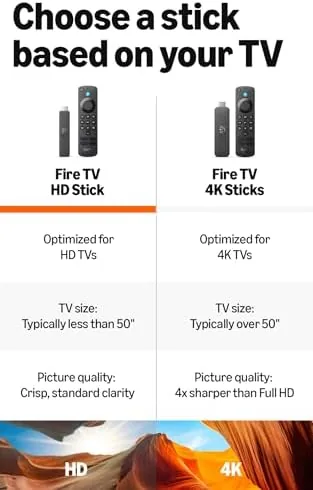
The Fire TV Stick HD is the entry point in Amazon's streaming lineup. It streams in 1080p Full HD, which is exactly the resolution of most older televisions, and it skips 4K support entirely to hit a lower price. For a bedroom TV or a second set that will never see a 4K signal, that trade is not just acceptable, it is the whole point of the product.
Design and Build
The stick itself is a compact dongle barely larger than a box of gum, with an HDMI connector on one end and a small micro USB power input on the other. It plugs directly into the television and hangs down behind it, out of sight, which is the cleanest possible way to add streaming to a TV. There is a short HDMI extension cable and a power adapter in the box, so you can angle the stick away from tight ports if your television sits flush against a wall.
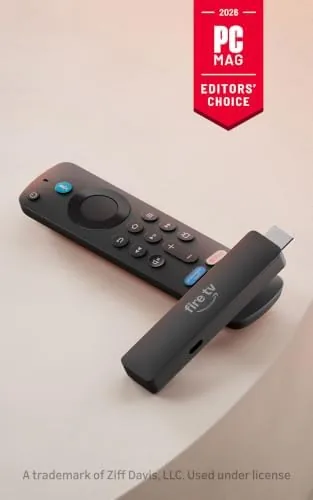
The Alexa Voice Remote is the part you actually handle, and it is a solid piece of hardware. It is a slim, rounded remote with a directional pad, playback controls, volume buttons, and a dedicated voice button on top. The buttons have a positive click, the grip is comfortable, and it pairs with the stick out of the box with no setup dance. It also controls the television's power and volume through HDMI CEC, which means you can throw the original TV remote away for most tasks.
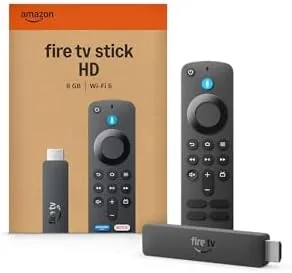
The build quality is typical Amazon: functional, light, and built to a price. Nothing feels fragile, and the remote survives the usual drops and couch cushions. This is a device designed to be forgotten behind the television, and in that role it is completely successful.
Key Features
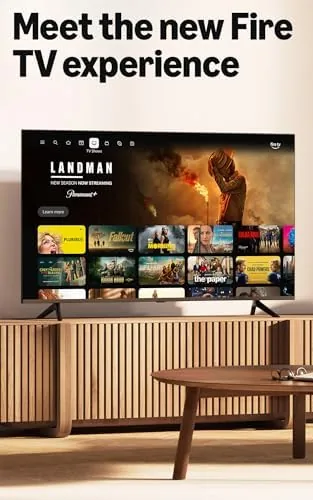
The headline feature is 1080p Full HD streaming across every major service. Netflix, Prime Video, Hulu, Disney Plus, YouTube, and thousands of other apps run on the stick, and the interface pulls them together into one home screen. The newest model also surfaces free and live TV channels, so there is genuinely watchable content available without a single subscription.
The Alexa Voice Remote is the second feature that matters. Press the voice button, say a show title, an actor, or a phrase like "show me action movies", and the stick finds it. The search covers both your installed apps and the wider catalog, and in a month of use the voice recognition was accurate enough that I rarely touched the on screen keyboard. The remote also works hands free through compatible Echo speakers, which is a nice bonus for households already in the Amazon ecosystem.
Alexa+ is the other addition on the newest model, a smarter layer of voice assistance that understands follow up questions and can help find shows across apps. The effortless setup is a genuine feature too: plug in the stick, connect to WiFi, sign in, and the remote pairs itself automatically. The whole process takes about five minutes with no technical knowledge required.
Real-World Performance
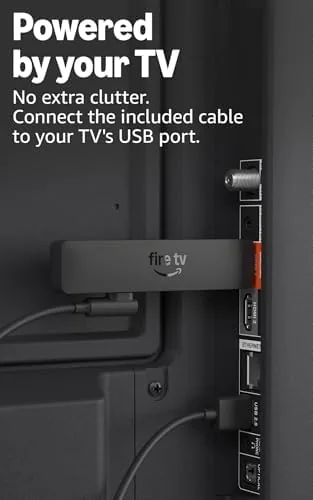
Setup was as advertised. I plugged the stick into a five year old HDTV, connected the power, and the setup screen appeared instantly. The remote paired itself, the WiFi connected on the first try, and within minutes the home screen was populated with apps. The "powered by the TV" feature worked as promised on a television with a USB port: the stick powered up and down with the TV, and the remote controlled both, so the original TV remote never left the drawer.
Streaming performance in daily use was smooth. Apps launched quickly, menus scrolled without stutter, and 1080p video played cleanly across the services I tested. The stick is not a 4K device, but it does not pretend to be, and on a 1080p television the picture quality is exactly what the set can display. Buffering was a non issue on a decent WiFi connection, and the stick held a stable connection for the entire month.
The voice control was the pleasant surprise. Saying "find detective shows" or "play the next episode" worked reliably, and the ability to search across apps with one command saved real time versus hunting through each service. Alexa+ answered follow up questions in a way that felt natural, and the whole experience was genuinely better than typing on the on screen remote.
The honest limits are the ones you would expect at this price. The interface shows sponsored content and ads, a trade that keeps the price low and one that Amazon makes no effort to hide. The stick can feel slower than a 4K model when launching heavy apps, and 1080p is a ceiling that will frustrate anyone who later upgrades to a 4K television. None of these are faults for the price, but they are the reason this is an entry model.
Pros and Cons
Pros:
- Very affordable way to add streaming to any HDTV
- Easy five minute setup with self pairing remote
- 1080p streaming across all major apps
- Alexa voice search that actually works
- Can power itself from a television USB port
- Free and live TV channels included
Cons:
- 1080p only, no 4K support
- Home screen includes ads and sponsored content
- Slower app loading than the 4K models
How It Compares
The decision for most buyers is between this HD stick and Amazon's 4K models, or against the competing Roku and Google TV sticks. The table below lines up the realistic choices.
| Feature | Fire TV Stick HD | Fire TV Stick 4K | Roku Streaming Stick |
|---|---|---|---|
| Resolution | 1080p | 4K HDR | 4K HDR |
| Voice control | Yes, Alexa | Yes, Alexa | Yes, voice remote |
| Price | Lowest | Higher | Higher |
| Interface | Fire TV with ads | Fire TV with ads | Cleaner, fewer ads |
| Best for | Older HDTVs | 4K televisions | Ad free fans |
If your television is 1080p and you will not upgrade it soon, the HD stick is the sensible buy because the 4K models add nothing on a 1080p screen. If you already own a 4K television, spend the extra money on a 4K stick. Roku fans will prefer the cleaner interface, while Amazon households get deeper Alexa integration with the Fire TV.
Who Should Buy It
Buy the Fire TV Stick HD if you have an older HDTV, a guest bedroom set, or a kitchen television that needs streaming without a big spend. It is also a natural gift for someone who is not technically inclined, because the setup genuinely is effortless and the voice remote removes most of the learning curve. Households already using Alexa will get the most value from the ecosystem features.
Skip it if you own a 4K television and want to see its full picture quality, or if sponsored content on the home screen will bother you. For everyone with a 1080p television, this is the cheapest way to bring it into the streaming era. You can check the current price of the Amazon Fire TV Stick HD on Amazon when you are ready.
How We Test
I used the Fire TV Stick HD for a month in a bedroom on a 1080p television, testing setup time, streaming across multiple apps, voice search, and the power over USB feature. I did not test the stick with a 4K television, since it does not support 4K output, and app selection was tested across the major services rather than the full catalog.
For an independent comparison of streaming devices and their trade offs, CNET's guide to the best streaming devices is a solid authority. The Amazon Fire TV Stick HD listing on Amazon shows the current price and full details.
Amazon Fire TV Stick HD: Questions People Ask
Does the Fire TV Stick HD support 4K streaming?
No, this model is capped at 1080p Full HD, so for 4K you would need the Fire TV Stick 4K or the Fire TV 4K Max instead.
Can I watch live TV on the Fire TV Stick HD?
Yes, the home screen surfaces free and live channels, and you can install apps like Pluto TV, Tubi, and the service apps that include live channels.
Do I need a separate power adapter for the Fire TV Stick HD?
The stick can draw power from a television USB port, which keeps the cable tidy, though a wall adapter is included for TVs that do not supply enough power.
Does the Fire TV Stick HD work with any television?
It works with any television that has an HDMI port and a nearby power source, including older HDTVs without smart features.
As an Amazon Associate, I earn from qualifying purchases.



