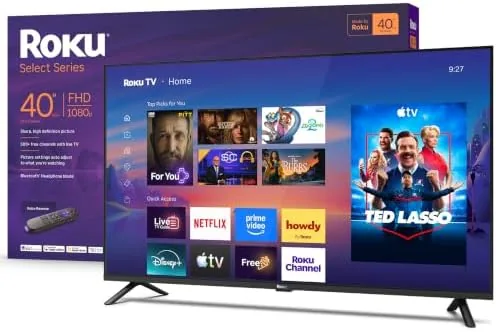

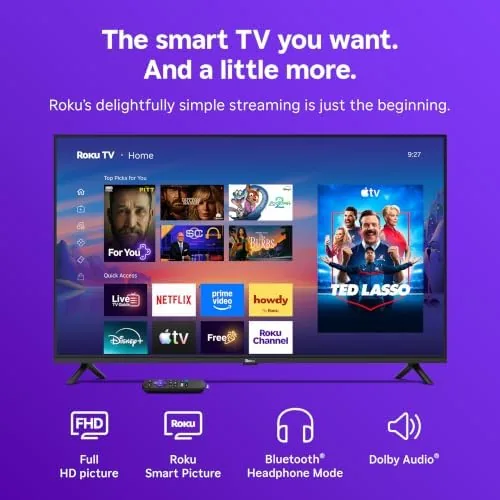
A television in the bedroom or guest room has one job: turn on fast, play what you want, and get out of the way. The Roku 40 Inch Select Series understands that job better than most sets twice its price. It is a 1080p Full HD LED television with the Roku TV platform built in, a voice remote, and a Bluetooth headphone mode that lets one person watch while everyone else sleeps. I lived with this 40 inch model for two weeks in a bedroom, and this review is the honest account of whether the smart platform lives up to the hype.
Before the details, the standard note. This article contains affiliate links, and if you buy through one of them the site earns a small commission at no extra cost to you. That commission does not change what I test or what I recommend, and the television was set up the way a buyer would set it up.
The rest of this review covers the design and build, the key features, real-world performance, the pros and cons, how it compares to a budget 4K TV, who should buy it, and how I tested it. The focus is on whether a 1080p set with great software beats a 4K set with average software for the same money.
Design and Build
The Select Series looks like what it is: a no-frills television built around the software rather than the hardware. The bezels are reasonable for the price, the slim LED panel sits on a simple pair of feet, and the build is light enough to wall mount Without drama. Nothing about it is flashy, but nothing about it is cheap either, and the design recedes the moment you start watching.
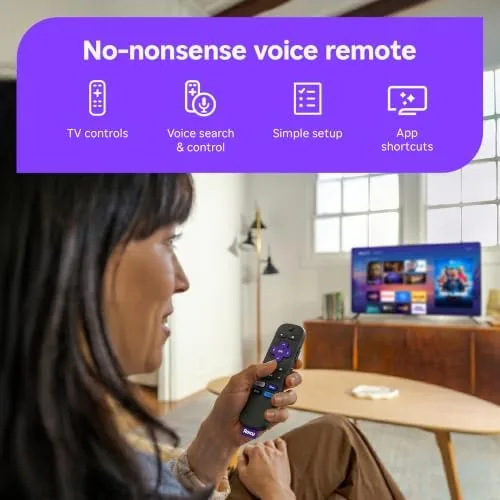
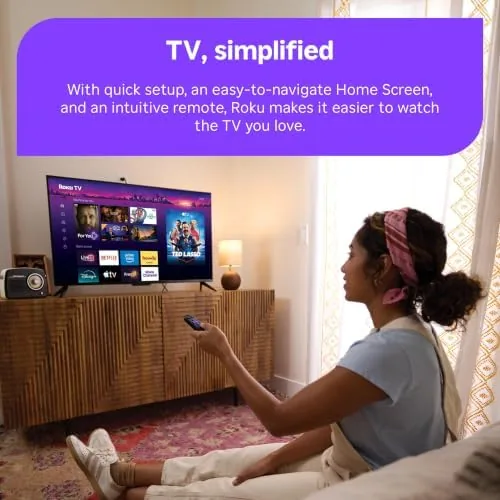
Setup is where Roku earns its reputation. The TV connects to Wi-Fi, signs into the Roku account, and lands on the home screen in minutes, with no long registration gauntlet. The voice remote pairs automatically, works over Wi-Fi rather than line of sight, and includes shortcuts to the biggest streaming services so you never have to hunt through menus to reach a favorite app.
That set-up experience is worth dwelling on, because it sets the tone for the whole ownership. From the moment the box opens to the moment a show plays is genuinely only a few minutes, with no firmware churn and no complicated account dance. For a bedroom or a guest room where patience runs thin, that ease is a real feature.
Key Features
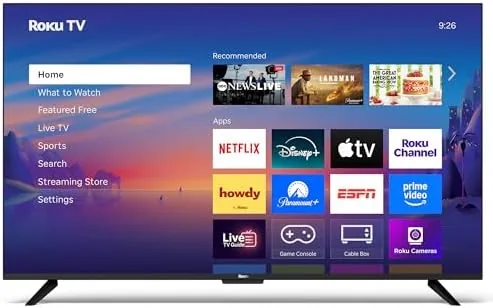
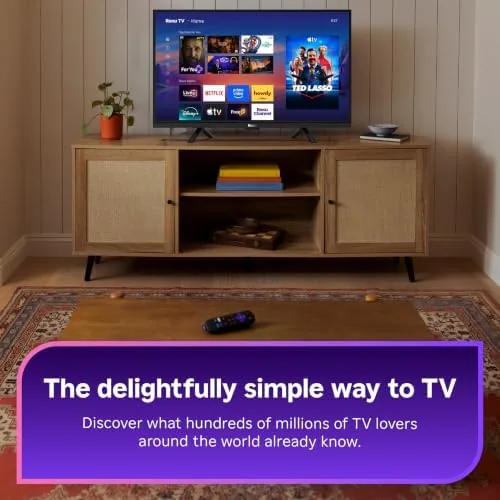
The defining feature is Roku TV itself. The home screen is a Single column of channel tiles, dead simple to navigate, with no ads fighting for your attention the way some smart platforms do. Search across services works from one place, so you can type a title once and see which apps offer it. The voice remote handles search, launch, and playback control by speaking naturally.
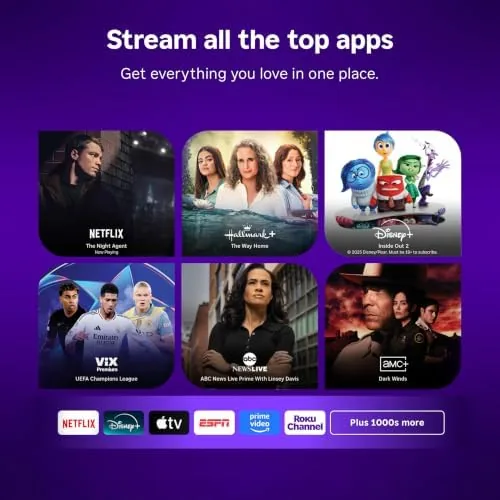
The Bluetooth headphone mode is the quiet hero of this television. Pair a set of wireless Headphones to the TV and the audio routes to them alone, which turns late night viewing into a private experience without waking the room. Streaming is the other pillar: the Roku store carries thousands of apps covering live news, sports, movies, and free ad-supported channels, so the TV works fully without cable.
Real-World Performance
As a television, the 1080p panel does its job without drama. At 40 inches, Full HD is sharp enough for normal viewing distances, colors look natural out of the box, and the LED backlight is even across the screen. It is not a 4K set and it does not try to be, but for a bedroom, a guest room, or a first apartment it delivers a perfectly pleasant picture.
I also checked how the panel handled ordinary content rather than glossy demos. Daytime news, a baseball game, and a standard cable show all looked clean and balanced, with no color shift when viewed slightly off to the side. That evenness is what most people actually experience day to day, and it passed without complaint.
The streaming experience is the real reason to choose this TV. Apps open quickly, menus respond without lag, and the interface stays consistent across everything, which is rarer than it should be. Live local news, sports apps, and free ad-supported channels all sit alongside the subscription services, so you can ditch cable without losing access to the basics. The voice remote nailed every search I threw at it.
The Bluetooth headphone mode got the most use in the two weeks. Pairing was instant, the audio stayed in sync with the picture, and it turned the bedroom into a private cinema without disturbing anyone. The speakers themselves are typical for the class, clear for dialogue and fine for news, though a soundbar adds depth for movies. Over the full test period the platform never crashed and the remote never lagged.
What impressed me most was the sheer stability of the software. Streaming sticks and budget smart TVs often fall into sluggish menus or freeze mid-show, but this set kept everything snappy, from launching apps to resuming a paused movie hours later. The consistency is exactly what you want from a television that will probably be switched on every evening for years.
Pros and Cons
Pros:
- Roku TV is fast, simple, and consistent
- Voice remote with service shortcuts included
- Bluetooth headphone mode for private listening
- Free live news, sports, and ad-supported channels
- Light, easy setup that takes minutes
- Plenty sharp for a 40 inch 1080p screen
Cons:
- 1080p resolution rather than 4K
- Built-in speakers are modest
- No local dimming or advanced picture features
How It Compares
The biggest decision is between a budget 1080p Roku TV like this and a larger or 4K alternative, and the table below shows what the trade-off buys you.
| Feature | Roku 40 Inch Select | Budget 4K Smart TV |
|---|---|---|
| Resolution | 1080p Full HD | 4K Ultra HD |
| Smart platform | Roku TV | Varies by brand |
| Voice remote | Included | Often included |
| Headphone mode | Bluetooth supported | Not always present |
| Streaming apps | Thousands on Roku | Thousands on the store |
| Best for | Bedrooms and guests | Main living room |
If you want the sharpest image for a main living room, a 4K set is the right call. For a bedroom, a guest room, or anywhere the platform matters more than pixel count, the Roku TV experience on this 40 inch model is genuinely hard to beat at the price.
There is also the cord cutting angle to consider. Pair this television with an antenna and you get free local channels on top of the streaming apps, while the single home screen keeps everything in one place. That combination covers most households' actual viewing without a cable bill.
Who Should Buy It
Buy the Roku 40 Inch Select Series if you want a television that turns on and plays with zero fuss, if you are cutting the cord and need live news and sports alongside streaming, or if you want a second TV that does not cost a fortune. The Bluetooth headphone mode also makes it perfect for a bedroom shared with a light sleeper.
Skip it if your main screen is a 65 inch living room setup, because this is a companion television rather than a flagship. For a simple, reliable, genuinely easy smart TV at a small size, this is the set I keep recommending. You can check the current price of the Roku 40 Inch Smart TV on Amazon when you are ready.

How We Test
I used the Roku 40 inch in a bedroom as the primary viewing set for two weeks, streaming movies, watching live local news, and testing the voice remote with natural speech searches. I paired two different Bluetooth headphones to test the headphone mode and watched at low volume to judge the private listening experience.
I did not run calibration equipment, so the picture assessment is based on real viewing rather than lab measurements. For an expert take on budget televisions and streaming platforms, CNET has a running guide to the best TVs at every price that is worth reading. The Roku 40 Inch Smart TV listing on Amazon has the current price and full specifications.
Roku 40 Inch Smart TV: Questions People Ask
How does Bluetooth headphone mode work on this Roku TV?
You pair wireless headphones to the TV and route the audio there, so you can watch at any volume without disturbing anyone else.
Is the Roku TV interface easy to navigate?
Roku TV keeps channels on a single home screen with simple menus, and the voice remote searches across apps by speaking the title.
Does the 40 inch Roku TV support 4K?
No, this Select Series model is a 1080p Full HD panel, which is still sharp at 40 inches but not a 4K resolution.
Can I watch local news and sports on this TV?
Yes, the Roku store includes live local news channels, sports apps, and free ad-supported streaming, so you do not need cable to watch the basics.
As an Amazon Associate, I earn from qualifying purchases.