
For years the argument against wireless gaming mice was the same one repeated in every forum thread: latency. The cable, critics said, was the only honest way to guarantee that your crosshair moved the instant your hand did. Then wireless protocols improved, and the argument quietly collapsed. The Redragon M656 arrives as the budget answer to that old debate, a wireless optical mouse with a 4000 DPI sensor, remappable buttons, custom macro keybinds, and a grip body shaped for long sessions. I have spent weeks with it in rotation between ranked matches, strategy marathons, and plain office work, and this review is the full record of what it does well and where it cuts corners.
Before the details, the standard note. This article contains affiliate links, and if you buy through one of them the site earns a small commission at no extra cost to you. That commission never changes what I test or what I recommend. The mouse used here came out of the box the same way yours will, with no firmware magic and no special tuning applied before testing.
The M656 sits in the crowded middle of Redragon catalog, priced well below the flagship models but carrying the features most players actually use. This review walks through the shell, the sensor, the wireless connection, the software, and the day to day reality of living with the mouse through a full gaming season.
Design and Build
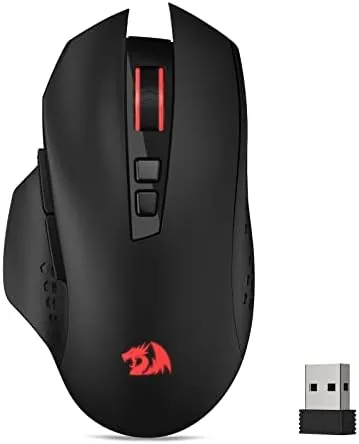
The M656 is a right handed sculpted mouse with a tall arch and pronounced side contours that fill the palm without stretching the fingers. The matte shell resists fingerprints, and the primary buttons curve inward slightly, which gives the index and middle fingers a natural resting line. The build feels solid for the price class, with no creaks when the shell is squeezed and a coating that stays dry even when a session runs long.
The side houses two thumb buttons placed high enough to avoid accidental presses, and the top carries a DPI button plus a pair of programmatic keys near the scroll wheel. A subtle backlight rings the scroll wheel and the logo, and it can be set to a single color or cycled through the palette in the software. The overall impression is a mouse that looks more expensive than its price tag, which is a recurring theme with Redragon.
Key Features
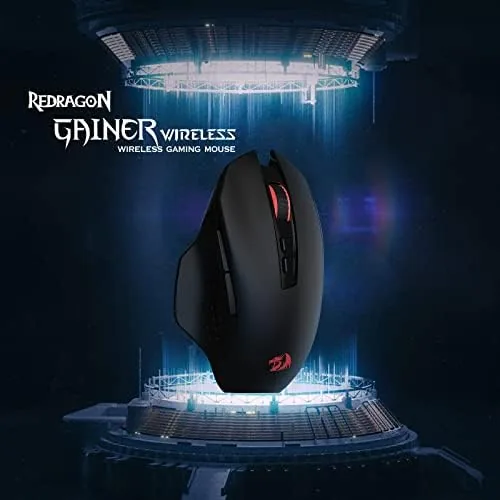
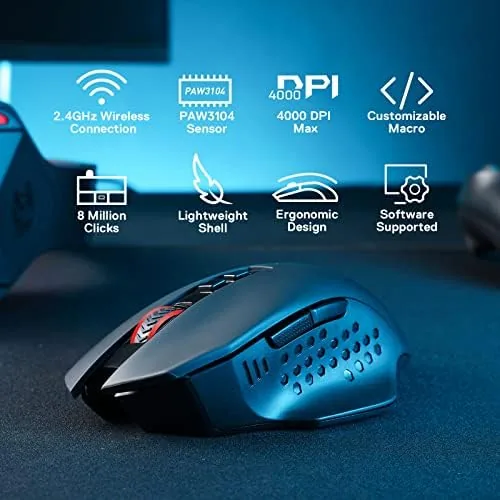
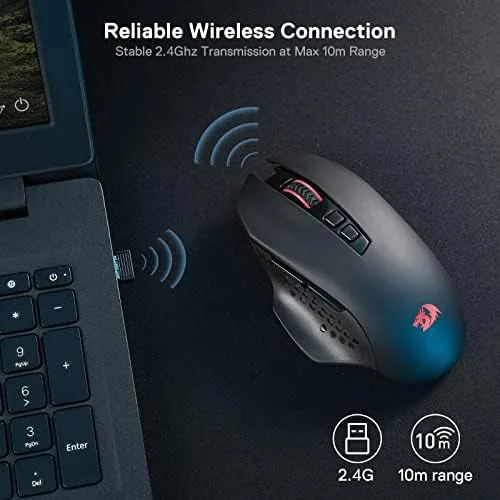
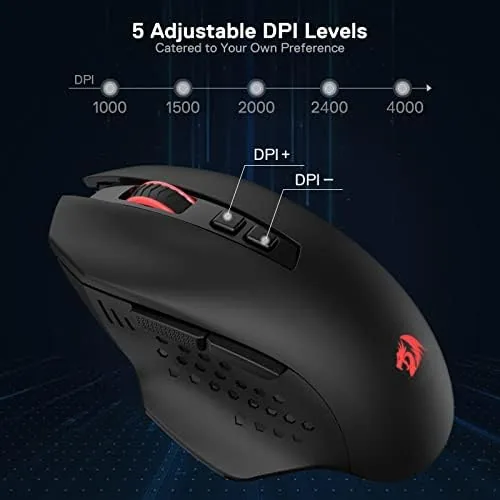
The headline specification is the 4000 DPI optical sensor. In practice that ceiling covers most competitive play, and it can be stepped down through several DPI levels for slower, more deliberate aiming. Below the sensor sits the wireless module, which Redragon rates as zero delay, and the mouse switches between wireless and wired operation with a flick of the charging cable. When the battery drains, you plug the cable in and keep playing, which removes the one excuse most players had for staying tethered.
The remapping is the deeper feature set. Every button can be reassigned in the bundled software, and macros can be recorded and bound to any key, so a MOBA player can stack a multi press ability combo onto a single thumb click. Profiles can be saved and recalled, which matters if you share the mouse between games with different layouts. The sensor reports cleanly on fabric and hard pads alike, and the wireless receiver stows in the base so it does not disappear into a drawer.
Real-World Performance
Tracking is the first thing tested, because a mouse can feel great in the hand and still fail where it counts. The M656 tracked consistently across fabric pads and a glass desk with a mouse mat, with no noticeable acceleration or spin out during fast flicks. In a shooter, the 4000 DPI ceiling was more than enough at a typical sensitivity, and the wireless connection held up through full matches without a single dropout or stutter. The zero delay claim is marketing language, but the practical result is a mouse that feels as responsive as the wired mice sitting next to it.
The grip body earns its keep in longer sessions. The arch supports the palm, the side grooves keep the thumb planted, and the whole shape encourages a relaxed claw or palm grip rather than a white knuckle pinch. Over a multi hour session my hand stayed loose, which is the quiet measure of a well shaped mouse. The buttons snap with a crisp, audible click that carries a satisfying tone, and the scroll wheel steps through detents cleanly without wobble.
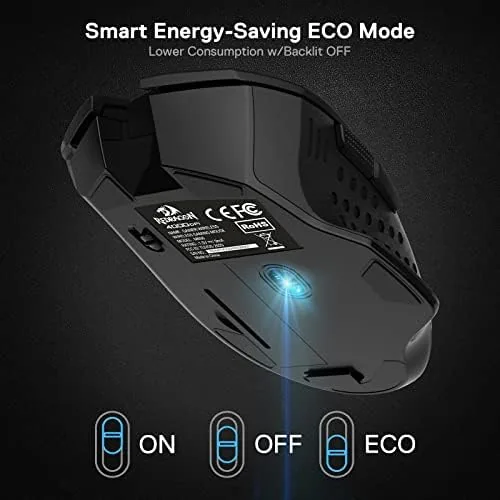
Battery life is the honest weakness. A full charge lasted through a few days of daily play rather than the week some wireless mice manage, and the backlight draws a real toll on endurance. The saving grace is the cable, because charging mid game simply means the mouse becomes wired until the light shows full. I also found the DPI button easy to hit by accident during a tense moment, though the software lets you disable it or reassign it to something useful.
The macro system deserves a closer look because it is where budget mice usually stumble. The software installed cleanly, profiles saved to the onboard memory, and a five action combo mapped to a single thumb key worked reliably across sessions. The interface is plain and functional, not pretty, but every advertised feature is present and accounted for, which is more than can be said for some competing software in this price range.
Pros and Cons
Pros:
- Responsive 4000 DPI optical sensor with stable wireless tracking
- Full button remapping with custom macro keybinds saved to profiles
- Ergonomic grip body that stays comfortable through long sessions
- Dual mode wireless with a charging cable that doubles as wired use
- Solid build quality and a finish that resists fingerprints
- Price that undercuts most wireless gaming mice with similar features
Cons:
- Battery life is modest with the backlight running
- DPI button can be pressed by accident in tense moments
- Software is functional but visually dated
- 4000 DPI ceiling is plenty for most players but below high end sensors
How It Compares
The M656 competes directly with other budget wireless mice, and the table below lines it up against a typical Wired Gaming Mouse at a similar price and a premium wireless model at several times the cost.
| Feature | Redragon M656 | Budget Wired Mouse | Premium Wireless |
|---|---|---|---|
| Connection | Wireless plus wired charge | Wired only | Wireless plus wired |
| Max DPI | 4000 | 4000 to 8000 | 16000 to 26000 |
| Remapping and macros | Full, with profiles | Varies | Full, with profiles |
| Grip comfort | Ergonomic sculpted body | Simple shape | Ergonomic premium |
| Price | Budget | Lowest | Highest |
For most players the M656 beats a wired mouse on convenience without giving up responsiveness, and it gets within reach of premium wireless performance at a fraction of the price. The premium mouse wins on sensor headroom and battery endurance, but those are upgrades you feel at the margins, not in everyday play.
Who Should Buy It
Buy the M656 if you want the freedom of wireless gaming without the flagship price, if you use macros in MMOs or MOBAs and want them on cheap reliable hardware, or if you are building a first gaming setup and want one mouse that covers shooters and strategy games alike. It is also a strong pick for a shared home computer where multiple users want their own button layouts, because profiles keep each configuration one click away.
Skip it if you are a competitive player chasing the highest sensor sensitivity in the catalog, or if you need all week battery endurance with the backlight blazing. For the rest of the field, this is the wireless mouse that quietly ends the cable debate on a budget. You can check the current price of the Redragon M656 on Amazon when you are ready to compare bundles.
How We Test
I used the M656 as my primary mouse for several weeks, rotating through competitive shooters, long strategy sessions, and daily productivity work. I tested tracking on fabric and hard pads, verified the wireless connection under full system load, recorded and assigned macros across multiple games, and charged the mouse through its cable to confirm seamless switching. I did not tear the mouse down or compare sensors on a lab bench, and I did not modify the firmware.
For a deeper look at how wireless gaming mice are tested and what latency numbers actually mean, TechRadar keeps a useful guide to the best gaming mice that explains what wireless latency numbers really mean. The Redragon M656 listing on Amazon shows the current price, color options, and included accessories.
Redragon M656 Wireless Mouse: Questions People Ask
How do I remap the buttons on the Redragon M656?
Download the Redragon configuration software, connect the mouse, then assign new functions or macros to each button and save the profile to the onboard memory.
How long does the battery last on the M656?
The built in battery delivers roughly a few days of daily gaming before recharging, and the included cable doubles as a charging cord while the mouse keeps working wired.
Is the M656 good for larger hands?
The ergonomic grip body is shaped for palm and claw grips, and the contoured sides give larger hands a secure hold during long sessions.
Does the M656 work with games on console or just PC?
The mouse is built for PC gaming, where the 4000 DPI sensor and software remapping work fully, and it behaves as a standard USB mouse elsewhere.
As an Amazon Associate, I earn from qualifying purchases.