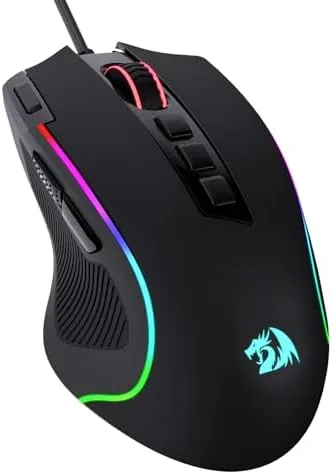

The gaming mouse market is split between expensive flagship mice and cheap clones that feel like toys. The Redragon M612 tries to occupy the space between, offering a wired optical sensor with 8000 DPI, remappable buttons, macro support, and RGB lighting at a budget price. That combination is more ambitious than it sounds, since each of those features can be done badly. I used the M612 as my daily gaming mouse for several weeks across shooters, strategy games, and office work, and this review covers the sensor, the customization, the comfort, and whether the budget headline survives real use.
A disclosure before the first click. This article contains affiliate links, and if you buy through one of them the site earns a small commission at no extra cost to you. That commission never changes my verdict, and the mouse reviewed here was used the way a gamer would use it.
The M612 is a wired mouse by choice, not by compromise. A wired connection means zero latency concerns, no batteries, and no weight from a wireless module, and it is the honest way to hit a low price without cutting the sensor. The rest of this review walks through the design, the customization tools, and how the mouse performed where it matters.
Design and Build
The M612 has a sculpted, ergonomic shape that fills the hand and follows the natural curve of a relaxed grip. The body is built for palm and claw grips, with a raised rear hump that supports the palm and contoured sides that hold the thumb and ring finger. The surface has a matte finish with a subtle texture, and the whole mouse feels solid and planted rather than hollow and cheap.
The button layout is standard for a gaming mouse, with left and right buttons, a clickable scroll wheel, two side buttons for the thumb, and a DPI selector on top. The switches feel crisp and responsive, with a satisfying click that registers without being heavy, and the scroll wheel is firm with a defined detent for weapon and menu scrolling.
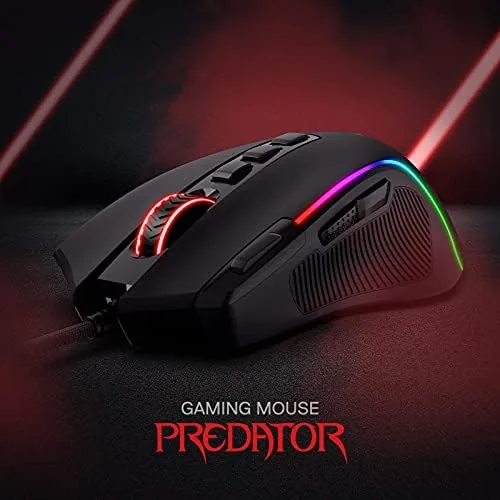
The RGB lighting is the visual centerpiece. The M612 carries a backlit logo, an illuminated scroll wheel, and a glowing strip along the base, and the lighting cycles through presets out of the box. In a dark room the effect is vivid, and the "vibing backlight" name in the listing is earned, since the colors shift smoothly through the standard spectrum.
Key Features
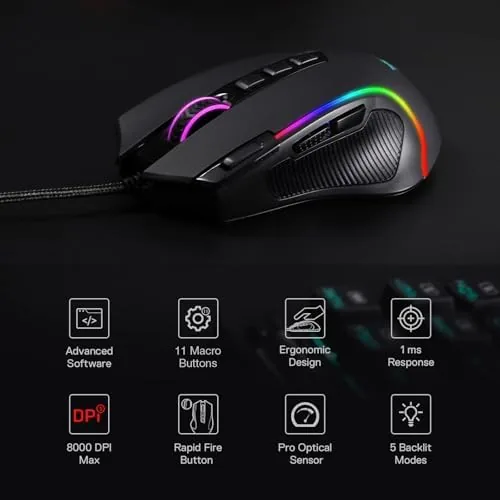
The 8000 DPI optical sensor is the first feature, and it is the engine of the whole mouse. The sensitivity scales from 500 to 8000 DPI, which covers precise low sensitivity flick shots and high sensitivity sweeping movements. The on the fly DPI button cycles through preset levels without opening software, which is a genuinely useful feature for gamers who adjust sensitivity between games.
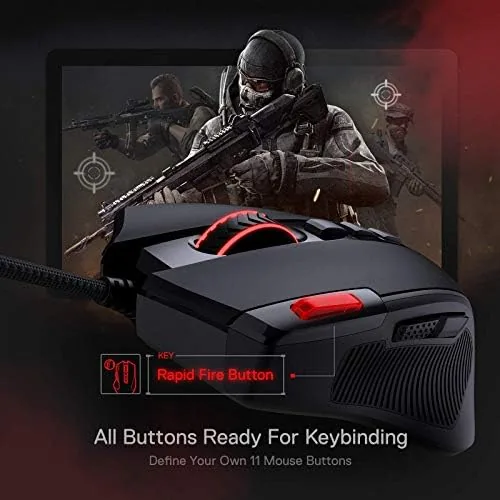
The remappable buttons and macro support are the second feature. The Redragon software assigns any button to a new function and records macros, so a side button can reload, push to talk, or trigger a sequence of key presses. For games that reward one click combinations, that macro layer is a real advantage at any price.
The wired connection is the third feature, and it is more important than it looks. A wired mouse has no input latency from a wireless link and no battery to die mid match, and the braided cable runs smoothly without snagging the mouse pad. The stable, lag-free connection the listing promises is a natural property of a good wired design, and this mouse delivers it.
Real-World Performance
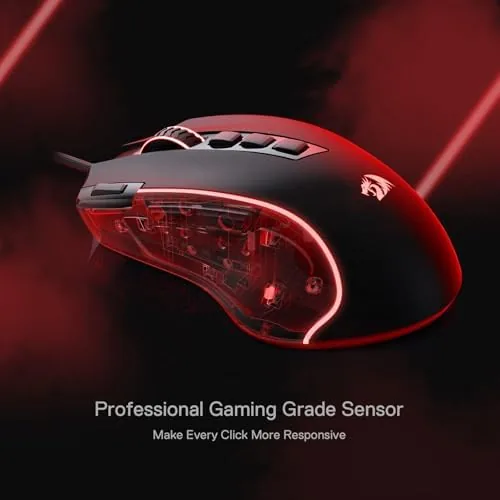
I started with the sensor, since it is the part that decides whether the mouse is worth owning. In a fast paced shooter, the cursor tracked my hand movements without hesitation, no spin outs, no acceleration wobble, and no dropped input. The 8000 DPI ceiling is more than enough for any monitor, and the low end stays precise enough for sniper shots, which is the full range a gamer actually needs.
The remapping and macro features were the second test. I bound a side button to push to talk in a shooter and set up a simple macro for a fighting game combo, and both worked exactly as configured. The software is not as polished as premium brands, but it is functional, and the ability to redefine keybindings put a real edge on the budget mouse.
Comfort was the longer test. I ran the M612 through sessions of three hours and more, and the ergonomic shape kept my hand supported without cramping. The textured side grips held firm during fast flicks, and the lightweight wired body made long play sessions feel effortless, which is the quiet feature that separates a good mouse from a tired hand.
The limits are honest ones. The software is basic, with a dated interface and a download that some systems flag, and the matte coating is prone to showing wear and shine over months of use. The mouse is wired, so it cannot travel to a couch setup, and the RGB lighting, while attractive, adds nothing to performance. None of these stop the mouse from doing its job, and all of them are reasonable trade offs at the price.
The value equation is the point of the whole review. For the price of a budget mouse, the M612 delivers flagship level sensor performance, genuine button customization, and a comfortable ergonomic body. The compromises are cosmetic and convenience related, not performance related, which makes it one of the stronger budget gaming mice available.
Pros and Cons
Pros:
- 8000 DPI optical sensor tracks cleanly across the full range
- Remappable buttons and macros via the Redragon software
- On the fly DPI button switches sensitivity without software
- Ergonomic shape and textured grip stay comfortable for hours
- Wired connection means zero latency and no battery worries
- Vivid RGB lighting with preset modes out of the box
Cons:
- Matte coating shows wear and shine over months of use
- Software interface is dated and basic
- Wired tether limits couch and travel setups
- RGB lighting is cosmetic only
How It Compares
The M612 sits between budget clones and premium flagships, and the comparison comes down to sensor, software, and price. The table below lines up the categories.
| Feature | Redragon M612 | Budget Clone | Premium Flagship |
|---|---|---|---|
| Max DPI | 8000 | 2400 to 4000 | 16000 to 26000 |
| Connection | Wired | Wired | Wireless or wired |
| Remapping | Yes | Often not | Yes |
| Macros | Yes | No | Yes |
| Price | Low | Lowest | High |
A budget clone undercuts the price but skips the sensor quality and customization that make a gaming mouse worth owning. A premium flagship adds wireless and a higher DPI ceiling at several times the price. The M612 lands in the practical middle, offering the features that matter in play for a fraction of the flagship cost. You can check the current price of the Redragon M612 on Amazon.
Who Should Buy It
Buy the M612 if you want a reliable gaming mouse on a budget, if you play shooters or strategy games that reward remapped buttons and macros, or if you are building a first gaming setup and want to spend the money on the GPU instead of the mouse. It is also a strong pick for anyone who likes wired reliability.
Skip it if you need wireless freedom, if you want the highest DPI ceiling and the best software ecosystem, or if you prefer a lightweight hole drilled esports shell. For the budget conscious gamer, the M612 is a lot of mouse for the money.
How We Test
I used the M612 as my primary gaming mouse for several weeks, playing shooters, strategy games, and fighting games, and I ran daily office work through it as well. I tested the sensor across the DPI range, configured remaps and macros, and timed long sessions to check comfort.
I did not compare the M612 directly against a wireless flagship, and I did not run a destructive cable stress test. For a broader look at the gaming mouse market, PCMag rounds up the best gaming mice across all budgets. The Redragon M612 listing on Amazon shows current pricing and available options.
Redragon M612: Questions People Ask
What DPI range does the mouse support?
The optical sensor covers from 500 up to 8000 DPI, and the on the fly DPI button lets you cycle through sensitivity levels without opening software.
Can I remap the buttons and set macros?
Yes, the Redragon software assigns new functions to the buttons and records macros, so you can bind actions and key sequences for games and work.
Does the RGB lighting need software to work?
No, the lighting runs through preset modes out of the box, and the software adds custom colors and effects if you want more control.
Is the mouse comfortable for long gaming sessions?
The ergonomic body and textured grip keep the hand comfortable for hours, and the wired connection adds no weight, so long sessions stay fatigue free.
As an Amazon Associate, I earn from qualifying purchases.