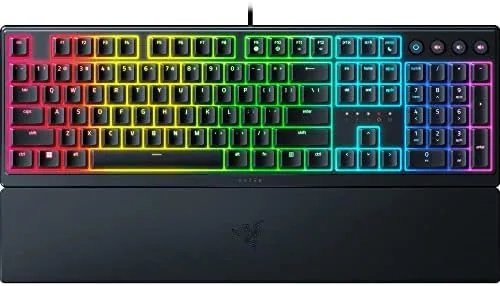
 Magnetic wrist rest attached" width="1200" height="800" loading="lazy" style="height:auto">
There is a debate at the heart of every keyboard purchase, and it usually comes down to feel. Mechanical keyboards win on response but cost more and click louder, while membrane keyboards are quiet and cheap but feel mushy under fast fingers. The Razer Ornata V3 tries to split the difference with mecha-membrane switches, which promise the snap of a mechanical key inside a softer, quieter membrane design, and it adds modern touches like low-profile keys, 10 zone RGB, and Snap Tap support.
I used the Ornata V3 as my daily keyboard for a few weeks, splitting time between long typing sessions and fast-paced shooters where every input matters. Before the results, the standard note: this article contains affiliate links, and if you buy through one of them the site earns a small commission at no extra cost to you. That commission does not change what I test or what I recommend.
The short version is that the Ornata V3 is an unusually comfortable keyboard for both gaming and typing, and it brings a genuinely useful competitive feature down to a friendly price. The rest of this review covers the switches, the RGB, the wrist rest, and where it stands against true mechanical alternatives.
Design and Build
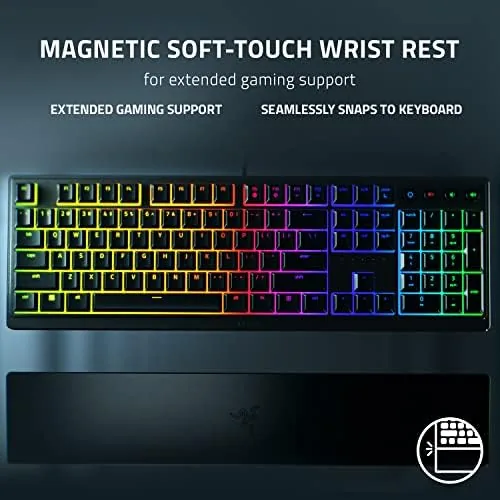
The Ornata V3 is a full-size layout keyboard with the Razer look: a matte black frame, low-profile keycaps, and a magnetic wrist rest that snaps on and off in a second. The frame is rigid with no flex under heavy typing, and the underside has fold-out feet for a tilt angle. At 10 zone RGB the lighting is broken into distinct color zones rather than individual per-key effects, which is a meaningful compromise versus keyboards with true per-key RGB.
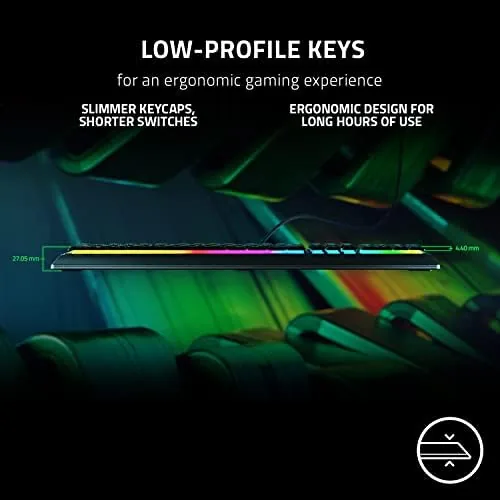
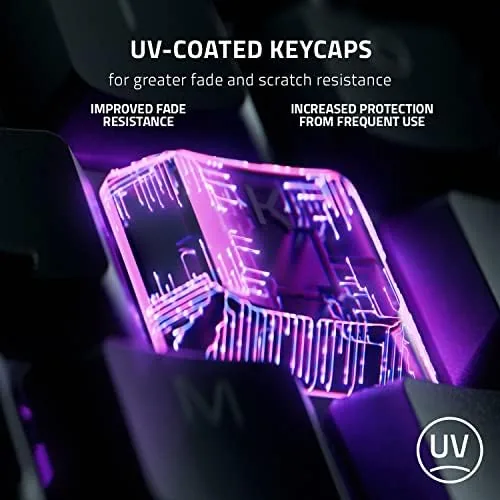
The low-profile keycaps give the board a sleek, modern profile that feels closer to a laptop than a bulky mechanical tower. The UV-coated keycaps resist the shine that develops on cheaper ABS plastic, and the legends stay crisp. The included wrist rest deserves a mention of its own: it is soft, magnetic, and thick enough to actually support a palm, which is rarer than it should be in this price range.
Key Features
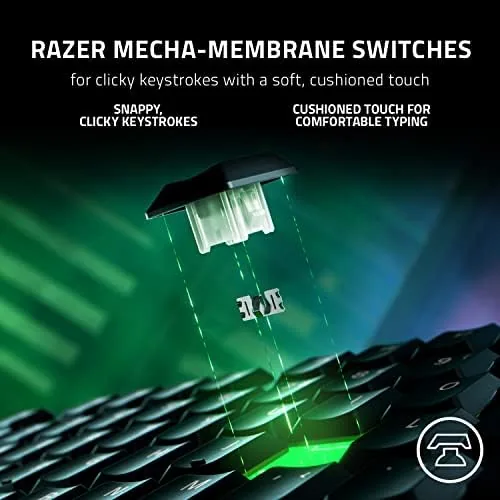
The heart of the board is the Razer mecha-membrane switch, a hybrid that pairs a membrane dome with a stiff spring and a clicky actuation point. It feels snappier than a plain membrane keyboard and quieter than a clicky mechanical switch, landing somewhere in the middle that most people find easy to live with. The keys actuate cleanly, and the low profile keeps the travel distance short, which helps both gaming speed and typing stamina.
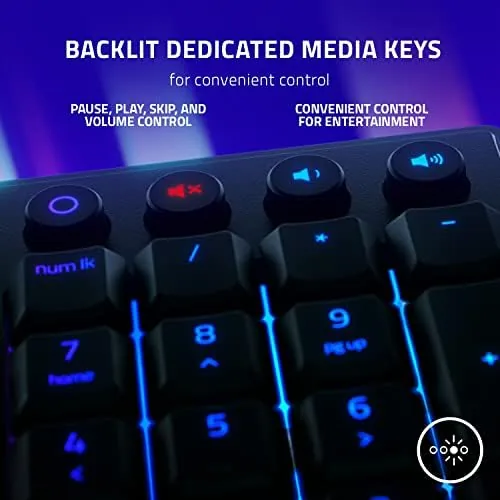
The feature list is built around gaming. The 10 zone Chroma RGB is customizable in Razer Synapse and can sync with other Chroma devices. The backlit media keys sit on the top row and handle volume and playback without leaving the game. Snap Tap support is the newest addition: it prioritizes the most recent key press in a pair, which lets you strafe back and forth or change direction quickly in competitive shooters with smoother, more consistent input.
Real-World Performance
For gaming, the Ornata V3 performed exactly as a hybrid should. In fast-paced shooters, the actuation felt responsive enough to keep up with rapid strafing and bunny hops, and the Snap Tap mode smoothed out the double-step inputs that can feel laggy on slower switches. The short travel distance means your fingers return to center quickly, which translated into quicker repeated presses in practice.
Typing is where the board surprised me most. I wrote several long documents on it, and the mecha-membrane feel sits in a comfortable middle ground: there is a tactile bump at actuation, but the bottom-out is soft, so long sessions left my fingers far less tired than a full clicky board. The noise is audible but not obnoxious, a muted tick rather than a mechanical clack, which makes it a better neighbor in a shared space or an office.
RGB brightness is solid under normal room lighting, with clean color transitions across the zones and smooth effects in Synapse. The media keys worked without fuss, and the wrist rest stayed comfortable through long sessions. Over the full test, no keys developed any wobble or inconsistency, and the keycaps showed no visible shine after heavy use.
One detail I grew to appreciate is how consistent the board feels over hours, not just minutes. A marathon session in a co-op game and a full afternoon of writing both left the keys feeling exactly the same as they did fresh out of the box, with no softening or drift in actuation. The cable is braided and stiff enough to route cleanly around a monitor, and the connector sits flush, so nothing on the desk rattles or catches. It is the kind of polish that separates a keyboard you tolerate from one you reach for automatically.
The honest limits come down to expectation. The 10 zone RGB is a clear step below per-key lighting, so anyone who wants animated wave effects on individual keys will be disappointed. And while the mecha-membrane switch feels great for its price, a true mechanical switch with hot-swappable caps offers more customization and a purer feel for enthusiasts who already own a favorite switch type.
Pros and Cons
Pros:
- Comfortable mecha-membrane switch feel for gaming and typing
- Low-profile keys with UV-coated, shine-resistant keycaps
- Soft magnetic wrist rest included
- Snap Tap support for competitive shooters
- Backlit media keys and customizable 10 zone RGB
- Quieter than a clicky mechanical board
Cons:
- 10 zone lighting, not per-key RGB
- Not hot-swappable like true mechanical boards
- Hybrid feel will not satisfy hardcore mechanical fans
How It Compares
The natural comparison is against a budget mechanical keyboard, and the table below lines up the Ornata V3 with a typical entry-level mechanical board.
| Feature | Razer Ornata V3 | Budget Mechanical |
|---|---|---|
| Switch type | Mecha-membrane | True mechanical |
| Key feel | Soft snap, quiet | Click, tactile, or linear |
| RGB | 10 zones | Often per-key |
| Hot-swap | No | On some models |
| Snap Tap | Yes | No |
| Typing comfort | Excellent | Depends on switch |
If you already own favorite mechanical switches or want per-key RGB, a mechanical board is the right call. If you want a quiet, comfortable keyboard that games well and types better, the Ornata V3 is the easier daily companion.
Who Should Buy
The Ornata V3 is for gamers who want a performance boost like Snap Tap without committing to a full mechanical setup, and for anyone who types all day but dislikes loud, fatiguing switches. It is a great first gaming keyboard, and it earns its keep as a general office board with a game night habit.
Skip it if you are a mechanical enthusiast with a favorite switch, or if per-key RGB is non-negotiable for your setup. For everyone who just wants a keyboard that feels great and keeps up in game, the Ornata V3 is a genuinely easy recommendation. You can check the current price of the Razer Ornata V3 on Amazon when you are ready to upgrade your desk.
How We Test
I used the Ornata V3 as my daily keyboard for several weeks, typing long documents for comfort and speed and playing competitive shooters to test responsiveness and Snap Tap. I checked the RGB in Razer Synapse, tested the media keys, and assessed the wrist rest during extended sessions.
I did not run automated key durability testing, because switch life is a long-term statistic rather than a short-term observation. For a detailed breakdown of switch types and what to look for in a gaming keyboard, Tom's Hardware has a thorough guide to gaming keyboards. The Ornata V3 listing on Amazon shows the current price and layout options.
Razer Ornata V3: Questions People Ask
What makes mecha-membrane switches different from mechanical switches?
Mecha-membrane switches combine the soft, quiet feel of a membrane keyboard with a stiff snap that mimics a mechanical key, without the click or the higher price.
Does the Ornata V3 support Snap Tap?
Yes, the keyboard supports Snap Tap, which gives a smoother response for rapid direction changes in competitive games by prioritizing the most recent key press.
Is the wrist rest removable?
The plush magnetic wrist rest attaches and detaches easily, so you can use the keyboard with or without it depending on your desk setup.
Can I customize the RGB lighting?
Yes, the 10 zone Chroma lighting is fully customizable in Razer Synapse, with effects that can sync across other Chroma devices and games.
As an Amazon Associate, I earn from qualifying purchases.