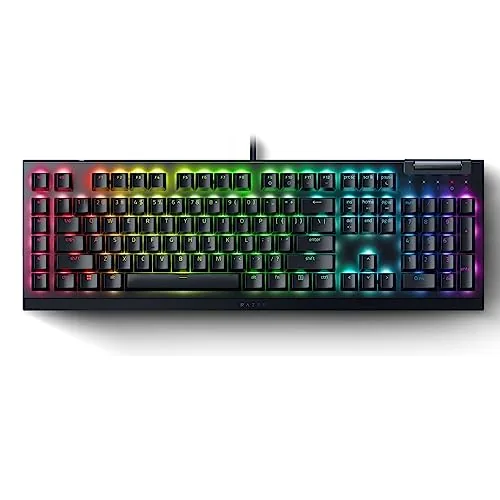

Gaming keyboards have a reputation problem. They are loud, they are gaudy, and the good ones cost more than a pair of game consoles. The Razer BlackWidow V4 X walks into that conversation with a different pitch: full-size layout, linear yellow switches that are quiet enough for a shared room, six dedicated macro keys, Chroma RGB, and a feature set that includes the current buzzword of competitive play, snap tap. It does all of this without requiring a second mortgage. I used this keyboard for two weeks of work, writing, and enough ranked matches to test my patience, and this is the honest record.
Before the details, the standard note. This article contains affiliate links, and if you buy through one of them the site earns a small commission at no extra cost to you. That commission never changes what I test or what I recommend.
Design and Build
The V4 X is a full-size board, which means the number pad is present and the frame spans the width of a normal desk. The case is a matte black plastic with a subtle texture that resists fingerprints, and the whole thing feels stiffer than the price suggests. I tried to flex the frame with deliberate force and found almost no give, which is more than I can say for some boards that cost twice as much.
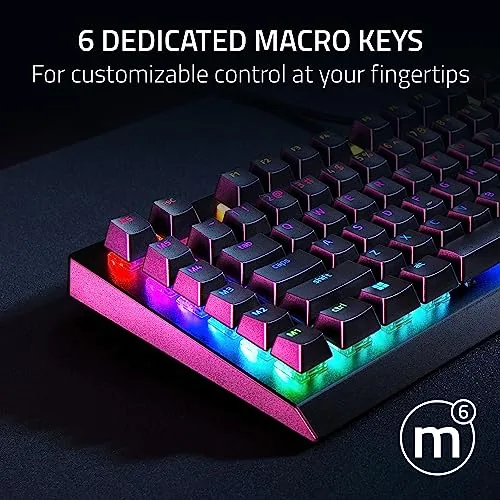
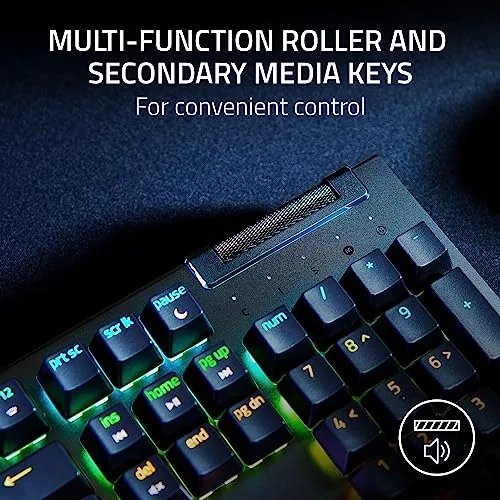
Layout is standard and familiar. The six macro keys sit along the far left edge, just outside the Tab and Caps Lock column, and they take a few days to get used to if you type from muscle memory. A multifunction roller sits at the top right beside media buttons, and it controls volume and, in some modes, brightness. The roller has a positive detent feel and is one of the more useful controls on the board.
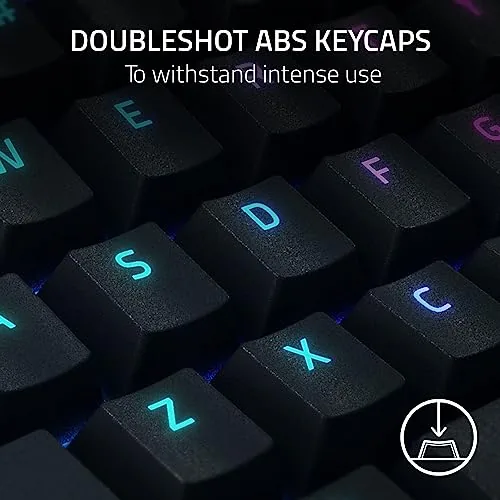
The keycaps are doubleshot ABS, which means the legends are molded through rather than printed on, so they will not wear off with heavy use. The finish resists the shiny wear that cheap ABS picks up, though they are not quite the premium feel of the doubleshot PBT caps on pricier boards. The floating key design exposes the switch stems, which makes cleaning dust out of the board noticeably easier.
Key Features
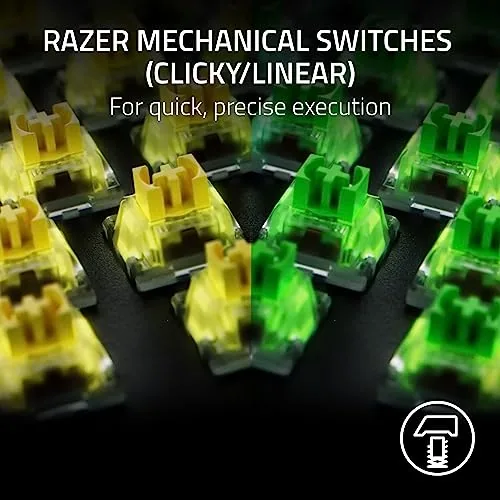
The defining feature is the yellow switch. Razer yellow switches are linear, which means they travel in a straight line with no tactile bump and no click, and they are designed to be quieter than the clicky green switches. The bottom out is soft, the actuation is quick, and in a shared apartment the difference is immediate: where a clicky board sounds like a typewriter in a hallway, the V4 X sounds like a keyboard being used responsibly.
The six macro keys are the productivity anchor. Through Razer Synapse you can record key sequences, remap each key, and assign application specific profiles, and the dedicated keys mean you do not need to steal function row slots. I used them for a paste operation, a volume mute toggle, and a complicated command sequence, and all three worked without a hiccup.
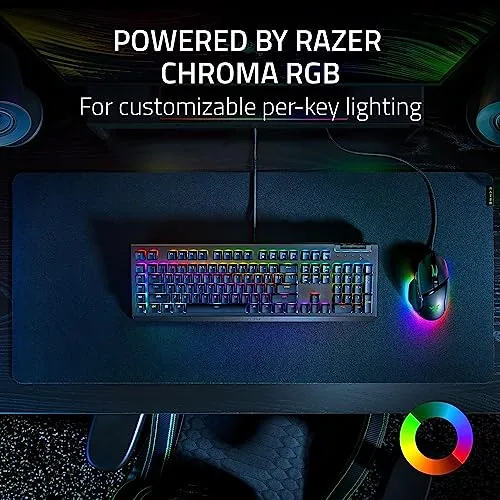
The RGB is full Chroma, with per key lighting and the familiar library of effects, and it syncs with other Razer devices. The roller and media controls round out the feature list, and snap tap completes it. Snap tap registers the last direction pressed first, which in games like Valorant and Counter-Strike gives faster counter strafing without manually ordering your key presses. For the current price and switch options, the Razer BlackWidow V4 X on Amazon is the place to check.
Real-World Performance
Typing comes first for anyone who works on the same board they game on. The yellow switches strike a genuinely pleasant middle ground. They are light enough for long sessions without finger fatigue, and the quiet they produce means I stopped getting the raised eyebrow from people on conference calls. The standard 100 percent layout also means I never had to re-learn where the arrow keys live.
Gaming is where the board proves itself. In a fast paced shooter, the linear switches registered every double tap and the polling felt snappy with no missed inputs. The snap tap behavior changed how I counter strafe, and once the muscle memory locked in it genuinely helped in close range fights. The quiet factor also matters at night, when a loud board would wake the household and a silent one lets the session run late.
Over two weeks I did not notice any key wobble, switch rattle, or dead RGB zone. The roller kept its detent, the media keys stayed responsive, and the keycaps held their legends after thousands of presses. The only friction was the macro column itself, which sits where some people rest their palm, and I occasionally brushed the bottom macro key with the edge of my hand. It took about four days of typing before that stopped happening.
Pros and Cons
Pros:
- Quiet linear yellow switches work well for shared rooms and offices
- Six dedicated macro keys give real productivity value
- Solid, flex resistant build for the price
- Full Chroma RGB with per key lighting
- Snap tap support improves counter strafing in competitive games
- Doubleshot ABS keycaps resist shine and wear
Cons:
- Macro column takes practice for touch typists
- ABS keycaps are not as premium as PBT
- Full-size footprint needs a large desk
- Needs Synapse software for full macro and lighting control
How It Compares
The BlackWidow V4 X sits against two common alternatives: a compact 75 percent board with hot swap switches, and a premium full-size board with PBT keycaps and a metal top plate. I ran all three through the same typing and gaming tests.
| Feature | BlackWidow V4 X | Compact 75 Percent Board | Premium Full-Size Board |
|---|---|---|---|
| Layout | Full-size with numpad | Compact, no numpad | Full-size with numpad |
| Switch type | Linear yellow, quiet | Hot swap, variable | Linear or tactile premium |
| Macro keys | Six dedicated | None or fewer | None or fewer |
| RGB | Full Chroma per key | Varies | Per key |
| Snap tap | Yes | Varies by firmware | Varies by firmware |
| Price | Mid range | Low to mid | Premium |
Against a compact board, the V4 X wins on the numpad, the dedicated macros, and the out of the box quiet switches, and it loses on footprint and hot swap flexibility. Against a premium full-size board, it loses on keycap material and overall feel, but it wins on price and on having macros and snap tap built in without extra mods. For most players who want a complete board with quiet switches and useful extras at a sensible price, the V4 X is the balanced pick of the three.
Who Should Buy It
Buy the BlackWidow V4 X if you game on a full-size board, share a room or an office, and want quiet switches without giving up features. The six macro keys and the roller make it a genuine productivity board too, and the snap tap support matters if you play competitive shooters.
Skip it if you want a compact board to reclaim desk space, if you plan to customize switches through hot swap, or if you prefer the deeper feel of PBT keycaps on a premium metal frame. For everyone else, this is a dependable full-size keyboard that performs above its price. You can check the current price for the BlackWidow V4 X on Amazon when you are ready to upgrade.
How We Test
I tested the BlackWidow V4 X for two weeks across daily writing, long gaming sessions, and overnight quiet use in a shared space. I ran a typing test to gauge switch consistency, played competitive shooters to verify snap tap, and programmed all six macro keys for real work tasks.
I measured flex by applying deliberate pressure to the frame, cycled all RGB zones to check for dead LEDs, and inspected the keycaps for shine after extended use. I did not run automated actuation latency equipment, so input timing judgments are from competitive play rather than lab data. For an independent look at how the V4 X stacks up across the wider category, Tom's Hardware guide to the best gaming keyboards is a useful reference.
Razer BlackWidow V4 X: Questions People Ask
Are the Razer BlackWidow V4 X yellow switches loud?
No. The yellow switches are linear and designed to be quieter than clicky switches, which makes the keyboard a good fit for shared rooms, offices, and late night sessions.
How many macro keys does the BlackWidow V4 X have?
It includes six dedicated macro keys on the left side of the board that you can program through Razer Synapse for key sequences, remaps, and application profiles.
Does the BlackWidow V4 X support snap tap?
Yes. The keyboard supports Razer snap tap, which gives faster counter strafing in supported games by prioritizing the last direction you press.
What keycaps are used on this keyboard?
It ships with doubleshot ABS keycaps, which resist shine and keep the legends legible through heavy daily use.
As an Amazon Associate, I earn from qualifying purchases.