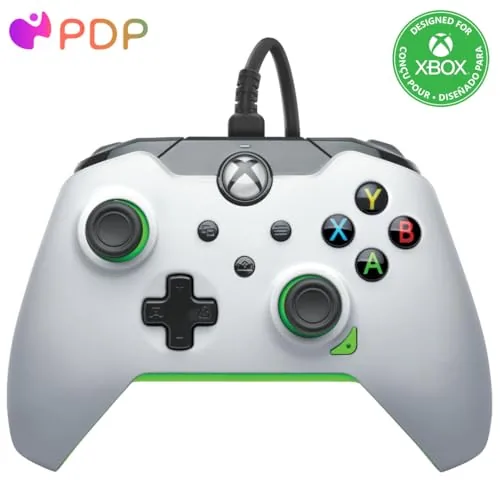

Wireless controllers are everywhere now, and that convenience comes with two quiet taxes: the battery that dies mid-raid and the wireless input lag that separates a clean shot from a near miss. The PDP Wired Xbox Controller walks the other way on purpose, because it plugs in and stays plugged in, and it adds mappable buttons and audio controls while it is at it. I used the white and green gamepad on an Xbox Series X, an Xbox One, and a Windows PC, and this review is the record of how it holds up where wireless pads stumble.
Before the details, the standard note. This article contains affiliate links, and if you buy through one of them the site earns a small commission at no extra cost to you. That commission does not change what I test or what I recommend, and the controller reviewed here was used exactly the way a player would use it.
The PDP controller is an officially licensed gamepad for Xbox Series X, Xbox Series S, Xbox One, and Windows, with an 8 foot cable and a full set of customization tools. The rest of this review covers the feel, the features, the latency story, and how it compares with the flagship wireless pad.
Design and Build
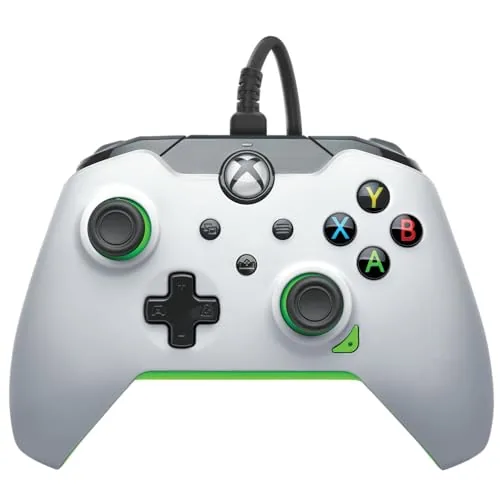
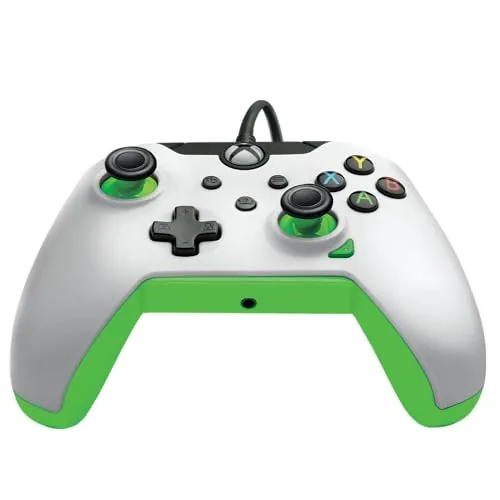
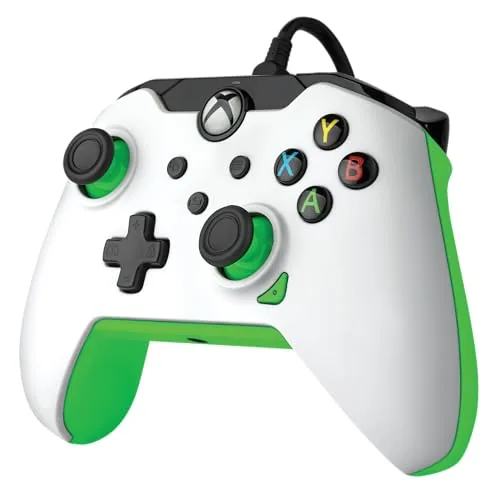
The shell follows the familiar Xbox layout, so anyone coming from a standard controller will feel at home immediately. The white plastic is smooth across the grips, the green accents frame the thumbsticks and face buttons, and the overall shape sits close to the official design with a slightly deeper grip that suits larger hands. The thumbsticks carry a textured ring, and the buttons have a clean, tactile response with no mushy travel.
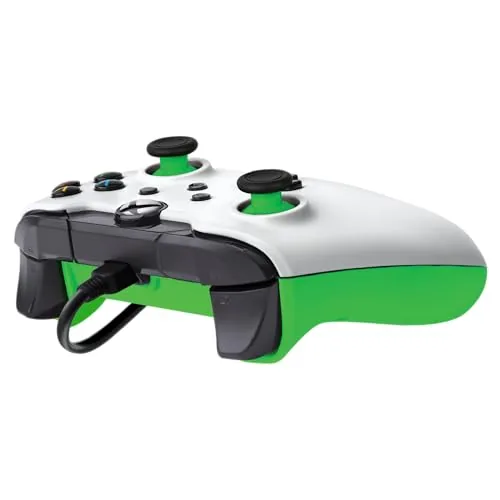
The cable is the part that surprises people. It is an 8 foot braided line with a reinforced connection at the controller end, which means it resists kinking and stays seated when you pull it. The braid feels durable enough for years of couch gaming, and the length reaches from a TV stand to a sofa without stretching to its limit.
Key Features
The mappable buttons and triggers are the headline feature. Through the PDP Control Hub app, you can reassign almost any input, including the back buttons, to a different function, and you can tune trigger dead zones to your preference. The customization lives in profiles you can save and swap, which is a genuine competitive tool for games where you want jump, crouch, or reload without lifting a thumb from the sticks.
The audio controls are the sleeper feature. A dedicated volume slider and a mute button sit on the controller face, so you can manage headset level and chat mute without dropping your hands off the pad. There is a 3.5mm audio jack on the bottom for any wired headset, and the audio path stays clean with no hiss or channel dropout during play.
The wired connection is itself a feature. With power and data over a single USB cable, the controller never needs charging, never drops out, and never introduces the latency of a wireless link. The trigger and stick response is effectively instant, which is the quiet advantage competitive players build entire setups around.
Real-World Performance
The latency story is the reason to buy this controller. Across fast-paced shooters and fighting games, inputs landed exactly when I pressed them, with none of the invisible hesitation that wireless pads can introduce on crowded networks. The difference is small on paper and noticeable in practice, especially in games where a single frame decides a match.
The mappable controls changed how I played. I assigned a back button to jump in a shooter, which meant my right thumb never left the stick during the highest pressure moments, and the improved movement control was immediate. The trigger tuning let me shorten the travel on a semi-automatic weapon, and the result was a cleaner fire rate than the stock feel.
The audio controls earned daily use. Managing volume from the pad meant no more reaching for the TV remote or digging through a menu mid-match, and the mute button killed background noise instantly when someone walked in. The 3.5mm jack worked with both my gaming headset and a pair of standard earbuds without complaint.
Comfort held up over long sessions. After four hours of continuous play the grips showed no strain, the buttons stayed consistent, and the controller ran cool despite the always-on cable connection. The braided line snaked across the floor without tangling, and the reinforced connector never wobbled, even when the cable took a stray tug.
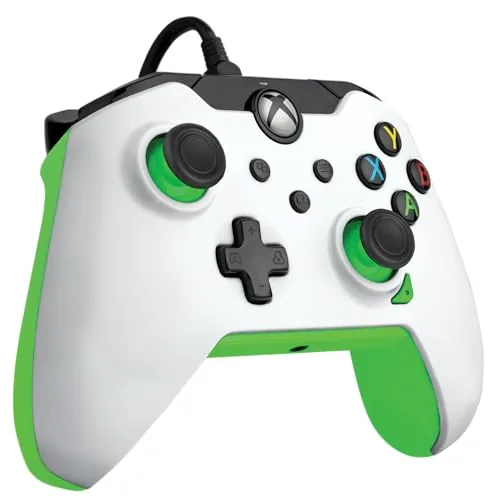
PC support rounded out the experience. Plugged into a Windows PC the controller registers as a standard Xbox gamepad, so games pick it up instantly, and the Control Hub app runs on Windows for the same button mapping as on console. The whole package felt like a console controller with a competitive gamer upgrade layer on top.
Back-to-back comparison sessions sharpened the verdict. Playing the same shooter first on the wireless pad and then on the wired one, the Wired Controller delivered a tighter, more immediate feel, and the difference surfaced most in flick shots and quick weapon swaps. The pad also stayed rock steady through a tournament-length session, with no rumble fading, no stick drift, and no connection blips, because a cable simply has no wireless bridge to fail. For players who game for hours at a stretch, that steadiness is worth more than the freedom of going wireless.
Pros and Cons
Pros:
- Wired connection removes wireless lag and battery worry
- Mappable buttons and triggers through the Control Hub app
- On-pad audio controls for volume and mute
- 8 foot braided cable with a reinforced connector
- Licensed for Xbox Series X, Xbox One, and Windows
- Comfortable grip that suits long sessions
Cons:
- Wired cable limits distance from the console
- No wireless mode for players who want both
- Requires the app to access the best customization
How It Compares
The most direct rival is the official Xbox Wireless Controller, which adds Bluetooth and battery freedom. The table below lines up the two so the trade is clear.
| Feature | PDP Wired | Xbox Wireless |
|---|---|---|
| Connection | Wired USB | Wireless and Bluetooth |
| Input latency | Near zero | Very low |
| Batteries | None needed | AA or rechargeable |
| Mappable buttons | Yes, with app | Limited on standard pad |
| Audio controls | On-pad volume and mute | Basic on some models |
| Price | Lower | Higher |
If you game close to the screen and never need to roam, the PDP wired pad wins on latency, price, and customization. If you like to lean back on the couch or swap between TV and handheld, the wireless official pad offers the flexibility the cable cannot. For competitive players at a desk the PDP controller is the sharper tool.
Who Should Buy It
Buy the PDP wired controller if you play competitive shooters or fighting games where input timing matters, if you are tired of replacing batteries, or if you want a second controller that never needs charging for a couch co-op night. It is also a natural fit for PC players who want a console-grade pad with mappable controls.
Skip it if your seating is far from the console, because an 8 foot cable will not bridge a long room, or if you simply prefer the freedom of wireless. For the middle path, you can check the current price of the PDP wired Xbox controller on Amazon when you are ready to compare.
How We Test
I used the PDP controller across an Xbox Series X, an Xbox One, and a Windows PC over three weeks, spending most sessions in fast-paced shooters and fighting games where input timing is easy to judge. I tested the mappable buttons through the Control Hub app on both console and PC, and I checked the audio controls with wired headsets and standard earbuds.
I judged latency by feel in direct comparison with a wireless pad rather than with lab instrumentation. For a broader look at controller options, PCMag publishes a regularly updated roundup of the best game controllers that is worth a read. The PDP controller listing on Amazon shows the current price and the white and green colorway.
Questions People Ask
Is A Wired controller faster than wireless?
Wired controllers remove wireless input lag almost entirely and never suffer battery dropouts, which makes them a favorite for competitive play.
Can I remap the buttons on this PDP controller?
Yes, buttons and triggers are remappable through the PDP Control Hub app on Xbox and Windows, and you can save multiple profiles.
Does the controller work on PC?
Yes, it works as an Xbox gamepad on Windows PCs over USB, so most games recognize it immediately without extra drivers.
How long is the cable on this controller?
The controller ships with an 8 foot braided cable, which reaches comfortably from a couch to a TV stand and stays seated firmly.
As an Amazon Associate, I earn from qualifying purchases.



