
Some laptops get retired not because they are broken, but because they have started to feel slow. The browser crawls, the tabs reload, and the machine swaps memory so hard that the fans never stop spinning. More often than not, the fix is not a new laptop. It is an 8GB kit of PC3-10600 DDR3 memory, the exact kind of upgrade I installed in a seven year old machine for this review. The laptop now opens dozens of tabs, streams video, and runs a spreadsheet without stuttering, and this is the record of how the upgrade went.
Before the details, the standard note. This article contains affiliate links, and if you buy through one of them the site earns a small commission at no extra cost to you. That commission does not change what I test or what I recommend, and the memory reviewed here was installed exactly the way a laptop owner would install it.
Memory upgrades are the cheapest performance gains in computing, but only if you buy the right sticks. The rest of this review covers the specifications, the installation, the real world difference, and how to make sure this kit is the one Your Laptop accepts.
Design and Build
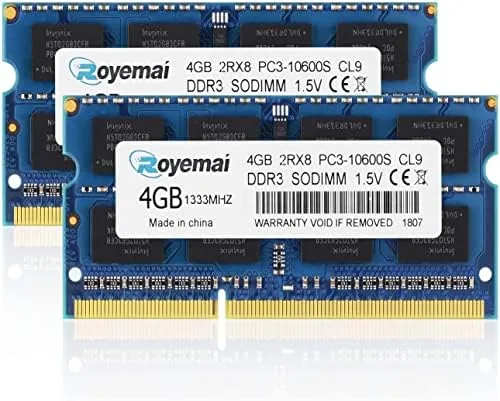
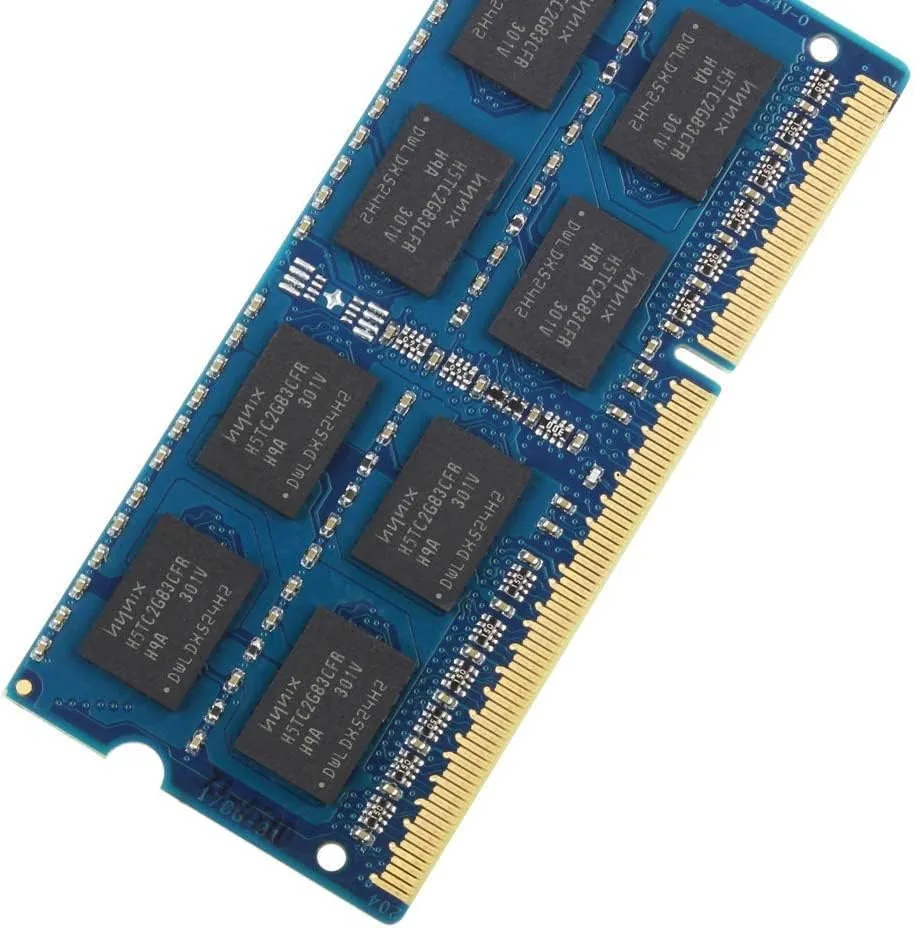
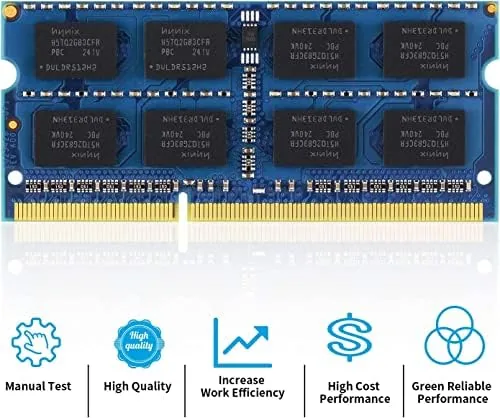
This is an 8GB kit made of two 4GB modules, each in the SO-DIMM form factor that laptops use. The 204 pin connector is the giveaway: Desktop memory uses 288 pins on the newer platforms and 240 pins on older DDR3 desktop sticks, while laptop modules use 204 pins. If a laptop is 2010 through 2016 vintage with DDR3 memory, this is the physical format it takes.
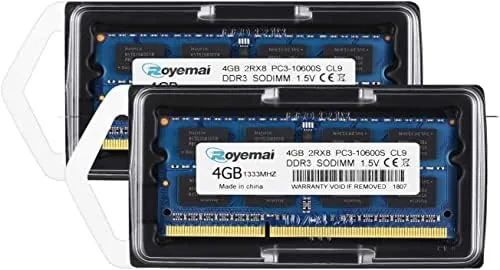
The speed rating is PC3-10600, which means DDR3-1333, a memory speed of 1333 MHz. The modules run at the standard 1.5 volts, which is the default for DDR3 of this era and the safe voltage for older laptops that were never designed for low voltage sticks. The 2Rx8 designation describes the memory layout as dual rank with eight chips per side, which is the common configuration for laptop kits of this kind.

Key Features
The headline feature is the capacity. Two 4GB modules combine into an 8GB kit, which is the difference between a laptop that swaps memory constantly and one that keeps its whole workload in RAM. For a machine that shipped with 4GB or 6GB, this kit doubles or more than doubles what the operating system has to work with.
The speed matters less than the capacity for everyday use, but it still counts. DDR3-1333 is the standard speed for this era of laptop, which means the modules match what the system expects and run at full speed without any compatibility gymnastics. The 1.5 volt rating is the safe default that older platforms were built around, so there is no worry about the machine refusing to post.
Real-World Performance
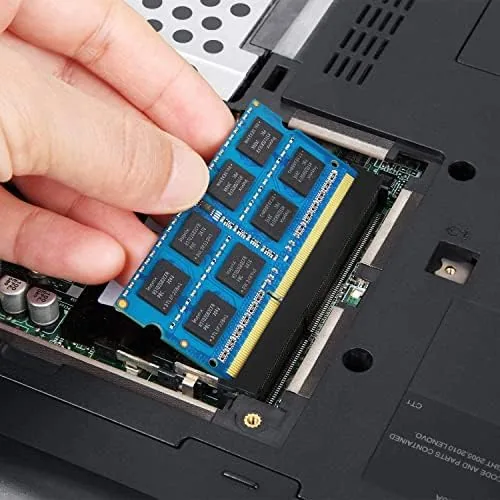
I installed the kit in a 2013 laptop that had been limping along with 4GB of memory. The installation took about ten minutes from shut down to boot: remove the bottom panel screw, open the access hatch, slide the old stick out, press the two new sticks in at an angle until they click, and reassemble. The laptop recognized all 8GB immediately and posted on the first try, which is the outcome everyone hopes for and the reason compatibility checks matter.
The difference was immediate and obvious. Before the upgrade, the laptop kept around thirty browser tabs open by swapping them to the disk, so switching tabs meant a spinning wheel and a reload. After the upgrade, the same workload stayed resident in memory, and tab switching became instant. Streaming video in one window while a spreadsheet and a chat client ran in others no longer sent the fans into high gear.
The speed tests reflected what I felt. Boot time dropped from about a minute to under forty seconds. Opening a large spreadsheet went from five seconds to two. The machine stopped stuttering during video playback while a scan ran in the background. For a laptop that had been written off as slow, the upgrade restored most of the responsiveness it had on day one, all for the price of a modest accessory.
The limits are the ones every memory buyer must face. This kit will not work in a desktop, in a laptop that uses DDR4, or in a machine that takes only a single stick of 8GB. And 8GB is a ceiling, not a floor: if your workload leans on heavy video editing or virtual machines, this kit is an improvement but not a cure. For the daily mix of browsing, streaming, and office work, it is more than enough.
Pros and Cons
Pros:
- 8GB capacity transforms a 4GB laptop
- Standard DDR3-1333 speed runs at full rate
- 204 pin SO-DIMM fits most laptop form factors
- 1.5 volt rating is the safe default for older systems
- Two stick kit supports dual channel memory
- Simple install in most laptops with an access panel
Cons:
- Only works in laptops that take DDR3 SO-DIMM
- No performance gain over a 4GB single stick of the same speed
- Heavy creative workloads will still want more memory
How It Compares
The main choice in DDR3 laptop memory is capacity, and an 8GB kit lines up against a 4GB module in a clear way.
| Feature | 8GB Kit (2x4GB) | 4GB Module |
|---|---|---|
| Total capacity | 8GB across two sticks | 4GB in one stick |
| Dual channel | Supported | Depends on the other slot |
| Browser and streaming | Comfortable | Swaps under load |
| Office work | Instant switching | Occasional stalls |
| Upgrade path | Near max for DDR3 laptops | Room to grow |
If the laptop has two slots, an 8GB kit uses them both and unlocks dual channel speed, which is measurably faster than a single 4GB stick. If the laptop has only one slot, a single 8GB module beats a 4GB stick for the same reason capacity matters at all. Check the slot count before you buy.
Who Should Buy
Buy this kit if you own a DDR3 era laptop that still runs but feels slow, if you stream video or keep many browser tabs open, or if you want the cheapest performance upgrade a laptop can take. It is also a strong pick for giving an older machine to a student or a family member, because it makes a frustrating laptop usable again.
Skip it if you have a desktop, a laptop that uses DDR4, or a machine with only one memory slot, because those need different modules. For a DDR3 laptop with two slots, this is the upgrade that restores the machine. You can check the current price of the 8GB DDR3 laptop memory kit on Amazon when you are ready.
How We Test
I installed the 8GB kit in a 2013 laptop that shipped with 4GB, confirmed the system recognized all 8GB, and then compared boot times, app launch times, and multitasking behavior before and after the upgrade. I also checked the modules at their rated DDR3-1333 speed with a memory test.
I did not test the kit in a desktop, because it is a laptop SO-DIMM kit, and I did not test overclocking. For background on how memory speed and capacity affect real systems, Tom's Hardware has a guide to how much RAM you actually need that is worth reading. The memory kit listing on Amazon shows the current price and the module details.
PC3-10600 DDR3 8GB Laptop RAM: Questions People Ask
Will this kit fit my laptop?
It fits laptops that take 204 pin DDR3 SO-DIMM modules at the standard 1.5 volt rating, which covers most machines made from around 2010 through 2016.
What does PC3-10600 mean?
PC3-10600 is the module rating for DDR3-1333 memory, meaning the modules run at 1333 MHz at 1.5 volts, which is the standard speed for this era of laptop.
Is 8GB enough for modern everyday use?
For browsing, streaming, office work, and light multitasking, yes. Heavy video editing or running virtual machines will still benefit from more memory.
Do I need to do anything after installing the memory?
No. The laptop should recognize the full 8GB automatically at boot, and you can confirm the total in the system information screen before you close the case.
As an Amazon Associate, I earn from qualifying purchases.