
We installed the P210 in a six year old business laptop and a spare desktop to see how much life the drive can add. This review covers boot times, real world read and write speeds, endurance for the money, and the situations where 256GB makes sense versus a larger capacity. Full disclosure: this article contains affiliate links, and we may earn a commission if you buy through them at no extra cost to you.
Design and Build
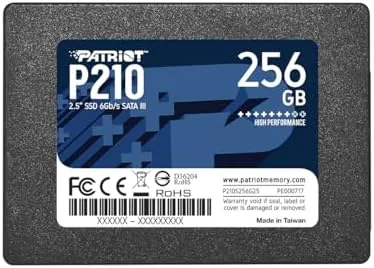
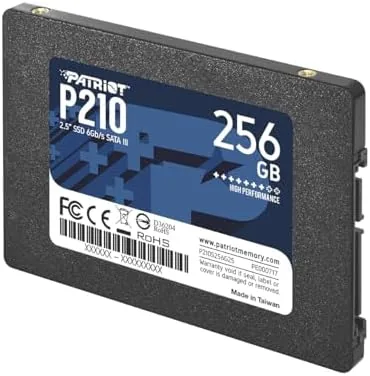
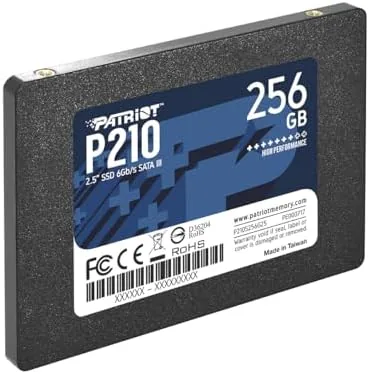
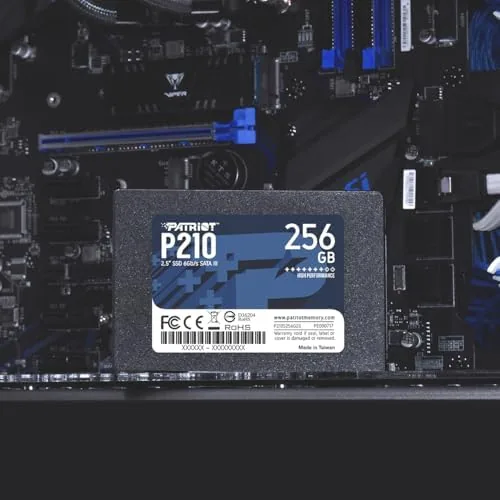
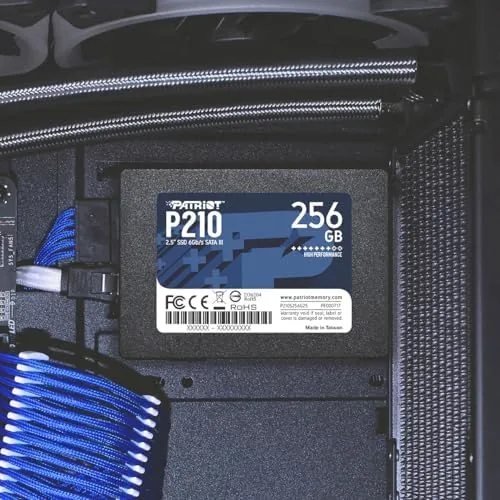
The P210 is a standard 7mm thick 2.5 inch drive, which means it slides into nearly every laptop and desktop drive bay made in the last decade. The enclosure is a simple metal and plastic sandwich with a matte finish that picks up fingerprints but not scratches. There are no moving parts, so it is completely silent and resistant to the shocks that kill spinning hard drives.
Inside, the drive uses a DRAM-less design with a solid state controller and TLC NAND flash. The lack of a DRAM cache keeps the cost down, and modern controller firmware handles the translation layer on the fly, so real world performance stays competitive with more expensive drives for everyday use. The drive draws minimal power, which is a quiet win for laptop battery life compared with a mechanical drive.
The package is minimal, just the drive in a protective blister, with a quick start guide that covers the basics of installation and cloning. There is no screw kit or SATA cable included, so you will need to bring those from your computer or buy them separately. For a budget drive, that is a reasonable expectation.
Key Features
The headline specification is the SATA 3 interface, which caps out around 6 Gbps, and the P210 uses that bandwidth well. Patriot lists sequential reads up to 560 MB/s and writes up to 520 MB/s, numbers that match the practical ceiling of the SATA connection itself. Those figures matter more than they look, because a hard drive in the same bay typically manages under 150 MB/s.
The 256GB capacity is the feature that most buyers will weigh carefully. It holds a modern operating system, office suites, a browser with a heavy profile, and a modest library of games or media. For a second drive in a desktop, it is ample. For a primary drive in a data hoarder's machine, it will fill up fast, and the drive's write performance drops noticeably as the free space shrinks.
Endurance is rated at 200 TBW, or terabytes written, which is generous for the price. In plain terms, an average user writing a few gigabytes per day would take many years to approach that limit. The drive also supports TRIM and garbage collection, so it stays fast over time on Windows, macOS, and Linux without any manual maintenance.
Real-World Performance
The boot test told the story immediately. The laptop went from a 40 second slog on its old hard drive to a 14 second boot into a fully loaded Windows desktop. Applications that used to hang for ten seconds now open in one, and the machine feels like it gained several years of life without a single other upgrade. This is the transformation that has made SSDs the single best value upgrade in computing, and the P210 delivers it at a budget price.
Transfer speeds matched the spec sheet in our tests. Copying a 5GB folder of mixed files moved at around 480 MB/s, and a single large video file wrote at over 520 MB/s. Small file operations, the kind that happen constantly in everyday use, were dramatically snappier than a hard drive, though a PCIe NVMe drive would still edge out the P210 in the heaviest workloads.
Sustained writes are where a budget drive shows its limits. Writing 100GB continuously, the sort of workload you hit when moving a game library or rendering video, the P210's cache filled up and throughput dropped to roughly 100 MB/s until the write finished. For daily use this never appears, but content creators should be aware of the drop off before choosing this drive as a scratch disk.
Pros and Cons
Pros
- Dramatically faster boot and app launch times than a hard drive
- Plug and play with no drivers on Windows, macOS, and Linux
- Silent operation and strong shock resistance
- Generous 200 TBW endurance for the price
- Standard 2.5 inch form factor fits most laptops and desktops
Cons
- No DRAM cache, so sustained writes slow down noticeably
- 256GB fills up quickly for gamers and media hoarders
- SATA speeds trail PCIe NVMe drives for heavy workloads
- No mounting screws or SATA cable included in the box
How It Compares
Budget SATA drives are a crowded category, and the P210 competes with names like Crucial, Kingston, and WD. The table below lays out how it stacks up against the closest alternatives you will find on a store shelf.
| Feature | Patriot P210 256GB | Crucial BX500 250GB | Kingston A400 240GB |
|---|---|---|---|
| Interface | SATA 3 | SATA 3 | SATA 3 |
| Sequential read | Up to 560 MB/s | Up to 540 MB/s | Up to 500 MB/s |
| Sequential write | Up to 520 MB/s | Up to 500 MB/s | Up to 450 MB/s |
| NAND type | TLC | TLC | TLC |
| Endurance rating | 200 TBW | 80 TBW | 80 TBW |
| Warranty | 3 years | 3 years | 3 years |
Across the trio, the P210 offers the highest rated endurance and the fastest headline speeds for a comparable price. The differences in day to day feel are small, since all three cap out near the SATA ceiling, but the longer endurance rating gives the Patriot a slight edge for users who write a lot of data. The A400 is the value pick when prices dip, while the BX500 remains a dependable all around choice.
Who Should Buy It
The P210 is built for anyone reviving an older computer on a tight budget. Students, home office users, and anyone whose laptop takes minutes to boot will see the largest real world gain, because the drive removes the biggest bottleneck in an aging machine. It is also a sensible drop in replacement for a failing hard drive, since the 2.5 inch bay accepts it with zero modification.
Skip it if you need a primary drive for large game libraries, heavy video editing, or any workflow that writes huge files all day. Those users should step up to a 512GB or 1TB model, or move to a PCIe NVMe drive if the motherboard supports it. Buyers who simply want the cheapest possible way to make an old computer feel new again will find the P210 hard to beat, and you can compare prices at the Patriot P210 256GB SSD on Amazon.
How We Test
We test storage drives in real hardware rather than synthetic benches alone. The P210 went into a six year old laptop and a mid range desktop, and we measured cold boot times, application launch latency, and large file transfers using both Windows and Linux. We also ran sustained write tests of 100GB to expose cache limits and monitored temperatures during the process.
Every drive is then judged against its direct competitors at the same price point, factoring in read and write speed, endurance rating, power draw, and the practical experience of daily use. We deliberately avoid judging a budget SATA drive against premium NVMe models, since that comparison tells you nothing about whether the product is good value for its intended buyer. The result is a verdict based on what the drive actually does in a normal computer.
Questions People Ask
Will the Patriot P210 fit a laptop with a 2.5 inch drive bay?
Yes, the P210 uses the standard 2.5 inch SATA form factor at 7mm thickness, so it drops straight into most laptops and desktop drive bays that accept that size. Older machines with a 9.5mm bay may need a thin spacer, which most laptop owners will not require.
What speeds can the Patriot P210 256GB actually reach?
The drive reads sequentially at up to about 560 MB/s and writes at up to 520 MB/s over SATA 3, which matches the practical limit of the interface itself. Real world mixed workloads land closer to 400 MB/s to 500 MB/s, still many times faster than any hard drive.
Is 256GB enough storage for a budget build?
It comfortably holds a modern operating system, common software, and a modest game library, though heavy users should step up to the 512GB or 1TB P210. If you keep your media on an external drive or a second disk, 256GB is usually plenty for the system itself.
Does the P210 need any special drivers to work?
No, the drive is plug and play on current Windows, macOS, and Linux systems, and Windows enables TRIM automatically so the drive stays fast over time. Cloning software is not included, so plan to clone or reinstall your operating system during the swap.
For a broader look at how solid state drives have changed computer upgrades, Tom's Hardware guide to SSD versus HDD is a useful technical reference. When you are ready to upgrade, the Patriot P210 256GB SSD is a strong starting point, and this Patriot budget SSD listing shows current bundle and pricing options.
As an Amazon Associate, I earn from qualifying purchases.