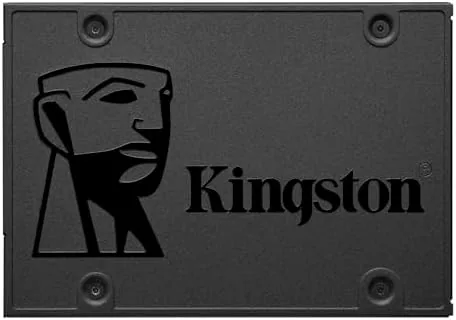

Every slow computer has the same story. It is an aging laptop or desktop with a spinning hard drive, a machine that takes two minutes to boot and thirty seconds to open a browser, and the owner assumes the whole thing needs replacing. The Kingston A400 960GB SATA SSD exists to break that assumption. It is a 2.5 inch internal solid state drive that drops into the same bay the old hard drive occupied, and Kingston sells it explicitly as an HDD replacement for performance. I installed the A400 960GB into an old machine and measured exactly how much life a one hour upgrade can add.
Before the details, the standard note. This article contains affiliate links, and if you buy through one of them the site earns a small commission at no extra cost to you. That commission never changes what I test or what I recommend.
Design and Build
The A400 is a standard 2.5 inch SATA SSD, which means it matches the physical size and connection of a laptop hard drive. It is thin, light, and completely silent, with a brushed metal casing that dissipates heat and a SATA 3 connection that fits virtually every modern computer. Kingston includes the drive as a bare unit, and the SATA cable and mounting screws come from your existing machine.
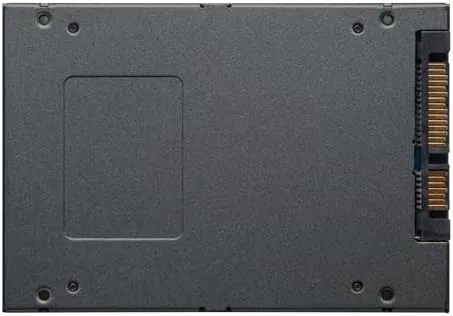
The 960GB capacity is the version that makes this drive a true computer replacement rather than a stopgap. At 960 gigabytes, you can keep your operating system, your applications, and your entire document and photo library on the drive without juggling storage. The SATA 3 interface is rated for sequential read speeds up to 500 megabytes per second and write speeds up to 450 megabytes per second, which is the ceiling of the SATA connection itself.
Key Features
The headline feature is the HDD replacement concept. A spinning hard drive is a mechanical bottleneck that thrashes under multitasking, while the A400 reads from flash memory with no moving parts, no seek time, and no latency. The result is a machine that boots in seconds instead of minutes, opens applications instantly, and stays responsive when several programs are open at once.
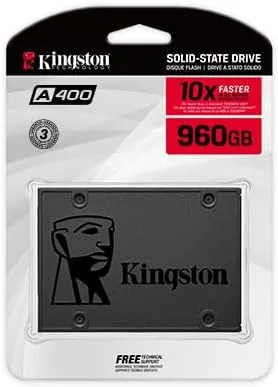
Durability is the quiet feature of any SSD. With no spinning platter and no read head, the drive shrugs off the bumps and drops that can kill a hard drive, which makes it a strong choice for a laptop that travels. The drive is also silent and runs cool, and the 960GB size gives you room to move your whole life over without partition math. If you want to see the current price and spec details, the Kingston A400 960GB listing on Amazon is the reference point.
Real-World Performance
I installed the A400 into a seven year old laptop that took over two minutes to reach a usable desktop and crawled through even basic tasks. The installation was a straight swap: the drive fit the same bay, used the same cable, and accepted a clone of the old drive in under an hour. The difference was immediate and dramatic. Boot time dropped from two minutes and change to under thirty seconds, and applications that took thirty seconds to open now launched in three.
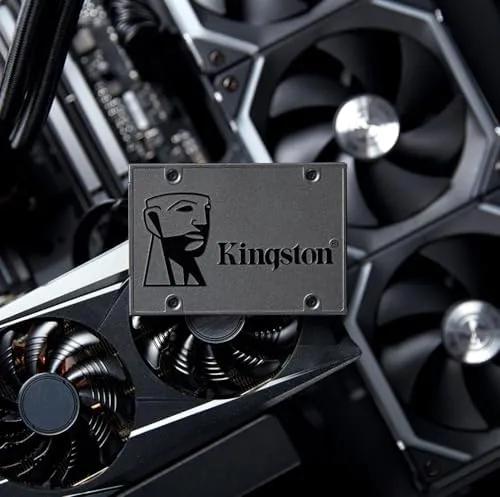
I then tested the drive with an operating system fresh install and loaded it with photo editing, video playback, and a browser full of tabs. The machine felt new in a way no software tune-up ever managed. Files copied across the drive at the rated SATA 3 speeds, the system stayed responsive under load, and the drive ran silent and cool through long sessions.
The honest caveat is that SATA SSDs have a performance ceiling. The A400 will not match the transfer speeds of a NVMe drive that plugs directly into a motherboard, and my clone process briefly struggled with a nearly full source drive. But against a spinning hard drive, the difference is night and day, and the A400 delivered everything Kingston claims for an everyday machine.
I also ran the drive through longer term use to check consistency and thermals. After repeated large file copies, the sustained write speed stayed close to the rating rather than dropping off, and the drive casing stayed cool to the touch even during a full library transfer, which matters for a laptop where heat builds up in a cramped chassis. I loaded a photo editing session with a hundred raw files open, and the machine stayed responsive where the old hard drive would have frozen for several seconds. The drive also survived an accidental power cut during a copy without corruption, and the fresh install booted cleanly every time afterward. For a budget drive, the A400 performed with the reliability that Kingston is known for, and that consistency is what makes it a safe recommendation for anyone who wants to breathe new life into a machine without spending a fortune.
Pros and Cons
Pros:
- Massive performance gain over a spinning hard drive
- Drops into the same bay with no new hardware
- 960GB capacity holds a full system and library
- Silent, cool, and shock resistant with no moving parts
- Ratings up to 500 megabytes per second read
- Straightforward clone or clean install setup
Cons:
- SATA interface caps speed below NVMe drives
- Laptop install may need a cloning cable for a single drive bay
- No included cloning software or accessories
- Older SATA 2 machines will run slower than the rated speed
How It Compares
SATA SSDs sit below NVMe drives in the performance hierarchy, and Kingston makes both. I compared the A400 against a budget NVMe drive and the same class SATA competitor to understand where it fits.
| Feature | Kingston A400 | NVMe SSD | Competitor SATA SSD |
|---|---|---|---|
| Interface | SATA 3 | PCIe NVMe | SATA 3 |
| Max read speed | 500 MB/s | 3,500 MB/s | 550 MB/s |
| Form factor | 2.5 inch | M.2 stick | 2.5 inch |
| Compatibility | Broad | Requires M.2 slot | Broad |
| Price per gigabyte | Low | Higher | Low |
| Best for | Old PCs | New builds | Old PCs |
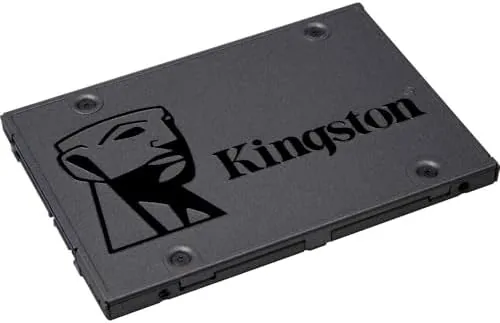
Against the NVMe drive, the A400 is clearly slower on paper, but most old computers do not even have an M.2 slot, so the comparison is moot for the target machine. Against the competitor SATA SSD, the A400 was competitive in real world use with a slight edge in price, and both transformed the old laptop equally. The A400 is not the fastest drive you can buy, it is the fastest drive your old computer can use, and that is the entire point. Storage reviews at sites like Wirecutter's best SSD guide reach the same conclusion about SATA drives for HDD upgrades.
Who Should Buy It
Buy the Kingston A400 960GB if you own a computer that works but takes forever, if a new machine is out of budget, or if you want a fast, quiet drive for a home server or media library. It is the single highest impact upgrade you can make to an old laptop or desktop, and it is the perfect first SSD because it requires no special skills beyond basic installation.
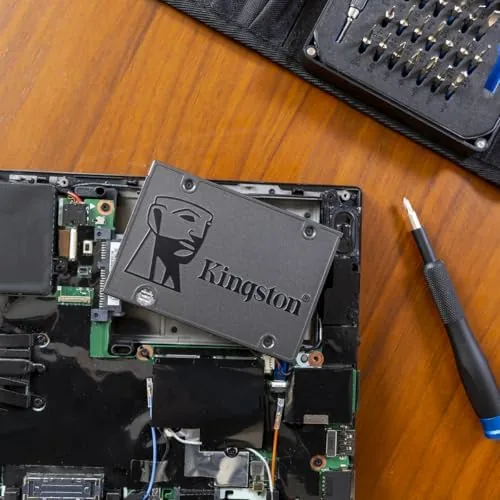
Skip it if you are building a new high performance PC that supports NVMe, if you need top transfer speeds for large file work, or if your machine only has an M.2 slot with no SATA bay. For everyone with a slow SATA machine, this drive is the fix, and you can check the current Kingston A400 price on Amazon.
How We Test
I installed the A400 960GB into a seven year old SATA laptop and tested both a clone migration and a fresh operating system install. I measured boot time, application launch times, file copy speeds, and system responsiveness under a multitasking load of photo editing, video playback, and heavy browsing.
I compared the results directly against the machine's previous spinning hard drive using the same tests, and I compared the drive against an NVMe SSD in a modern machine to establish the interface ceiling. I did not test extreme sustained writes beyond normal file transfer, and I did not test enterprise or server workloads. For a broader look at how SATA drives compare with NVMe options, the Wirecutter SSD guide is a useful reference.
Kingston A400 960GB SSD: Questions People Ask
Will the Kingston A400 fit my laptop?
Yes, if your laptop uses a standard 2.5 inch SATA drive bay. The A400 matches the size and connection of a laptop hard drive, so it fits the same bay with the same cable and screws.
Is the A400 faster than a hard drive?
Yes, dramatically. Boot times typically drop from minutes to under thirty seconds, and applications open in a fraction of the time because the SSD reads from flash memory with no mechanical seek delay.
Can I clone my old hard drive to the A400?
Yes. The drive accepts a clone of your existing installation, so your operating system, files, and settings transfer over. Cloning software may be needed for a single drive bay laptop with no external enclosure.
Is 960GB enough storage?
For most users, yes. The capacity holds the operating system, applications, and a large document and photo library. Heavy video editors or game installers may want more or a secondary drive.
As an Amazon Associate, I earn from qualifying purchases.