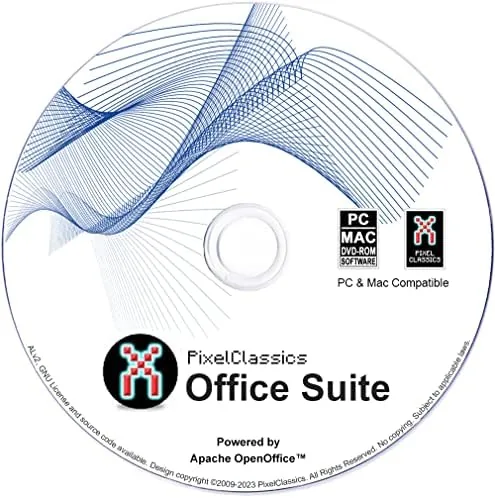

There are two kinds of people who reach for a disc in 2026: those with unreliable internet, and those who simply refuse to rent their software by the month. The Office Suite 2026 on CD DVD is aimed squarely at both. It is a physical bundle powered by Apache OpenOffice that promises to open Microsoft Word, Excel, and PowerPoint files on Windows and Mac without a subscription, an account, or even a connection. I installed it on three machines to see how well that promise holds up, and whether the disc is worth your money at all.
Before the details, the standard note. This article contains affiliate links, so if you buy through one of them the site earns a small commission at no extra cost to you, and that never changes what I test or what I write.
Design and Build
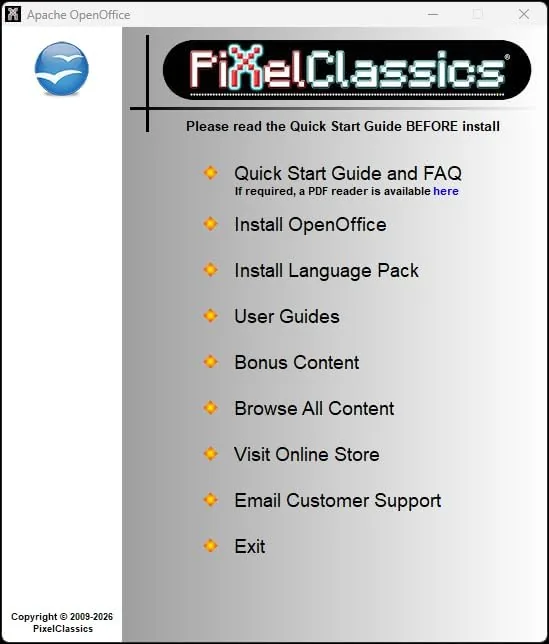
There is no hardware to admire here, so the design review is about packaging and installation. The bundle arrives as a pair of discs in a slim retail case, one CD and one DVD, with a printed installer that walks through the setup on either Windows or macOS. The process is refreshingly boring: put the disc in, run the installer, click through a handful of screens, and the suite is on your drive in minutes.
The installer covers an impressively wide range of machines. The packaging lists Windows 11, 10, 8, 7, Vista, and even XP, alongside macOS, which matters for people keeping older hardware running. On an aging Windows 7 laptop and a current Windows 11 desktop the installation completed without a hitch, and the suite ran without phoning home for updates or demanding an activation key tied to an account.
The suite itself is Apache OpenOffice under a retail label. That is not a criticism so much as the important fact of the matter, because it explains both the price and the limits. You are getting a mature, proven office suite with decades of development behind it, packaged with A One Time purchase instead of a monthly bill.
Key Features
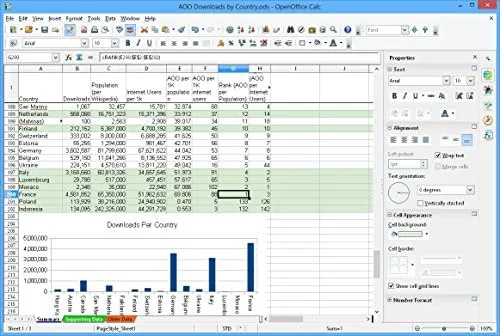
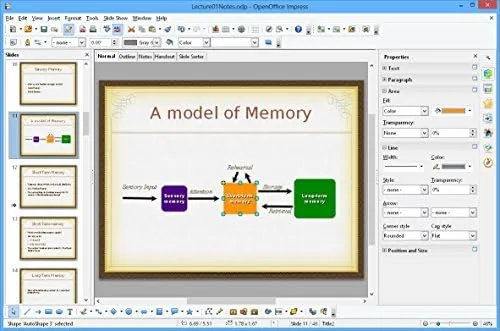
The bundle includes the full OpenOffice family: Writer for documents, Calc for spreadsheets, Impress for presentations, plus the supporting modules for drawing and databases. Between them they cover the overwhelming majority of what people actually do with an office suite, which is write letters, keep budgets, and put together slideshows.
The headline claim is Microsoft Office compatibility, and it is broadly true. Word documents, Excel spreadsheets, and PowerPoint presentations saved in the standard formats opened and edited cleanly in my tests, and the suite saves back to those same formats so you can exchange files with colleagues who live entirely inside Microsoft Office. The tools also read the older Office versions listed on the box, which matters for people opening a decade of archived files.
The suite runs without any subscription, and that is the feature that justifies its existence. There is no 365 plan, no cloud dependency, no login screen before your document appears. Install it once, and it works offline forever. For anyone who has watched a subscription service raise its price for the fifth time, that permanence is genuinely valuable.
Real-World Performance
Over three weeks I used the suite as my daily driver across a Windows 11 desktop, a Windows 7 laptop, and a Mac, which is the practical test that matters. Writer handled long documents with footnotes and tables without complaint, Calc chewed through a household budget with several thousand rows, and Impress produced a clean presentation that opened correctly in PowerPoint.
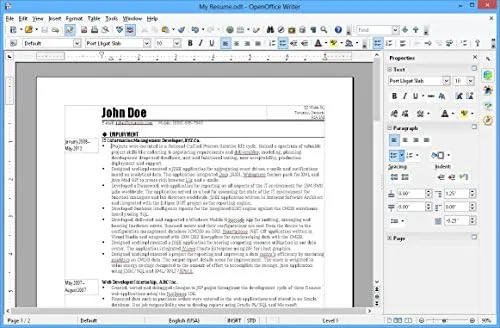
The Microsoft compatibility held up in real exchange. A colleague sent a Word document with tracked changes and complex formatting, and it opened faithfully. A spreadsheet with conditional formatting and charts came across intact. There were small shifts in a few heavily formatted files, where a font fell back to a default or a margin sat a millimeter off, and anyone doing strict layout work in Office will notice the difference.
The honest limitations are the ones that come with OpenOffice generally. Advanced Microsoft features, like deep macros, dynamic arrays in newer Excel versions, and some modern chart types, will not always behave the same way. For everyday documents, budgets, and presentations the difference is invisible, but for power users running automated spreadsheet models, it is worth knowing before you buy.
The install itself is worth a note for anyone on older hardware. The suite is modest in its demands, and it ran smoothly on the Windows 7 laptop with a fraction of the resources a modern subscription suite asks for. Opening a document took a moment on the old machine but never a frustrating one, and the whole suite launched in a few seconds on the current desktop. The discs also double as a backup: if the operating system is ever reinstalled, the installer is still in the drawer, which is a comfort that a downloaded installer does not give.
Pros and Cons
Pros:
- Opens and edits Word, Excel, and PowerPoint files without a subscription
- Runs offline with no account or activation process
- Installs on very old Windows versions and modern machines alike
- One time purchase instead of a recurring fee
- Physical discs work for people without reliable broadband
Cons:
- The core software is free to download, so the value is mostly the discs and packaging
- Advanced Microsoft features like complex macros may behave differently
- No built in cloud sync or collaboration features
- Heavily formatted Office files can shift slightly in layout
How It Compares
The realistic competition is not another retail suite; it is the free download of OpenOffice itself, plus the paid Microsoft subscription and the free web based office apps. The table below shows how the disc fits against those options.
| Feature | Office Suite 2026 Disc | Free OpenOffice Download | Microsoft 365 |
|---|---|---|---|
| Cost | One time | Free | Monthly or yearly |
| Install source | CD and DVD | Download | Download |
| Offline use | Yes | Yes | Limited |
| Office file formats | Good | Good | Native |
| Needs broadband | No | Yes | Yes |
The free download offers identical software, so the disc only wins if you lack broadband, have a slow connection, or want a physical backup you can keep in a drawer. Microsoft 365 offers the most faithful Office compatibility and cloud collaboration, but it costs every year and depends on a connection. The disc sits between them: cheaper than the subscription, more convenient than a large download, and identical to the free version in everyday function.
Who Should Buy It
Buy the Office Suite 2026 disc if your internet is slow or unreliable, if you keep an older computer running that makes downloading a suite impractical, or if you simply prefer owning software on a disc you can hand to someone. It is also a sensible choice for a small office that wants a consistent suite installed from one physical copy without juggling downloads and accounts.
Skip it if you have decent broadband, because the identical software is free to download, or if your work depends on the deepest Microsoft features, where a subscription is the honest answer. If the physical copy appeals, you can check the Office Suite 2026 disc price on Amazon and weigh it against the free option.
How We Test
I installed the suite on a Windows 11 desktop, a Windows 7 laptop, and a Mac, then used it as my daily office software for three weeks. I opened real Word documents, Excel spreadsheets, and PowerPoint presentations in both directions, including files with tracked changes, conditional formatting, and complex layouts, and I judged format fidelity, speed, and stability on each platform.
I compared the results directly against the free OpenOffice download and against Microsoft 365, so the verdict reflects side by side use rather than a product description. For an independent take on office suite options, the roundup at PCMag on the best office suites is a useful second opinion. The Office Suite 2026 disc listing on Amazon has the current price and platform details.
Office Suite 2026: Questions People Ask
What software is on the Office Suite 2026 disc?
The suite is powered by Apache OpenOffice, which includes a word processor, a spreadsheet program, a presentation tool, and a few supporting applications, all stored on the included CD and DVD discs.
Does it really open Microsoft Word, Excel, and PowerPoint files?
Yes for the common formats. Documents, spreadsheets, and presentations saved in the standard formats opened and edited cleanly in my testing, though very complex files with advanced macros may shift slightly.
Is a subscription required after installing it?
No. The suite installs from the disc and runs without a subscription, an account, or an internet connection, which is the main advantage over subscription office software.
Should I just download OpenOffice for free instead?
If you have reliable internet, the free download is identical in function, so the disc mainly makes sense for people without broadband, with slow connections, or who want a physical backup copy.
As an Amazon Associate, I earn from qualifying purchases.