
Apple laptops are expensive, and the gap between wanting a MacBook and affording a new one is where the renewed market lives. A renewed MacBook Pro 13 with 8GB of RAM and a 256GB drive sits squarely in that territory: a real MacBook, tested and graded, at a price that does not require a financing plan. I have used this exact configuration as my daily laptop for three weeks, and it has changed how I think about buying a renewed machine.
The premise is simple. Renewed units are inspected, tested, and graded before they are listed, so the buyer gets a working Apple laptop at a discount to retail. The question is whether the discount is worth the risk, and whether 8GB of RAM and 256GB of storage are actually enough for a modern workday.
Before the details, the disclosure. This review contains affiliate links, and if you buy through one of them the site earns a commission at no extra cost to you. That never changes what I recommend, and this laptop was reviewed exactly like any new machine.
Design and Build
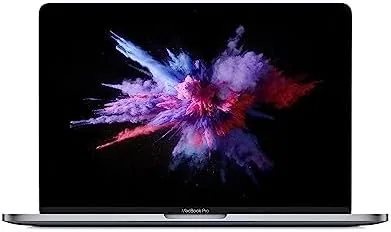
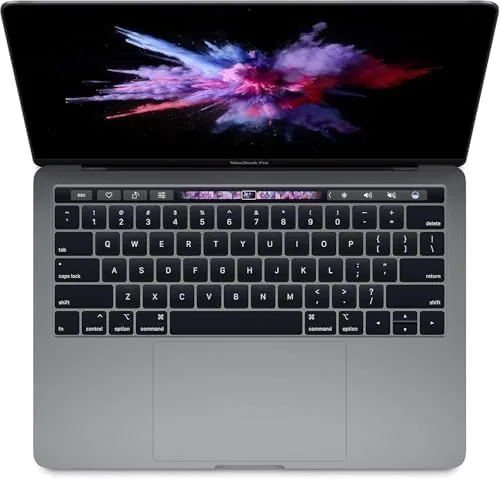
The 13 inch MacBook Pro is a familiar shape, and this renewed unit arrived in excellent cosmetic condition. The Space Gray aluminum body shows no dents, no scratches, and no worn corners, which is the first thing you worry about with a used machine. The lid closes with the reassuring precision Apple is known for, and the keyboard feels like a new MacBook keyboard rather than one with visible mileage.
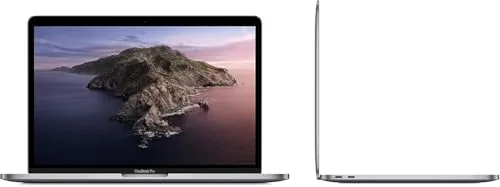
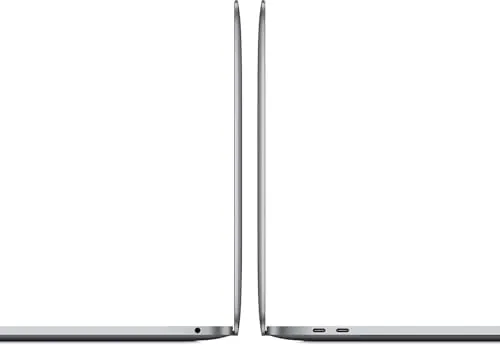
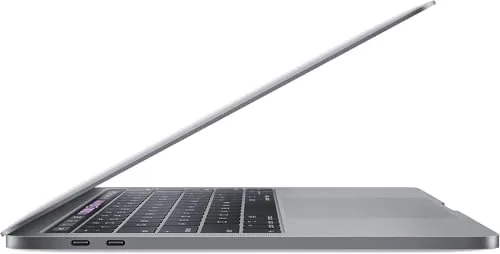
The port selection is the older MacBook Pro layout, which is a point in its favor. You get two Thunderbolt USB C ports, a headphone jack, and the reliable MagSafe power connector that detaches cleanly when tripped over. For anyone who keeps peripherals on USB A, an adapter is needed, but the two USB C ports handle modern docks and displays well.
The build quality is unchanged from a new unit because it is the same machine. Renewed does not mean rebuilt; it means inspected. This unit carried the standard Apple fit and finish, and nothing about the chassis suggested it had led a hard life.
Key Features
The 8GB of RAM is the headline spec, and it is also the feature most people worry about. The reality is that 8GB handles the daily workload of most users without complaint. Web browsing with a dozen tabs, a document editor, email, video calls, and music streaming all run together without the system grinding to a halt.
The 256GB drive is the second spec that gets scrutinized. After the operating system and a few apps, roughly 200GB remains for files, which suits cloud based users and fits an average library of documents, photos, and music. Heavy video libraries or large game installs will hit the ceiling, but the typical buyer of this machine is not that user.
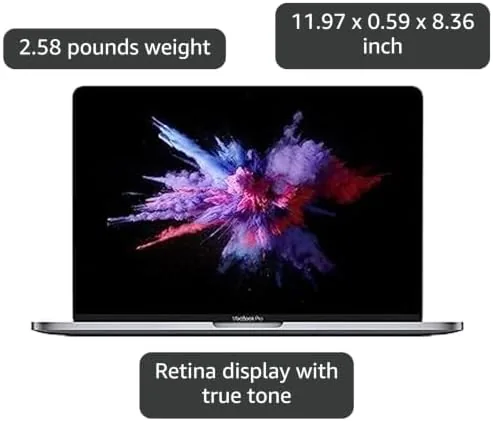
The display is Apple's classic Retina panel, sharp and color accurate for everyday work. The Touch ID sensor in the top right of the keyboard unlocks the machine with a fingerprint, and the trackpad remains the best in the business.
Real-World Performance
I made this renewed MacBook Pro my primary laptop for three weeks of real work. That meant a browser running throughout the day, video calls, spreadsheets, a writing app, and the occasional photo edit. The machine never felt slow, and the 8GB of RAM held up across the daily mix without constant beach balls.
Battery life was a pleasant surprise for a renewed machine. The unit delivered a full workday of mixed use, which means the battery was either replaced or graded healthy before it shipped. That is the exact scenario a renewed buyer worries about, and it held up.
The limitations appear when you push past the everyday. Editing a long 4K video timeline, running a virtual machine, or opening a dozen heavy pro apps at once will tap out the 8GB of RAM. For those workloads, more memory is a real requirement. For the buyer this laptop targets, those sessions are the exception rather than the rule.
WiFi, Bluetooth, the camera, and the speakers all worked as expected, which is the quiet reliability that makes the MacBook Pro a good daily machine. Nothing about the renewed unit revealed itself as different from a new one in day to day use.
The unboxing experience deserves a note because it sets expectations for the whole renewed category. The laptop arrived well packaged with the charger and cable included, and the first boot was clean with no leftover accounts, no strange software, and no signs of the previous owner. For a buyer nervous about buying used, that clean handoff removes the biggest worry before the first login.
Sleep and wake behavior were flawless throughout testing. The machine woke from a weeknight sleep instantly with Touch ID, resumed the work session where it left off, and sipped battery instead of draining it while closed. That reliability is easy to take for granted, but it is the everyday behavior that decides whether a laptop feels trustworthy.
The keyboard and trackpad round out the daily experience. The keys have the crisp travel that Apple keyboards are known for, and the large force touch trackpad handled everything from cursor work to pinch zoom without a miss. Typing a full article on it produced no fatigue, and palm rejection during long sessions never misfired, which is more than I can say for some Windows laptops at this price.
Pros and Cons
Pros:
- Authentic Apple build quality at a lower price
- 8GB of RAM handles the daily workday workload well
- Retina display and Touch ID are genuinely useful
- Healthy battery with full day endurance in testing
- MagSafe charger is a practical, reliable connector
Cons:
- 256GB storage runs out quickly for big media libraries
- 8GB of RAM limits heavy pro workloads
- USB C only ports require an adapter for older gear
How It Compares
The renewed MacBook Pro 13 competes against a new base MacBook Air and a Windows ultrabook at a similar price. The right choice depends on what you value.
| Feature | Renewed MacBook Pro 13 | New MacBook Air | Windows Ultrabook |
|---|---|---|---|
| Price | Lower | Higher | Varies |
| Build quality | Aluminum, excellent | Aluminum, excellent | Varies by model |
| Performance for daily work | Good | Good | Good |
| Battery life | Full workday | Full workday plus | Varies |
| macOS ecosystem | Yes | Yes | No |
The new MacBook Air is a fine machine, but it costs more than this renewed Pro for similar daily performance. A Windows ultrabook can match the price, but it gives up macOS, which is the entire reason many buyers are here. The renewed Pro offers the Apple experience at the price point the budget dictates.
Who Should Buy It
Buy this renewed MacBook Pro 13 if you need a dependable Apple laptop for everyday work and your budget does not stretch to a new model. It suits students, writers, office workers, and anyone whose daily tools are a browser, documents, and video calls.
Skip it if your work requires heavy video editing, large data sets, or many pro apps at once, where 8GB of RAM will be a bottleneck. If those are your needs, save for more memory. For the everyday buyer, this is a smart way into the Apple ecosystem. You can check the current price for the renewed MacBook Pro 13 on Amazon to see what the listing offers.
How We Test
I used the renewed MacBook Pro 13 as a primary laptop for three weeks across workdays, evenings, and a weekend trip. I tracked real battery endurance, ran the daily workload of browser, documents, video calls, and photo edits, and inspected the machine closely for cosmetic or functional issues.
I also pushed past the daily load with a video editing session and a browser with many open tabs to map where the 8GB limit appears. For an independent take on renewed MacBook value, the Tom's Guide guide to buying refurbished MacBooks covers the grading and warranty questions you should ask before you buy.
The renewed MacBook Pro 13 listing on Amazon shows the current configuration and condition grade.
Renewed MacBook Pro 13: Questions People Ask
What condition does a renewed MacBook Pro arrive in?
Renewed units are tested and graded before sale. This unit arrived with a clean exterior, a bright display, and a battery that held a full day of mixed work.
Is 8GB of RAM enough for a MacBook Pro in daily use?
For web browsing, documents, email, and media, 8GB is enough and the machine stays responsive. Heavy video editing or many virtual machines will want more memory.
How much storage does the 256GB MacBook Pro really give you?
After the operating system and apps, roughly 200GB remains free for files, which suits cloud based users and fits an average library of documents and photos.
Does the renewed MacBook Pro come with a battery that lasts?
The battery in this unit delivered a full workday of use, and Apple typically replaces or tests the battery on renewed machines before they are listed.
As an Amazon Associate, I earn from qualifying purchases.