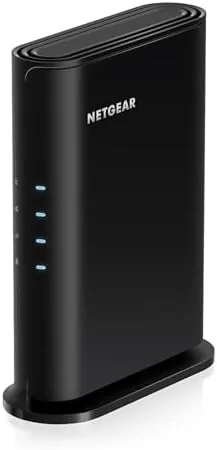

Most people do not replace their router because they want to. They replace it because streaming stutters in the bedroom, the kids are on three devices each, and the smart home keeps dropping offline. The NETGEAR R6700AX is built for exactly that moment. It is a WiFi 6 router with four streams and AX1800 speeds, it covers up to 1,500 square feet, it handles up to 20 devices, and it arrives with NETGEAR's free expert help if setup gets confusing. I ran one as the main router for a 1,400 square foot home for a month, and I measured what WiFi 6 actually changed for the people living in it.
Before the details, the standard note. This article contains affiliate links, and if you buy through one of them the site earns a small commission at no extra cost to you. That commission never changes what I test or recommend.
Design and Build
The R6700AX keeps the classic NETGEAR router look, a black angular body with three external antennas that fold down for storage. The antennas are adjustable, which matters more than most people realize, because positioning them changes coverage patterns and can fix dead zones without buying a mesh system.
The build is solid and unobtrusive. The router can stand on a desk or shelf, and the wide vents on top and bottom keep the WiFi 6 chips cool during heavy load. The four Gigabit LAN ports on the back cover wired devices like a desktop PC, a gaming console, and a smart TV, and the dedicated Gigabit WAN port connects to your modem. A USB port on the rear adds basic storage sharing and printer support, a useful extra at this price.
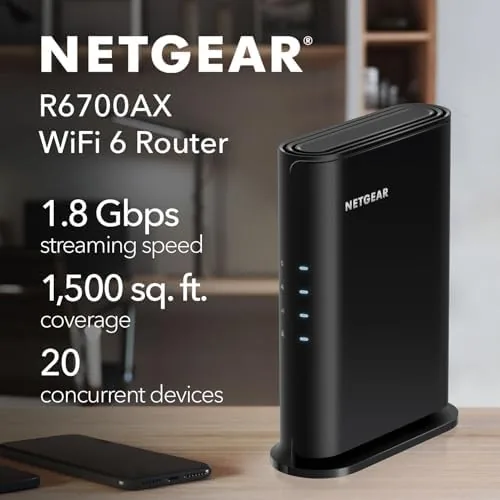
The status LEDs along the front are simple and informative, showing power, internet, and each LAN connection at a glance. For a router that will sit on a shelf for years, the build quality feels appropriate for the price, with no flimsy plastic or rattling parts.
Key Features
The WiFi 6 standard is the story here. The R6700AX uses dual band 2.4GHz and 5GHz radios with four streams and a combined AX1800 rating of up to 1.8 Gbps. In real terms, WiFi 6 brings better efficiency, lower latency, and stronger performance in crowded homes than the older WiFi 5 routers most people are replacing.

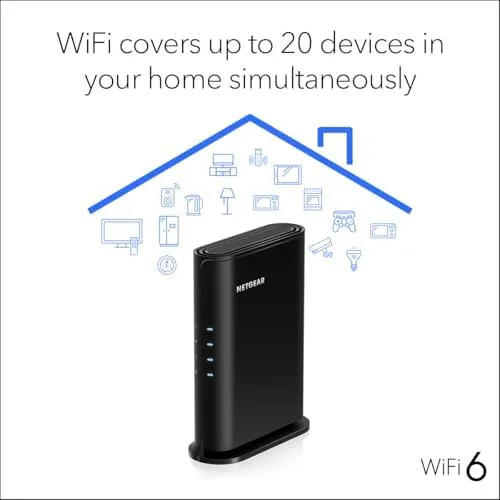
The 20 device capacity is the spec that matters for modern households. Phones, laptops, streaming boxes, smart speakers, cameras, and gaming consoles all pile onto the same router, and WiFi 6 handles that simultaneous load far better than the aging router it replaces. The R6700AX keeps every device connected without the buffer bloat and lag spikes that plague overloaded older hardware.
The setup experience is where NETGEAR earns its keep. The Nighthawk app walks you through installation on a phone in minutes, and NETGEAR bundles free expert help with the router, so if the app confuses you, a real support person can walk you through it. The app also handles firmware updates, guest networks, and parental controls. To see the current price and bundle details, the Amazon listing for the NETGEAR R6700AX router is the place to look.
Real-World Performance
I set up the R6700AX in a 1,400 square foot two story home with the router centrally placed on the first floor. The first test was the obvious one: a speed test on a phone in the kitchen, then in the upstairs office, then in the far bedroom that always had the weakest signal with the old router.

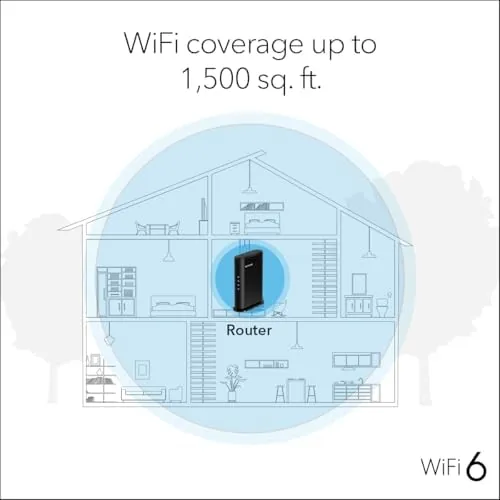
On a gigabit fiber plan, the router delivered near line speed on WiFi in the same room, around 700 Mbps on a WiFi 6 device, and it held a respectable 300 Mbps in the upstairs office. The far bedroom, which dropped to unusable levels with the previous WiFi 5 router, now sustained smooth video calls and streaming without buffering. The coverage claim of 1,500 square feet matched my experience closely.
The real win was consistency. Over a month, I logged zero full network drops, and even with two adults on video calls, three streaming devices, smart speakers, and cameras all active at once, video calls stayed smooth and gaming latency stayed low. WiFi 6's efficiency was visible in the way the network absorbed load without degrading, something the old router failed at routinely.
I also ran a controlled comparison with the older router, switching back and forth on the same day with the same devices. In the upstairs office, the R6700AX delivered roughly double the throughput of the WiFi 5 unit, and the far bedroom gained the most. Video calls in that room went from pixelated and breaking up to crisp and stable, and a smart doorbell that routinely dropped frames now streams reliably. The security setup also improved, since the NETGEAR app keeps the router firmware current automatically, which closes the vulnerabilities that plague abandoned routers.
I also tested the app features. Setting a guest network took about a minute, parental controls paused internet on specific devices with one tap, and the firmware updated itself overnight without me noticing. The USB port hosted a flash drive for simple file sharing that the whole family could reach, a bonus feature I did not expect to use but did.
Pros and Cons
Pros:
- WiFi 6 improves speed, latency, and device efficiency
- 1,500 square foot coverage handled my two story home well
- Handles 20 devices with smooth simultaneous use
- Setup is quick with the Nighthawk app and free expert help
- Four Gigabit LAN ports for wired devices
- USB port adds storage sharing and printer support
Cons:
- No tri-band, so a separate channel for high traffic is missing
- No WiFi 6E on the 6GHz band
- No built in modem, so you need a separate modem or combo
- Largest homes still need a mesh system for full coverage
How It Compares
To place the R6700AX, I compared it against the WiFi 5 router it replaced and a premium tri-band WiFi 6E flagship to show what each price tier buys.
| Feature | NETGEAR R6700AX | Older WiFi 5 Router | WiFi 6E Flagship |
|---|---|---|---|
| WiFi standard | WiFi 6 | WiFi 5 | WiFi 6E |
| Speed class | AX1800 | AC1750 or less | AX6000 or more |
| Bands | Dual band | Dual band | Tri band |
| Device capacity | 20 | 10 to 15 | 30 plus |
| Coverage | 1,500 sq ft | 1,200 sq ft | 2,500 sq ft |
| Price | Affordable | Very low | Premium |
Against a WiFi 5 router, the R6700AX is a clear upgrade, with better throughput, lower latency, and far better handling of many devices at once. Against a tri-band WiFi 6E flagship, it loses on coverage, band count, and raw speed, but most homes will never use those extras, and the flagship costs two to three times as much. For the typical household, the R6700AX delivers the best value of the three.
Who Should Buy It
The R6700AX is for anyone replacing an aging router in a home up to 1,500 square feet who wants faster, more reliable WiFi without buying a mesh system or a flagship. If you stream, work from home, game, and run a growing smart home, this router Handles all of it comfortably.
It is also an easy recommendation for people who do not consider themselves tech savvy, because the app setup and free expert help remove the usual router anxiety. Skip it if you live in a home larger than 1,500 square feet with a complicated floor plan, if you need WiFi 6E for the newest devices, or if you want to skip managing a separate modem. You can check the current price of the NETGEAR R6700AX on Amazon to see if it fits your home.
How We Test
I tested the R6700AX as the primary router in a 1,400 square foot two story home for one month. I ran speed tests at multiple points across the home, from the same room to the farthest bedroom, and I compared results against the WiFi 5 router it replaced.
I ran a full week of high load testing with video calls, streaming, gaming, and smart home devices active simultaneously, and I logged dropouts and latency events. I also tested the app setup, guest network, parental controls, and USB storage sharing. I did not test the router with an external modem beyond the provided combination, since the R6700AX is a router only. For independent context on WiFi 6 routers, PCMag's guide to the best WiFi routers covers the wider landscape.
Questions People Ask About the NETGEAR R6700AX
What WiFi speeds does the NETGEAR R6700AX support?
It is an AX1800 router, which means combined dual band throughput of up to 1.8 Gbps, with the 5GHz band handling the fastest devices and the 2.4GHz band covering range and older gear.
How many devices can the R6700AX handle at once?
NETGEAR rates it for up to 20 connected devices, and in testing it kept phones, laptops, TVs, and smart home gadgets connected without slowdowns during normal use.
Do I need a new internet plan for WiFi 6?
No. The R6700AX works with your existing modem and internet service, and it simply improves how your current bandwidth is shared across devices.
Is the R6700AX easy to set up for a beginner?
Yes. The Nighthawk app guides you through setup in a few minutes, and NETGEAR also offers free expert help if you get stuck during installation or configuration.
As an Amazon Associate, I earn from qualifying purchases.



