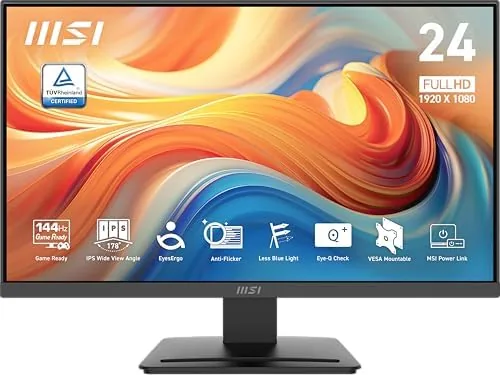

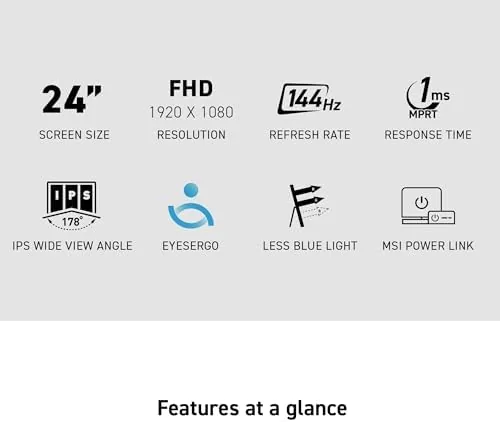
Monitors used to force a choice: you bought A Fast Panel for games or a color accurate panel for work, and rarely both. The MSI PRO MP243L E14 is built to end that compromise. It is a 24 inch IPS display at 1920 by 1080 with a 144Hz refresh rate, FreeSync support, HDR ready processing, HDMI and VGA inputs, VESA mounting, and a slim bezel design, all in a monitor that can serve an office desk and a gaming setup in the same week. I ran it through a month of spreadsheets, design work, and high refresh gaming. This is the full report.
The disclosure first. This article contains affiliate links. Purchases through them earn the site a small commission at no extra cost to you, and the opinions below are entirely my own.
Design and Build
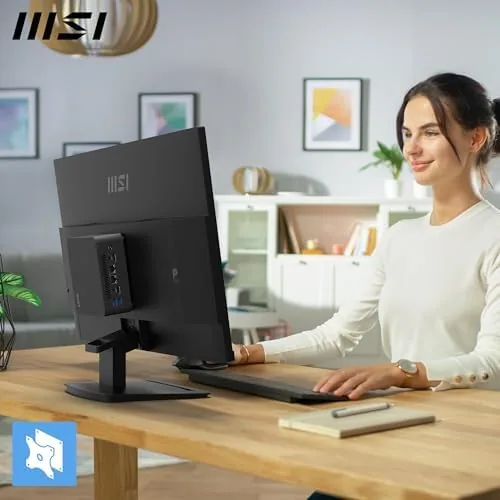
The MP243L follows a clean, professional design that fits either a home office or a gaming corner. The 24 inch panel is framed by slim bezels on all four sides, which makes the screen feel larger than its size and looks modern on a desk. The rear housing is a matte black plastic with a subtle textured finish, and the stand attaches without tools through a simple clip mechanism.
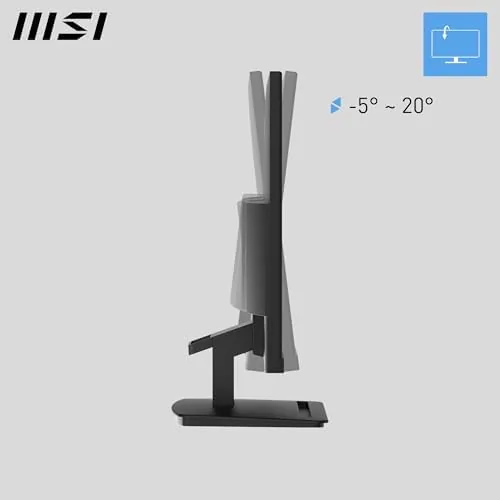
Ergonomics are modest but functional. The monitor tilts, which covers the most common angle adjustment, and it carries a standard 75 by 75 millimeter VESA pattern on the back for anyone who wants a monitor arm or wall mount. The stand itself is compact and stable, and the panel shows no wobble when you type at a desk.
Connectivity covers the bases. There is an HDMI port and a VGA port, which is a welcome legacy option for older office PCs and thin clients, and the power and controls are easy to reach on the front edge. The build is not premium flagship, but it is solid and free of creaks, which is exactly what a value monitor needs to be.
Key Features
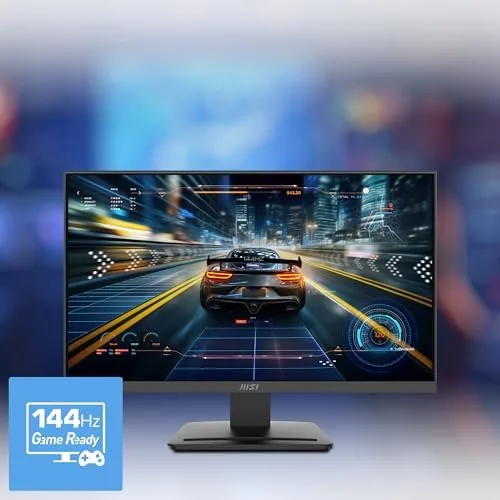
The headline feature is the 144Hz refresh rate. Most monitors at this price run at 60Hz or 75Hz, so 144Hz is a genuine jump that makes scrolling, mouse movement, and games feel dramatically smoother. The difference is immediate and it does not fade with familiarity.
FreeSync support is the partner to the high refresh rate. It lets the monitor match its refresh to your graphics card output, which removes screen tearing and stuttering in games without forcing you into a higher frame budget. On a 1080p panel, this is a smooth experience even with mid range hardware.
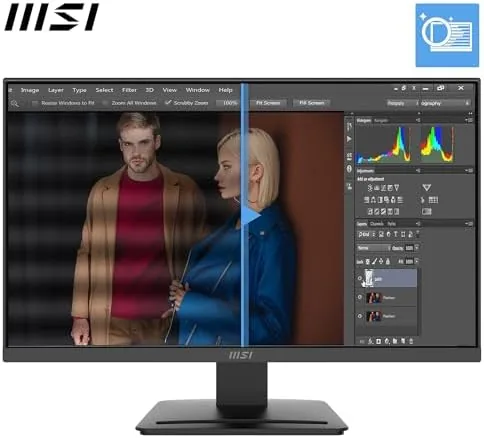
The IPS panel delivers the color quality that makes the monitor work double duty. IPS gives wide viewing angles, so colors do not shift when you look from an angle, and the panel is rated HDR ready, which means it accepts HDR signals and processes them for better contrast on a bright display. The 1ms response time rating rounds out the gaming spec sheet. For the full specification and current pricing, the Amazon listing for the MSI PRO MP243L E14 is the reference.
Real-World Performance
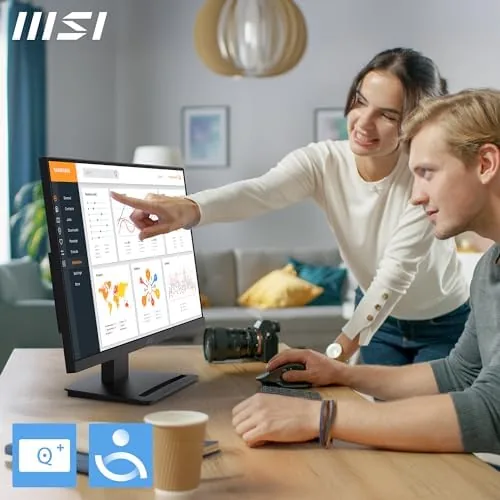
Work performance came first, and the monitor handled it comfortably. Spreadsheets were crisp at 1080p, text was sharp with the IPS panel's even lighting, and the viewing angles meant two people could look at the screen together during a meeting without washed out colors. The slim bezel made a dual monitor setup feel nearly seamless, which is a real benefit for anyone running two panels.
Gaming was where the monitor surprised me. I played a fast shooter and a racing title at 1080p, and the 144Hz refresh made motion look far smoother than the 60Hz panels I am used to in this price bracket. Mouse aim felt more direct, and with FreeSync enabled I saw no tearing even when frame rates bounced around. The 1ms response time kept motion blur low, and the panel handled quick scene changes cleanly.
Color performance split the difference between office and gaming. Out of the box, the monitor is bright and saturated enough to make games pop, and after a quick calibration it served design work with accurate, natural colors. The HDR ready processing is not full HDR, so do not expect the dynamic range of an expensive HDR panel, but it improves contrast on supported content and looks better than a plain SDR display.
Power draw stayed low throughout, which is a quiet benefit for anyone running a multi monitor setup or a laptop on a dock. The panel ran cool even after a long gaming session, and the on screen menu was easy to navigate with a small joystick tucked behind the bottom bezel. Presets for gaming, office, and eye saver modes made it simple to switch behavior between work and play without digging through settings.
The only real limitation is the resolution. 1080p on a 24 inch screen is sharp and practical, but it is not a 1440p or 4K panel, so fine text and dense dashboards have a visible pixel structure. For most work and gaming at this price, it is the right trade, and it also means the 144Hz refresh is easier to drive with modest hardware.
Pros and Cons
Pros:
- 144Hz refresh rate makes work and games feel smoother
- FreeSync removes tearing with supported graphics cards
- IPS panel with wide viewing angles and accurate colors
- VGA port keeps older office PCs usable
- VESA mountable with slim bezels for multi monitor
- Very reasonable price for the refresh rate
Cons:
- 1080p resolution limits sharpness for dense content
- HDR ready is not full HDR dynamic range
- Stand only tilts, no height or rotation adjustment
- No USB ports or built in speakers
How It Compares
The MP243L competes with other 1080p monitors that split between fast gaming panels and office models. I compared it against a typical 60Hz office monitor and a budget 144Hz gaming panel to show where it lands.
| Feature | MSI MP243L E14 | 60Hz Office Monitor | Budget 144Hz Gaming |
|---|---|---|---|
| Refresh rate | 144Hz | 60Hz | 144Hz |
| Panel type | IPS | VA or IPS | VA |
| FreeSync | Yes | Rarely | Yes |
| VGA input | Yes | Sometimes | Rarely |
| VESA mount | Yes | Yes | Sometimes |
| Slim bezel | Four side | Partial | Partial |
| Price | Mid | Low | Mid |
Against a 60Hz office monitor, the MP243L costs a little more but delivers a dramatically smoother desktop and the ability to game at high refresh, which the office panel cannot. Against a budget 144Hz gaming monitor, the MSI wins on the IPS panel, the VGA port, and the full four side slim bezel, while matching the refresh rate. The only reason to choose the pure gaming panel is if it uses a faster VA implementation at a lower price. For a mixed desk, the MP243L is the more complete package.
Who Should Buy It
Buy the MSI PRO MP243L E14 if you want one monitor that handles the workday and the game session without a second purchase. It suits remote workers who game after hours, students who write papers and play titles on the same desk, and anyone upgrading from an old 60Hz office panel who wants a visible improvement everywhere.
Skip it if you need 1440p or 4K resolution for dense design work, if you require a fully adjustable stand with height and rotation, or if you want built in speakers and USB ports. For everyone else, this is an easy recommendation at the price. You can check the current price for the MSI PRO MP243L on Amazon when you are ready to buy.
How We Test
I used the MSI PRO MP243L E14 for one month as my primary work and gaming monitor. I ran office productivity, design work, and long reading sessions to test text sharpness and color accuracy, then played fast paced shooters and racing games to evaluate the 144Hz refresh and FreeSync behavior. I connected the monitor over both HDMI and VGA to verify both inputs, and I mounted it on a VESA arm to confirm the pattern works.
I did not measure color gamut with a spectrophotometer, test the panel in a calibration lab, or compare it against every monitor in its price range. For an independent look at choosing a fast IPS monitor, Tom's Hardware guide to the best monitors is a useful authority. The MSI PRO MP243L E14 on Amazon shows the current price and availability.
MSI PRO MP243L E14: Questions People Ask
Does the MSI MP243L support 144Hz over HDMI?
Yes. The panel runs at its full 144Hz through the HDMI port, and it also works at high refresh over the included connections when your graphics card can drive it.
Is this monitor good for color critical work?
It covers the common sRGB color space well with accurate, pleasant colors out of the box, which suits photo editing and design, though it is not factory calibrated for pro print work.
Can I mount the monitor on an arm?
Yes. The rear panel uses the standard 75 by 75 millimeter VESA pattern, so it attaches to most monitor arms and wall mounts without an adapter.
Why does a monitor have a VGA port in this day and age?
The VGA port lets the monitor connect to older desktops, thin clients, and office equipment that still use analog output, which is handy for a work monitor.
As an Amazon Associate, I earn from qualifying purchases.



