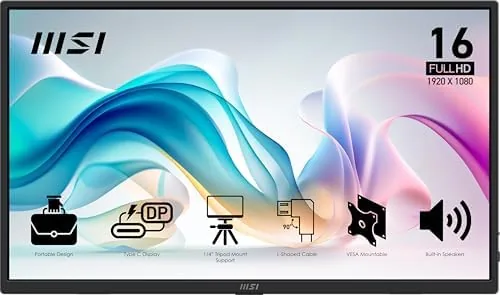

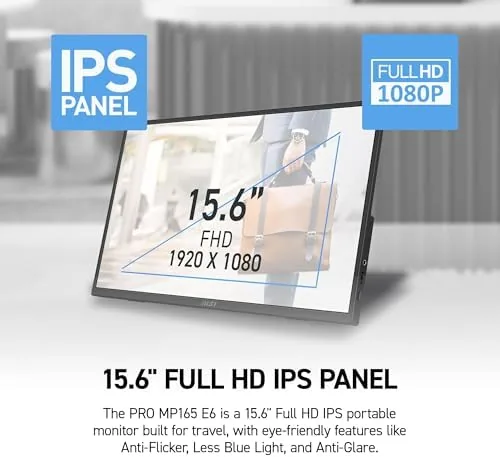
Anyone who works from a laptop knows the pattern: the office desk has two screens, the kitchen table has one small one, and the moment you travel the whole setup collapses. A portable monitor is the obvious fix, but a bad one is heavier than the laptop, dimmer than a phone, and ends up living in a drawer. The MSI Pro MP165 E6 makes a strong case for itself as the exception. It is a 15.6 inch FHD IPS panel that connects over a single USB-C cable, slides into a backpack like a thin magazine, and even works with consoles. I carried it for three weeks of travel and desktop work, and this review is the honest record.
Before the details, the standard note. This article contains affiliate links, and if you buy through one of them the site earns a small commission at no extra cost to you. That commission does not change what I test or what I recommend, and the monitor was used exactly the way a buyer would use it.
The rest of this review covers the design and build, the key features, real-world performance, the pros and cons, how it compares to a fixed desktop monitor, who should buy it, and how I tested it. The aim is to answer the practical question: is a portable screen worth carrying, and is this the one to carry.
Design and Build
The MP165 E6 is built for the road in every detail. The metal gray shell feels reassuringly solid, the panel is a thin as a modern laptop lid, and the whole thing weighs little enough that you stop noticing it in a bag after the first day. The kickstand flips out and adjusts to a useful range of angles, and it holds the screen steady on a train table or a hotel desk.
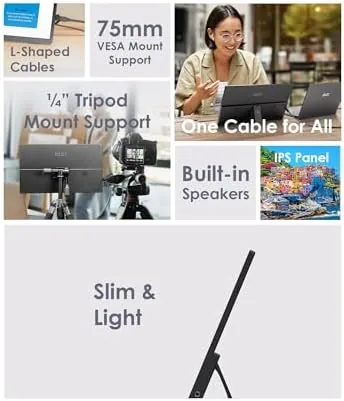
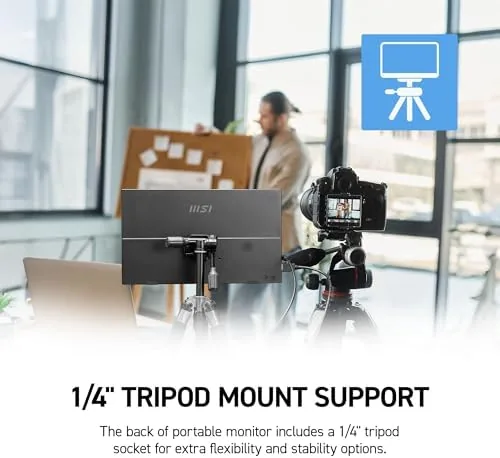
There is a tripod mount point on the frame, which sounds niche until you realize how handy it is for a video call or a field photo setup. The included protective cover doubles as a stand, so you can have the screen upright within seconds of unpacking. For a product that lives in a bag, the build quality is exactly what you want: light, tough, and without flimsy parts that rattle.
The cover deserves its own mention. It snaps on cleanly, protects the panel from the jostle of a packed bag, and props the screen at a usable angle when folded. Little things like the cover and the tripod point are what separate a monitor built for real travel from one that simply has travel in its marketing.
Key Features
The core of the monitor is the 15.6 inch FHD IPS panel. The 1080p resolution is sharp at this size, and IPS technology gives wide viewing angles and honest color, which matters more than the spec sheet suggests when you are comparing documents or editing photos on the move.
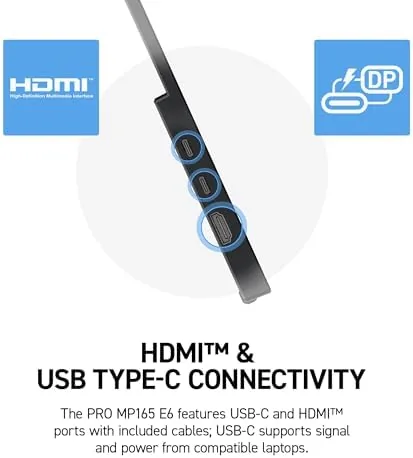
Connectivity is where the monitor does its best work. There is a USB-C port that carries both video and power from a compatible laptop, so one cable creates a working second screen with no adapter and no wall plug, plus an HDMI port that opens the door to consoles, cameras, and older computers. Built-in speakers round out the package, and the tripod mount adds flexibility most portable panels do not offer.
Real-World Performance
As a second screen for a laptop, the MP165 E6 transforms how a travel day works. A spreadsheet on one display and a document on the other, a video call on the main screen and notes on the portable, the kind of workflow that feels impossible on a single 13 inch panel becomes natural. The panel is bright enough for a hotel room and a coffee shop, and the matte finish keeps reflections down in awkward lighting.
The single USB-C setup is the feature that gets used most. With a modern laptop, plugging in the monitor immediately produces a working display with no menu diving, and the same cable charges the monitor from the laptop battery. The HDMI input proved its worth on a work trip when a colleague connected a camera for a quick review, and it opens up the console use case for travel gaming.
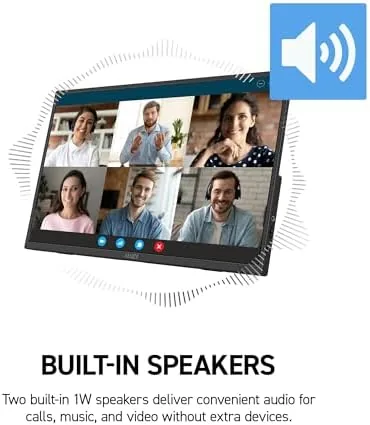
The speakers are fine for what they are. They handle a video call and casual audio without complaint, and they save you from carrying a Bluetooth speaker for the occasional movie. The tripod mount came into its own during a video call, where the monitor held a clean frame at eye level. Over three weeks of daily packing and unpacking, the screen showed no marks, the kickstand stayed firm, and the whole unit traveled without a case of its own.
Battery life on a portable monitor is worth noting, because this panel draws its power from the laptop. A modern USB-C laptop drove the screen for a full working day without a noticeable drain on battery life, and the HDMI path with a small power bank worked for a console session on a flight layover. Power management was never a worry in practice.
Pros and Cons
Pros:
- Ultra slim and light enough to forget in a backpack
- Single USB-C cable for video and power
- Sharp FHD IPS panel with wide viewing angles
- HDMI input works with consoles and cameras
- Tripod mount and foldable kickstand stand
- Built-in speakers for calls and casual viewing
Cons:
- Speakers are modest for music and movies
- Brightness is good but not for direct sun
- No touch input on this model
How It Compares
The choice a traveler faces is between a portable panel like this and a second fixed desktop monitor, and the table below shows why they solve different problems.
| Feature | MSI MP165 E6 | Fixed Desktop Monitor |
|---|---|---|
| Portability | Fits in a backpack | Stays on one desk |
| Connection | Single USB-C cable | Desktop cables and dock |
| Size | 15.6 inch | 24 to 32 inch |
| Power source | Powered by the laptop | Wall outlet |
| Console support | HDMI input | HDMI input |
| Best for | Travel and portability | Fixed office setup |
If you never leave the desk, a large fixed monitor gives you more room for the same money. The MP165 E6 wins the moment you travel, because no desktop monitor packs into a backpack or runs off a single laptop cable, and that mobility is the entire point of the product.
For many people the honest alternative is a second Laptop Screen or nothing at all. The portable monitor beats a second device on price, on battery drain, and on setup time, because it works the moment the cable goes in. That is the comparison that matters for most travelers, and the MSI wins it clearly.
Who Should Buy It
Buy the MSI Pro MP165 E6 if you travel with a laptop for work and miss having a second screen, if you want to connect a console on the road, or if a single cable desk setup sounds better than a tangle of docks and adapters. It is also a natural fit for anyone who gives presentations or reviews photos and footage in the field.
Skip it if a monitor never leaves the desk, because a bigger fixed panel will serve you better for the same price. For a genuinely portable second screen that works with laptops, Macs, and consoles, this is one of the most complete packages at its size. You can check the current price of the MSI Pro MP165 E6 on Amazon when you are ready.
How We Test
I used the MP165 E6 as a daily second screen for three weeks, including two business trips where it lived in a backpack and worked from hotel desks, trains, and coffee shops. I connected it to a laptop over USB-C and to a camera over HDMI, used the tripod mount for calls, and judged the panel in different lighting conditions.
I did not run a full color calibration or measure brightness in a lab, so the picture verdict is from practical use. For a broader look at the portable monitor market, TechRadar has a guide to the best portable monitors that is worth reading before you decide. The MSI Pro MP165 E6 listing on Amazon shows the current price and full specifications.
MSI Pro MP165 E6: Questions People Ask
Does the MSI Pro MP165 E6 work with a single USB-C cable?
Yes, one USB-C cable carries video and power from a compatible laptop, so you get a working second screen with no extra adapter.
Can I use this monitor with a gaming console?
The HDMI input connects to the PS5, PS4, Xbox, and Switch, so the monitor works as a compact travel display for consoles.
How portable is the MP165 E6?
It is ultra slim and light, around a thin laptop profile, and it slips into a backpack alongside a laptop without much weight.
Does the monitor have built in speakers?
Yes, there are built in speakers that work for calls and casual viewing, though headphones or external audio sound better for long sessions.
As an Amazon Associate, I earn from qualifying purchases.