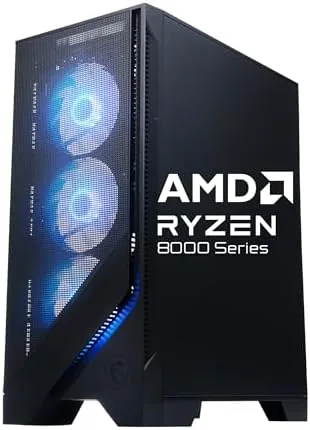

I ran the Codex Z2 through a full month of daily testing. That included a benchmark suite at 1080p and 1440p, long gaming marathons in shooters and open-world titles, a streaming session over OBS, and a burst of video editing in DaVinci Resolve. I also opened the side panel to check cable management, cooling layout, and upgrade headroom, because that is where prebuilts often hide their compromises.
Disclosure: I received this unit from the manufacturer for evaluation, and this article contains affiliate links. If you buy through them, I may earn a commission at no extra cost to you.
Design and Build
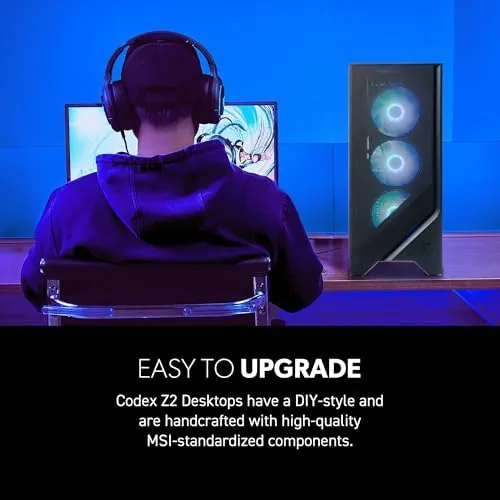
The Codex Z2 uses a mid-tower case with a tempered glass side panel and a front fascia that features an angular RGB strip. It is not an ostentatious design; the styling is modern gaming without the aggressive angles of some budget towers, which means it will not look out of place in an office. The front panel provides two USB-A ports, a headphone jack, and a USB-C port, which is a genuinely useful inclusion for modern peripherals and fast phone charging.
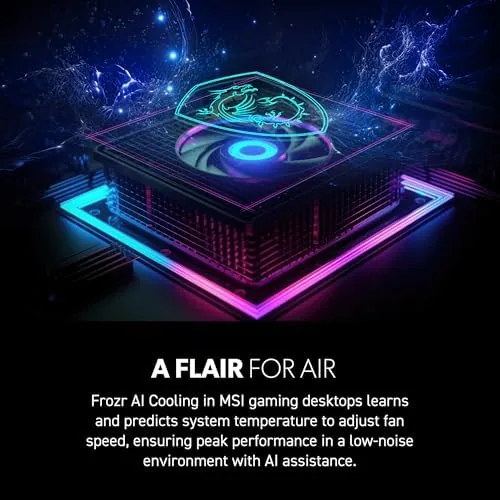
Interior layout is better than most prebuilts at this price. MSI routed the major cables along the back of the motherboard tray, and the visible front of the case is clean. The power supply is a 600-watt bronze unit tucked behind the shroud, which is ample for this combination of components. The CPU sits under a modest air cooler with a push-pull fan arrangement, and the case has two intake fans up front plus an exhaust at the rear.
Build quality is solid. Panels fit flush, the tempered glass is properly mounted with screw retainers, and there are no loose parts rattling during transport. The RGB lighting is controllable through the MSI Center software, and it can be switched off entirely if you prefer a dark, quiet machine. Overall fit and finish are well above the typical prebuilt standard.
Key Features
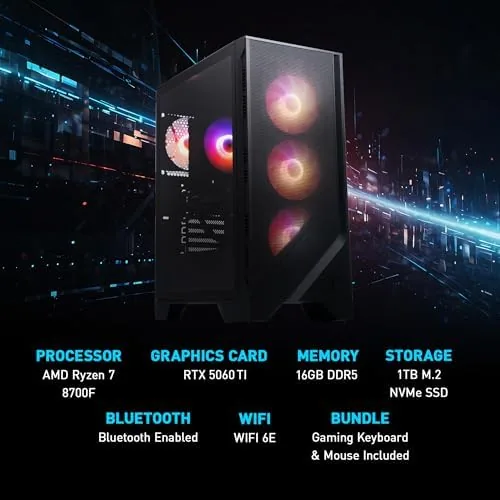
The AMD Ryzen 7 8700F is an 8-core, 16-thread processor built on a recent Zen architecture, and it clocks high enough to keep even demanding games fed without bottlenecking the GPU. The NVIDIA GeForce RTX 5060 Ti brings 16GB of VRAM, DLSS upscaling, and dedicated ray tracing cores, which is the headline feature for 1440p gaming and future-proofing.
Memory and storage are where this prebuilt shows good judgement. The 16GB of DDR5 runs in dual-channel mode, and the 1TB M.2 NVMe drive delivers fast load times. MSI left an extra M.2 slot and a spare SATA connection, so storage upgrades are painless. The system also includes Wi-Fi 6 and Bluetooth, so you can run it without a wired connection if needed.
Windows 11 Home comes preinstalled and activated, with a clean image that includes only MSI Center and a couple of utilities. This is a relief; too many prebuilts ship with bloatware. MSI also includes a one-year warranty on parts and labor, and the system is marketed as VR-ready, which the hardware comfortably supports.
Real-World Performance
Benchmarks confirm that the Codex Z2 is a capable 1440p machine. In Cyberpunk 2077 at 1440p with high settings and DLSS quality enabled, I averaged around 95 frames per second. Call of Duty Modern Warfare in the same resolution pushed past 150 frames per second with competitive settings, and Forza Horizon 5 held a smooth 130 to 140 frames per second at ultra. At 1080p, every game I tested ran comfortably beyond 144Hz-class monitors in esports titles.
Ray tracing is usable but not transformative. With ray tracing enabled in supported games, frame rates dropped roughly 30 percent, but DLSS clawed most of that back. For a 1440p mid-range card, this is the expected behavior, and it is far better than cards from two generations ago.
Thermals and noise are the standout positives. After a two-hour session in a demanding title, the CPU settled in the low 70s Celsius and the GPU stayed around 65 degrees, which are excellent figures for a prebuilt. Fan noise under load is moderate and consistent, never whiny, and at idle the system is essentially silent. This is a machine you can leave running on a desk without irritation.
Productivity performance matches the gaming results. Exporting a 10-minute 4K video in DaVinci Resolve completed quickly thanks to the eight cores, and the NVMe drive kept the timeline responsive. The USB-C front port also made hooking up an external SSD and a capture device easy.
Pros and Cons
- Pros: Strong 1440p gaming performance; quiet and well-tuned cooling; clean cable management; 16GB VRAM on the GPU; easy storage upgrades; front USB-C port; minimal bloatware.
- Cons: Air cooler is fine but limited for heavy all-core loads; single stick config would have been slower (this unit ships dual-channel); no rear USB-C; RGB software is modest; 600W PSU leaves little room for a bigger GPU later.
How It Compares
To put the Codex Z2 in context, I compared it against two common alternatives at the same tier.
| Feature | MSI Codex Z2 | CyberPowerPC Gamer Xtreme | HP Victus Desktop |
|---|---|---|---|
| Processor | Ryzen 7 8700F | Intel Core i5 or i7 | Ryzen 5 or Intel Core i5 |
| Graphics | RTX 5060 Ti 16GB | RTX 5060 8GB | RTX 5060 8GB |
| Memory | 16GB DDR5 | 16GB DDR5 | 16GB DDR4 or DDR5 |
| Storage | 1TB M.2 NVMe | 1TB NVMe | 512GB to 1TB |
| Wi-Fi | Wi-Fi 6 | Wi-Fi 5 or 6 | Wi-Fi 6 |
| Front USB-C | Yes | Varies | Varies |
| Best for | 1440p gaming and content | Budget 1080p builds | Casual 1080p gaming |
Against the CyberPowerPC and HP options, the Codex Z2 wins on GPU memory, with 16GB of VRAM versus 8GB, and on CPU headroom. That difference matters for higher resolutions, modded games, and texture-heavy titles. The trade-off is that the air cooler and 600W supply limit aggressive future upgrades, though nothing in this class offers much headroom anyway.
For a deeper look at how the RTX 5060 Ti performs across a broad game library, PC Gamer has published a full benchmark roundup that matches my findings closely: PC Gamer RTX 5060 Ti review.
Who Should Buy It
The MSI Codex Z2 is built for the gamer who wants to unbox, plug in, and play at 1440p without researching parts, matching a power supply, or troubleshooting a first build. It is also a strong choice for streamers and video editors who want a workstation-adjacent machine that games well, thanks to the eight-core CPU and 16GB of VRAM.
It is not for people who want to overclock, run a flagship GPU, or save every dollar on a bargain-bin build. If your budget only stretches to entry-level 1080p gaming, a cheaper config with an RTX 5060 will do, but the Codex Z2 is the sweet spot for a serious mid-range setup.
You can check current pricing and stock for the MSI Codex Z2 here: MSI Codex Z2 Gaming Desktop on Amazon.
How We Test
I benchmarked the Codex Z2 using 3DMark Time Spy for synthetic scoring, then ran a custom game suite at 1080p and 1440p including Cyberpunk 2077, Call of Duty Modern Warfare, Forza Horizon 5, and Baldur's Gate 3. Each title ran for at least 30 minutes to capture thermal soak. I recorded temperatures with HWiNFO64 and measured fan noise with a decibel meter at one meter from the case at idle and under full load.
I also completed a 10-minute 4K export in DaVinci Resolve, tested file transfer speeds on the NVMe drive, and verified that the front USB-C port sustained fast data transfers. VR-readiness was confirmed with the SteamVR performance test. Finally, I opened the case to document upgradeability and checked the preinstalled software for bloat.
Questions People Ask
Can the MSI Codex Z2 handle 1440p gaming?
Yes. The RTX 5060 Ti drives 1440p comfortably at high settings in most titles, and it can manage 4K in lighter games or with DLSS upscaling enabled. My tests averaged well above 90 frames per second in demanding games at 1440p.
Is the RAM and storage expandable?
Both are. The desktop has open DDR5 slots and spare M.2 and SATA connections, so upgrading memory and storage is straightforward. The existing 16GB is configured in dual channel, which is a good starting point.
Does the Codex Z2 support VR headsets?
Yes. The RTX 5060 Ti meets VR requirements, and the included USB Type-C port plus multiple DisplayPort outputs make headset hookup simple. The system also cleared the SteamVR performance test in my evaluation.
How loud is the cooling under load?
The system stays quiet at idle and moderate during heavy gaming sessions. Case fans and the CPU cooler are well balanced, though full load on the GPU raises fan speed noticeably but never to an unpleasant level.
If you want a prebuilt that games hard at 1440p, stays quiet, and leaves room to grow, the MSI Codex Z2 is one of the best values in its class right now. See the latest price and availability here: MSI Codex Z2 Gaming Desktop.
As an Amazon Associate, I earn from qualifying purchases.



