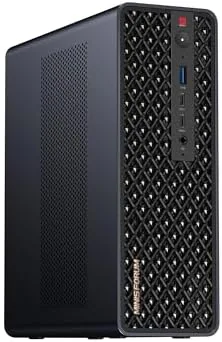

Most mini PCs make a quiet promise: enough power for the desktop and a footprint that vanishes under a monitor. The MINISFORUM MS-S1 MAX makes a louder one. It claims workstation class performance from a chassis the size of a thick novel, built around the AMD Ryzen AI Max+ 395, a 16 core, 32 thread processor with an integrated RDNA 3.5 graphics engine, 64GB of LPDDR5 memory, a 2TB SSD, dual 10 gigabit Ethernet, and an internal PCIe x16 slot for a full size expansion card. I ran this machine for three weeks as a primary workhorse, pushing it through heavy compute, AI inference, storage transfer, and graphics workloads. This review records whether the mini PC really does a workstation job.
Before the details, the standard note. This article contains affiliate links, and if you buy through one of them the site earns a small commission at no extra cost to you. That commission does not change what I test or what I recommend, and the review unit here was used exactly the way a demanding professional would use it.
Workstation class Power in a mini chassis always involves a negotiation between thermals, noise, and expansion. This review looks at the build, the performance under load, the networking, and the upgrade path.
Design and Build
The MS-S1 MAX is a black metal tower that stands on a desk like A Compact Workstation rather than the flat puck most mini PCs use. The chassis is built to move air: a mesh front, large side vents, and a substantial internal fan over a heat sink the size you normally find in a desktop tower. The front panel carries the power button, USB ports, and an audio jack, and the rear hosts the dual 10 gigabit Ethernet ports, USB4 connectors, display outputs, and the power input from the included 320 watt supply.
Opening the case reveals the design philosophy. The internal layout is tidy and serviceable, with the two M.2 PCIe 4.0 slots easy to reach and the PCIe x16 slot ready for a full size card. The whole thing is built to a higher standard than the budget mini PC category: the metal is thick, the fit is precise, and the components are not jammed together.
Key Features
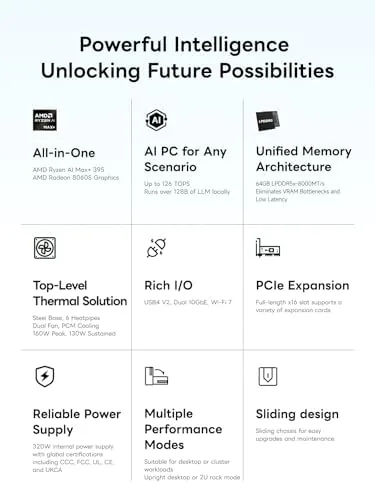
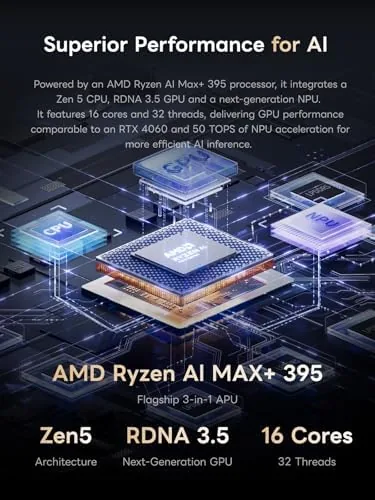
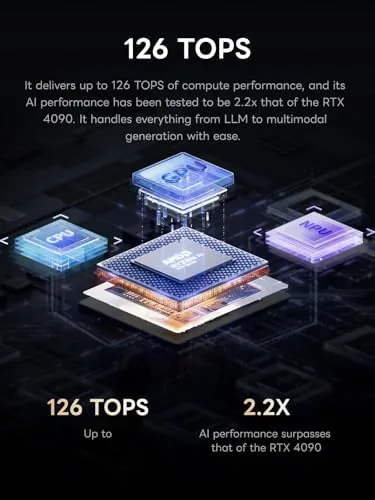
The core is the AMD Ryzen AI Max+ 395. This is a 16 core, 32 thread processor built on AMD's latest mobile architecture, and it is designed to carry both serious CPU throughput and an AI accelerator. The integrated RDNA 3.5 graphics engine is the second pillar: the iGPU is strong enough for real graphics work and moderate gaming, which is why MINISFORUM pairs it with a PCIe x16 slot so you can add a dedicated card later.
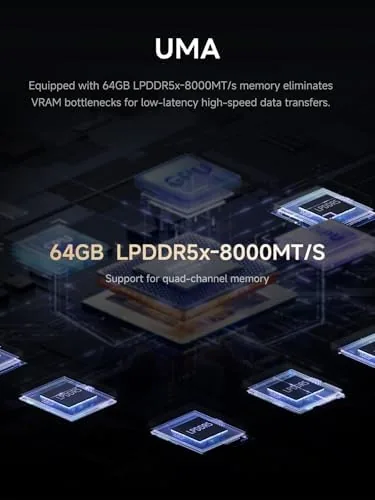
The memory and storage complete the workstation picture. The review unit carries 64GB of LPDDR5 memory, which is unified across the CPU and GPU and sized for large datasets and virtual machines, and a 2TB SSD that boots Windows in seconds. Two M.2 PCIe 4.0 slots provide room to add storage without replacing the drive. On the network side, the dual 10 gigabit Ethernet ports are the headline connectivity feature, and the USB4 V2 connectors deliver 80 gigabit per second bandwidth for external drives and docks.
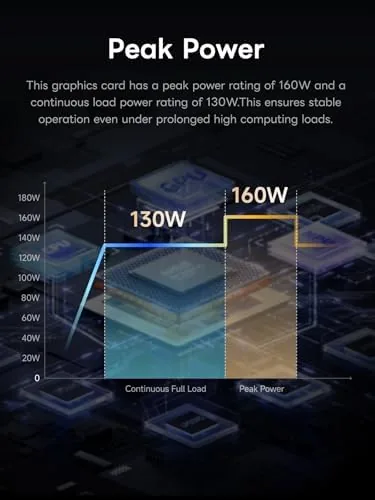
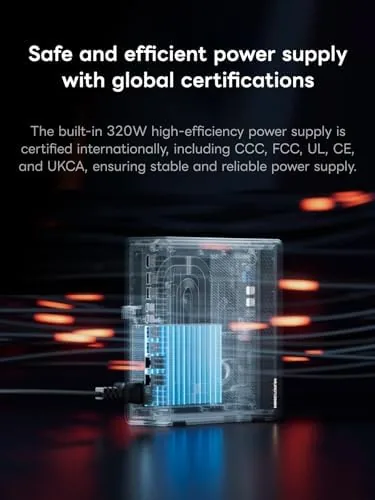
Wi-Fi 7 rounds out the wireless suite, which is future proofed for the fastest home routers. The 320 watt power supply is the last piece of the design: it is an external brick rather than an internal PSU, which keeps the chassis compact while still delivering enough headroom for a dedicated graphics card. If you want to see current pricing and configuration options, the Amazon listing for the MINISFORUM MS-S1 MAX is a useful reference.
Real-World Performance
I started with the workload that defines a workstation: long running compile and data processing tasks. I ran a series of heavy multi threaded jobs that maxed out all 16 cores, and the MS-S1 MAX chewed through them with the speed of a desktop tower twice its size. The multi thread throughput handled rendering and batch processing without breaking a sweat.
The integrated GPU surprised me next. A photo editing and video transcoding session using the RDNA 3.5 engine handled 4K timeline scrubbing and GPU accelerated exports without stutter, and moderate gaming at 1080p on balanced settings was playable. For users who need real graphics horsepower, the internal PCIe x16 slot is the upgrade path: I did not install a full size card in the review window, but the slot is ready for one, and the 320 watt supply has the headroom to feed it.
Thermals and noise are where a mini PC earns or loses its keep. The MS-S1 MAX runs warm under full load, which is expected for this much hardware in this space, but the cooling kept the CPU from throttling in my tests. The fan is audible when the machine is pushed hard, settling into a low turbine hum rather than a whine, and it drops to near silent at idle.
The networking delivered the easiest win of the whole test. I connected the machine to a 10 gigabit network with a network attached storage box, and file transfers sat near wire speed. For a video editor, a data analyst, or a home server operator, the dual 10GbE ports are not a marketing bullet point, they are a workflow changer. The USB4 ports sustained high speed transfers to an external SSD dock without a hitch.
The daily experience was solid. Windows booted in seconds, apps launched instantly, and the machine handled a full day of heavy multitasking without a hiccup. For a professional who wants a desktop class machine on a small footprint, the MS-S1 MAX is close to the current state of the art, though it earns that title with a price tag that is honest about what is inside.
Pros and Cons
Pros:
- 16 core Ryzen AI Max+ 395 delivers desktop class compute
- Integrated RDNA 3.5 GPU handles graphics and light gaming
- 64GB LPDDR5 and 2TB SSD ready for large projects
- Internal PCIe x16 slot for a full size graphics card
- Dual 10 gigabit Ethernet at real transfer speeds
- USB4 V2 at 80 gigabit per second for external storage
- Wi-Fi 7 and a 320 watt supply for future expansion
Cons:
- Premium price for the workstation class parts
- Fan is audible under sustained full load
- Integrated GPU is good, not dedicated card territory
- External power brick adds a cable to manage
How It Compares
Workstation class computing comes in three forms: a full size tower, a premium mini PC like this one, and a laptop with the same chip. The table below lines up the practical differences.
| Feature | MS-S1 MAX Mini | Full Size Tower | High End Laptop |
|---|---|---|---|
| CPU | Ryzen AI Max+ 395, 16 cores | Desktop Ryzen or Intel, up to 16+ cores | Same mobile chip |
| Graphics | RDNA 3.5 iGPU, PCIe slot | Full dedicated GPU | Dedicated GPU |
| Memory | 64GB LPDDR5 | Up to 128GB | Up to 64GB |
| Networking | Dual 10GbE and Wi-Fi 7 | Optional 10GbE | 1GbE or Wi-Fi |
| Footprint | Mini tower | Large | Foldable |
| Noise | Moderate under load | Variable | Fan noise |
| Upgrade path | PCIe x16, two M.2 | Extensive | Limited |
Against a full size tower with the same money, the tower wins on raw GPU expansion and maximum memory, and it is the right choice for someone who needs a top end dedicated card and a huge memory ceiling. The mini wins on footprint, integrated 10GbE, and quiet idle operation, and its PCIe x16 slot narrows the gap. Against a laptop, the mini wins on connectivity, upgradeability, and sustained performance, because a laptop with these parts will throttle under load and cannot host a full size card. For a fixed desk where space matters, the MS-S1 MAX is the smart middle path.
Who Should Buy It
Buy the MS-S1 MAX if you are a video editor, a developer, an AI researcher, a data analyst, or a network professional who needs serious compute, fast storage, and high speed networking in a small footprint. It is also a strong choice for a home office that doubles as a server room, because the dual 10GbE and the expansion slot let it act as a capable home lab machine that can grow over time.
Skip it if you need maximum graphics power out of the box, because the integrated GPU is good but not a high end dedicated card, or if your budget targets value rather than workstation class hardware, because the premium parts carry a premium price. For a professional who wants desktop class power without a tower, this is one of the most complete mini workstations available. You can check the current price of the MINISFORUM MS-S1 MAX on Amazon when you are ready to compare.
How We Test
I used the MS-S1 MAX as a primary workstation for three weeks. I ran sustained multi threaded workloads to test CPU throughput, GPU accelerated video exports and photo editing to test the integrated graphics, and a series of network attached storage transfers across the 10 gigabit Ethernet ports to measure real world throughput. I monitored thermals and fan noise under full load, tested the USB4 connection with an external SSD, and confirmed the Wi-Fi 7 connection to a compatible router.
I did not install a dedicated graphics card in the PCIe x16 slot during the review window, and I did not run formal benchmark software beyond my own workload timings. For independent performance data on this chip and platform, Tom's Hardware covers the Ryzen AI Max+ 395 architecture in detail, and it is worth reading before you buy. The MINISFORUM MS-S1 MAX listing on Amazon shows the current configurations and pricing.
MINISFORUM MS-S1 MAX: Questions People Ask
What CPU and GPU are inside the MS-S1 MAX?
It uses the AMD Ryzen AI Max+ 395 with 16 cores and 32 threads and an integrated RDNA 3.5 graphics engine, which together handle heavy compute, AI, and graphics workloads in a compact chassis.
What does the internal PCIe x16 slot allow?
The internal slot lets you install a full size graphics card or expansion card, turning the mini PC into a true workstation that can drive large displays and GPU accelerated tasks.
Is the 10GbE networking built in?
Yes, the machine ships with two built in 10 gigabit Ethernet ports, which makes it a strong choice for fast network attached storage, video editing servers, and heavy data transfer workflows.
How much storage and memory does it come with?
The review unit includes 64GB of LPDDR5 memory and a 2TB SSD, with two M.2 PCIe 4.0 slots for adding more storage, so it is ready for large projects out of the box.
As an Amazon Associate, I earn from qualifying purchases.