
A keyboard is the one tool most of us touch more than any other in a day, and yet it is usually the least considered piece of a desk setup. The Logitech MX Keys exists to fix that gap. It is a full size Wireless Keyboard with spherically dished scissor keys, smart backlighting that wakes only when your hands approach, and the ability to switch between three paired devices with one press. After a full work week typing on it, from dense emails to a long writing session, I have a clear verdict on whether the MX Keys earns its reputation as one of the best quiet keyboards you can buy.
Before the details, the standard note. This article contains affiliate links, and if you buy through one of them the site earns a small commission at no extra cost to you. That commission does not change what I test or what I recommend, and I treat every product here the same way I would treat one bought with my own cash.
Design and Build
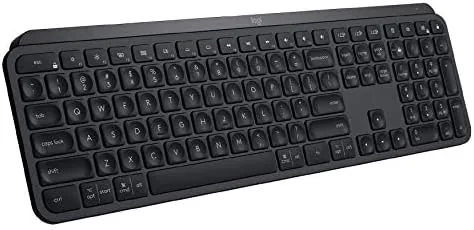
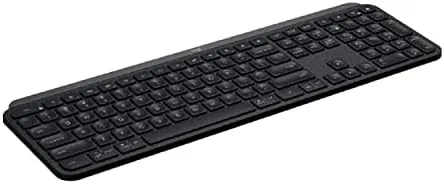
The MX Keys is a low profile keyboard built from a single slab of dark, matte material that resists fingerprints well. It is wide for a wireless keyboard, because it keeps a full numeric keypad, but the flat design means it sits low on the desk and does not dominate the space the way a chunky mechanical board does.
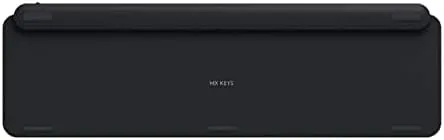
The key caps are the star of the build. Each one is spherically dished, meaning the surface curves gently inward to cradle your fingertip. Combined with the short travel of the scissor switches, this gives a low, quiet stroke that feels precise without any of the clatter of a mechanical switch. The underside has fold out feet for two tilt angles, and the base is heavy enough that the board never slides around while you type.
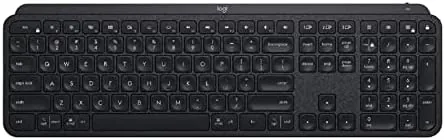
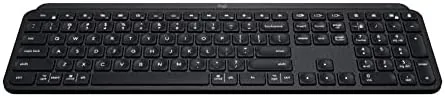
The layout is thoughtfully arranged for productivity. The function row doubles as media and system controls, there are dedicated keys for brightness and a screenshot, and the F key row includes the Easy Switch buttons for swapping between paired devices. Typists coming from a laptop keyboard will feel at home immediately, because the key spacing and the low profile mirror the experience of a well built notebook rather than forcing you to relearn where your fingers go.
Around the frame you find a small row of function keys with dedicated icons, and the top right corner holds the power button and an indicator light. It is a clean, professional look that suits an office desk as easily as a home setup.
Key Features
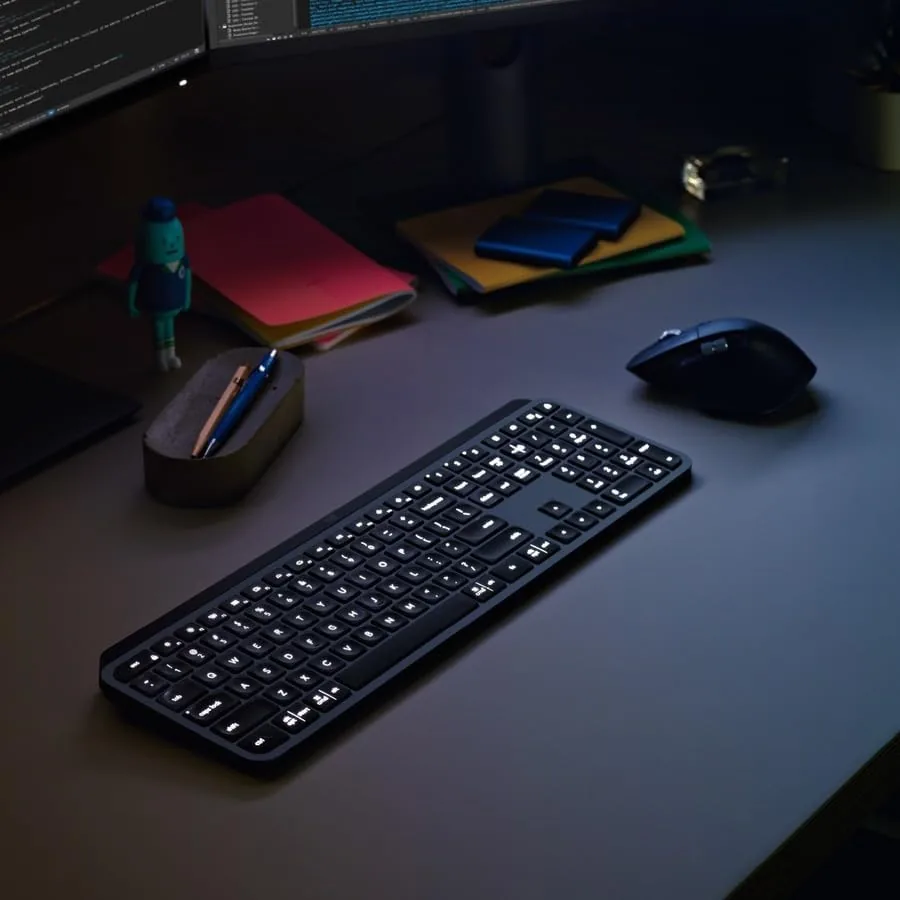
The first signature feature is the smart backlighting. The keys are illuminated by white LEDs, and the keyboard detects your hands as they approach, lighting up the keys only when you are about to type and dimming when you walk away. The backlight also adjusts brightness automatically to the room, bright enough to see at night and subtle during the day.
The second pillar is multi device support. The MX Keys pairs with up to three devices, over Bluetooth or through the included Logitech Unifying receiver, and you switch between them by pressing the dedicated Easy Switch keys at the top. The same keyboard can drive a desktop, a laptop, and a tablet, which removes the need for a second board on a shared desk.
The third feature is the rechargeable battery. A USB C port tops it up, and a single charge lasts for months because the backlight sleeps whenever your hands are away. Logitech estimates up to five months with backlighting on and a far longer stretch with it off, and in my week the charge meter never moved off full.
There is also a small detail that shows the thought behind the design. The MX Keys connects over a low energy Bluetooth profile for most of its life and switches to a stronger link only when you are actively pressing keys, which is why the battery lasts as long as it does without sacrificing the instant response. It also pairs with the Logitech Flow software ecosystem, so when you pair it with a compatible mouse, you can move your cursor across screens on different computers and the keyboard follows along.
Real-World Performance
Typing feel is the make or break test for any keyboard, and the MX Keys passes it comfortably. The dished caps guide your fingers into the right spot, and the short scissor travel bottoms out softly rather than slamming. I wrote for hours without the finger fatigue that comes from a stiff membrane board, and the low profile kept my wrists in a neutral position.
The noise level is a real advantage. Measured against a mechanical keyboard in the same room, the MX Keys is dramatically quieter, closer to a soft tap than a click. For anyone on calls while typing, or in an office where others can hear your keystrokes, this matters more than any spec sheet number.
Switching between devices worked exactly as advertised. I jumped from a desktop over the Unifying receiver to a laptop over Bluetooth and back with one key press, and the switch was fast enough that I never noticed the lag. The backlight behaved cleverly in practice, waking as my hands approached and going dark when I stepped away, which made working in a dark room effortless and preserved the battery.
Pros and Cons
Pros:
- Quiet scissor switches with a soft, precise stroke
- Smart backlighting that turns on only when your hands are near
- Pairs with up to three devices and switches instantly
- Rechargeable battery lasting months on a single charge
- Spherically dished keys guide your fingers comfortably
Cons:
- No mechanical feel for people who prefer a clicky switch
- Wide frame with number pad takes up desk space
- Backlight is white only, with no RGB customization
- Higher price than most office keyboards
How It Compares
Against a typical mechanical keyboard, the MX Keys trades the loud, tactile click for a quieter and faster stroke. Against the Logitech MX Mechanical, the newer sibling, the MX Keys is the better choice for typing comfort while the MX Mechanical adds hot swappable switches for those who want a tactile option.
| Feature | Logitech MX Keys | Logitech MX Mechanical | Typical Mechanical Board |
|---|---|---|---|
| Switch type | Scissor, low travel | Mechanical (tactile option) | Mechanical, loud click |
| Backlighting | Smart, white only | Smart, RGB capable | Usually RGB |
| Noise level | Very quiet | Moderate | Loud to moderate |
| Multi device | Up to three | Up to three | Often one |
| Battery life | Months per charge | Months per charge | Wired or battery |
| Price | Mid range | Higher | Varies widely |
For a keyboard that must live in an open office or a bedroom where a partner is asleep, the MX Keys is the better buy. For a gamer who wants tactile feedback and hot swappable switches, the MX Mechanical or a dedicated mechanical board wins. The MX Keys is a typing tool first, and it is outstanding at that job.
Who Should Buy It
Buy the MX Keys if you type all day for work, if you want a quiet keyboard for an office or shared room, or if you juggle multiple computers and want one board to control them all. The smart backlighting also makes it a strong pick for anyone who works in the dark or a dim room.
Skip it if you need the tactile feel and loud response of a mechanical switch, or if a tenkeyless layout matters for your desk space. For everyone else, this keyboard is an upgrade you will feel on the very first day. You can check the current Logitech MX Keys price on Amazon when you are ready.
How We Test
I tested the MX Keys as my primary keyboard for a full work week, writing long documents, answering email, and switching between a desktop and a laptop through the Easy Switch keys. I kept the backlight on its automatic setting to observe the hand detection behavior across several days and nights.
I measured typing comfort through extended sessions, compared the noise level against a mechanical keyboard in the same room, and confirmed battery behavior by leaving the board untouched overnight to see the backlight sleep. For a broader comparison of the best keyboards for work, the Wirecutter keyboard guide is a useful independent reference.
The Logitech MX Keys listing on Amazon shows the current price and available bundle options.
Logitech MX Keys: Questions People Ask
How many devices can the MX Keys connect to at once?
It can pair with up to three devices over Bluetooth or the Logitech Unifying receiver and switch between them with a single key press.
Is the MX Keys backlighting easy on battery life?
The backlight turns off when your hands leave the keyboard and only illuminates when it detects your hands, which keeps the battery lasting for months.
Does the MX Keys work with a Mac?
Yes, it is compatible with Windows, macOS, and Linux, and it includes dedicated key caps and commands for both operating systems.
How does the MX Keys feel for long typing sessions?
The spherically dished keys and shallow scissor travel provide a low and quiet stroke that stays comfortable over a full workday.
As an Amazon Associate, I earn from qualifying purchases.