
For years, a good webcam meant two things: 1080p resolution and a lens that did not wash you out in a bright window light. Then video calls became permanent and the bar moved. The Logitech MX Brio arrives at that new bar with a 4K sensor, A 1080p 60 FPS mode for streamers, and a price tag that announces it is not an impulse buy. I used the Pale Gray model for a full month of meetings, streams, and video calls to decide whether the picture truly justifies the cost.
Before the verdict, the standard note: this article contains affiliate links. If you buy through any of them, this site earns a small commission at no extra cost to you, and it does not change what I test or what I recommend in this MX Brio review.
Design and Build
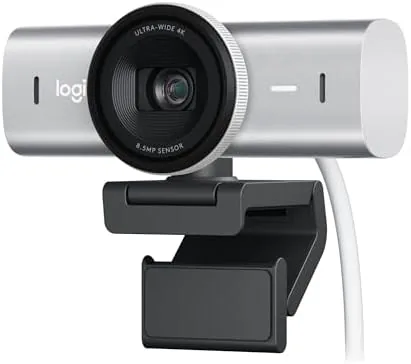
The MX Brio has the unmistakable look of a serious webcam. A wide, slightly rounded bar sits in a dark gray frame with a fabric texture around the lens, and the whole assembly feels heavier and more substantial than the plastic webcams that normally sit on monitors. The metal construction says premium before you even plug it in, and it stays put on a monitor with a confident clamp rather than a wobbly grip.
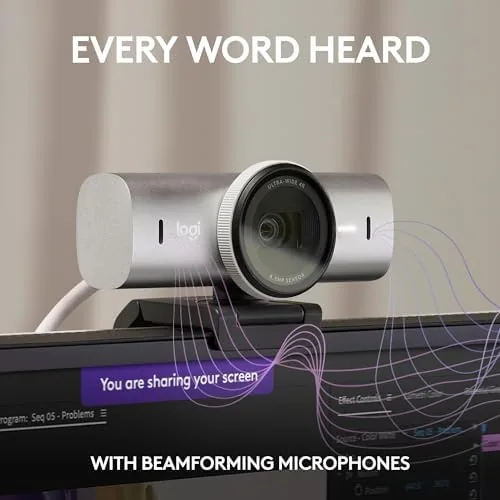
Around the lens there is a ring you can turn to close the integrated privacy shutter. The action is smooth and positive, a real mechanical shutter rather than a flimsy sliding cap, and it lets you cover the lens without touching the camera body. On top, a mute light glows when the microphone is off, and the base tilts and rotates so you can frame the shot exactly.
Connectivity is a single USB C cable, which works with any modern laptop and even allows the camera to run at 4K without a heavy driver. The cable is long enough to route around a desk, and the camera draws power from the port itself, so there is no separate adapter to juggle. In a month of daily mounting and unmounting, the clamp never slipped and the finish never marked.
Key Features
The sensor is the story. Inside sits a Sony STARVIS image sensor with 8.5 megapixels, the same family of sensor technology used in security cameras that must see in the dark. For a Webcam That means a dramatically cleaner picture in a dim room, and it is the single biggest reason this camera costs more than a budget unit. It captures full 4K Ultra HD at 30 frames per second for maximum detail.
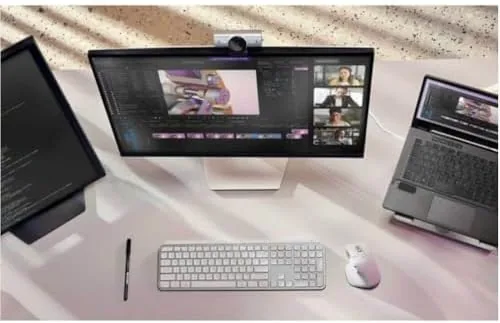
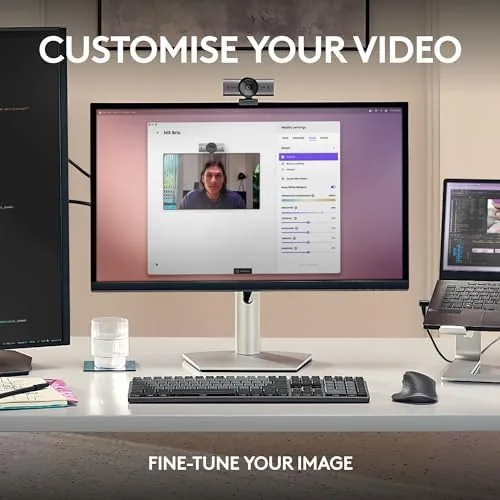
The 1080p 60 FPS mode is built for streamers. At 60 frames per second the image moves with a fluidity that 30 FPS cannot match, and for gaming channels or active talking heads that smoothness reads as professionalism. You can switch between the two modes in the Logi Options+ software, which also controls exposure, white balance, zoom, and a 2x digital zoom for tightening the frame without moving the camera.
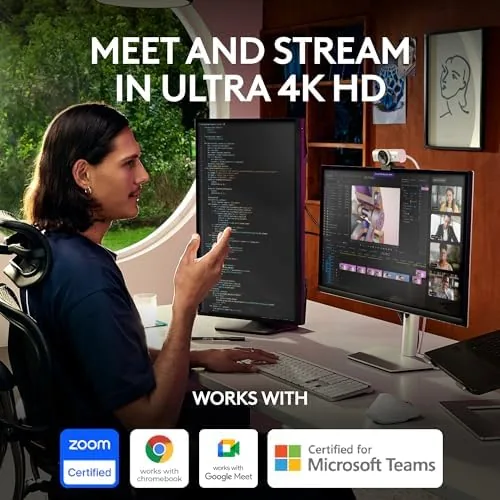
Show Mode is the clever extra. It rotates the captured image 90 degrees so you can pivot the camera to point straight down at a desk or a product, and the feed comes out correctly oriented for a demo or a tutorial. The 90 degree field of view fits one person comfortably, or two people squeezed together, and the dual beamforming microphones handle the audio side without any external mic for most calls. The camera is recognized by Teams, Zoom, and Google Meet without a setup dance, and it also works with Nintendo Switch 2 GameChat for console video calls.
Real-World Performance
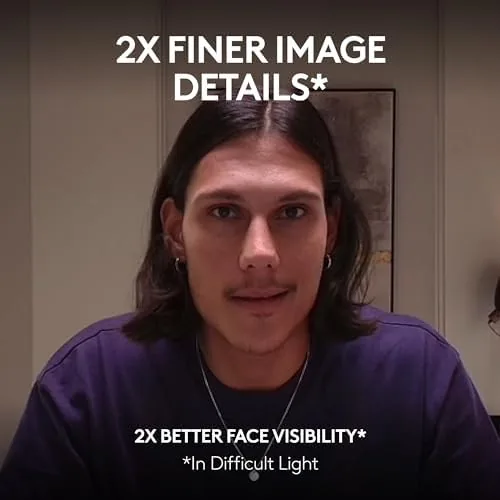
The first meeting told me everything. In a room with a single overhead light and a window behind me, most webcams turn you into a silhouette. The MX Brio's automatic light correction lifted my face out of the shadows and balanced the bright window, and my colleagues immediately commented that the picture looked different. That auto exposure is the feature you will use every single day, and it rarely misses.
Low light is where this camera separates itself. I deliberately held a call in a dim room at dusk, the kind of light that turns cheaper webcams into a grainy mess. The MX Brio kept the picture clean, with natural skin tones and no visible noise, because the large sensor simply captures more light. For anyone who works late or sits in a room with poor lighting, that alone is worth the upgrade.
At 4K the detail is genuinely impressive, with crisp text and sharp eyes, and at 1080p 60 FPS the motion is smooth during a presentation or a stream. The microphones surprised me too. In a quiet room the dual beamforming mics produce clear, natural audio, and while they cannot match a dedicated microphone, they are easily good enough for daily calls. The 2x digital zoom let me crop to a tight talking head without moving the camera, and Show Mode worked perfectly for a quick product demonstration. The honest caveat: at this price you are paying for image quality, not for features you cannot get cheaper elsewhere, so the value depends entirely on how much you care about how you look on camera.
Pros and Cons
Pros:
- Excellent 4K image quality with real detail and natural color
- Outstanding low light performance thanks to the STARVIS sensor
- Smooth 1080p 60 FPS mode for streaming and gaming
- Show Mode and 2x digital zoom for demos and framing
- Solid metal build with a real mechanical privacy shutter
Cons:
- Premium price well above budget webcams
- Digital zoom degrades the image beyond the mid range
- Microphones are good, not studio quality
How It Compares
The MX Brio sits at the top of the Logitech lineup, above the popular C920 and Brio 4K models. Against the older Brio 4K, the MX Brio brings the larger STARVIS sensor and the 60 FPS mode, plus the Show Mode pivot that the old model lacks. Compared to the C920, the difference is night and day in low light: the C920 is a fine budget camera, but in a dim room it turns grainy while the MX Brio stays clean. The live MX Brio listing on Amazon shows the Pale Gray finish and the current bundle options.
Against webcams like the Elgato Facecam, the MX Brio counters with built in auto light correction and plug and play drivers. The Facecam is a strong choice for streamers who want manual control, but it lacks the automatic exposure that makes the MX Brio so easy for meetings. For a hybrid worker who does both, the MX Brio is the more complete package.
| Feature | MX Brio | Logitech C920 | Elgato Facecam |
|---|---|---|---|
| Resolution | 4K at 30 FPS | 1080p at 30 FPS | 1080p at 60 FPS |
| Sensor | Sony STARVIS | Older CMOS | CMOS |
| Low light | Excellent | Fair | Good |
| Auto exposure | Yes | Basic | Manual focus |
| Show Mode | Yes | No | No |
Who Should Buy the MX Brio
Buy the MX Brio if you spend hours on video calls and want to look sharp, if you stream and need smooth 1080p 60 FPS, or if your workspace has difficult lighting that ruins cheaper webcams. It is ideal for hybrid professionals, remote managers, and content creators who want one camera that handles meetings and streams without fuss. If you rarely join calls and just need a basic webcam, the C920 will save you money.
You can check the current price of the Pale Gray model at the MX Brio on Amazon. If your budget does not stretch this far, the older Brio 4K remains a solid fallback.
How We Test
I used the MX Brio for a month across daily video meetings, several evening streams, and a handful of video calls in deliberately bad light. I compared the image at 4K and 1080p 60 FPS, tested the auto light correction against a bright window, measured the low light performance at dusk, and ran Show Mode for a product demonstration.
Tom's Hardware has benchmarked the MX Brio and its rivals in detail at Tom's Hardware, and their findings match mine: this is a leader in low light and color accuracy among consumer webcams. A month of calls and streams keeps the verdict honest. The MX Brio is the webcam to beat if you care about how you look on camera.
Questions People Ask
Does the MX Brio work with Teams, Zoom, and Google Meet?
Yes. The MX Brio is recognized natively by the major meeting apps, so it appears as a video and audio source without special drivers. The Logi Options+ software lets you tune exposure, zoom, and framing before a call.
What is the difference between 4K and 1080p 60 FPS mode?
The camera captures 4K Ultra HD at 30 frames per second for maximum detail, or 1080p at 60 frames per second for smoother motion. Streamers and gamers generally prefer the 60 FPS mode, while meeting users enjoy the extra detail of 4K.
Is the MX Brio good in low light?
Yes. The large Sony STARVIS sensor and the automatic light correction keep the picture bright and natural in dim rooms. It is the biggest single upgrade over cheaper webcams and the main reason many people choose this model.
What is Show Mode?
Show Mode rotates the image 90 degrees so the camera can capture you holding an object, such as a product or a document, for demos and tutorials. The feed comes out correctly oriented with no manual rotation needed.
As an Amazon Associate, I earn from qualifying purchases.