
When the Logitech Brio launched, it did not simply add pixels to the webcam category; it changed what people expected a webcam to be. Before the Brio, a high-end webcam meant a sharp 1080p image and little else. The Brio brought a 4K Ultra HD sensor, a glass lens, automatic light correction, a wide field of view, and even IR sensors for Windows Hello face sign-in, all in a package that streamers and business users could share. Years later it is still on shelves, and the question is whether a pioneer can still beat the budget pack that grew up in its shadow. This review is the record of weeks with the Brio used for streaming, meetings, and video reviews.
Before the details, the standard note. This article contains affiliate links, and if you buy through one of them the site earns a small commission at no extra cost to you. That commission does not change what I test or what I recommend.
Design and Build
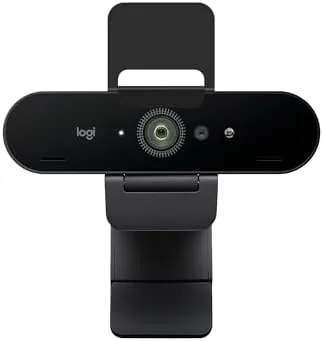
The Brio has a purposeful, slightly industrial look that reads as professional hardware rather than consumer gadgetry. The matte black body houses the lens in a central module, with the microphones and IR sensor arranged around it, and the whole unit mounts on a sturdy clip that tilts and locks into position. It looks at home on a streaming rig or a corporate desk alike.
The build quality is excellent. The body is dense and solid, the clip holds firm without scratching the monitor, and a standard tripod thread on the base means the camera can sit on a stand or a boom arm when a monitor mount will not work. The cable is detachable, which is a meaningful convenience for replacing or routing cables cleanly.
The unit runs a bit warm after long sessions, which is normal for a 4K sensor in a compact body, but it never became uncomfortable or throttled in my testing. The design has aged well, and the only dated element is the size, since newer webcams have grown smaller while the Brio remains a chunky presence on a monitor. That bulk is easy to forgive once you see the image it produces, and the tripod thread on the base means you can hide the size by mounting the camera on a boom arm or a stand just above eye level.
Key Features
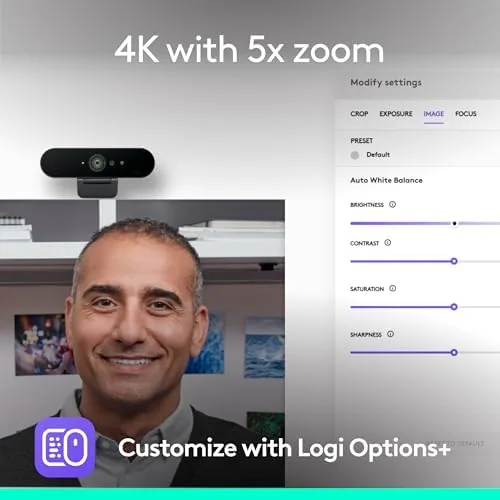
The headline feature is the 4K Ultra HD sensor. At 3840 by 2160, the Brio captures four times the pixels of A 1080p webcam, which gives streamers room to crop the frame without losing sharpness and gives everyone else a cleaner image that survives the compression of video platforms.

The glass lens is the second feature, and it matters more than the resolution alone. Glass optics deliver sharper detail and better color than the plastic lenses on budget webcams, and the difference shows in fine textures like hair and fabric. A field of view that adjusts from 65 to 90 degrees lets you frame a tight head-and-shoulders shot or a wide view of the desk.
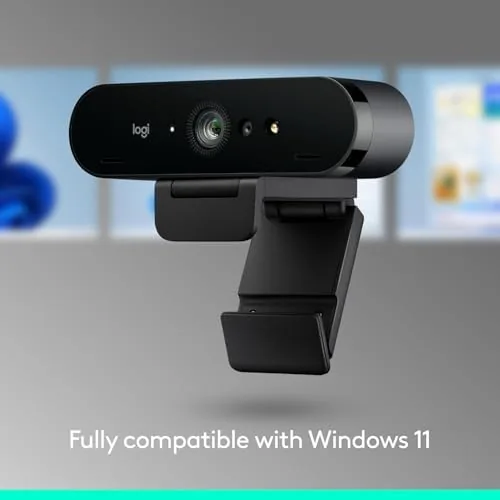
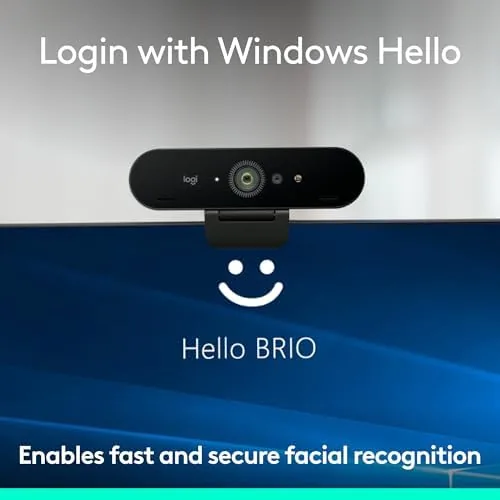
The third feature is the built-in technology stack. Auto light correction balances exposure in tricky Lighting, dual noise-reducing microphones keep the audio clean, and the IR sensor enables Windows Hello face sign-in on supported machines. The Brio is also certified for Microsoft Teams, Zoom, and Google Meet, which means it behaves predictably inside each platform.
Real-World Performance
Streaming was the most demanding test, and the Brio delivered. In a well-lit streaming setup, the 4K image was crisp and detailed, and the wide field of view captured the desk and background without distortion. Cropping to a closer framing for a lower third graphic kept the face sharp, which is exactly the headroom 4K is meant to provide.
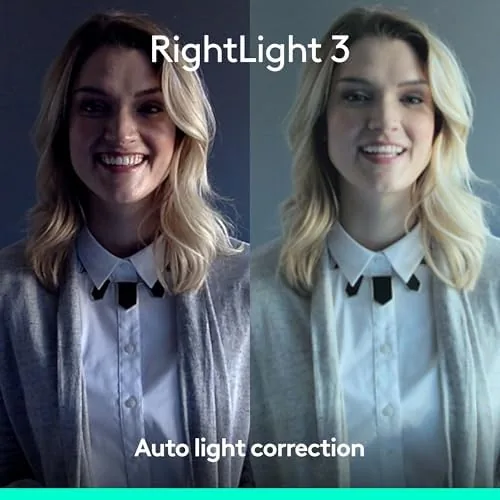
Light handling was where the Brio stood out from the crowd. In a dim office lit only by a window, the auto light correction kept the image clean and well exposed instead of letting it degrade into grainy noise, which is the failure mode of most webcams. It is not a miracle worker in near darkness, but it buys comfortable usability through the average home office day.
On meetings, the Brio behaved exactly as certified hardware should. Colleagues commented that the picture looked noticeably better than their built-in cameras, and the dual microphones picked up my voice cleanly with a fan running in the background. Windows Hello sign-in worked instantly on a supported laptop, unlocking the machine with a glance rather than a password. I also recorded a short product video during the testing period, and the ability to reframe the 4K footage in editing without losing quality proved that the resolution is not just marketing; it is a practical tool for anyone who edits their own content.
The honest limitation is the age of the design. The Brio captures video at 4K at 30 frames per second and 1080p at 60 frames per second, and it has no built-in privacy shutter, so you need to add a lens cover if you want one. Newer webcams offer autofocus that the Brio lacks and smaller footprints, which matters if you are comparing strictly on 2026 expectations. None of that changes the fact that the Brio still produces an image that flatters the person on screen, and that is the trait most likely to survive the comparison against any newer hardware.
Pros and Cons
Pros:
- Sharp 4K sensor with glass lens optics
- Excellent auto light correction for dim rooms
- Windows Hello IR face sign-in built in
- Wide 90 degree field of view with framing control
- Certified for Teams, Zoom, and Google Meet
Cons:
- Premium price above most modern 1080p webcams
- Fixed focus with no autofocus system
- No built-in privacy shutter
- Bulkier than newer compact webcams
How It Compares
The webcam market has crowded around the Brio since its launch, so the comparison is against a modern 1080p webcam and a newer 4K rival. The table shows where the Brio still leads and where it trails.
| Feature | Logitech Brio | Modern 1080p Webcam | Newer 4K Rival |
|---|---|---|---|
| Resolution | 4K | 1080p | 4K |
| Lens | Glass | Plastic | Glass |
| Autofocus | No | Varies | Often yes |
| Windows Hello | Yes | Rarely | Varies |
| Light correction | Excellent | Basic | Good |
| Privacy shutter | No | Often yes | Often yes |
Against a modern 1080p webcam, the Brio still wins on resolution, light handling, and Windows Hello support. Against a newer 4K rival, it trades autofocus and a privacy shutter for proven reliability and a premium brand name. For users who value image quality and the IR convenience, the Brio remains a legitimate choice, though the price gap to its best budget competition has closed considerably.
Who Should Buy It
Buy the Logitech Brio if you stream, record video, or attend meetings where image quality matters, and you want a proven 4K webcam with Windows Hello support. It is particularly strong for people who crop their framing, need clean light correction in a dim room, or want one webcam that works across work and streaming.

Skip it if you only need A Camera for casual calls, if autofocus and a privacy shutter are must-haves, or if your budget fits better spent on lighting. For the streamer or professional who wants a camera that still sets the image quality standard, the Brio earns its place. You can check the current price of the Logitech Brio on Amazon when you are ready.
How We Test
I used the Logitech Brio for weeks across streaming sessions, work meetings, recorded video reviews, and Windows Hello sign-in on a supported laptop. I tested the 4K image in bright light and in a dim office, judged the microphones with a fan running in the background, and verified the framing range from 65 to 90 degrees.
I compared the Brio against a modern 1080p webcam and a newer 4K model in the same room, reviewing recordings for sharpness, color, and light handling. I did not run lab measurements, because how a webcam looks on a call or a stream matters more than a spec sheet. Independent guidance such as Tom's Hardware's best webcams is a good resource for broader comparisons.
The Logitech Brio listing on Amazon shows the current price and any bundle options.
Logitech Brio: Questions People Ask
Is the Logitech Brio worth it for 4K?
For streaming and professional meetings the 4K sensor delivers genuine sharpness and room to crop, and the glass lens keeps the image clean, though a 1080p webcam suffices for casual calls.
Does the Logitech Brio work with Windows Hello?
Yes. The Brio includes an IR sensor that works with Windows Hello for fast, secure face sign-in on supported Windows machines.
How is the Logitech Brio for low light?
The auto light correction is one of its best features, keeping the image clean and well exposed in dim offices where most webcams degrade into grainy noise.
Is the Brio certified for Teams and Zoom?
Yes. The Brio is certified for Microsoft Teams, Zoom, and Google Meet, so it behaves reliably with each platform's video processing out of the box.
As an Amazon Associate, I earn from qualifying purchases.