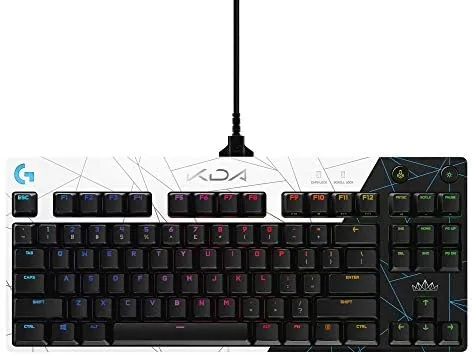

There is a particular thrill in using the same gear as professional players, and the Logitech G PRO K/DA keyboard leans into that feeling with purpose. This is the official League of Legends K/DA edition of the keyboard that has appeared on esports stages for years, wrapped in a black and purple theme that celebrates the virtual music group. This review comes from a month of competitive gaming and daily typing on the tenkeyless layout, testing the switches, the lighting, and the portability that gives the G PRO its reputation. The short version is that underneath the K/DA styling sits one of the most reliable tournament keyboards ever made, and the collaboration adds style without sacrificing function.
Before the details, the disclosure that covers every review on this site. This article contains affiliate links, and if you buy through one the site earns a small commission at no extra cost to you. That does not influence what I write, and I purchased this keyboard myself rather than receiving a sample. Every observation below comes from my own month of use.
Design and Build
The G PRO K/DA is a tenkeyless keyboard, which means it drops the number pad entirely in favor of a compact footprint. That single decision explains most of its personality. Without the number pad, the keyboard takes up noticeably less desk space, which gives a low-sensitivity mouse player room to swing the mouse without colliding with the board. The K/DA edition dresses the familiar black chassis in a deep purple finish with white accents, and the design feels like proper licensed gear rather than a sticker slapped on a stock keyboard.
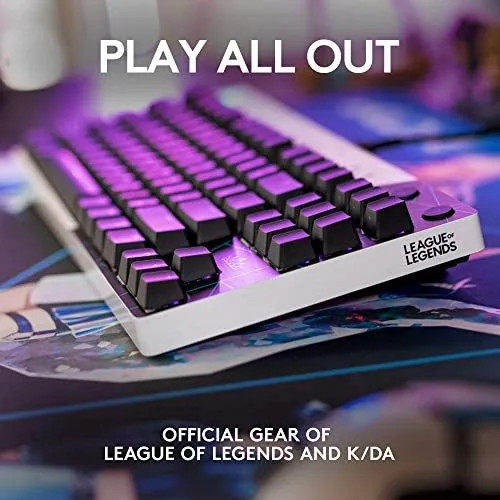
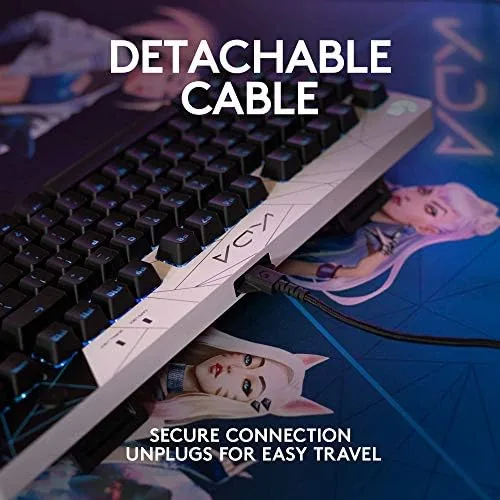
The build is exactly what you expect from Logitech G. The top plate is a solid aluminum frame that gives the keyboard a reassuring rigidity, and the whole unit weighs just under a kilogram, light enough to drop into a bag for a LAN or a tournament. The keycaps are double-shot, so the legends will not wear off with heavy use, and the switches sit exposed in a floating-key layout that makes cleaning simple. The detachable micro USB cable locks in securely and detaches cleanly, which protects the port if the cable ever gets yanked. It is a board designed to survive the travel life of a competitive player.
Key Features
The heart of the G PRO is its Romer-G mechanical switches. These are Logitech's own tactile switches, rated for 70 million keystrokes, with a short 1.5 millimeter actuation point. In practice that means keypresses register fast and feel consistent from key to key, which is exactly what a player wants when every millisecond matters. The tactile bump is light and clean, neither as clicky as a Blue switch nor as subtle as a Red, and it suits both gaming and typing.
The second headline feature is LIGHTSYNC RGB lighting. Every key can be lit from a palette of 16.8 million colors, and the K/DA edition ships with themed lighting effects that match the collaboration. Through the Logitech G HUB software you can animate waves, ripples, and per-key effects, and LIGHTSYNC can sync the lighting with supported games so the keyboard reacts to the action on screen. The K/DA keys are illuminated with a clean white glow when the default theme is running, which looks sharp against the purple body.
Real-World Performance
I used the G PRO K/DA as my daily driver for a month, alternating between competitive shooters, MOBA sessions, and ordinary work typing. In fast-paced games the Romer-G switches felt immediate. A quick tap registers the moment the switch passes the actuation point, and the consistent weighting across all keys means there are no stragglers in the typing row that feel mushy by comparison. The tenkeyless layout took about two days to adjust to after years of full-size keyboards, and after that the extra mouse space became something I did not want to give up.
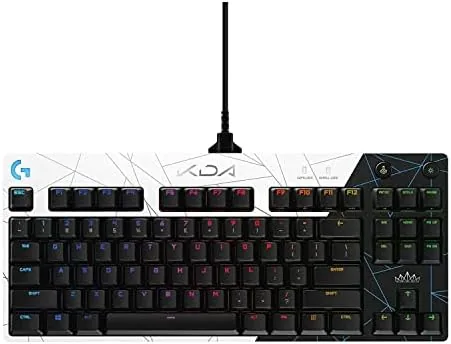
For typing, the G PRO is better than most gaming boards. The light tactile bump gives you a clear sense of each keypress without the loud click of a clicky switch, and a full day of writing produced no finger fatigue. The lighting ran flawlessly through G HUB, and the K/DA theme synced cleanly with supported titles. The one honest complaint is the keycap material: it has a slightly textured finish that some users love and others find a little slick, and because the bottom row uses non-standard key sizes, replacing keycaps later is more difficult than on a standard layout. For daily driving, that is a minor price for the compact design and the styling.
Pros and Cons
Pros:
- Fast Romer-G switches with a short 1.5 millimeter actuation point
- Compact tenkeyless layout frees up mouse space on the desk
- Official K/DA styling with a 16.8 million color LIGHTSYNC palette
- Detachable cable and aluminum top plate built for travel
- G HUB software handles per-key lighting and game sync
Cons:
- Micro USB cable instead of a modern USB-C connection
- Non-standard bottom row makes keycap replacement harder
- No built-in wrist rest for longer typing sessions
Those cons are worth reading honestly. The micro USB port is a dated choice on a board at this price, and enthusiasts who like to swap keycaps will find the bottom row limiting. For the majority of players who want a fast, Dependable board with standout styling, neither issue is a deal-breaker.
How It Compares
The G PRO K/DA sits in the crowded field of tenkeyless mechanical keyboards, where the choice usually comes down to switch type, build, and extras. The table below shows how it lines up against the two main alternatives.
| Feature | Logitech G PRO K/DA | Full-Size RGB Board | Budget Mechanical |
|---|---|---|---|
| Layout | Tenkeyless | Full with number pad | Full or tenkeyless |
| Switch | Romer-G tactile | Various | Often generic clones |
| Build | Aluminum top plate | Plastic or metal | Mostly plastic |
| Software | G HUB with game sync | Varies | Often none |
| Best for | Esports and daily use | Desktop productivity | Budget gaming |
A full-size board keeps the number pad for spreadsheets but eats desk space. A budget board saves money but often skips the switch consistency, build quality, and software that make the G PRO feel pro-grade. For someone who games seriously and types daily, the K/DA edition bundles the esports-proven core with the best-looking theme in the lineup.
Who Should Buy the G PRO K/DA
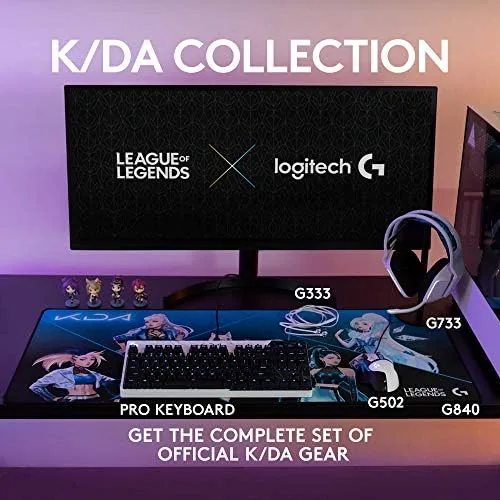
Buy the G PRO K/DA if you play competitive games where a compact layout and fast switches help, if you travel to events and want a board that survives the trip, or if you are a League of Legends fan who wants official K/DA gear that actually performs. It is also a strong choice for anyone moving down from a full-size keyboard who wants to reclaim desk space without giving up build quality. Skip it if you need a number pad for work, if you want hot-swappable switches, or if a modern USB-C connection is essential to you. When you are ready, you can check the current price of the Logitech G PRO K/DA keyboard on Amazon.
How We Test
I tested the G PRO K/DA over a month as my primary keyboard, covering competitive shooters, MOBA play, and full workdays of typing. I judged the switches on actuation consistency, the layout on desk-space use and adjustment time, the lighting on customization through G HUB, and the build on daily handling and travel. I did not use keystroke-logging instruments or lab timing equipment, so the speed observations reflect playing experience rather than measured latency. For a second opinion on the G PRO platform, Tom's Hardware has covered the Logitech G PRO keyboard line with a full review that is worth reading. The Amazon listing for the G PRO K/DA shows the current price and the full K/DA bundle details.
Logitech G PRO K/DA: Questions People Ask
What switches does the Logitech G PRO K/DA use?
It uses Romer-G tactile switches rated for 70 million keystrokes, with a short 1.5 millimeter actuation point that makes them quick and consistent for both gaming and typing.
Is the G PRO keyboard wired only?
Yes, this version is wired only, using a detachable micro USB cable, which is a deliberate trade for tournament reliability and portability rather than a convenience feature.
Can the K/DA lighting be customized?
Yes, through the Logitech G HUB software you can set per-key colors from the 16.8 million color LIGHTSYNC palette, animate effects, and sync the lighting with supported games.
Is the tenkeyless layout hard to get used to?
Most players adjust within a few days, and the compact layout frees up mouse space on the desk, which is exactly why tournament players prefer it.
As an Amazon Associate, I earn from qualifying purchases.